
Lesson 82: Add Maintenance Statistics to the Flipnzee Dashboard

Objective
Enhance the Flipnzee Auctions dashboard by displaying real-time maintenance statistics, allowing administrators to quickly monitor the health of the auction system.
Why This Lesson?
Currently, maintenance runs silently.
Administrators cannot easily determine:
- How many auctions are active?
- How many are scheduled?
- How many have closed?
- Are there expired auctions waiting to be processed?
- How many transactions are pending?
Instead of opening multiple pages, the dashboard should provide this information at a glance.
What We’ll Build
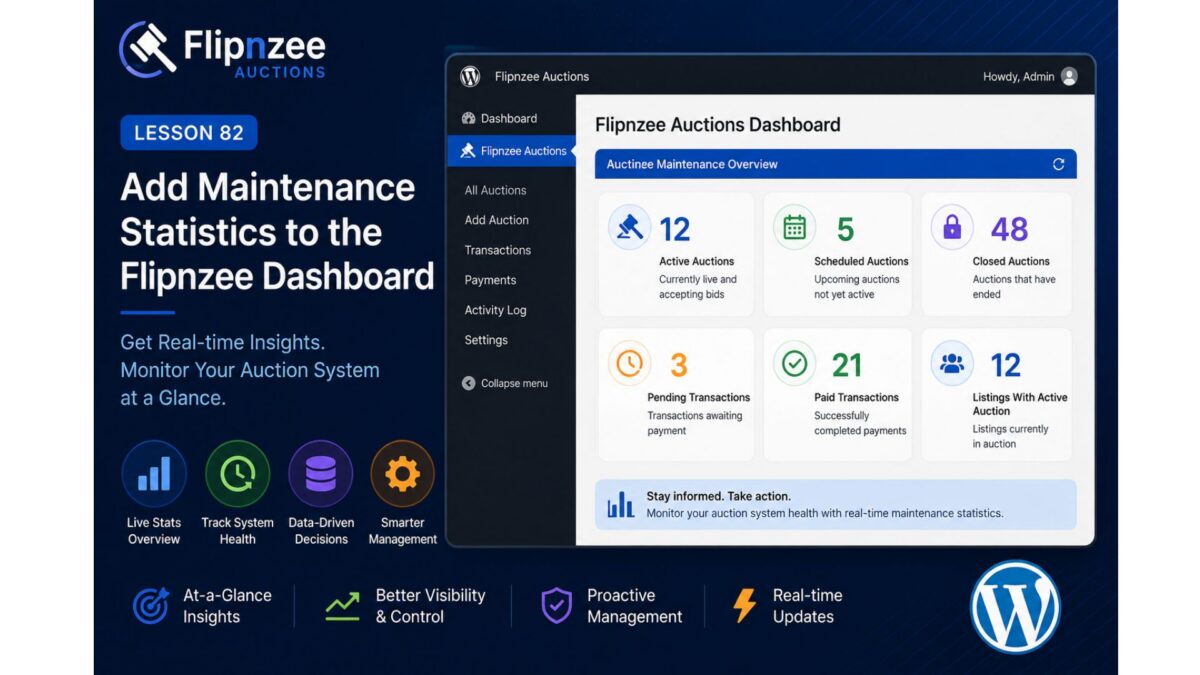
A new Auction Maintenance Overview section on the Dashboard.
Example:
-----------------------------------------
 Flipnzee Auctions Dashboard
-----------------------------------------

Active Auctions .............. 12

Scheduled Auctions ........... 5

Closed Auctions .............. 48

Pending Transactions ......... 3

Paid Transactions ............ 21

Listings With Active Auction . 12

-----------------------------------------
Database Queries
We’ll count records directly from the existing tables.
Active auctions
SELECT COUNT(*)
FROM wp_flipnzee_auctions
WHERE status='active'
Scheduled auctions
SELECT COUNT(*)
FROM wp_flipnzee_auctions
WHERE status='draft'
Closed auctions
SELECT COUNT(*)
FROM wp_flipnzee_auctions
WHERE status='closed'
Pending payments
SELECT COUNT(*)
FROM wp_flipnzee_transactions
WHERE payment_status='pending'
Paid payments
SELECT COUNT(*)
FROM wp_flipnzee_transactions
WHERE payment_status='paid'
Benefits
Administrators can instantly verify that:
- automatic activation is working
- automatic closing is working
- payment workflow is progressing
- auction volume is increasing
- no maintenance backlog exists
Files We’ll Modify
admin/class-admin.php
No database changes.
No new tables.
No schema updates.
Learning Outcomes
After completing this lesson, you’ll know how to:
- Create an admin dashboard summary.
- Execute aggregate database queries using
$wpdb. - Display live system statistics.
- Build informative WordPress admin interfaces.
- Improve the usability of a plugin without changing its core business logic.
Estimated Difficulty
⭐⭐☆☆☆ (Beginner–Intermediate)
This lesson focuses on improving the administrator experience by presenting meaningful live statistics rather than introducing new backend logic.
It also prepares the dashboard for future enhancements, such as charts, maintenance history, and performance metrics in later lessons.