
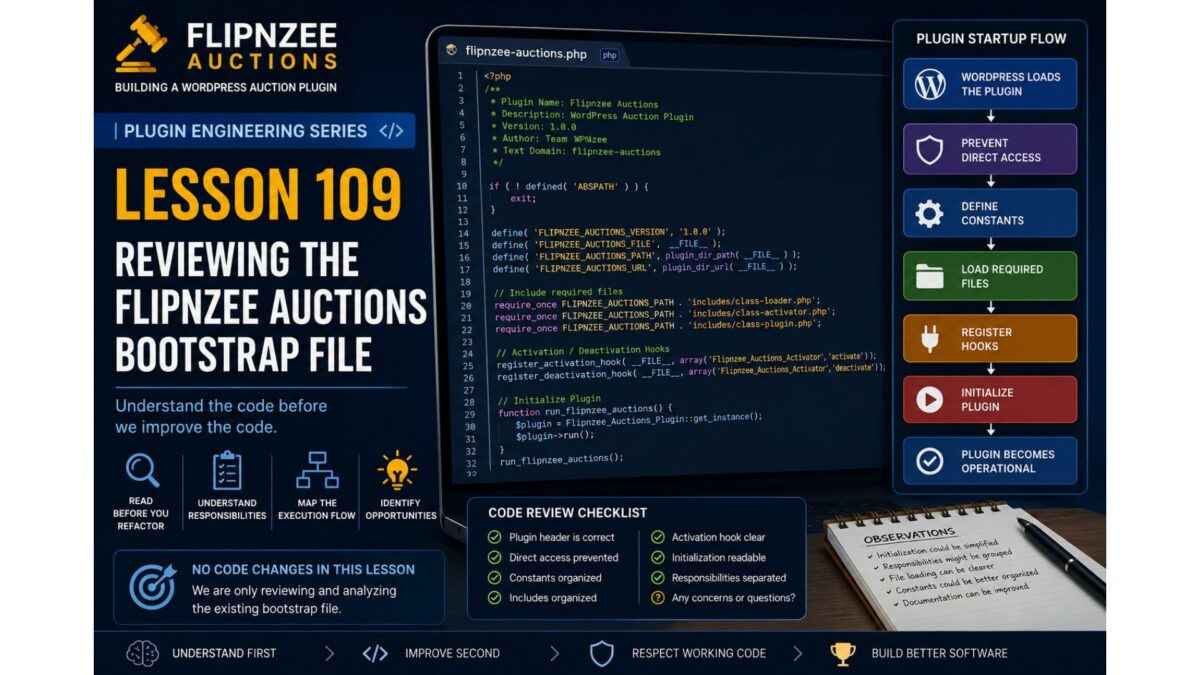
Lesson 109: Reviewing the Flipnzee Auctions Bootstrap File

Series: Building Flipnzee Auctions → Plugin Engineering
Lesson: 109
Difficulty: Beginner to Intermediate
Prerequisites: Lesson 108 – Understanding the Plugin Bootstrap and Execution Flow
Code Changes: None (Analysis & Code Review)
Introduction
In Lesson 108, we learned how WordPress loads plugins and why understanding execution flow is the first step toward professional software engineering.
In this lesson, we finally open the Flipnzee Auctions bootstrap file—the file that WordPress executes whenever the plugin is loaded.
Our goal is not to change anything yet.
Instead, we will carefully study what the bootstrap currently does, identify its responsibilities, and decide whether each responsibility belongs there.
Professional developers spend a significant amount of time reading code before modifying it. That habit reduces bugs and results in better architectural decisions.
Learning Objectives
By the end of this lesson, you will understand:
- What the Flipnzee Auctions bootstrap file does.
- Why WordPress starts execution from this file.
- Which responsibilities belong inside a bootstrap.
- Which responsibilities should eventually move elsewhere.
- How to review existing code without immediately refactoring it.
Why Review Existing Code First?
Many beginner developers immediately start rewriting code whenever they think they see an improvement.
Experienced developers do something different.
They ask questions like:
- Why was this written?
- Does it already work correctly?
- Is there hidden functionality?
- Will changing this break something else?
- Can this responsibility be better organized?
Only after answering these questions do they begin making changes.
Our objective is understanding, not criticism.
What Is the Bootstrap File?
The bootstrap file is the plugin’s entry point.
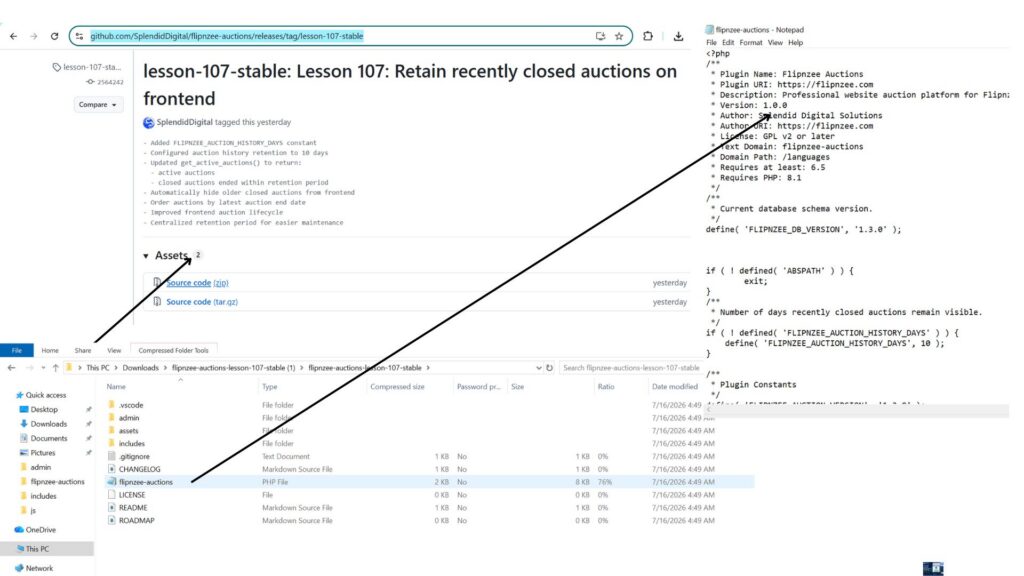
For Flipnzee Auctions, it is:
flipnzee-auctions.php
Figure 1. Starting Point for the Plugin Engineering Series
lesson-107-stable
Starting Point for Plugin Engineering
Every request begins here.
Think of it as the reception desk of a company.
Visitors arrive here first.
The receptionist doesn’t perform accounting, legal work, or engineering.
Instead, the receptionist directs each visitor to the correct department.
A good bootstrap behaves the same way.
It coordinates.
It does not perform business logic.
Typical Responsibilities of a Bootstrap
A clean WordPress bootstrap usually performs responsibilities such as:
- Plugin metadata
- Prevent direct access
- Define constants
- Load required files
- Register activation hook
- Register deactivation hook
- Load translations
- Initialize the plugin
Notice what is missing.
A bootstrap should not:
- Process bids
- Create transactions
- Query auctions
- Render frontend HTML
- Execute payment logic
- Perform transfer workflows
Those belong elsewhere.
Reviewing the Flipnzee Auctions Bootstrap
As we examine our bootstrap file, ask yourself the following questions.
1. Does it have a single responsibility?
Is it primarily responsible for starting the plugin?
Or is it doing too much?
2. Is the execution flow easy to follow?
Can another developer understand the startup sequence within a few minutes?
Or must they jump between many unrelated sections?
3. Are constants grouped together?
Constants should be easy to find.
Examples include:
- Version
- Plugin path
- Plugin URL
- Asset paths
These values are typically defined early because many other classes depend on them.
4. Are dependencies loaded clearly?
Does the bootstrap make it obvious:
- which files are required,
- why they are required,
- and in what order?
A predictable loading sequence makes debugging much easier.
5. Does it initialize one central plugin class?
A common professional pattern looks like this:
Bootstrap
        │
        ▼
Main Plugin Class
        │
        ▼
Services
        │
        ▼
Features
Instead of creating dozens of objects directly inside the bootstrap, one central class coordinates the rest of the plugin.
We’ll evaluate whether Flipnzee Auctions already follows this pattern or whether it can be improved.
Understanding the Current Startup Sequence
Although every plugin is different, the startup sequence generally looks like this:
WordPress loads plugin
        │
        ▼
Plugin header is read
        │
        ▼
Prevent direct access
        │
        ▼
Define constants
        │
        ▼
Load required files
        │
        ▼
Register activation hooks
        │
        ▼
Initialize plugin
        │
        ▼
Register WordPress hooks
        │
        ▼
Plugin becomes operational
As we inspect the Flipnzee Auctions bootstrap, we will map each section to one of these responsibilities.
Code Review Checklist
During this lesson, create a simple checklist.
| Question | Status |
|---|---|
| Plugin header is correct | ✅ |
| Direct access prevented | ✅ |
| Constants organized | Review |
| Includes organized | Review |
| Activation hook clear | Review |
| Initialization readable | Review |
| Responsibilities separated | Review |
This checklist becomes the foundation for future refactoring.
Engineering Notes
One important principle throughout this series is:
Working code deserves respect.
Just because code can be improved does not mean it was poorly written.
Most software evolves over time.
Every version reflects the knowledge and priorities of the project at that moment.
Our goal is to improve the code while preserving its working behavior.
No Refactoring Yet
You may already notice opportunities to improve the bootstrap.
Resist the temptation.
One of the easiest ways to introduce bugs is to refactor before fully understanding the code.
Instead, maintain a list of observations.
For example:
- Initialization could be simplified.
- Responsibilities might be grouped differently.
- File loading may become more readable.
- Constants could be organized together.
- Documentation could be improved.
These observations become candidates for future lessons.
Testing
Since we are only reviewing code:
- No functionality should change.
- Plugin behavior should remain identical.
- Existing features should continue working.
This lesson is purely analytical.
Git
Because no code changes were made, there is nothing to commit.
If you took notes separately, you may commit documentation only.
Otherwise, proceed directly to Lesson 110.
Key Takeaways
In this lesson, we learned that professional engineering begins with careful observation.
We identified the responsibilities of a plugin bootstrap, discussed what belongs there and what does not, and established a framework for reviewing the Flipnzee Auctions startup sequence.
Most importantly, we adopted an engineering mindset:
- Understand before changing.
- Respect working code.
- Identify responsibilities.
- Record observations.
- Refactor deliberately.
Looking Ahead
In Lesson 110, we will perform our first real code walkthrough of the flipnzee-auctions.php bootstrap file.
We’ll examine each section line by line, trace the execution path through the plugin, and build an execution-flow diagram based on the actual code. Only after fully understanding the implementation will we decide whether and how to refactor it.
Discussion
Before moving on, consider these questions:
- Why should a bootstrap file avoid business logic?
- Which startup responsibilities belong in the bootstrap, and which belong elsewhere?
- Why is reviewing working code often more valuable than immediately rewriting it?
- If you opened a plugin for the first time, what information would you look for in its bootstrap file?
Share your thoughts in the comments. In the next lesson, we’ll replace theory with practice by tracing the real execution flow of Flipnzee Auctions from its bootstrap file.