
Lesson 96: Improve Watchlist User Experience with AJAX UI Updates

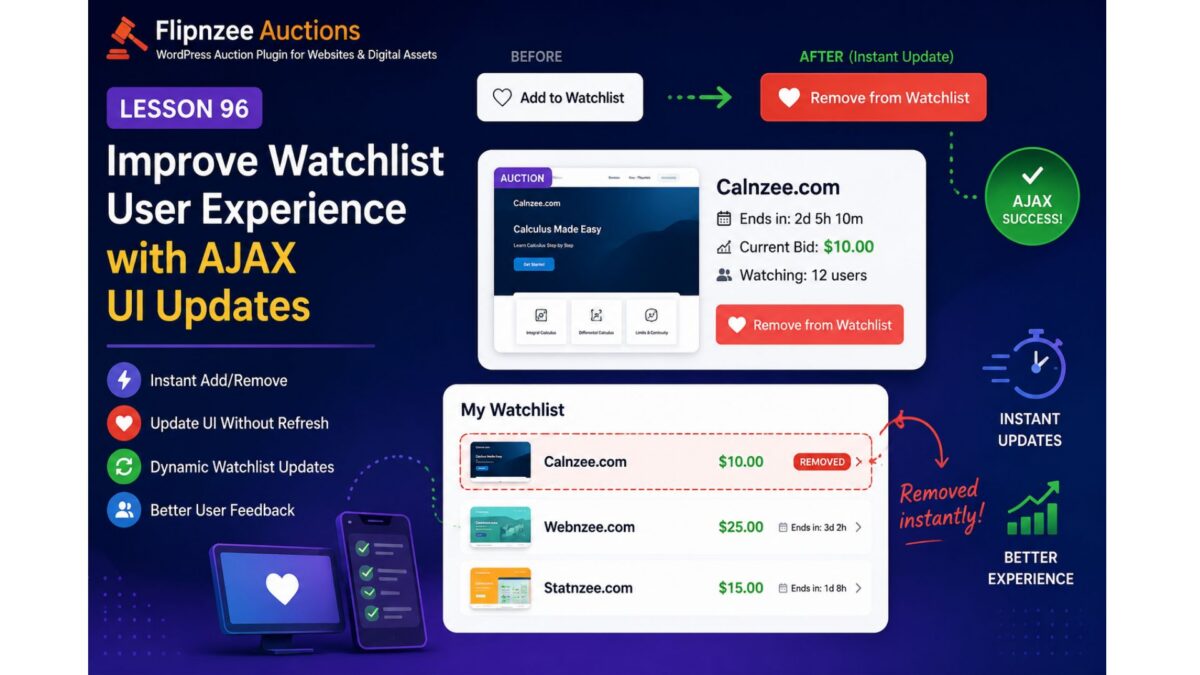
Objective
In Lesson 95, we successfully completed the core Watchlist functionality:
- Users can add auctions to their Watchlist.
- Users can remove auctions from their Watchlist.
- AJAX requests work correctly.
- The Watchlist shortcode displays saved auctions.
- Database operations are stable.
However, one usability issue remains.
When a user clicks Add to Watchlist or Remove from Watchlist, the database updates successfully, but the page does not immediately reflect the change. Users must manually refresh the page to see the updated Watchlist.
The goal of Lesson 96 is to make the Watchlist feel like a modern web application by updating the interface immediately after a successful AJAX response.
Why this improvement is needed
Modern users expect instant feedback.
Instead of this workflow:
Click Add
↓

AJAX succeeds
↓

Nothing changes
↓

User refreshes page
↓

Button changes
we want:
Click Add
↓

AJAX succeeds
↓

Button immediately changes to
❤ Remove from Watchlist

↓

Watchlist section updates
Likewise for removal:
Click Remove
↓

AJAX succeeds
↓

Button changes back to
❤ Add to Watchlist

↓

Auction disappears from My Watchlist
No manual refresh should be required.
Planned Improvements
1. Refactor watchlist.js
Clean the JavaScript implementation by separating:
- Add handler
- Remove handler
- UI update methods
instead of one large callback.
2. Update button immediately
Instead of waiting for page refresh:
Current
❤ Add to Watchlist
↓
❤ Remove from Watchlist
or vice versa.
3. Toggle CSS classes
Instead of rebuilding HTML:
button.removeClass(...)
button.addClass(...)
This is cleaner and easier to maintain.
4. Update My Watchlist dynamically
Instead of requiring refresh:
My Watchlist

Auction A
Auction B
Auction C
↓
After removal
My Watchlist

Auction A
Auction C
without reloading the page.
5. Refresh watcher count (future-ready)
Lesson 96 will prepare the JavaScript so we can later update:
Watching:
15 users
instantly after each action.
6. Better user feedback
Instead of silent success:
Display messages like:
✓ Added to Watchlist
or
✓ Removed from Watchlist
These can initially use simple alerts or inline notices, with the option to replace them with WordPress-style notifications in a later lesson.
7. Improve code readability
Break the current callback into smaller functions such as:
toggleWatchlistButton()

updateWatchlistUI()

showMessage()

handleAjaxError()
This will make future enhancements—such as heart icons, badges, or animations—much easier to implement.
Files expected to change
assets/js/watchlist.js
Primary refactoring.
Possibly:
includes/class-watchlist-shortcode.php
if AJAX-generated HTML needs slight adjustments.
Minor updates may also be needed in:
assets/css/frontend.css
for improved button states or visual feedback.
Expected Result
After Lesson 96:
- ✅ No manual page refresh required.
- ✅ Watchlist button updates instantly.
- ✅ My Watchlist reflects changes immediately.
- ✅ Cleaner JavaScript architecture.
- ✅ Better user experience.
- ✅ Foundation prepared for future enhancements such as live watcher counts and real-time notifications.
Learning Outcomes
By completing Lesson 96, we will gain practical experience with:
- AJAX-driven UI updates
- DOM manipulation using jQuery
- Dynamic button state management
- Refactoring JavaScript for maintainability
- Improving user experience without additional server requests
This lesson focuses on polishing the Watchlist feature into a smoother, more responsive interface while keeping the underlying architecture modular and ready for future enhancements.