
Lesson 110: Identifying Responsibilities in the Flipnzee Auctions Bootstrap

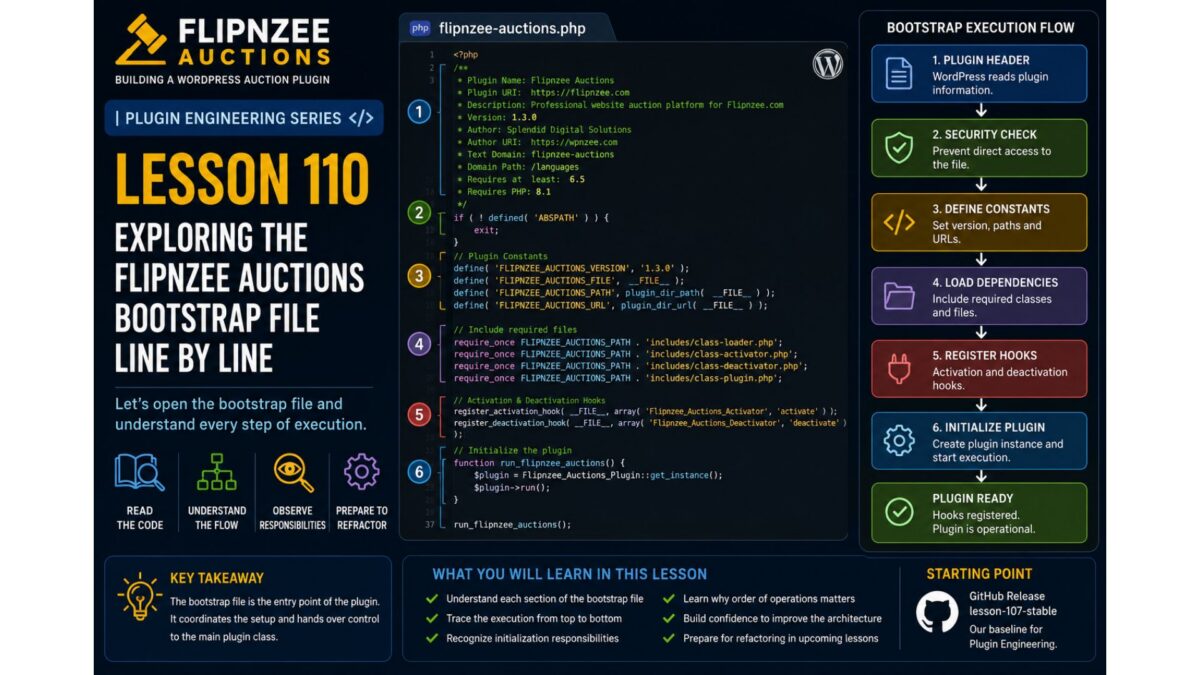
Series: Building Flipnzee Auctions → Plugin Engineering
Lesson: 110
Difficulty: Beginner to Intermediate
Prerequisites: Lessons 108–109
Code Changes: None (Architecture Review)
Introduction
In Lessons 108 and 109, we learned what a plugin bootstrap is and why professional developers review existing code before making changes.
Now it’s time to examine the actual flipnzee-auctions.php file from the Lesson 107 Stable release. Unlike many tutorials that use simplified examples, this lesson is based on the real bootstrap powering Flipnzee Auctions.
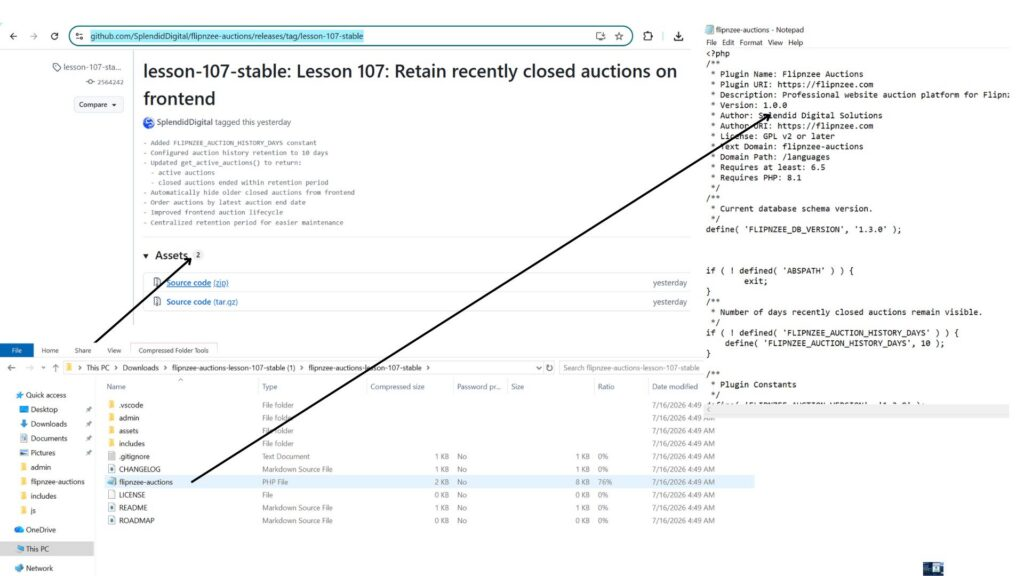
Our goal is not to refactor the code. Instead, we will identify the different responsibilities contained within the bootstrap and understand why each one exists. By the end of this lesson, you’ll begin seeing the bootstrap not as a long PHP file, but as the central coordinator that connects WordPress with every major component of the plugin.
Learning Objectives
By the end of this lesson, you will be able to:
- Identify the major responsibilities handled by the plugin bootstrap.
- Understand why bootstrap files naturally grow as plugins evolve.
- Recognize how WordPress uses hooks to communicate with plugins.
- Explain why loading classes, registering hooks, and initializing components are separate responsibilities.
- Prepare for future refactoring by first understanding the existing architecture.
Why Focus on Responsibilities?
Imagine walking into a manufacturing plant for the first time.
Before examining individual machines, you first identify the departments:
- Reception
- Manufacturing
- Quality Control
- Packaging
- Shipping
Only after understanding those departments do you begin studying the machines inside each one.
Professional software engineers approach large codebases the same way.
Instead of immediately reading every line of code, they first identify the major responsibilities.
That is exactly what we’ll do with the Flipnzee Auctions bootstrap.
The Bootstrap at a Glance
After reviewing the file, we can divide its responsibilities into the following sections.
Plugin Header
        │
Security Check
        │
Plugin Constants
        │
Load Core Classes
        │
Initialize Notifications
        │
Plugin Activation
        │
Plugin Deactivation
        │
Register WordPress Hooks
        │
Load Frontend Assets
        │
AJAX Localization
        │
Instantiate Core Objects
        │
Load Admin Assets
Even without reading every line, this diagram tells us something important:
The bootstrap does far more than simply “start the plugin.”
It acts as the coordinator for nearly every subsystem inside Flipnzee Auctions.
Section 1 – Plugin Header
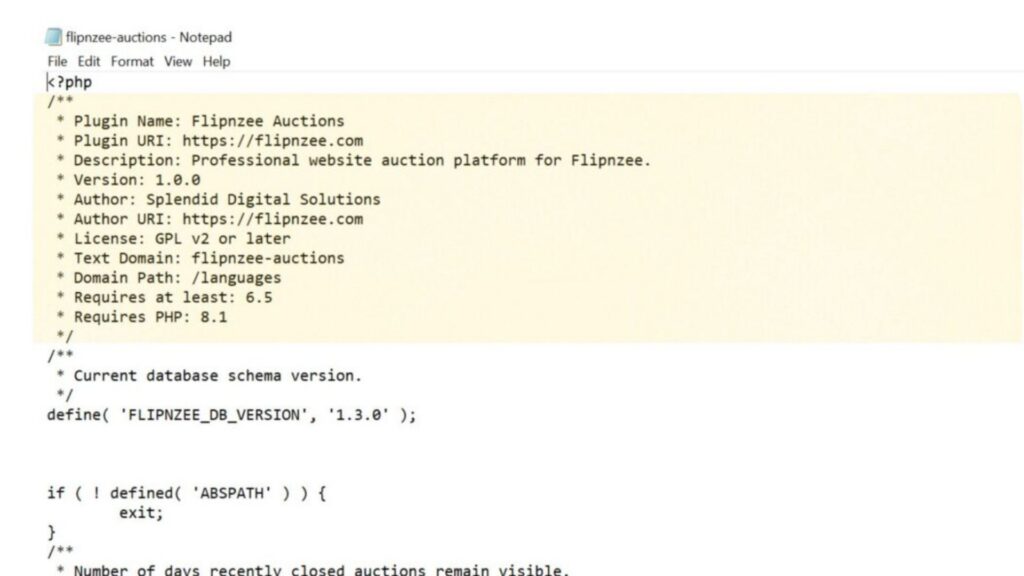
The bootstrap begins with the standard WordPress plugin header.
It contains information such as:
- Plugin Name
- Version
- Description
- Author
- Text Domain
- Minimum WordPress Version
- Minimum PHP Version
Although this appears to be nothing more than a PHP comment, WordPress reads this information to display the plugin on the Plugins screen and determine compatibility requirements.
Section 2 – Security
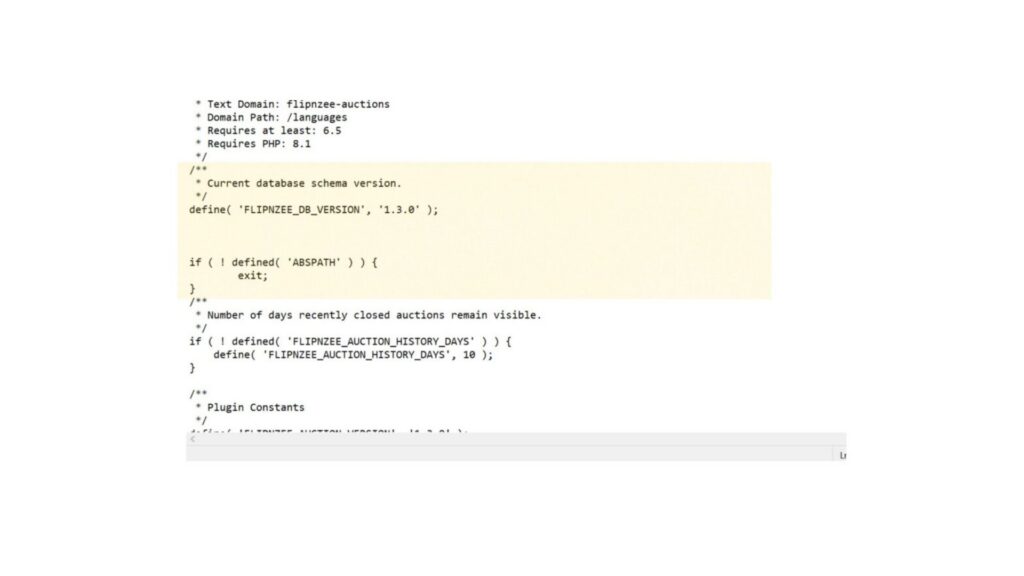
Immediately after the header, the bootstrap protects itself from direct access.
if ( ! defined( 'ABSPATH' ) ) {
    exit;
}
Why does this exist?
Every plugin file lives inside the web server.
Without this check, someone could attempt to execute the file directly through a browser.
By verifying that ABSPATH exists, the plugin ensures it is only executed through WordPress.
Section 3 – Plugin Constants
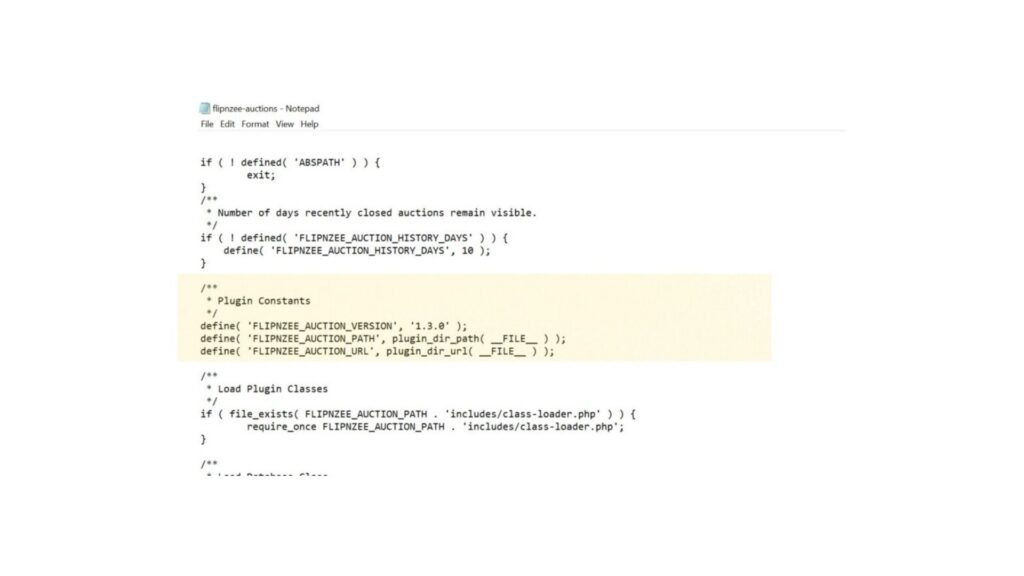
Next, the plugin defines several constants.
Examples include:
FLIPNZEE_DB_VERSIONFLIPNZEE_AUCTION_VERSIONFLIPNZEE_AUCTION_PATHFLIPNZEE_AUCTION_URLFLIPNZEE_AUCTION_HISTORY_DAYS
These values act as shared configuration used throughout the plugin. Rather than repeating version numbers or file paths in multiple locations, the plugin defines them once and reuses them everywhere.
Section 4 – Loading Classes
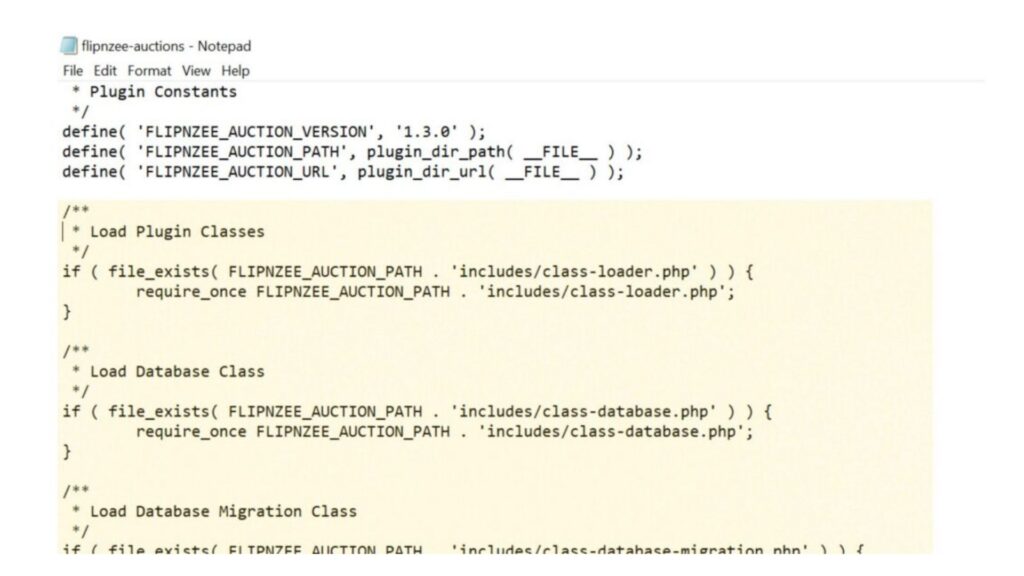
The largest portion of the bootstrap is responsible for loading the PHP classes that power the plugin.
Among them are:
- Database
- Database Migration
- Auction Manager
- Bid Manager
- Payment Manager
- Activity Log
- Transaction Manager
- Watchlist Manager
- Buyer Dashboard
- Notification Manager
- Transfer Manager
…along with numerous administrative classes.
Why does this exist?
Before WordPress can execute any plugin functionality, PHP must know where those classes are located.
The bootstrap acts like a librarian—it gathers every required class before the plugin begins working.
Notice that some files are loaded after checking file_exists(), while others are included directly with require_once. This difference is an architectural observation that we’ll revisit in a future Plugin Engineering lesson.
Section 5 – Notification Initialization
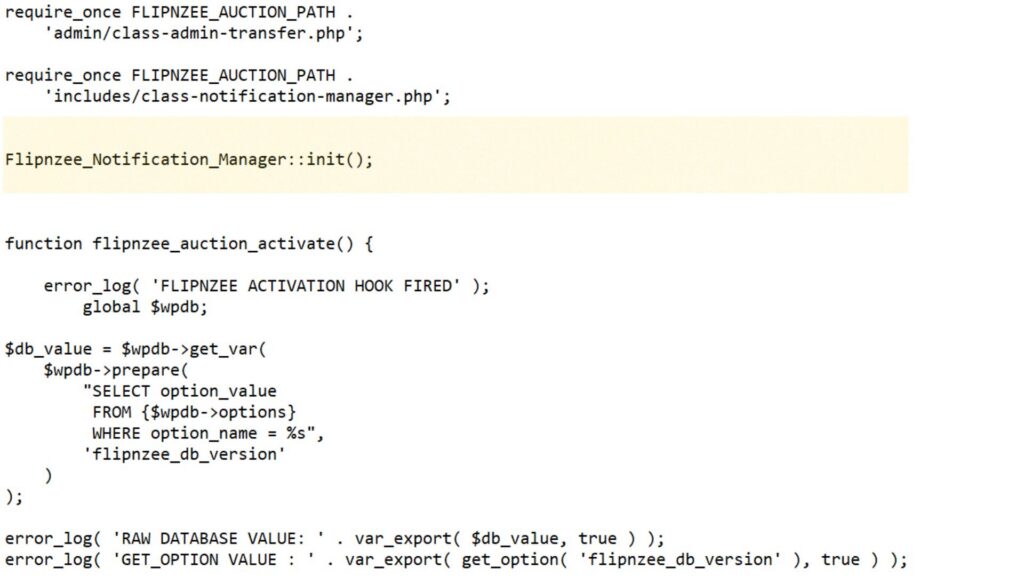
After loading the notification manager class, the bootstrap immediately calls:
Flipnzee_Notification_Manager::init();
Unlike many other classes that are instantiated later using the new keyword, this class exposes a static init() method.
Why does this exist?
The notification manager needs to perform startup tasks as soon as it becomes available, such as registering its own hooks or preparing notification services.
This also introduces an interesting engineering question:
Why do some classes use
new, while others use a staticinit()method?
We’ll explore different initialization patterns later in this series.
Section 6 – Activation and Deactivation
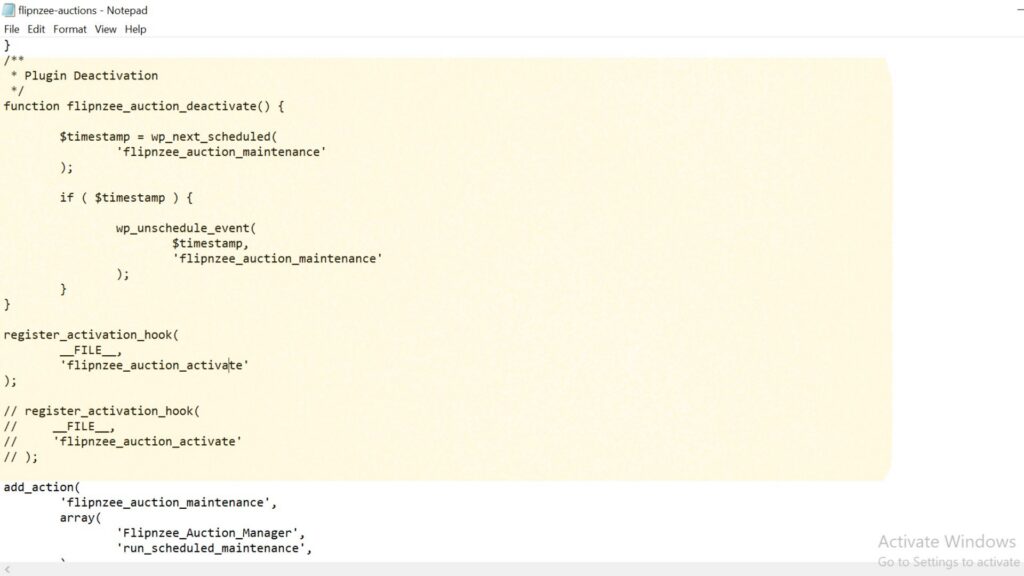
The bootstrap also contains the plugin’s activation and deactivation functions.
The activation function:
- checks the stored database version,
- creates database tables for new installations,
- performs database migrations during upgrades,
- and contains several debug log statements that were helpful during development.
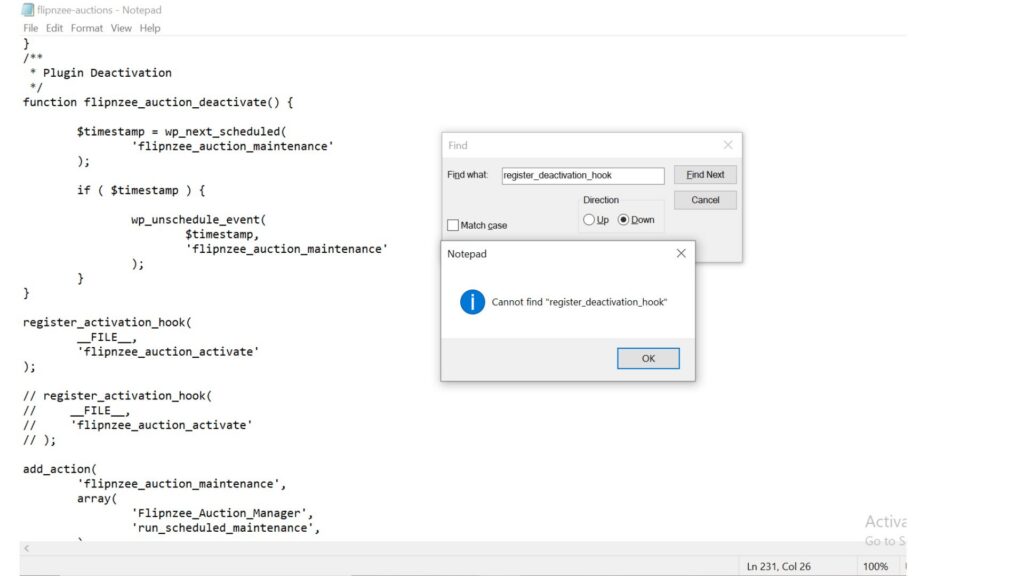
The deactivation function removes the scheduled maintenance event before the plugin is disabled.
One interesting observation is that the activation hook is registered, while the deactivation function currently exists without a corresponding register_deactivation_hook() call in this file. We’ll revisit this during our engineering review rather than changing it immediately.
Section 7 – Registering WordPress Hooks
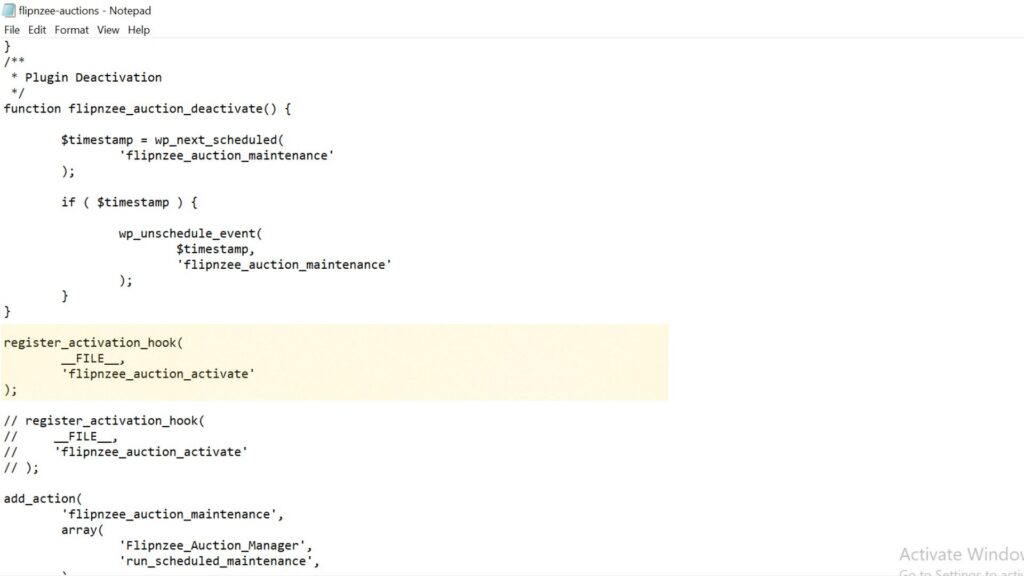
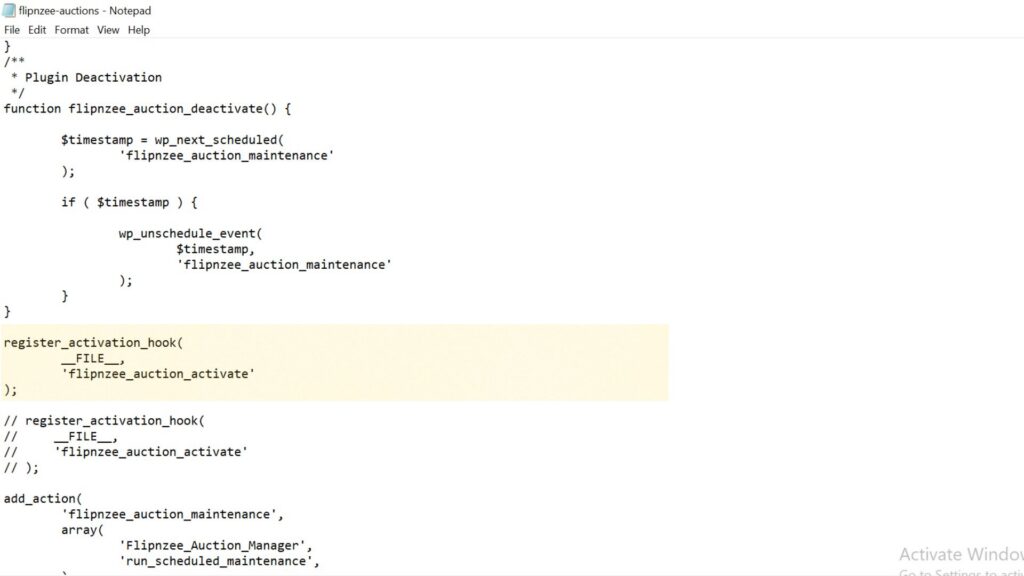
One of the bootstrap’s most important responsibilities is connecting Flipnzee Auctions to WordPress.
For example, the plugin registers an activation hook:
register_activation_hook(
    __FILE__,
    'flipnzee_auction_activate'
);
It also registers actions for:
- scheduled maintenance,
- frontend asset loading,
- transaction updates,
- payment status updates,
- and admin asset loading.
Why are hooks important?
WordPress is an event-driven system.
Instead of constantly checking whether something has happened, the plugin simply tells WordPress:
“When this event occurs, call my function.”
This keeps the plugin efficient and allows WordPress to control the execution flow.
Section 8 – Frontend Assets
The bootstrap also loads the plugin’s frontend resources.
These include:
- the main frontend stylesheet,
- the auction countdown JavaScript,
- the watchlist JavaScript,
- and localized AJAX data containing the AJAX endpoint and security nonce.
Why doesn’t the plugin simply print <script> tags?
WordPress provides the enqueue system so plugins can:
- avoid duplicate loading,
- manage script dependencies,
- support cache busting through version numbers,
- and remain compatible with themes and other plugins.
The localized AJAX data also allows JavaScript to communicate with WordPress securely without hardcoding URLs.
Section 9 – Instantiating Core Objects
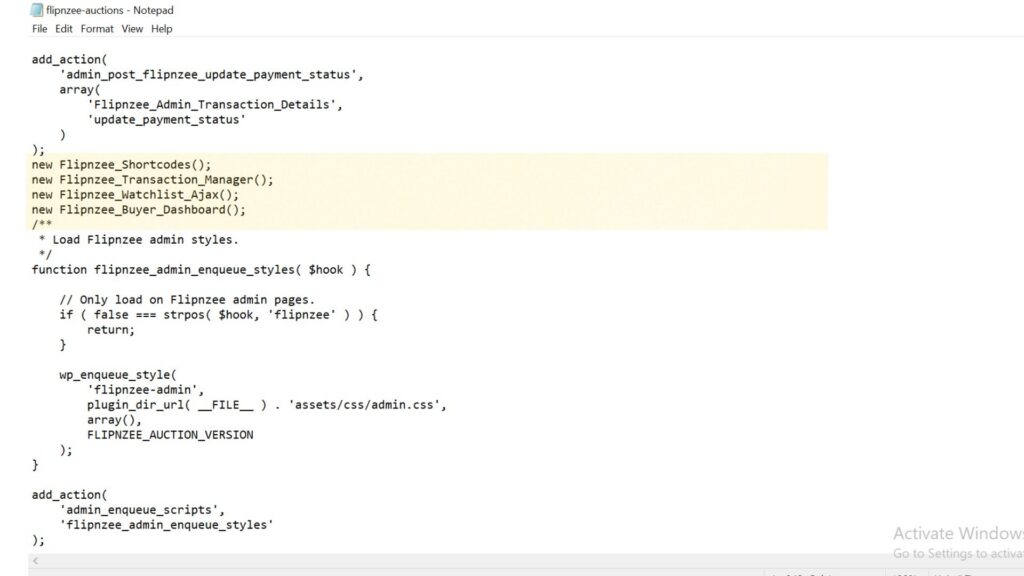
Near the end of the bootstrap, several objects are created.
Examples include:
Flipnzee_ShortcodesFlipnzee_Transaction_ManagerFlipnzee_Watchlist_AjaxFlipnzee_Buyer_Dashboard
Why are these objects created here?
Creating these objects allows their constructors to register hooks, initialize services, or prepare functionality required while WordPress is running.
Notice the contrast with the earlier Flipnzee_Notification_Manager::init() call. Different initialization strategies are being used, and understanding those differences will be an important part of our Plugin Engineering journey.
Engineering Observations
Professional engineers learn to observe before they modify.
While reviewing the bootstrap, we noticed several architectural characteristics:
- The bootstrap coordinates many different responsibilities.
- Most class loading is grouped together.
- Multiple initialization patterns are used.
- Different file-loading styles appear throughout the bootstrap.
- Some debugging statements remain from earlier development.
- One file is loaded more than once.
These observations are not criticisms—they simply reflect how the plugin evolved over many lessons.
Understanding them is the first step toward thoughtful refactoring.
Testing
No code has been modified.
Therefore:
- Plugin activation should behave exactly as before.
- Frontend functionality should remain unchanged.
- Admin functionality should remain unchanged.
This lesson focuses entirely on understanding the existing architecture.
Git
No Git commit is required because no source code was modified.
Key Takeaways
In this lesson, we shifted our perspective from reading PHP line by line to understanding the architecture of the Flipnzee Auctions bootstrap.
We discovered that the bootstrap is responsible for:
- protecting the plugin,
- defining shared configuration,
- loading the application’s classes,
- initializing core components,
- registering WordPress hooks,
- loading frontend resources,
- and starting the plugin.
Most importantly, we learned that effective Plugin Engineering begins with understanding. Before we refactor code, we must first understand why it exists and what responsibility it serves.
Looking Ahead
In Lesson 111, we’ll evaluate the bootstrap using the Single Responsibility Principle (SRP). We’ll examine whether each responsibility belongs in the bootstrap or whether some can eventually be delegated to dedicated classes, laying the groundwork for our first architectural refactoring.