Lesson 93: Implementing AJAX-Based Watchlist Functionality

Introduction

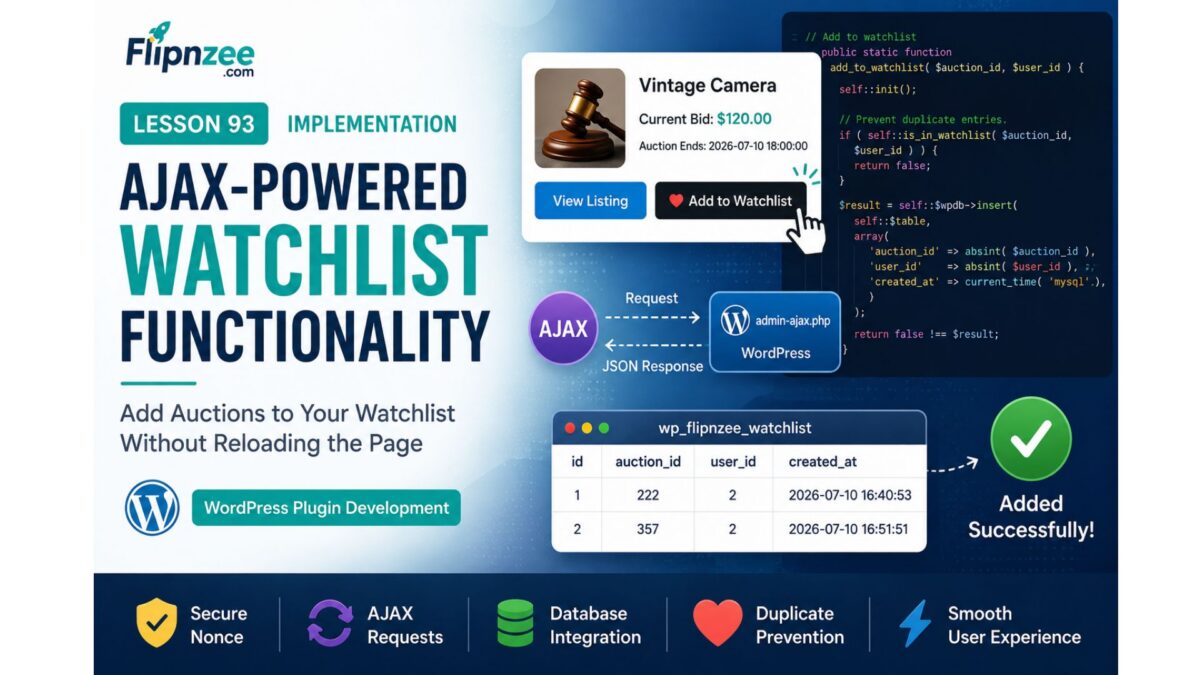
With the backend Watchlist Manager completed in the previous lesson, the next step is to make the feature interactive. Rather than forcing users to reload the page after adding or removing an auction from their watchlist, we will implement AJAX-powered interactions that provide a smoother and more responsive user experience.

In this lesson, we will connect the Watchlist Manager to WordPress AJAX handlers, enabling logged-in users to add and remove auctions from their watchlist with a single click while maintaining proper security through nonce verification and permission checks.


Learning Objectives

By the end of this lesson, we will:

  • Register custom WordPress AJAX actions.
  • Implement secure AJAX request handlers.
  • Validate logged-in users.
  • Verify WordPress nonces.
  • Connect AJAX handlers to the Watchlist Manager.
  • Return JSON success and error responses.
  • Prepare the plugin for frontend watchlist buttons.

Why AJAX?

Without AJAX, every click on Add to Watchlist would require a full page reload.

Using AJAX provides several advantages:

  • Faster user interactions.
  • Better user experience.
  • Reduced server load.
  • Cleaner interface.
  • Immediate feedback after each action.

This approach aligns with the behavior users expect from modern auction and e-commerce platforms.


Planned Files

The following files will be created or updated:

flipnzee-auctions.php

includes/class-watchlist-manager.php

includes/class-watchlist-ajax.php

assets/js/watchlist.js

New AJAX Class

A dedicated class will be introduced:

Flipnzee_Watchlist_Ajax

This class will keep all AJAX functionality separate from the Watchlist Manager, maintaining a clean separation between business logic and request handling.


Planned Methods

The new AJAX class will include methods such as:

register_hooks()

add_watchlist()

remove_watchlist()

validate_request()

Each method will have a single responsibility, making the code easier to understand and maintain.


AJAX Workflow

The request lifecycle will be:

User clicks
"Add to Watchlist"
          │
          ▼
JavaScript AJAX Request
          │
          ▼
WordPress AJAX Handler
          │
          ▼
Nonce Verification
          │
          ▼
User Authentication
          │
          ▼
Watchlist Manager
          │
          ▼
Database
          │
          ▼
JSON Response
          │
          ▼
Frontend Updates Button

The same workflow will be used when removing an auction from the watchlist.


Security Considerations

Every AJAX request will be protected by:

  • WordPress nonces.
  • Logged-in user verification.
  • Integer validation using absint().
  • JSON responses via wp_send_json_success() and wp_send_json_error().
  • Proper capability and permission checks where appropriate.

These measures help protect the feature against unauthorized or malformed requests.


JavaScript Responsibilities

A dedicated JavaScript file will:

  • Detect button clicks.
  • Send AJAX requests.
  • Handle loading states.
  • Update button text without refreshing the page.
  • Display success or error messages.

Keeping frontend behavior in a separate script improves maintainability and organization.


Testing Plan

During implementation we will verify:

  • Logged-out users cannot modify watchlists.
  • Logged-in users can successfully add auctions.
  • Logged-in users can remove auctions.
  • Duplicate watchlist entries are prevented.
  • JSON responses are returned correctly.
  • Nonce validation blocks invalid requests.
  • Database records are inserted and deleted as expected.
  • Button state updates correctly after each action.

Expected Outcome

By the end of this lesson, the Flipnzee Auctions plugin will support fully functional AJAX-powered watchlist operations. Users will be able to add or remove auctions from their watchlist instantly, without reloading the page, while the plugin maintains secure request handling and a clean separation between frontend interactions, AJAX processing, and backend business logic.


Planned Git Commit

Lesson 93: Implement AJAX watchlist handlers and secure user interactions

This lesson bridges the gap between the backend Watchlist Manager created in Lesson 92 and the user-facing watchlist interface, laying the groundwork for a seamless and responsive auction experience.

Lesson 92 Implementation: Building the Watchlist Manager Class

Introduction

After creating the Watchlist database table and integrating it into the database migration framework in the previous lesson, the next logical step was to implement the backend component responsible for interacting with that table.

In this lesson, I developed a dedicated Watchlist Manager class that centralizes all watchlist-related database operations. Rather than scattering SQL queries throughout the plugin, all watchlist functionality is now encapsulated in a single class, following a modular and maintainable architecture.


Objectives

The primary objectives of this lesson were:

  • Create a dedicated Watchlist Manager class.
  • Load the new class into the plugin.
  • Initialize database resources efficiently.
  • Add auctions to a user’s watchlist.
  • Prevent duplicate watchlist entries.
  • Remove auctions from the watchlist.
  • Retrieve all watchlisted auctions for a user.
  • Count how many users are watching an auction.
  • Follow WordPress database API best practices.

Files Modified

includes/class-watchlist-manager.php

flipnzee-auctions.php

Step 1: Created the Watchlist Manager Class

A new class was introduced to isolate all watchlist-related functionality.

class Flipnzee_Watchlist_Manager {

}

This provides a dedicated location for all future watchlist business logic and keeps responsibilities clearly separated from other plugin components.


Step 2: Loaded the Class

The new class was registered in the plugin bootstrap so it is automatically available throughout the plugin.

require_once FLIPNZEE_AUCTION_PATH .
    'includes/class-watchlist-manager.php';

This follows the same loading approach used by the rest of the plugin.


Step 3: Added Initialization Logic

Instead of repeatedly accessing the database connection and table name throughout every method, an initialization method was implemented.

public static function init() {

    global $wpdb;

    self::$wpdb = $wpdb;

    self::$table = $wpdb->prefix . 'flipnzee_watchlist';

}

This reduces code duplication and centralizes the database configuration.


Step 4: Implemented add_to_watchlist()

The first functional method inserts an auction into a user’s watchlist.

public static function add_to_watchlist(
    $auction_id,
    $user_id
)

Before inserting a new record, the method verifies that the auction has not already been added by the same user.

The insertion uses WordPress’s database API:

self::$wpdb->insert()

instead of manually writing SQL.


Step 5: Implemented is_in_watchlist()

To prevent duplicate records, a lookup method was added.

public static function is_in_watchlist(
    $auction_id,
    $user_id
)

The method executes a prepared SQL query and returns a boolean value indicating whether a matching watchlist entry already exists.

Prepared statements ensure the query is secure against SQL injection.


Step 6: Implemented remove_from_watchlist()

Removing a watchlist entry is now handled by a dedicated method.

public static function remove_from_watchlist(
    $auction_id,
    $user_id
)

The implementation uses:

self::$wpdb->delete()

which follows WordPress coding standards and safely deletes matching records.


Step 7: Implemented get_user_watchlist()

A retrieval method was added to fetch all auctions saved by a particular user.

public static function get_user_watchlist(
    $user_id
)

The query returns an associative array ordered by the date the auctions were added to the watchlist.

This method will later power the My Watchlist page and shortcode.


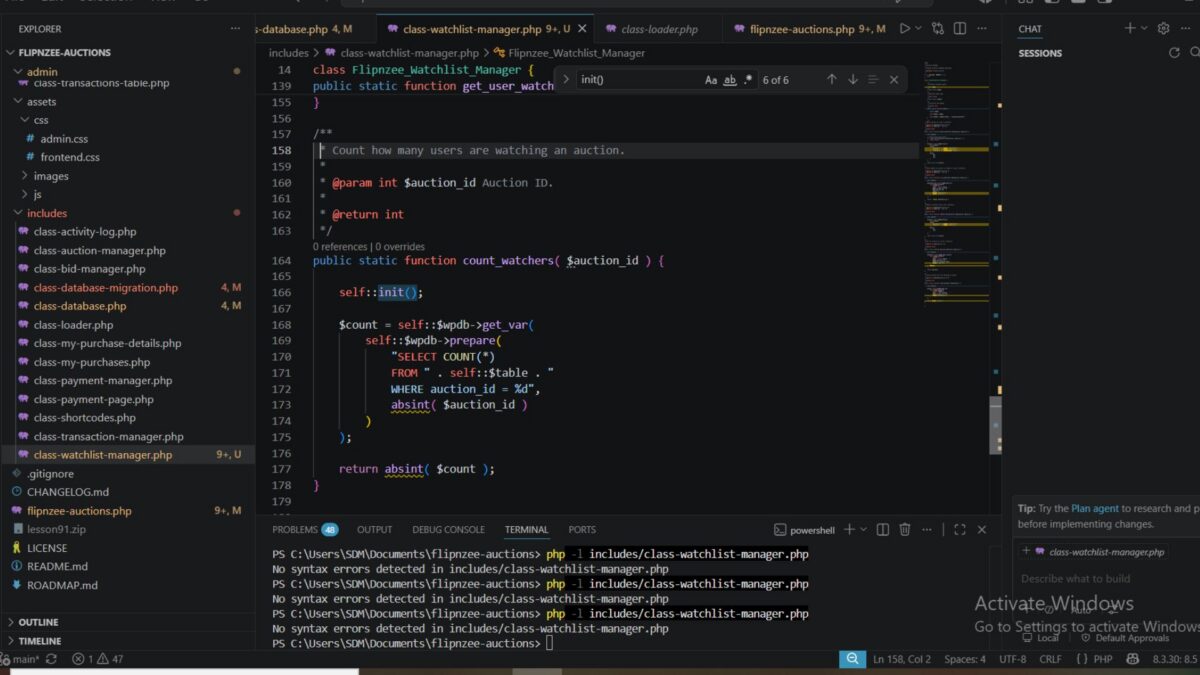
Step 8: Implemented count_watchers()

The final method counts how many users are watching a particular auction.

public static function count_watchers(
    $auction_id
)

This functionality will later be used to display auction popularity and provide additional engagement metrics.


Security Considerations

Throughout the implementation, WordPress database best practices were followed.

These include:

  • Using $wpdb->prepare() for dynamic SQL queries.
  • Sanitizing IDs with absint().
  • Using $wpdb->insert() instead of raw INSERT statements.
  • Using $wpdb->delete() instead of raw DELETE statements.
  • Returning consistent boolean or integer values.

These practices improve both security and maintainability.


Class Structure

By the end of the lesson, the Watchlist Manager contains the following methods:

Flipnzee_Watchlist_Manager
│
├── init()
├── add_to_watchlist()
├── is_in_watchlist()
├── remove_from_watchlist()
├── get_user_watchlist()
└── count_watchers()

This centralized architecture keeps all watchlist logic in one place and makes future enhancements significantly easier.


Testing Performed

The implementation was validated by:

  • Creating the new manager class.
  • Successfully loading the class into the plugin.
  • Verifying PHP syntax after each development step.
  • Ensuring the class initialized correctly.
  • Confirming all database helper methods compiled successfully.
  • Reviewing each database query for correctness.
  • Ensuring all SQL operations use WordPress database APIs.

Challenges Encountered

During development, careful attention was given to designing a reusable architecture rather than embedding SQL throughout the plugin.

Several design decisions were made to improve long-term maintainability:

  • Centralizing database access in a single class.
  • Avoiding duplicate watchlist entries.
  • Using prepared statements for all SELECT queries.
  • Leveraging WordPress helper methods for INSERT and DELETE operations.
  • Keeping each method focused on a single responsibility.

This approach makes future debugging and feature development much easier.


Lessons Learned

This lesson reinforced several important WordPress development principles:

  • Business logic should be separated from presentation logic.
  • Database operations are easier to maintain when encapsulated in dedicated manager classes.
  • WordPress database helper methods improve readability and security.
  • Reusable methods reduce duplication and simplify future development.
  • Designing extensible backend components early provides a strong foundation for upcoming AJAX and frontend features.

Download Source Code

Download the starting version of the plugin before the lesson:

Download the completed version after this lesson:


Outcome

At the end of this lesson, the Flipnzee Auctions plugin now includes a fully functional Watchlist Manager responsible for all backend watchlist operations. The class provides secure, reusable methods for adding, removing, retrieving, and counting watchlist entries while keeping the plugin architecture clean and modular.

This backend service establishes the foundation for the next phase of development, where the watchlist functionality will be connected to AJAX endpoints and integrated into the user interface for a seamless user experience.

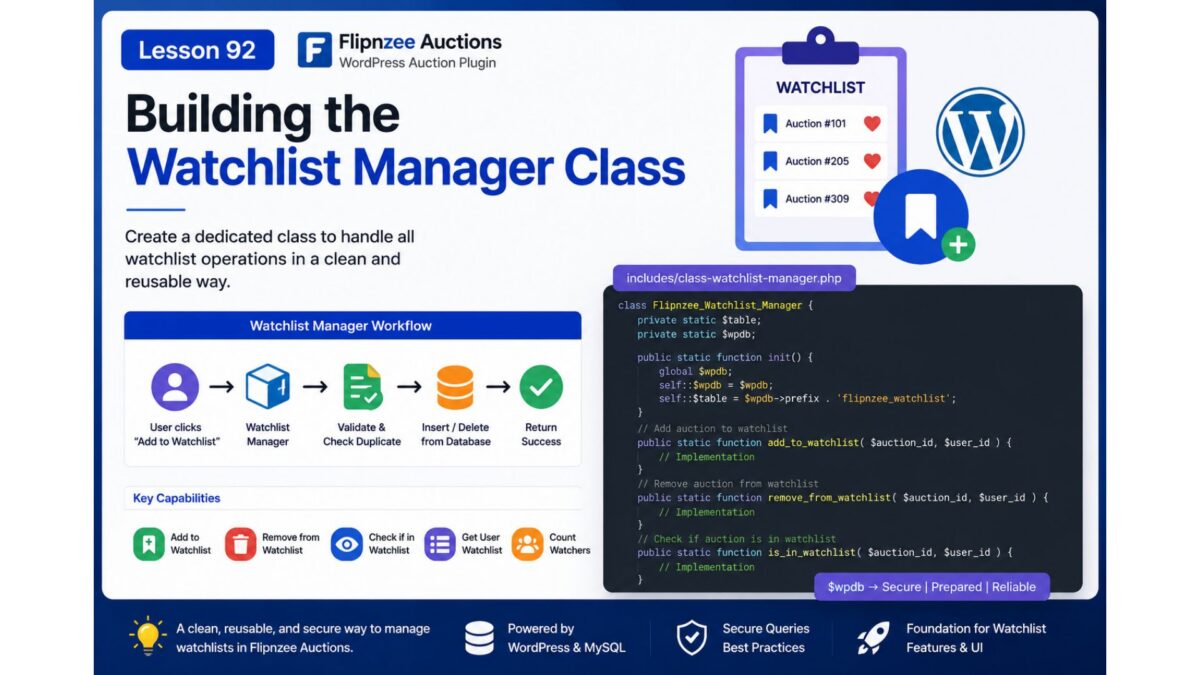
Lesson 92: Building the Watchlist Manager Class

Introduction

With the Watchlist database table successfully added in the previous lesson, the next step is to build the business logic that interacts with it. Rather than allowing different parts of the plugin to access the database directly, we will create a dedicated Watchlist Manager class responsible for handling all watchlist-related operations.

This approach follows the plugin’s modular architecture, keeping database queries centralized, reusable, and easier to maintain.


What You Will Learn

In this lesson, you will learn how to:

  • Create a dedicated Watchlist Manager class.
  • Organize watchlist-related database operations.
  • Add and remove auctions from a user’s watchlist.
  • Check whether an auction is already in a watchlist.
  • Retrieve a user’s watchlisted auctions.
  • Follow WordPress database best practices using $wpdb.
  • Keep business logic separate from presentation code.

Why This Lesson Matters

Although the Watchlist table now exists, it currently has no way to interact with the rest of the plugin.

Instead of writing SQL queries throughout the plugin, we’ll encapsulate all watchlist functionality inside a single class.

This provides several advantages:

  • Cleaner code organization
  • Easier debugging
  • Better code reuse
  • Improved security
  • Easier future maintenance

Planned Features

By the end of this lesson, the new manager class will support methods such as:

add_to_watchlist()

remove_from_watchlist()

is_in_watchlist()

get_user_watchlist()

count_watchers()

Each method will perform one specific task, making the class simple and easy to extend.


Proposed File Structure

A new file will be introduced:

includes/
├── class-watchlist-manager.php

The loader will also be updated so the class is automatically available throughout the plugin.


Planned Class Structure

Flipnzee_Watchlist_Manager
│
├── add_to_watchlist()
├── remove_from_watchlist()
├── is_in_watchlist()
├── get_user_watchlist()
└── count_watchers()

Expected Workflow

When a user clicks Add to Watchlist, the flow will eventually become:

User clicks "Add to Watchlist"
            │
            ▼
Watchlist Manager
            │
            ▼
Validate User
            │
            ▼
Check Duplicate Entry
            │
            ▼
Insert into Database
            │
            ▼
Return Success

Likewise, removing an auction will simply delete the corresponding database record while maintaining data integrity.


Best Practices Covered

Throughout this lesson, we’ll follow several WordPress development best practices:

  • Use prepared SQL statements.
  • Sanitize all user input.
  • Prevent duplicate watchlist entries.
  • Return consistent boolean or array results.
  • Keep database logic inside one dedicated class.
  • Maintain compatibility with future AJAX and REST API integrations.

Outcome

At the end of this lesson, the Flipnzee Auctions plugin will have a fully functional Watchlist Manager class capable of handling all watchlist database operations. This will provide the core backend functionality needed before implementing the user interface, AJAX interactions, and frontend watchlist features in the upcoming lessons.

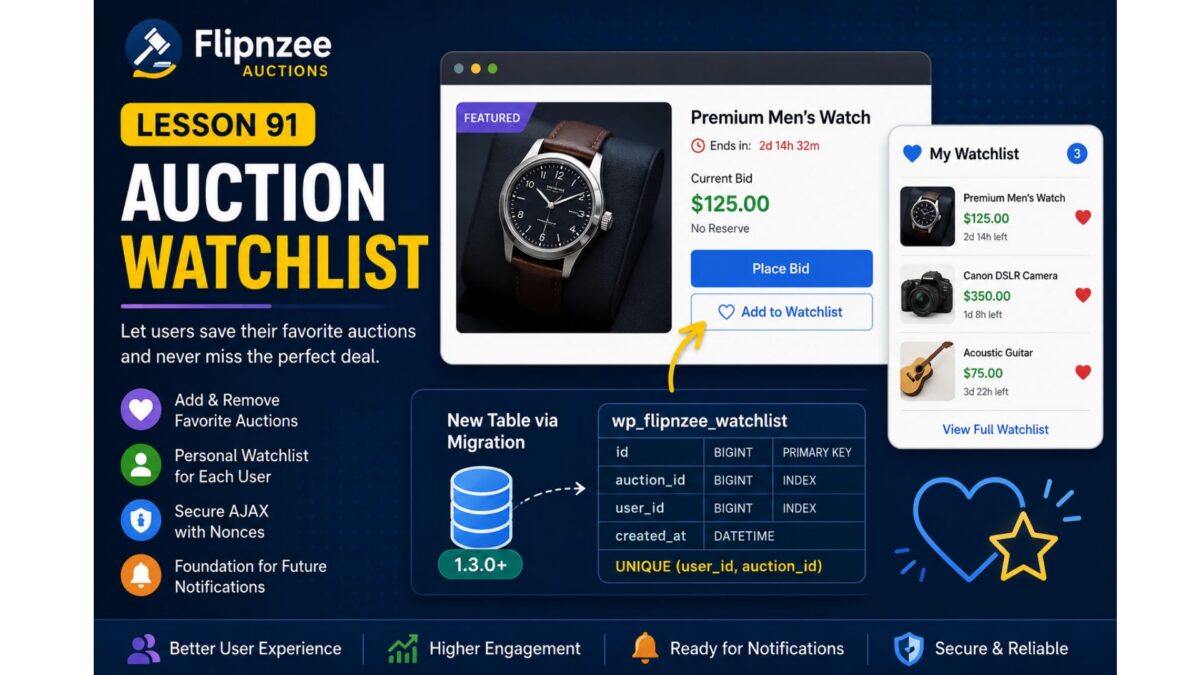
Lesson 91: Auction Watchlist (Favorite Auctions)


Project: Flipnzee Auctions Plugin

Lesson: 91

Topic: Building a User Watchlist (Favorite Auctions) System


Introduction

As the number of auctions grows, users need an easy way to keep track of listings they are interested in without placing a bid immediately. A watchlist (or favorites) feature allows registered users to bookmark auctions and quickly revisit them later.

In this lesson, we will implement a complete auction watchlist system, enabling users to add and remove auctions from their personal watchlist. This feature improves user engagement and lays the foundation for future enhancements such as watchlist email notifications, price drop alerts, and ending-soon reminders.


Learning Objectives

By the end of this lesson, we will:

  • Design a user watchlist system.
  • Create a dedicated database table for watchlists.
  • Register the watchlist through the migration framework.
  • Add “Add to Watchlist” and “Remove from Watchlist” functionality.
  • Prevent duplicate watchlist entries.
  • Secure AJAX requests using WordPress nonces.
  • Display watchlist status on auction pages.
  • Prepare for future notification features.

Why This Feature?

Many successful auction platforms provide a watchlist because users often discover auctions long before they are ready to bid.

Benefits include:

  • Better user engagement.
  • Higher return visitor rate.
  • Easier auction discovery.
  • Foundation for automated notifications.
  • Personalized user experience.

Database Design

A new table will be introduced:

wp_flipnzee_watchlist

Suggested structure:

ColumnTypeDescription
idBIGINTPrimary key
auction_idBIGINTAuction/Post ID
user_idBIGINTWordPress User ID
created_atDATETIMEDate added

Unique constraint:

(user_id, auction_id)

to prevent duplicate entries.


Files Planned

flipnzee-auctions.php

includes/class-database.php

includes/class-database-migration.php

includes/class-watchlist.php

includes/class-ajax.php

templates/

assets/js/frontend.js

assets/css/frontend.css

Features to Build

Part 1

Database migration for watchlist table.


Part 2

Watchlist manager class.


Part 3

Add to Watchlist button.


Part 4

Remove from Watchlist button.


Part 5

AJAX handlers.


Part 6

Nonce verification.


Part 7

Display watchlist status.


Part 8

User watchlist page shortcode.


Testing Plan

We will verify:

  • Logged-out users cannot use watchlists.
  • Logged-in users can add auctions.
  • Duplicate entries are prevented.
  • Removing items works.
  • AJAX responses are secure.
  • Database records are correctly created and deleted.
  • Migration executes successfully on upgrades.

Expected Outcome

By the end of Lesson 91, Flipnzee Auctions will include a complete watchlist system that enables users to save favorite auctions for later viewing. The feature will integrate cleanly with the database migration framework introduced in Lesson 90 and provide a strong foundation for future engagement features such as notifications, reminders, and personalized dashboards.


Git Commit (planned)

Lesson 91: Implement auction watchlist system with database migration

I think this is a natural progression from Lesson 90 because it immediately puts your new migration framework to practical use by introducing a new database table and a user-facing feature that will enhance the overall auction experience.