
Lesson 92: Building the Watchlist Manager Class

Introduction
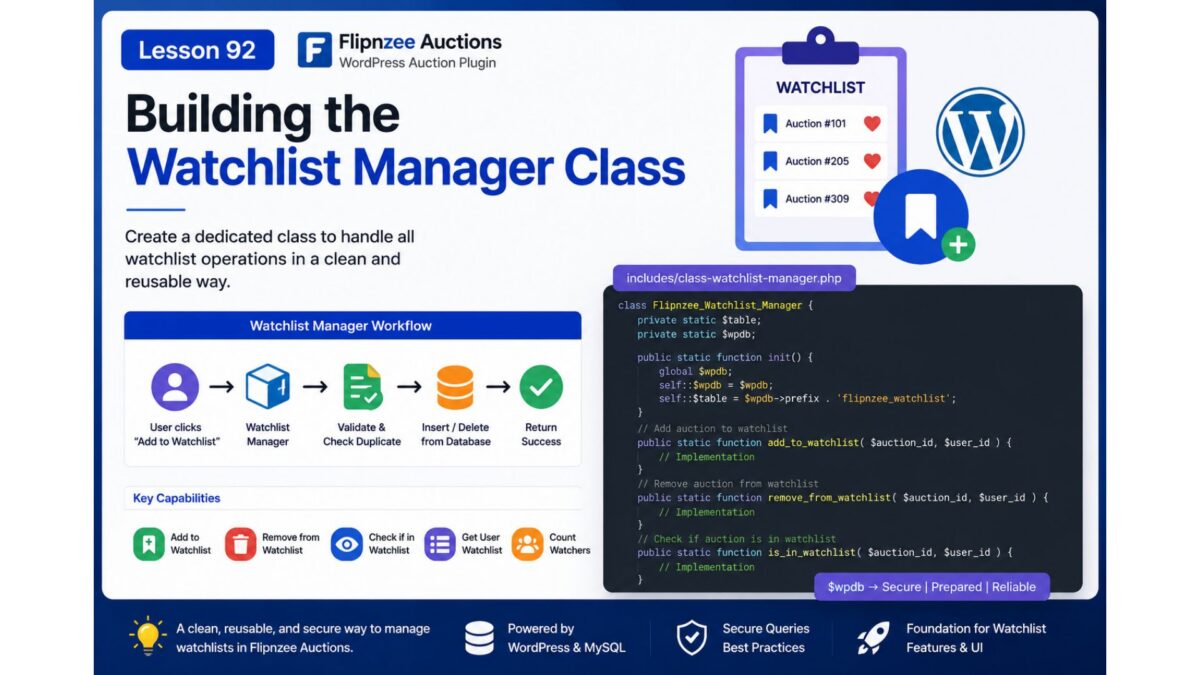
With the Watchlist database table successfully added in the previous lesson, the next step is to build the business logic that interacts with it. Rather than allowing different parts of the plugin to access the database directly, we will create a dedicated Watchlist Manager class responsible for handling all watchlist-related operations.
This approach follows the plugin’s modular architecture, keeping database queries centralized, reusable, and easier to maintain.
What You Will Learn
In this lesson, you will learn how to:
- Create a dedicated Watchlist Manager class.
- Organize watchlist-related database operations.
- Add and remove auctions from a user’s watchlist.
- Check whether an auction is already in a watchlist.
- Retrieve a user’s watchlisted auctions.
- Follow WordPress database best practices using
$wpdb. - Keep business logic separate from presentation code.
Why This Lesson Matters
Although the Watchlist table now exists, it currently has no way to interact with the rest of the plugin.
Instead of writing SQL queries throughout the plugin, we’ll encapsulate all watchlist functionality inside a single class.
This provides several advantages:
- Cleaner code organization
- Easier debugging
- Better code reuse
- Improved security
- Easier future maintenance
Planned Features
By the end of this lesson, the new manager class will support methods such as:
add_to_watchlist()

remove_from_watchlist()

is_in_watchlist()

get_user_watchlist()

count_watchers()
Each method will perform one specific task, making the class simple and easy to extend.
Proposed File Structure
A new file will be introduced:
includes/
├── class-watchlist-manager.php
The loader will also be updated so the class is automatically available throughout the plugin.
Planned Class Structure
Flipnzee_Watchlist_Manager
│
├── add_to_watchlist()
├── remove_from_watchlist()
├── is_in_watchlist()
├── get_user_watchlist()
└── count_watchers()
Expected Workflow
When a user clicks Add to Watchlist, the flow will eventually become:
User clicks "Add to Watchlist"
            │
            ▼
Watchlist Manager
            │
            ▼
Validate User
            │
            ▼
Check Duplicate Entry
            │
            ▼
Insert into Database
            │
            ▼
Return Success
Likewise, removing an auction will simply delete the corresponding database record while maintaining data integrity.
Best Practices Covered
Throughout this lesson, we’ll follow several WordPress development best practices:
- Use prepared SQL statements.
- Sanitize all user input.
- Prevent duplicate watchlist entries.
- Return consistent boolean or array results.
- Keep database logic inside one dedicated class.
- Maintain compatibility with future AJAX and REST API integrations.
Outcome
At the end of this lesson, the Flipnzee Auctions plugin will have a fully functional Watchlist Manager class capable of handling all watchlist database operations. This will provide the core backend functionality needed before implementing the user interface, AJAX interactions, and frontend watchlist features in the upcoming lessons.