
Lesson 91 Implementation: Versioned Database Migration System & Watchlist Table

Introduction
In this lesson, I implemented a proper database migration system for the Flipnzee Auctions plugin. Instead of recreating tables or manually modifying the database whenever a new release introduces schema changes, the plugin now supports version-based migrations. This makes future updates much safer and easier to maintain.
The major objective of this lesson was to introduce the Watchlist table while ensuring that existing installations can upgrade without affecting current auction, bid, or transaction data.
Objectives
- Implement a version-based database migration manager.
- Support automatic schema upgrades during plugin activation.
- Add database version tracking.
- Create a dedicated Watchlist table.
- Keep existing auction data intact during upgrades.
- Prepare the plugin for future schema changes.
Files Modified
flipnzee-auctions.php
includes/class-database.php
includes/class-database-migration.php
Step 1: Added Database Version Constant
A dedicated database schema version constant was introduced.
define( 'FLIPNZEE_DB_VERSION', '1.3.0' );
This version is independent from the plugin version and is used exclusively for database migrations.
Step 2: Added Database Version Tracking
A helper method was implemented for updating the stored schema version.
public static function update_db_version() {

    update_option(
        'flipnzee_db_version',
        FLIPNZEE_DB_VERSION
    );

}
This ensures the plugin always knows which schema version is currently installed.
Step 3: Implemented Version-Based Migration Manager
A migration manager was created to execute pending migrations only when required.
$current_version = get_option(
    'flipnzee_db_version',
    '1.0.0'
);
The migration manager compares the stored version with the latest schema version and runs only the necessary migrations.
Step 4: Added Migration Methods
Separate migration methods were implemented for each schema version.
Example:
private static function migrate_to_1_3_0() {

    Flipnzee_Auction_Database::create_watchlist_table();

    Flipnzee_Auction_Database::update_db_version();

}
This structure keeps every database upgrade isolated and easy to maintain.
Step 5: Created Dedicated Watchlist Table
A separate Watchlist table was added.
CREATE TABLE wp_flipnzee_watchlist
The table stores:
- Watchlist ID
- Auction ID
- User ID
- Created timestamp
Watchlist Table Structure
id
auction_id
user_id
created_at
To prevent duplicate watchlist entries, a composite unique key was added.
UNIQUE KEY auction_user
(
    auction_id,
    user_id
)
Step 6: Database Indexes
Indexes were added for efficient lookups.
KEY auction_id
KEY user_id
These indexes improve performance when retrieving user watchlists or auction followers.
Step 7: Updated Table Creation
The database creation routine now creates four plugin tables.
flipnzee_auctions
flipnzee_bids
flipnzee_transactions
flipnzee_watchlist
Each table is created independently using dbDelta().
Step 8: Activation Flow
The activation sequence now performs the following operations:
Plugin Activation
        │
        ▼
Create Core Tables
        │
        ▼
Check Stored DB Version
        │
        ▼
Run Pending Migrations
        │
        ▼
Update Database Version
This ensures new installations receive the latest schema while existing installations are upgraded safely.
Testing Performed
The implementation was tested by:
- Activating the plugin on a clean WordPress installation.
- Verifying automatic database version updates.
- Confirming the creation of the Watchlist table.
- Checking successful execution of migration methods.
- Ensuring existing auction, bid, and transaction tables remained intact.
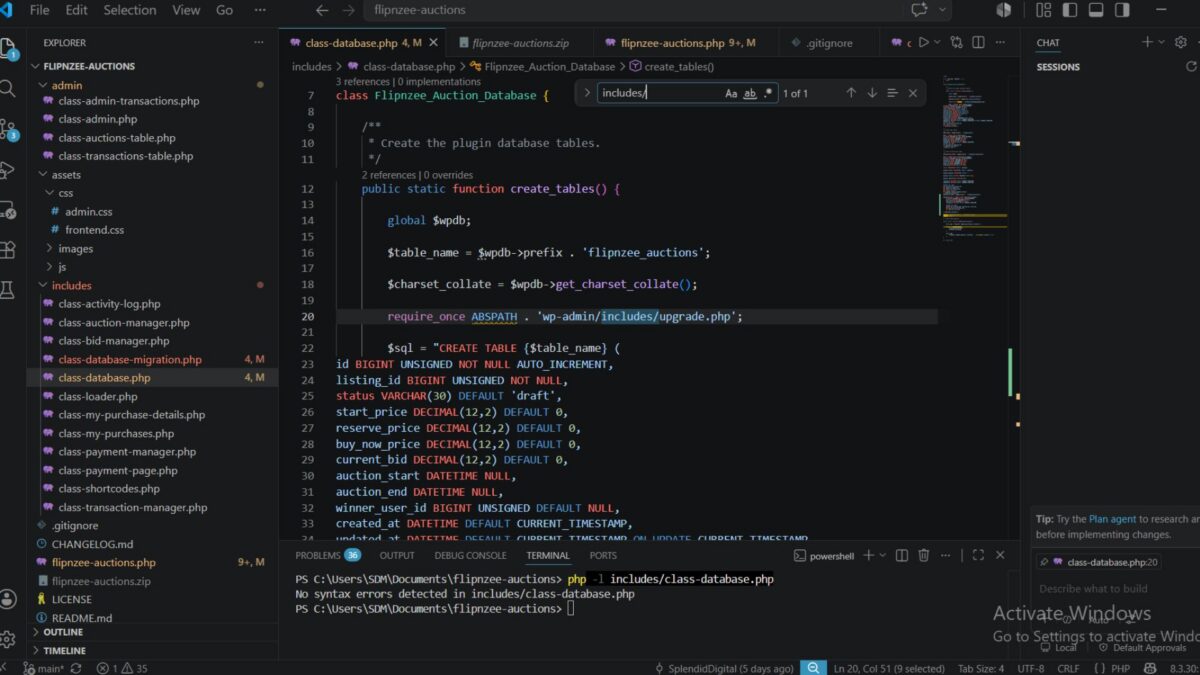
- Running PHP syntax validation on modified files.
- Testing activation on multiple environments.
Challenges Encountered
During implementation, several issues were identified and resolved:
- Missing migration method caused activation errors.
- Incorrect
dbDelta()variable usage during table creation. - Separate table creation logic required refinement.
- Database version synchronization needed adjustment.
- Environment-specific activation behaviour differed between hosting providers.
Interestingly, the plugin activated successfully on a clean WP Engine installation, while one development environment produced activation warnings. Since the same code functioned correctly on another WordPress installation, the issue was determined to be environment-specific rather than a problem with the migration implementation.
Lessons Learned
This lesson reinforced several important WordPress development concepts:
- Database schema versions should be managed separately from plugin versions.
- Incremental migrations are safer than rebuilding database tables.
- Each migration should have a dedicated method to improve maintainability.
dbDelta()should be executed independently for each table definition.- Proper indexing and unique constraints improve performance and data integrity.
- Testing across multiple hosting environments is valuable, as environment-specific behaviour can expose issues that are not caused by the plugin itself.
Download Source Code
Download the starting version of the plugin before the lesson:
Download the completed version after this lesson:
Outcome
At the end of this lesson, Flipnzee Auctions now includes a robust versioned database migration system capable of upgrading existing installations without data loss. The new Watchlist table has been integrated successfully, providing the foundation for upcoming Watchlist functionality while establishing a scalable migration framework for future plugin releases.