
Lesson 91: Auction Watchlist (Favorite Auctions)

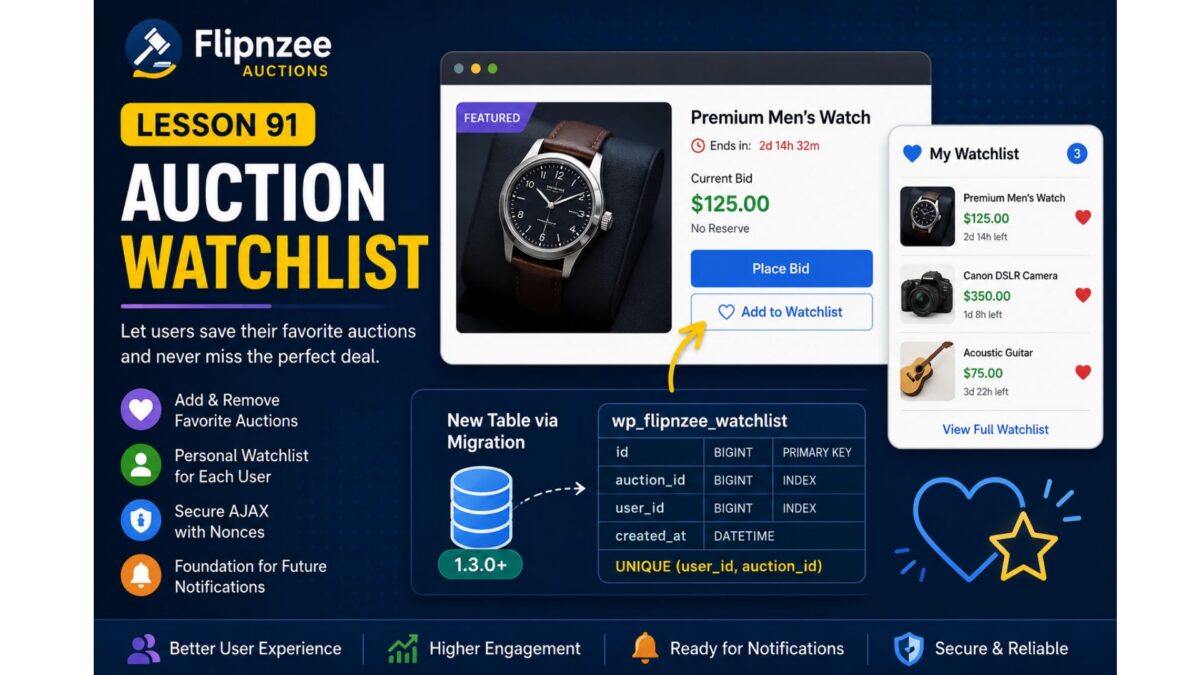
Project: Flipnzee Auctions Plugin
Lesson: 91
Topic: Building a User Watchlist (Favorite Auctions) System
Introduction
As the number of auctions grows, users need an easy way to keep track of listings they are interested in without placing a bid immediately. A watchlist (or favorites) feature allows registered users to bookmark auctions and quickly revisit them later.
In this lesson, we will implement a complete auction watchlist system, enabling users to add and remove auctions from their personal watchlist. This feature improves user engagement and lays the foundation for future enhancements such as watchlist email notifications, price drop alerts, and ending-soon reminders.
Learning Objectives
By the end of this lesson, we will:
- Design a user watchlist system.
- Create a dedicated database table for watchlists.
- Register the watchlist through the migration framework.
- Add “Add to Watchlist” and “Remove from Watchlist” functionality.
- Prevent duplicate watchlist entries.
- Secure AJAX requests using WordPress nonces.
- Display watchlist status on auction pages.
- Prepare for future notification features.
Why This Feature?
Many successful auction platforms provide a watchlist because users often discover auctions long before they are ready to bid.
Benefits include:
- Better user engagement.
- Higher return visitor rate.
- Easier auction discovery.
- Foundation for automated notifications.
- Personalized user experience.
Database Design
A new table will be introduced:
wp_flipnzee_watchlist
Suggested structure:
| Column | Type | Description |
|---|---|---|
| id | BIGINT | Primary key |
| auction_id | BIGINT | Auction/Post ID |
| user_id | BIGINT | WordPress User ID |
| created_at | DATETIME | Date added |
Unique constraint:
(user_id, auction_id)
to prevent duplicate entries.
Files Planned
flipnzee-auctions.php

includes/class-database.php

includes/class-database-migration.php

includes/class-watchlist.php

includes/class-ajax.php

templates/

assets/js/frontend.js

assets/css/frontend.css
Features to Build
Part 1
Database migration for watchlist table.
Part 2
Watchlist manager class.
Part 3
Add to Watchlist button.
Part 4
Remove from Watchlist button.
Part 5
AJAX handlers.
Part 6
Nonce verification.
Part 7
Display watchlist status.
Part 8
User watchlist page shortcode.
Testing Plan
We will verify:
- Logged-out users cannot use watchlists.
- Logged-in users can add auctions.
- Duplicate entries are prevented.
- Removing items works.
- AJAX responses are secure.
- Database records are correctly created and deleted.
- Migration executes successfully on upgrades.
Expected Outcome
By the end of Lesson 91, Flipnzee Auctions will include a complete watchlist system that enables users to save favorite auctions for later viewing. The feature will integrate cleanly with the database migration framework introduced in Lesson 90 and provide a strong foundation for future engagement features such as notifications, reminders, and personalized dashboards.
Git Commit (planned)
Lesson 91: Implement auction watchlist system with database migration
I think this is a natural progression from Lesson 90 because it immediately puts your new migration framework to practical use by introducing a new database table and a user-facing feature that will enhance the overall auction experience.