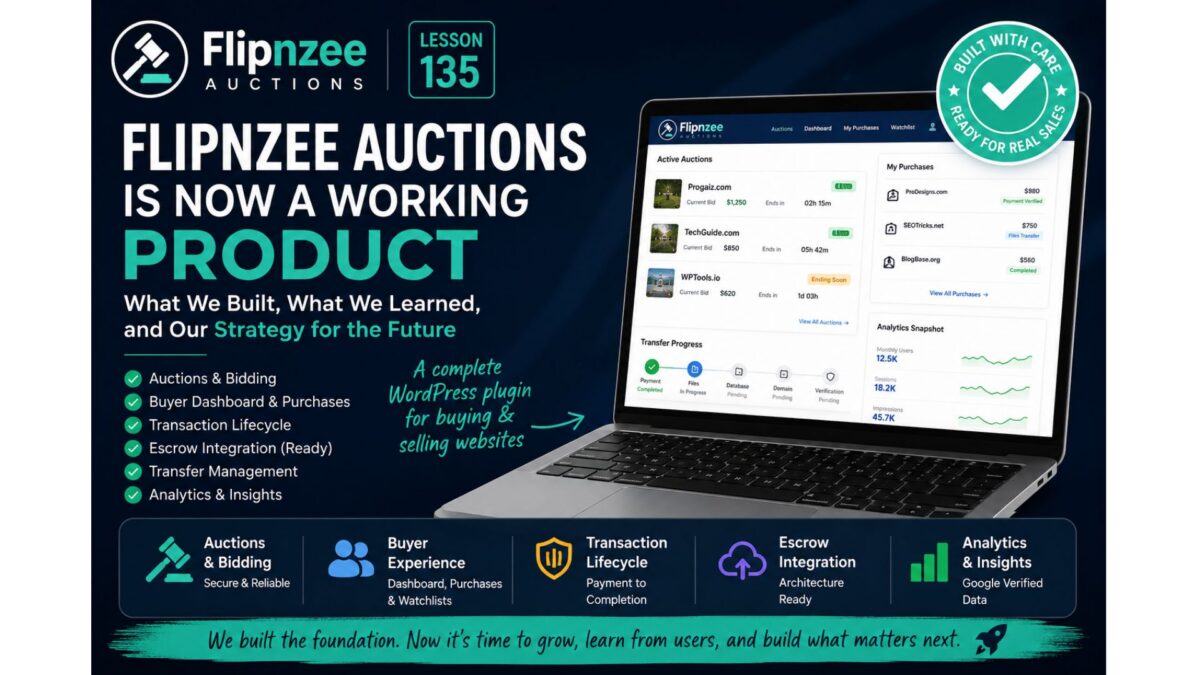
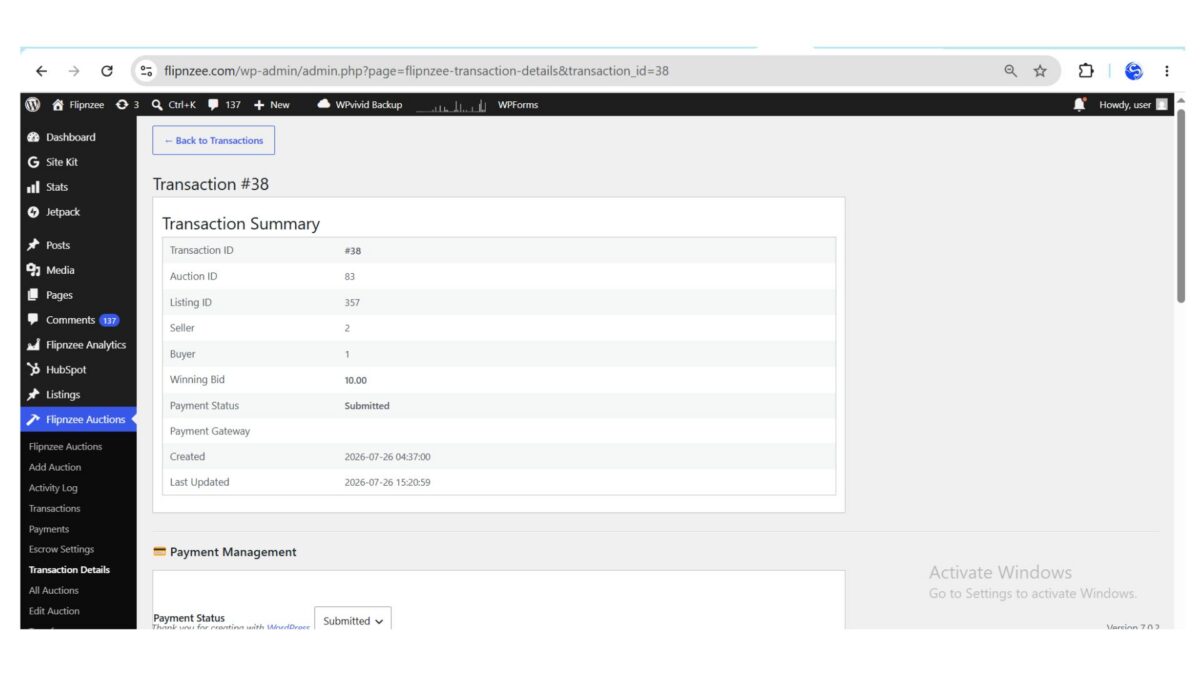
Lesson 135 – Flipnzee Auctions Is Now a Working Product: Lessons Learned and Future Roadmap


Introduction

When this lesson series began, the objective was simple: build a WordPress auction plugin while learning professional plugin development.

Over the course of 135 lessons, that objective gradually evolved.

Instead of producing a tutorial project, the result is a functional auction plugin designed specifically for buying and selling websites, domains, and other digital assets.

Although there are still many possible enhancements, the plugin has reached a point where it can already support real marketplace transactions.

This final lesson summarizes what has been built, the architectural decisions made throughout the series, and where future development may lead.


Looking Back

The project started with a single goal:

Learn WordPress plugin development by building something practical.

Instead of isolated code examples, every lesson contributed to a growing production codebase.

Along the way we explored:

  • WordPress plugin architecture
  • Object-oriented PHP
  • Custom database tables
  • WordPress hooks and filters
  • Secure form handling
  • Shortcodes
  • REST APIs
  • Transaction workflows
  • External provider integrations
  • Database migrations
  • Refactoring techniques
  • Maintainable software design

The result is not merely a collection of lessons but a complete working project.


What the Plugin Already Supports

Today Flipnzee Auctions includes support for:

Auction Management

  • Create auctions
  • Edit auctions
  • Delete auctions
  • Schedule auctions
  • Automatically activate auctions
  • Automatically close expired auctions

Bidding

  • Secure bid placement
  • Highest bidder tracking
  • Bid validation
  • Reserve price support
  • Anti-sniping auction extensions
  • Winner determination

Marketplace

  • Active auction listings
  • Recently closed auctions
  • Analytics summaries
  • Listing thumbnails
  • Countdown timers
  • Buy Now pricing
  • Watchlists

Buyer Experience

  • Buyer Dashboard
  • My Purchases
  • Purchase Details
  • Transaction history
  • Transfer progress

Transaction Management

  • Automatic transaction creation
  • Transaction lifecycle
  • Payment workflow
  • State management
  • Activity logging
  • Notifications

Transfer Workflow

Support for tracking:

  • Payment
  • Website files
  • Database
  • Domain transfer
  • Buyer verification

External Providers

The architecture already supports integration with external services.

Current work includes:

  • Escrow provider abstraction
  • External Provider Manager
  • Escrow API client
  • Provider lifecycle management

Although currently operating in simulation or staged workflows, the underlying architecture has been designed so that additional providers can be added in the future with minimal disruption.


Why Development Slowed Near the End

As the plugin matured, a different question emerged.

Instead of asking:

“Can another feature be built?”

the more important question became:

“Should another feature be built right now?”

There is an important difference.

Software development becomes significantly more valuable when guided by real users rather than assumptions.


The Next Stage Is Validation

The plugin is now capable of supporting real marketplace listings.

Rather than immediately implementing every planned feature, the focus shifts to understanding how buyers actually interact with the marketplace.

Questions that only real users can answer include:

  • Do buyers prefer bidding or Buy Now?
  • How often do negotiations occur before a purchase?
  • Does verified analytics increase buyer confidence?
  • Which information influences purchasing decisions most?
  • Which parts of the purchase workflow deserve automation?

Answers to these questions cannot be discovered through programming alone.

They require real marketplace activity.


Features Deferred Intentionally

Several ideas remain on the roadmap, including:

  • Dedicated Buy Now purchase pages
  • Dynamic Escrow checkout generation
  • Multiple payment providers
  • Stripe integration
  • PayPal integration
  • Wise support
  • Cryptocurrency payments
  • Seller dashboards
  • Public seller onboarding
  • Offer and negotiation workflows
  • Messaging between buyers and sellers
  • Automated transfer checklists
  • Public marketplace analytics

None of these ideas have been abandoned.

They have simply been postponed until real usage demonstrates their value.


An Important Lesson

One of the biggest lessons learned during this project is that good software is not defined by the number of features it contains.

Good software solves real problems while remaining understandable and maintainable.

Throughout the series there were many occasions where existing code was refactored instead of adding new functionality.

Those refactoring lessons were just as valuable as implementing new features because they improved the long-term quality of the project.


The Plugin Is No Longer Just a Tutorial

Although these lessons were written as an educational series, the project gradually became something more.

Flipnzee Auctions is now:

  • a learning resource for WordPress developers,
  • a reference implementation for plugin architecture,
  • and a functional marketplace plugin capable of supporting real website sales.

Future improvements will continue to be driven by practical experience rather than simply expanding the feature list.


Final Thoughts

Building software is rarely about reaching a finish line.

Instead, each release represents a milestone in an ongoing process of learning, refinement, and adaptation.

This lesson series demonstrates that a complex WordPress plugin can be developed incrementally through small, understandable improvements while maintaining a working codebase throughout the journey.

The next chapter for Flipnzee Auctions is no longer primarily about writing code.

It is about observing real users, learning from actual marketplace transactions, and allowing those experiences to guide future development.

For anyone who followed this series from the beginning, thank you for joining the journey. Hopefully it has shown that large software projects are not built in a single leap—they are created one carefully considered lesson at a time.


Series Conclusion

With this lesson, the initial Flipnzee Auctions development series comes to a close.

Future articles will focus less on building features in isolation and more on maintaining, improving, and evolving the plugin based on real-world experience. That transition—from development to product stewardship—is a natural step in the lifecycle of any software project and, arguably, one of the most valuable lessons of all.
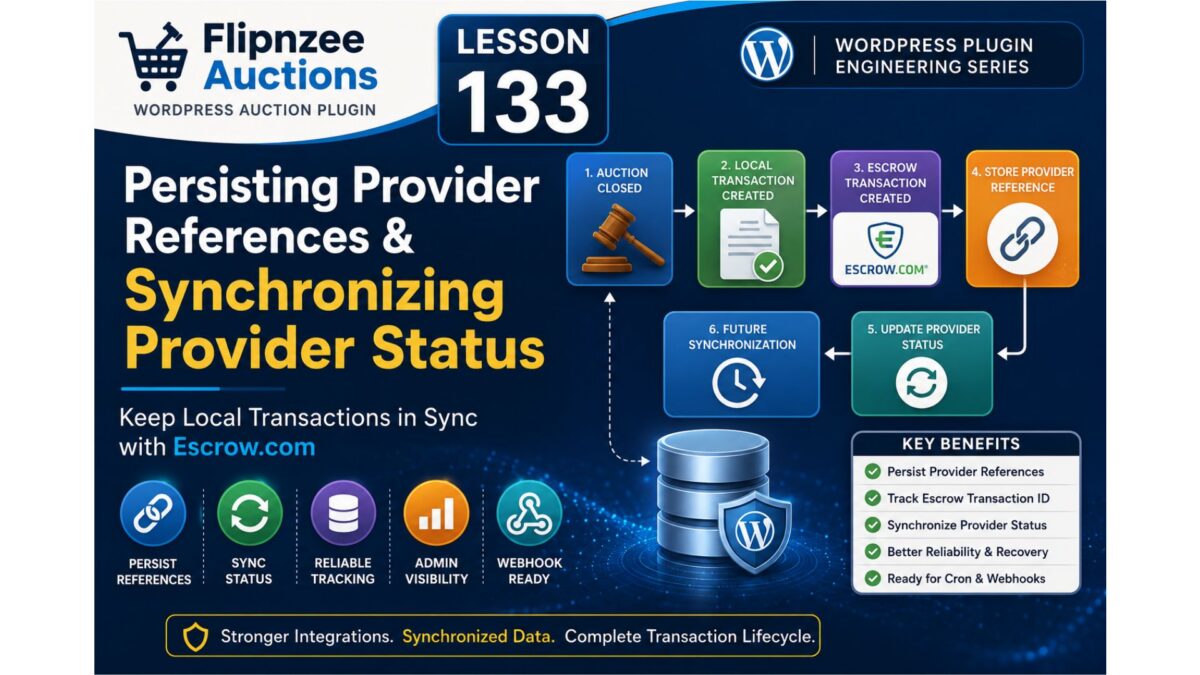
Lesson 133: Persisting Provider References and Synchronizing Provider Status

With the transaction payload standardized in Lesson 132, the Flipnzee Auctions plugin now has a consistent way to exchange transaction data between its internal components. The next step is ensuring that information returned by external providers is not lost.

Creating an Escrow transaction is only half of the process. Once the provider responds, the plugin should store the provider’s transaction reference, record its current status, and keep the local database synchronized with the external service.

Lesson 133 focuses on completing that connection.


Why this lesson is important

Until now, the transaction workflow has looked like this:

Auction Closed
      │
      ▼
Local Transaction Created
      │
      ▼
External Provider Record Created
      │
      ▼
Escrow API Request
      │
      ▼
Response Returned

Although the API returns useful information, much of it is not yet persisted for future use.

Without storing provider references, the plugin cannot reliably:

  • Revisit an external transaction
  • Check its latest status
  • Display provider information in the admin area
  • Recover gracefully after temporary API failures

The Goal

After this lesson, every successful provider transaction should immediately update the corresponding provider record.

The workflow becomes:

Auction Closed
      │
      ▼
Local Transaction
      │
      ▼
Create Provider Record
      │
      ▼
Escrow Transaction
      │
      ▼
Store Provider Reference
      │
      ▼
Update Provider Status
      │
      ▼
Future Synchronization

The provider record becomes the permanent link between Flipnzee Auctions and the external provider.


Provider Information to Store

When a provider successfully creates a transaction, the plugin should save information such as:

  • Provider transaction reference
  • Current provider status
  • Provider transaction URL (when available)
  • Last updated timestamp
  • Synchronization notes

Persisting this information ensures that future API calls always know which external transaction they belong to.


Synchronizing Status

Rather than leaving every provider record in a generic “Pending” state, the plugin will begin recording the actual status returned by the provider.

Typical values may include:

  • Created
  • Awaiting Payment
  • Payment Received
  • In Progress
  • Completed
  • Cancelled

Using normalized status values makes the rest of the plugin independent of provider-specific terminology.


Strengthening the External Provider Manager

The External Provider Manager now evolves from simply forwarding API requests into coordinating provider lifecycle management.

Its responsibilities include:

  • Sending provider requests
  • Validating provider responses
  • Saving provider references
  • Updating provider status
  • Returning standardized results to the Transaction Manager

This keeps provider-specific behavior isolated from the rest of the application.


Benefits

Persistent Transaction Tracking

Every auction remains permanently linked to its external provider transaction.

Better Administration

Administrators can identify provider transactions without manually searching the external platform.

Improved Reliability

If synchronization fails, the stored provider reference allows the plugin to retry later.

Foundation for Scheduled Synchronization

Saving provider identifiers prepares the plugin for future background status checks using WP-Cron.

Webhook Ready

Future webhook events can immediately identify the correct local transaction because the provider reference has already been stored.


Architecture After Lesson 133

Auction Closed
      │
      ▼
Transaction Manager
      │
      ▼
Canonical Transaction Payload
      │
      ▼
External Provider Manager
      │
      ▼
Escrow API Client
      │
      ▼
Persist Provider Reference
      │
      ▼
Synchronize Provider Status
      │
      ▼
Local Database

This completes the core transaction lifecycle by ensuring that local records remain connected to their corresponding external transactions.


What We Will Implement

During this lesson we will:

  • Process successful responses returned by the Escrow API client.
  • Persist provider transaction references in the database.
  • Update provider status automatically after transaction creation.
  • Store provider URLs when available.
  • Record synchronization timestamps.
  • Improve activity logging for provider creation and status updates.
  • Prepare the architecture for future scheduled synchronization and webhook support.

What You’ll Learn

By completing Lesson 133, you’ll gain practical experience with:

  • Synchronizing local records with external services.
  • Designing reliable provider integrations.
  • Persisting external identifiers for long-term tracking.
  • Building extensible transaction workflows.
  • Preparing a WordPress plugin for production-grade third-party integrations.

Next Lesson

Lesson 134 will introduce an External Provider Management screen within the WordPress admin area, allowing administrators to view provider records, monitor synchronization status, inspect provider references, and manage external transactions from a single dashboard.

Lesson 132 Implementation: Standardizing the Transaction Payload

As the Flipnzee Auctions plugin continued to evolve, one architectural issue became increasingly apparent. Although the Transaction Manager, External Provider Manager, and Escrow API Client all worked together, each component constructed or interpreted transaction data slightly differently.

This lesson introduces a significant refactoring by defining a canonical transaction payload that is shared across the entire Escrow integration workflow.

Rather than rebuilding transaction data at each layer, a single standardized payload is now created and passed unchanged throughout the transaction lifecycle.


Why this refactoring was necessary

Prior to Lesson 132, each component handled transaction information independently.

The Transaction Manager assembled transaction details before invoking the External Provider Manager. The Provider Manager then rebuilt another payload before sending it to the Escrow API Client. Finally, the API Client performed its own validation of required fields.

Although functional, this approach resulted in duplicated logic and increased the risk of inconsistencies whenever transaction fields changed.

The architecture previously resembled:

Transaction Manager
        │
        ▼
Creates Payload A
        │
        ▼
External Provider Manager
        │
        ▼
Creates Payload B
        │
        ▼
Escrow API Client

Every translation introduced another opportunity for errors.


Building a Canonical Transaction Payload

Lesson 132 establishes the Transaction Manager as the single source of truth for transaction data.

A complete transaction payload is now created immediately after the local transaction record is generated.

The payload includes:

  • Transaction ID
  • Auction ID
  • Listing ID
  • Winning amount
  • Currency
  • Buyer ID
  • Seller ID
  • Buyer email
  • Seller email
  • Transaction title
  • Description

Instead of reconstructing missing values later, all required information now travels together through the integration.


Simplifying the External Provider Manager

The External Provider Manager has been refactored into a validation and routing layer.

Rather than generating missing transaction fields, it now performs two responsibilities:

  • Validate the incoming payload.
  • Pass the standardized payload directly to the Escrow API Client.

This significantly reduces duplicated business logic while making the provider layer much easier to maintain.


Improved API Validation

The Escrow API Client now validates the canonical payload before attempting any API communication.

Required fields are checked consistently, allowing missing or invalid data to be detected immediately before an HTTP request is made.

This results in clearer error reporting and a more predictable transaction workflow.


Architectural Improvements

The transaction flow is now much simpler.

Before

Auction Closed
      │
      ▼
Transaction Manager
      │
      ▼
Creates Custom Payload
      │
      ▼
External Provider Manager
      │
      ▼
Creates Another Payload
      │
      ▼
Escrow API Client

After

Auction Closed
      │
      ▼
Transaction Manager
      │
      ▼
Canonical Transaction Payload
      │
      ▼
External Provider Manager
      │
      ▼
Escrow API Client
      │
      ▼
Simulation / Sandbox / Production

Every component now communicates using the same data contract.


Benefits

This refactoring provides several long-term advantages.

Single Source of Truth

Transaction information is created once and reused throughout the integration.

Reduced Code Duplication

Provider-specific classes no longer recreate values that already exist.

Easier Debugging

Developers can inspect a single payload throughout the transaction lifecycle instead of tracing multiple array transformations.

Better Maintainability

Adding or modifying transaction fields now requires changes in only one location.

Future Provider Support

Additional payment providers can consume the same standardized payload without requiring custom payload builders.


Current Status

With Lesson 132 complete, the Escrow integration architecture has become considerably cleaner.

The plugin now consists of clearly separated responsibilities:

  • Transaction Manager
  • External Provider Manager
  • Escrow API Client
  • Canonical Transaction Payload
  • Simulation, Sandbox, and Production environments

This standardized data contract lays a solid foundation for future provider integrations while reducing complexity across the transaction workflow.

https://github.com/SplendidDigital/flipnzee-auctions/releases/tag/lesson-132-stable


Next Lesson

Lesson 133 will focus on persisting provider references and synchronizing provider status. The plugin will begin storing external transaction identifiers returned by Escrow.com and updating local provider records with the latest status, preparing the system for ongoing synchronization and future webhook support.

Lesson 131 Implementation: Introducing the External Provider Manager

In the previous lessons, the Escrow API client was refactored into a reusable HTTP client capable of communicating with Escrow.com in Simulation, Sandbox, and Production environments. While this significantly improved the networking layer, the rest of the plugin still interacted directly with the Escrow client.

This lesson introduces an important architectural improvement: the External Provider Manager.

Rather than allowing business logic to communicate directly with a specific payment provider, all external transaction providers are now accessed through a common manager. Although Escrow.com is currently the only supported provider, this abstraction makes the plugin easier to maintain and allows additional providers to be introduced in the future without affecting the transaction workflow.


Why this refactoring was needed

Prior to this lesson, various parts of the plugin were aware of the Escrow API client itself. That meant changing providers or supporting multiple providers would require modifications throughout the codebase.

The new architecture centralizes that responsibility.

Instead of:

Transaction Manager
        │
        ▼
Escrow API Client

the flow now becomes:

Transaction Manager
        │
        ▼
External Provider Manager
        │
        ▼
Escrow API Client

The Transaction Manager no longer needs to know how Escrow transactions are created. It simply requests that an external transaction be created using the configured provider.


What was implemented

Lesson 131 introduces the Flipnzee_External_Provider_Manager class as the single entry point for external transaction providers.

The manager now:

  • Accepts a provider identifier.
  • Validates the requested provider.
  • Creates an Escrow API client when required.
  • Converts internal transaction data into an Escrow-compatible payload.
  • Returns a standardized response to the calling code.

This keeps provider-specific logic isolated from the rest of the plugin.


Escrow payload builder

A dedicated payload builder was added to translate Flipnzee transaction data into the format expected by the Escrow API client.

Typical information included in the payload includes:

  • Transaction title
  • Description
  • Amount
  • Currency
  • Buyer email
  • Seller email

Keeping this translation in one place makes future API changes much easier to accommodate.


Standardized provider responses

The Provider Manager also ensures callers always receive a consistent response structure.

Whether the request succeeds or fails, the calling code receives a predictable array describing:

  • Success or failure
  • Message
  • Provider response

This avoids provider-specific handling throughout the plugin.


Benefits

This refactoring provides several long-term advantages.

Separation of responsibilities

The Transaction Manager no longer performs provider-specific work.

Improved maintainability

Changes to Escrow integration are now isolated within the provider layer.

Easier testing

Simulation Mode, Sandbox, and Production all continue to function without requiring changes elsewhere in the plugin.

Future extensibility

Supporting additional transaction providers becomes significantly easier because the Transaction Manager communicates only with the Provider Manager rather than individual provider implementations.

Potential future providers could include:

  • Escrow.com
  • Trustap
  • Stripe Connect
  • Manual escrow workflows
  • Additional marketplace services

Current status

At the end of Lesson 131, the overall architecture has matured considerably.

The plugin now consists of:

  • Transaction Manager
  • External Provider Manager
  • Escrow Provider
  • Refactored Escrow API Client
  • Simulation, Sandbox, and Production environments

While additional work remains before production-ready Escrow integration is complete, the major architectural foundation is now in place.


Next lesson

Lesson 132 will focus on standardizing the transaction payload shared between the Transaction Manager, External Provider Manager, and Escrow API Client. Establishing a single canonical payload will simplify debugging, eliminate duplicated mapping logic, and prepare the integration for reliable end-to-end transaction processing.

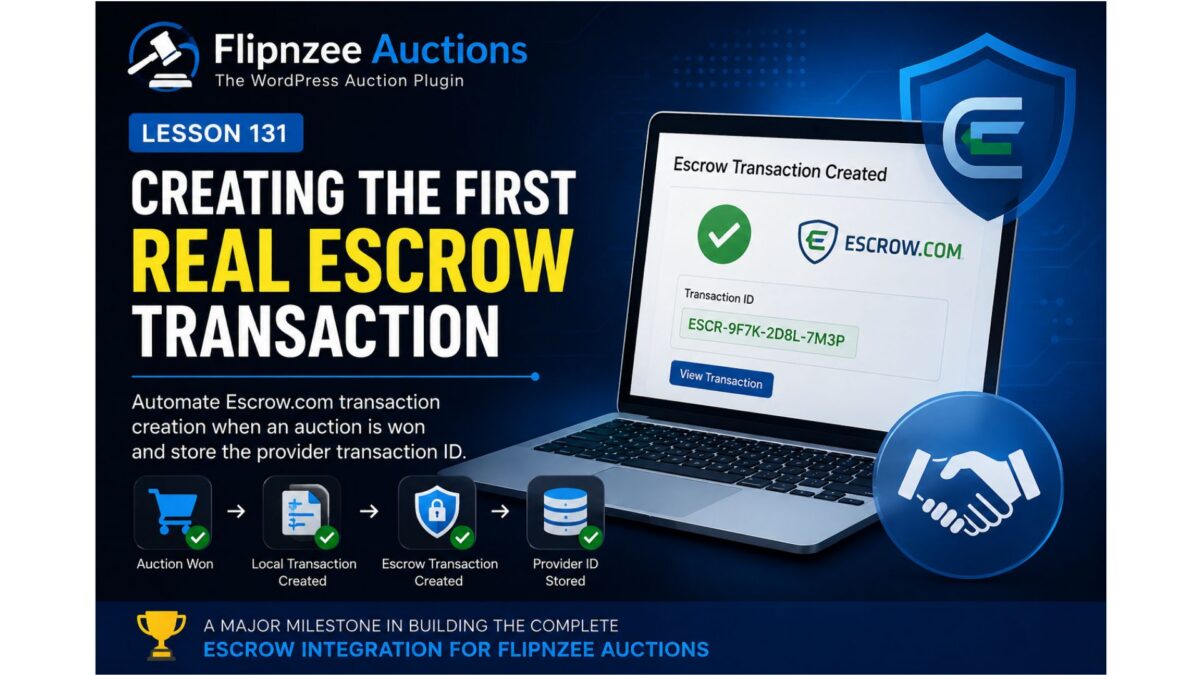
Lesson 131 – Creating the First Real Escrow Transaction

Over the previous lessons, we’ve focused on building a reliable foundation for the Escrow integration within Flipnzee Auctions. We’ve introduced environment management, refactored the API client, standardized response handling, and built a production-ready administration interface.

Although the plugin is now capable of communicating with Escrow.com, it still isn’t performing the task it was ultimately designed for—creating real Escrow transactions.

In this lesson, that changes.

We’ll implement the first step of the complete Escrow transaction lifecycle by creating an actual Escrow transaction through the refactored API client.


Where We Stand

At the end of Lesson 130, the plugin supports:

  • Simulation environment
  • Sandbox environment
  • Production environment
  • Credential validation
  • Connection testing
  • Standardized API responses
  • Configuration dashboard

The networking layer is complete enough to begin sending real business requests.


The Missing Piece

Winning an auction currently updates the local database.

The plugin knows:

  • the winning bidder,
  • the auction,
  • the final price,
  • the payment provider.

However, nothing is yet created at Escrow.com.

The workflow still ends inside WordPress.


Current Workflow

Today’s workflow looks like this:

Auction Ends
        │
        ▼
Winner Selected
        │
        ▼
Local Transaction Created
        │
        ▼
END

While useful, this means the administrator must manually create an Escrow transaction.

That defeats the purpose of integrating directly with Escrow.com.


New Workflow

After Lesson 131, the process becomes significantly more powerful.

Auction Ends
        │
        ▼
Winner Selected
        │
        ▼
Local Transaction Created
        │
        ▼
Escrow Transaction Created
        │
        ▼
Provider Transaction ID Stored

This becomes the beginning of the complete payment lifecycle.


Objectives

The primary objective of this lesson is to automate the creation of an Escrow transaction whenever the plugin is ready to initiate payment.

By the end of this lesson, Flipnzee Auctions will be capable of requesting a new transaction from Escrow.com using the existing API client.


Building on Existing Architecture

One advantage of the previous refactoring work is that almost everything required already exists.

The plugin already provides:

  • Escrow API Client
  • External Provider Manager
  • Transaction Manager
  • Standardized responses
  • Environment management

Rather than introducing a completely new architecture, this lesson simply connects these existing components together.


Transaction Creation

The Escrow API client already understands how to communicate with the selected environment.

We’ll now extend it with support for creating transactions.

The request will include information such as:

  • auction identifier,
  • transaction amount,
  • buyer,
  • seller,
  • currency,
  • description.

Initially, the request will focus on the minimum data required to establish the transaction.

Additional metadata can be added in future lessons.


Provider Transaction IDs

One of the most important pieces of information returned by Escrow.com is its transaction identifier.

This identifier becomes the permanent link between:

  • Flipnzee Auctions
  • Escrow.com

Rather than relying solely on local transaction IDs, the plugin will now store the provider’s unique identifier for future synchronization.


Centralized Workflow

Instead of allowing different parts of the plugin to communicate directly with Escrow.com, all requests will continue flowing through the Escrow API client.

The architecture remains:

Auction
      │
      ▼
Transaction Manager
      │
      ▼
External Provider Manager
      │
      ▼
Escrow API Client
      │
      ▼
Escrow.com

Maintaining this separation keeps networking concerns isolated from business logic.


Error Handling

Creating an external transaction introduces new failure scenarios.

Examples include:

  • network failures,
  • authentication errors,
  • invalid request data,
  • temporary provider outages.

Rather than assuming success, the plugin will continue using the standardized response format introduced in earlier lessons.

This ensures consistent error handling throughout the integration.


Preparing for Synchronization

Creating the transaction is only the beginning.

Future lessons will build upon the provider transaction identifier to support:

  • transaction synchronization,
  • status updates,
  • payment completion,
  • cancellations,
  • dispute handling,
  • webhook processing.

Lesson 131 establishes the foundation upon which these features will be built.


Expected Outcome

After completing this lesson, Flipnzee Auctions will no longer stop after creating a local transaction.

Instead, it will immediately communicate with the configured Escrow environment and request creation of a corresponding provider transaction.

The resulting provider identifier will be stored locally, allowing future synchronization with Escrow.com.


Conclusion

Configuration alone does not create business value. Real value begins when software starts automating real-world workflows.

Lesson 131 represents one of the most significant milestones in the Flipnzee Auctions project. For the first time, the plugin moves beyond configuration and local transaction management to begin interacting directly with Escrow.com as part of the auction lifecycle.

In the next implementation lesson, we’ll connect the auction workflow to the Escrow API client, create our first provider transaction, and persist the returned transaction identifier for future synchronization.

Lesson 125: Building an Escrow API Client Architecture for Future Live Integration

One of the biggest goals of Flipnzee Auctions has always been to support a professional transaction workflow for buying and selling websites. While previous lessons introduced the External Provider Manager and simulated Escrow transactions, the plugin was still tightly coupled to a single provider implementation.

In this lesson, the architecture takes an important step forward by introducing a dedicated Escrow API Client. Although it currently operates in simulation mode, it establishes the same separation of responsibilities used by production software and prepares the plugin for future communication with the live Escrow.com REST API.


Why Introduce an API Client?

Earlier lessons allowed the Escrow Provider to simulate transaction creation directly. While functional, that approach meant the provider class was responsible for both business logic and external communication.

As the project grows, this becomes increasingly difficult to maintain.

By introducing an API client, responsibilities become much clearer:

  • Escrow Provider
    • Handles auction payment workflow.
    • Decides when an escrow transaction should be created.
    • Stores provider information in the database.
  • Escrow API Client
    • Handles all communication with Escrow.com.
    • Manages API endpoints.
    • Prepares authentication.
    • Builds request payloads.
    • Parses API responses.

This separation makes each component easier to understand, test and replace.


Studying the Escrow.com API

Before writing any code, the official Escrow.com developer documentation was reviewed to understand how their software works.

The research focused on:

  • Sandbox environment
  • Live API endpoint
  • REST request structure
  • Authentication model
  • Transaction lifecycle
  • Status values
  • Buyer and seller roles

Rather than attempting to integrate every feature immediately, the goal of Lesson 125 is to establish the architecture that future lessons will expand.


Creating the Escrow API Client

A new class was introduced:

includes/class-escrow-api-client.php

This class becomes the single location responsible for interacting with Escrow.com.

Instead of allowing multiple classes to communicate directly with the API, every request will eventually pass through this client.

The class currently contains:

  • Sandbox endpoint
  • Live endpoint
  • API version
  • Simulation mode
  • Transaction creation method

Although responses are simulated today, replacing them with real HTTP requests later will require minimal changes elsewhere in the plugin.


Simulation Mode

During development it is undesirable to create real escrow transactions.

Instead, the client currently returns realistic responses such as:

  • success
  • provider reference
  • status
  • timestamps

This allows every surrounding component to behave exactly as it would during a live transaction without contacting the Escrow.com servers.


Refactoring the Escrow Provider

The existing provider no longer creates references itself.

Instead it now delegates that responsibility:

Escrow Provider
        ↓
Escrow API Client
        ↓
Response
        ↓
External Provider Manager

The provider now simply:

  1. Creates the API client.
  2. Requests a transaction.
  3. Receives the response.
  4. Stores provider details.
  5. Returns the reference.

This greatly reduces complexity inside the provider.


Provider Persistence

After receiving the simulated response, the provider stores:

  • Transaction ID
  • Provider name
  • Escrow reference
  • Provider status
  • Notes
  • Created date
  • Updated date

using the existing External Provider Manager introduced in previous lessons.

This ensures the transaction history remains identical whether responses originate from simulation mode or the live API in future versions.


Logging Improvements

Additional logging was added throughout the workflow.

Typical log output now resembles:

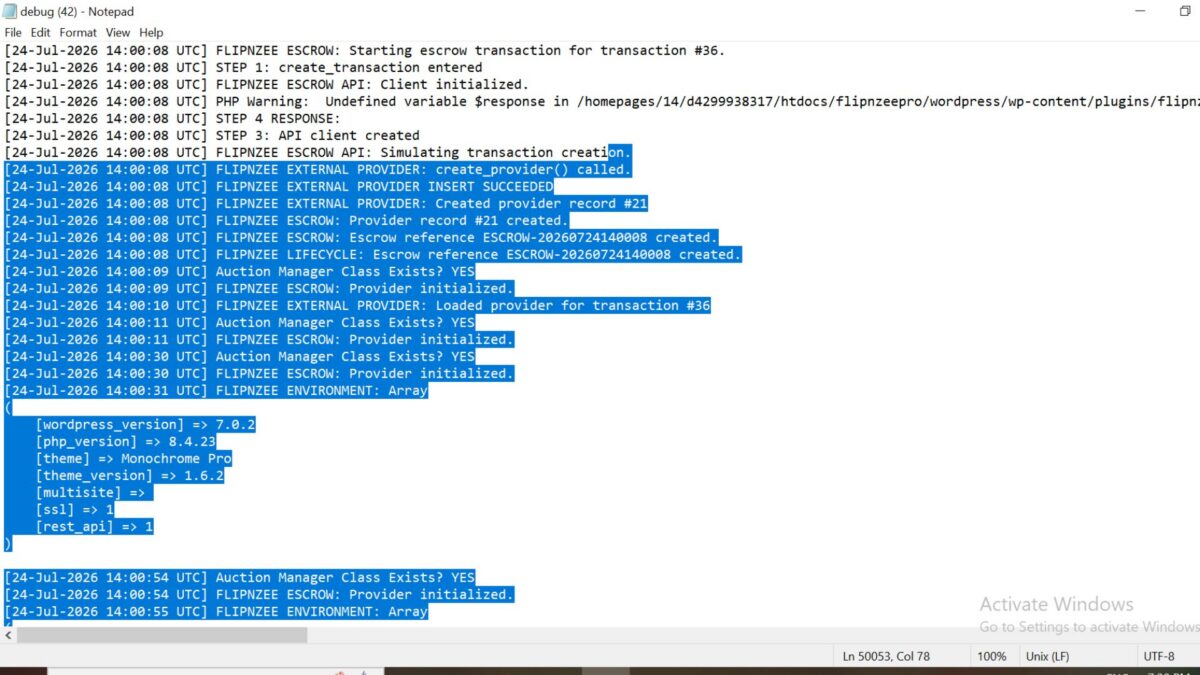
FLIPNZEE ESCROW: Starting escrow transaction...
FLIPNZEE API CLIENT: Simulation mode enabled.
FLIPNZEE API CLIENT: Returning simulated response.
FLIPNZEE EXTERNAL PROVIDER INSERT SUCCEEDED
FLIPNZEE ESCROW: Provider record created.
FLIPNZEE ESCROW: Escrow reference created.

These logs provide a complete picture of the transaction lifecycle and make debugging considerably easier.


Benefits of This Architecture

Introducing the API client provides several advantages:

  • Cleaner separation of responsibilities.
  • Easier testing.
  • Simpler debugging.
  • Reduced coupling.
  • Future API integration requires minimal changes.
  • Other payment providers can adopt the same pattern.

Most importantly, the remainder of the plugin no longer needs to know whether responses come from simulation mode or from the real Escrow.com servers.


Looking Ahead

With the architecture now in place, the plugin is ready to move beyond simulation.

Future lessons will focus on:

  • API authentication
  • Secure credential storage
  • Real HTTP requests using the WordPress HTTP API
  • Creating live Escrow.com transactions
  • Synchronizing provider status
  • Automatic transaction updates
  • Webhook support where available
  • Improved administrative monitoring

By establishing the API client first, these enhancements can be introduced incrementally without rewriting the payment workflow.


Conclusion

Lesson 125 represents an important architectural milestone for Flipnzee Auctions. Rather than jumping directly into live API integration, the plugin now adopts a layered design that separates business logic from external communication. This makes the codebase easier to maintain, easier to test, and well positioned for future integration with the Escrow.com REST API while preserving the existing transaction workflow.

https://github.com/SplendidDigital/flipnzee-auctions/releases/tag/lesson-125-stable

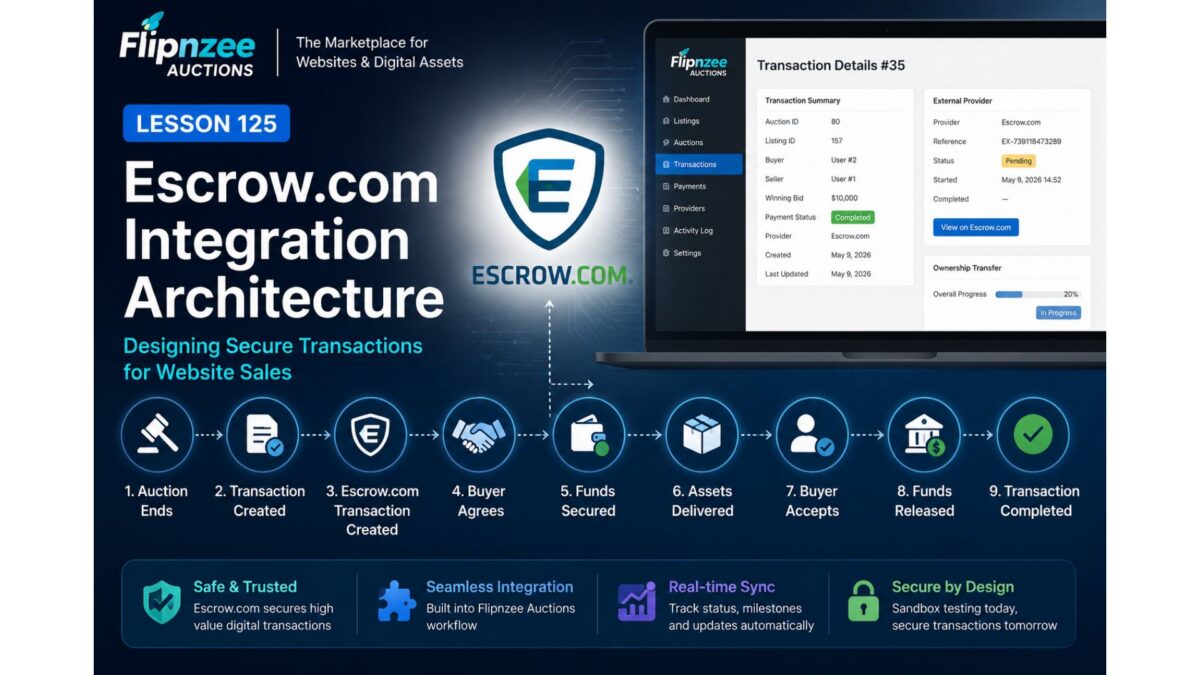
Lesson 125: Designing the Escrow.com Integration Architecture


Overview

With the transaction management workflow now established, the next objective is to replace the simulated Escrow provider with a production-ready integration.

Rather than treating Escrow.com as simply another payment gateway, Flipnzee Auctions will use it as the central transaction platform responsible for securely managing website sales between buyers and sellers.

This lesson focuses on designing that integration before implementing live API communication.


Why Escrow.com?

Unlike Stripe or PayPal, Escrow.com is designed for high-value transactions where assets are transferred after payment conditions have been satisfied.

Website and domain sales fit this model almost perfectly.

The buyer wants assurance that ownership will be transferred.

The seller wants assurance that payment has been secured.

Escrow.com acts as the trusted intermediary throughout that process. (escrow.com)


Current Plugin Workflow

Today the plugin works like this:

Auction Ends

↓

Transaction Created

↓

Payment Completed

↓

Ownership Transfer

↓

Transaction Closed

This is ideal for simulation, but it doesn’t yet involve Escrow.com.


Future Workflow

With API integration the workflow becomes:

Auction Ends

↓

Flipnzee Creates Transaction

↓

Escrow.com Transaction Created

↓

Buyer Agrees

↓

Buyer Funds Escrow

↓

Escrow Confirms Funds

↓

Seller Transfers Website

↓

Buyer Accepts Website

↓

Escrow Releases Funds

↓

Transaction Completed

The Flipnzee plugin becomes the orchestration layer, while Escrow.com manages the escrow lifecycle. (escrow.com)


Components We Will Build

The architecture will evolve as follows:

Flipnzee Auctions

│

├── Auction Manager

├── Transaction Manager

├── Payment Manager

├── External Provider Manager

│

└── Escrow Provider

        │

        ▼

Escrow API Client

        │

        ▼

Escrow.com REST API

The existing Flipnzee_Escrow_Provider becomes responsible for communicating with the live API instead of generating simulated references.


API Responsibilities

The Escrow API Client will eventually support operations such as:

  • Create Escrow transaction
  • Retrieve transaction details
  • Synchronize provider status
  • Generate agreement links
  • Monitor funding status
  • Track inspection periods
  • Detect completion
  • Detect cancellation
  • Record disputes

This logic will remain isolated from the rest of the plugin.


Mapping Plugin Data

Most of the information required by Escrow.com already exists inside Flipnzee Auctions.

FlipnzeeEscrow.com
AuctionTransaction
ListingItem
BuyerBuyer
SellerSeller
Winning BidAmount
Transaction IDReference
Ownership TransferInspection & Acceptance

Very little additional data will be required.


Website Sales as Milestone Transactions

One particularly interesting discovery is that Escrow.com recommends Milestone Transactions for services and website/domain sales involving staged delivery. This maps well to your plugin because ownership transfer already has multiple steps that can be represented as milestones rather than a single “completed” event. (escrow.com)

A future transaction could look like:

Payment Funded

↓

Website Files Delivered

↓

Database Delivered

↓

Domain Transferred

↓

Buyer Verification

↓

Escrow Releases Funds

Your existing Ownership Transfer feature already provides the beginnings of this model.


Keeping Responsibilities Separate

One design principle remains unchanged:

  • Transaction Manager manages marketplace transactions.
  • External Provider Manager stores provider records.
  • Escrow Provider communicates with Escrow.com.
  • Escrow API Client performs HTTP requests.

Each class retains a single responsibility, making the integration easier to maintain and test.


Immediate Goal

The next implementation lessons will focus on introducing a dedicated API client and configuration rather than making live requests immediately.

A sensible progression would be:

  • Lesson 126 — Build an Escrow_API_Client class (authentication, HTTP abstraction, sandbox support).
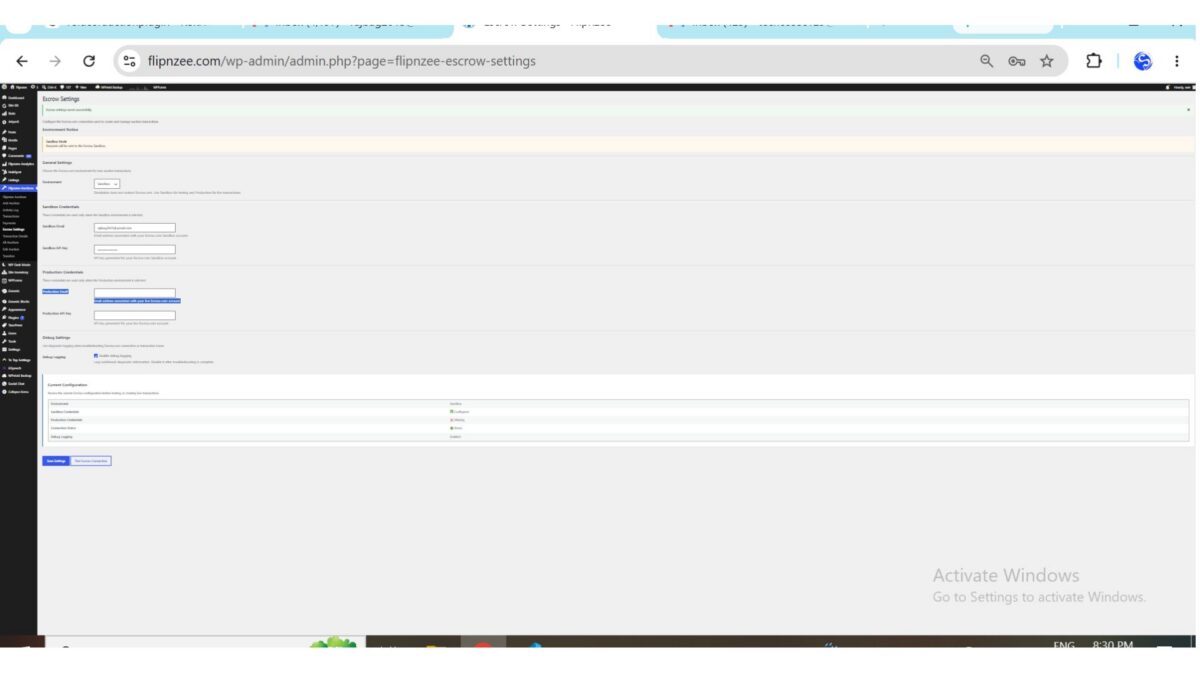
  • Lesson 127 — Add Escrow API settings (API key, email, sandbox/live mode).
  • Lesson 128 — Create live transactions from Flipnzee Auctions.
  • Lesson 129 — Synchronize transaction status from Escrow.com.
  • Lesson 130 — Handle agreement links, funding, and milestone updates.

This staged approach lets us test each layer independently before enabling real financial transactions.


One recommendation

I also noticed from your screenshot that you’re already using Escrow.com “Buy It Now” and “Make an Offer” buttons on your listings. That’s a smart transitional solution because it gives buyers a trusted path today while the plugin evolves.

When the API integration is complete, those external buttons can be replaced by plugin-driven actions:

  • Buy with Escrow
  • Make Offer
  • Proceed to Escrow

These buttons would create and manage Escrow.com transactions automatically while keeping the user inside the Flipnzee workflow until it’s time to complete the secure escrow process. That will make Flipnzee feel like a complete marketplace rather than a site that links out to Escrow.com.