
Implementing a Hook-Based Auction Lifecycle in Flipnzee Auctions (Lesson 56)

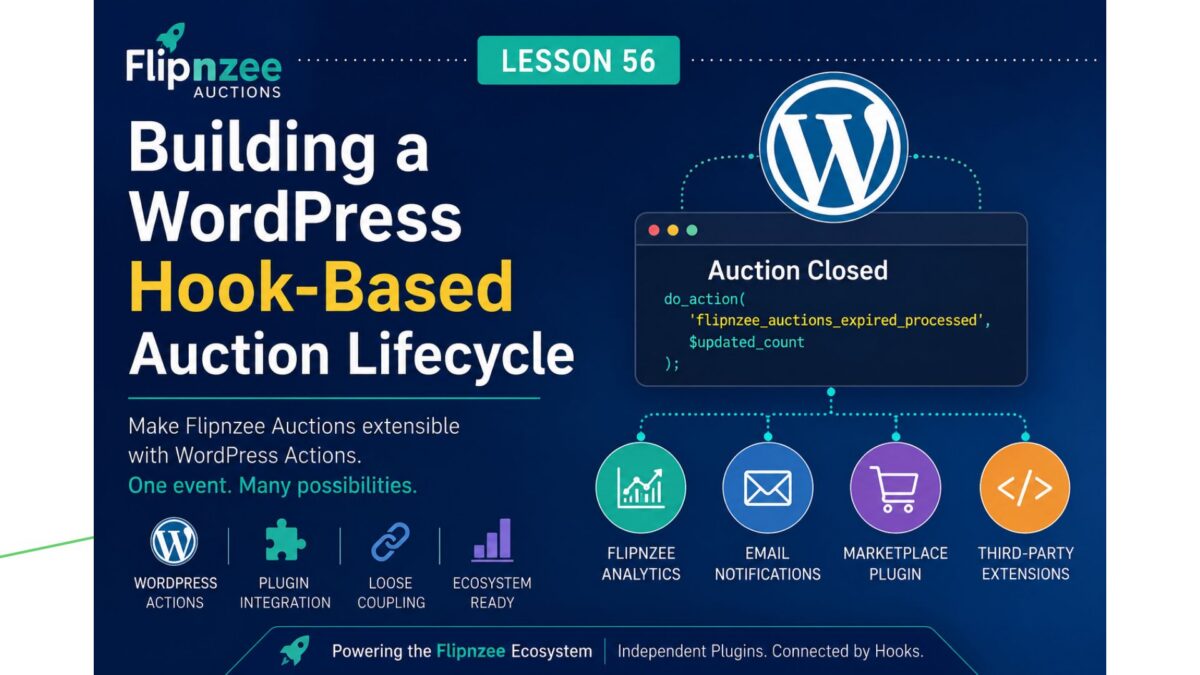
One of the biggest strengths of WordPress is its hook system. Actions and filters allow plugins to communicate with each other without becoming tightly coupled.
In Lesson 56, I took another important architectural step in the development of Flipnzee Auctions by introducing the plugin’s first public lifecycle hook.
Although this lesson adds no visible frontend features, it lays the foundation for future integrations with Flipnzee Analytics and other Flipnzee plugins.
Why This Lesson Was Needed
In Lesson 55, I implemented Automatic Auction Lifecycle Management.
Whenever active auctions are retrieved, the plugin now automatically checks for expired auctions and updates their status from Active to Closed.
The feature worked perfectly.
However, there was one limitation.
Only the Auction Manager knew that an auction had been closed.
No other plugin had any way of knowing that an important event had just occurred.
As the Flipnzee ecosystem grows, this would become a problem.
Thinking Beyond a Single Plugin
Although Flipnzee Auctions and Flipnzee Analytics are separate plugins, they have always been designed to complement each other.
For example, when an auction closes, future versions of Flipnzee Analytics might want to:
- Update marketplace statistics.
- Refresh dashboard widgets.
- Record lifecycle events.
- Generate reports.
- Trigger conversion tracking.
Without a proper communication mechanism, Analytics would have to modify the Auctions plugin directly.
That isn’t good software architecture.
Instead, the Auctions plugin should simply announce that something has happened and allow any interested plugin to respond.
This is exactly what WordPress Actions were designed to do.
Understanding WordPress Actions
A WordPress Action works like an announcement.
Instead of calling another plugin directly, the Auctions plugin simply says:
“I’ve finished processing expired auctions.”
Any plugin that is interested can choose to listen.
If no plugin is listening, nothing happens.
This keeps every plugin independent while still allowing them to work together.
Creating the First Flipnzee Lifecycle Event
Inside the update_expired_auctions() method, I first stored the update result in a variable.
$updated_count = ( false === $result ) ? 0 : (int) $result;
Rather than immediately returning the value, I introduced the plugin’s first public action.
do_action(
    'flipnzee_auctions_expired_processed',
    $updated_count
);
Finally, the method returns the number of auctions that were updated.
return $updated_count;
This small change transformed the method from simply updating the database into publishing an event that other plugins can respond to.
Why Use an Intermediate Variable?
Previously, the method ended like this:
return ( false === $result ) ? 0 : (int) $result;
That worked perfectly.
However, since the update count now needs to be passed to the action, storing it in a variable makes the code much clearer.
The same value is now:
- passed to the WordPress Action
- returned to the calling method
without repeating the calculation.
Improving the Documentation
Since this hook is intended for other developers, I also expanded its documentation.
Instead of simply stating that expired auctions had been processed, the comment now explains:
- why the hook exists
- when it fires
- the parameter it passes
- examples of how future plugins might use it
Good documentation is especially important for public hooks because they become part of the plugin’s public API.
An Architectural Decision
During implementation, we briefly considered adding a listener inside the Auctions plugin itself using:
add_action(
    'flipnzee_auctions_expired_processed',
    ...
);
The purpose would have been to demonstrate how the hook worked.
After reviewing the architecture, however, we decided against it.
Adding a listener that only writes to the error log would introduce demonstration code into the production plugin without providing any real functionality.
Instead, we chose to keep the plugin clean.
The hook now exists and is fully documented.
Future plugins can use it whenever they genuinely need to respond to the auction lifecycle.
I believe this results in a much cleaner and more professional design.
Preparing the Flipnzee Ecosystem
One of the goals of the Flipnzee Platform is allowing independent plugins to work together without directly depending on each other.
This hook is the first step toward that vision.
Future plugins may simply register their own listeners.
For example:
add_action(
    'flipnzee_auctions_expired_processed',
    'my_custom_function'
);
The Auctions plugin doesn’t need to know anything about that plugin.
Likewise, the Analytics plugin doesn’t need to modify the Auctions plugin.
Each plugin remains independent while communicating through WordPress itself.
Testing the Implementation
Since this lesson focused on architecture rather than frontend functionality, testing was straightforward.
After implementing the new hook:
- The plugin passed PHP syntax validation.
- Automatic auction expiry continued to function exactly as before.
- Existing functionality remained unaffected.
- The new lifecycle event is now available for future integrations.
Because no listeners are currently registered, introducing the hook does not change the behaviour of the plugin.
Instead, it quietly prepares the foundation for future development.
Lessons Learned
This lesson reminded me that professional software development isn’t always about adding visible features.
Sometimes the most valuable improvements are architectural.
By introducing a public lifecycle event, the plugin has become significantly more extensible without increasing complexity.
Future features such as analytics updates, email notifications, activity logging, and marketplace statistics can all be built on top of this single hook.
Looking Ahead
With the first lifecycle event now in place, the plugin is ready for even greater automation.
The next logical step is to ensure auction maintenance happens automatically in the background using WordPress scheduling, rather than only when visitors load auction pages.
That will allow the lifecycle events introduced in this lesson to fire regardless of whether anyone is currently browsing the website.
Download Source Code
Download the starting version of the plugin before the lesson:
Download the completed version after this lesson:
Conclusion
Lesson 56 introduced the first public WordPress Action in Flipnzee Auctions.
Although visitors won’t notice any visual changes, this small addition represents an important architectural milestone.
The plugin now follows a more event-driven design, making it easier for Flipnzee Analytics and future plugins to integrate cleanly without modifying the core Auctions plugin.
As the Flipnzee Platform continues to grow, these well-documented hooks will become the foundation that allows multiple plugins to work together while remaining independent, maintainable, and true to WordPress development best practices.