
Lesson 58: Building an Auction Activity Log

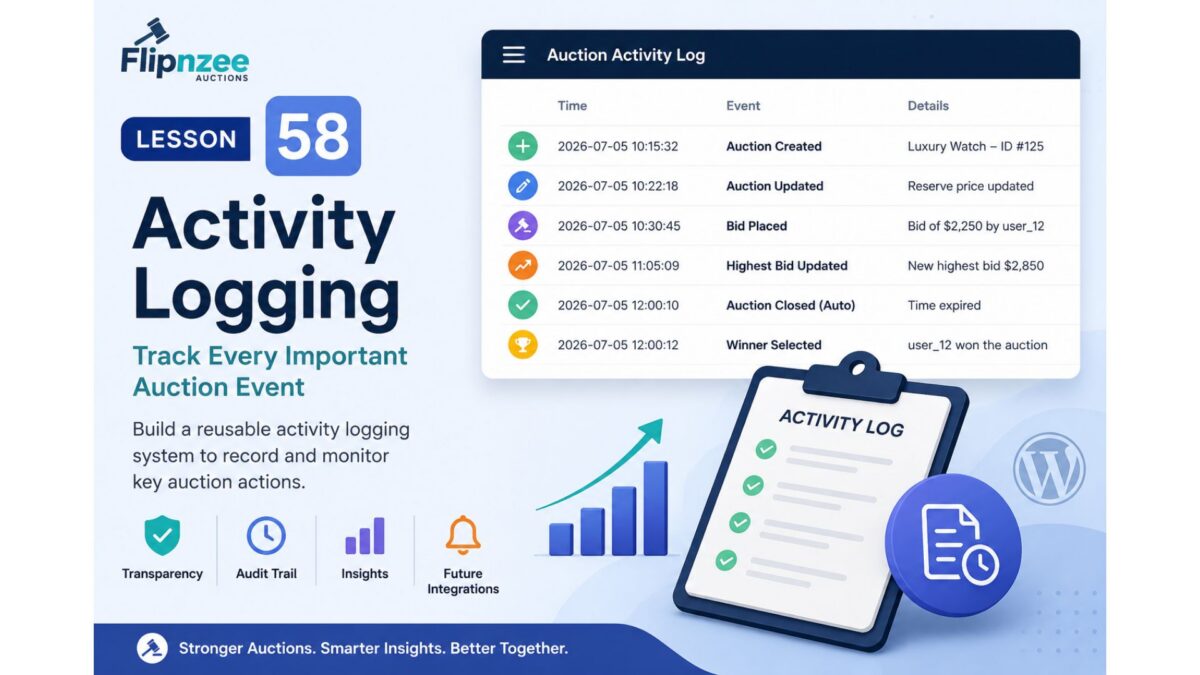
As Flipnzee Auctions continues to evolve, the plugin is becoming more than a simple auction manager. It now has automatic lifecycle processing, scheduled background maintenance, and public lifecycle hooks that allow future Flipnzee plugins to respond to important events.
The next logical step is recording those events.
In this lesson, we’ll begin building an Auction Activity Log, allowing administrators to track significant actions performed within the plugin.
Why This Lesson Is Needed
Currently, auctions can:
- be created
- be updated
- receive bids
- automatically close
- select winners
All of these actions happen successfully.
However, once they occur, there is no historical record of when they happened or how they happened.
Imagine receiving a support request such as:
“Why did my auction close early?”
Or:
“When was this bid placed?”
Or:
“Who changed this auction?”
Without an activity log, answering those questions becomes difficult.
Professional systems almost always maintain some form of event history.
The Vision
Instead of treating actions as isolated events, Flipnzee Auctions will begin recording them as part of a timeline.
For example:
10:15 Auction Created

10:22 First Bid Placed

10:45 Highest Bid Updated

11:00 Reserve Price Met

12:00 Auction Automatically Closed

12:01 Winner Selected
This history provides valuable insight for both administrators and future integrations.
Relationship with Previous Lessons
The work completed in Lessons 55–57 makes this lesson much easier.
When an auction is automatically processed, the lifecycle hook introduced in Lesson 56 can be used to trigger logging.
Rather than scattering logging code throughout the plugin, important lifecycle events can simply record themselves as they occur.
This keeps the architecture clean while making the system more observable.
Planned Features
During this lesson we will:
- Design an activity logging system.
- Create a reusable logging method.
- Record auction lifecycle events.
- Prepare the system for future bid and notification events.
- Keep logging lightweight and efficient.
Initial Events to Record
The first version of the logger will focus on major auction lifecycle events, including:
- Auction created
- Auction updated
- Auction automatically activated
- Auction automatically closed
- Auction deleted
Later lessons can expand this list to include:
- Bid placed
- Highest bidder changed
- Buy Now completed
- Winner selected
- Notifications sent
Designing for the Flipnzee Ecosystem
The activity log isn’t intended solely for administrators.
Future plugins may also use it.
For example:
- Flipnzee Analytics could analyze auction behaviour.
- Marketplace reports could summarize activity.
- Email notifications could reference logged events.
- Developers could troubleshoot integrations more easily.
Because the logging system will be reusable, every new feature can record events without rewriting the logging infrastructure.
Learning Objectives
In this lesson we’ll learn:
- Designing reusable helper methods
- Recording lifecycle events
- Centralizing logging logic
- Preparing for future integrations
- Improving plugin observability
- Keeping WordPress plugins maintainable
Files Likely to Change
Depending on the implementation, we may modify:
includes/class-auction-manager.php
includes/class-database.php
If we decide to store logs in a dedicated database table, we’ll also update the database installation routine.
Expected Benefits
After completing this lesson, Flipnzee Auctions will begin maintaining a historical record of important auction events.
This improves:
- debugging
- administration
- auditing
- future reporting
- analytics integration
- developer experience
Looking Ahead
The activity logging system will become the foundation for several future enhancements, including:
- Admin Activity Log screen
- Exportable audit reports
- User activity timelines
- Analytics dashboards
- Notification history
- Marketplace insights
Rather than treating logging as an afterthought, we’ll build it into the plugin architecture from the beginning.
Conclusion
Lesson 58 introduces one of the most valuable architectural features of a professional application: an activity logging system.
Although visitors won’t immediately see this feature, it significantly improves transparency, debugging, and maintainability while providing a reusable foundation for future analytics, reporting, and ecosystem integrations.
Why I recommend this next
One of our long-term goals has always been that Flipnzee Auctions and Flipnzee Analytics should complement each other naturally.
An activity log is the perfect bridge between them. It creates structured event data that can later be analyzed, visualized, or summarized by Flipnzee Analytics without tightly coupling the two plugins.
It also fits our development philosophy: each lesson adds a focused, reusable capability while strengthening the overall architecture rather than just adding another isolated feature.