
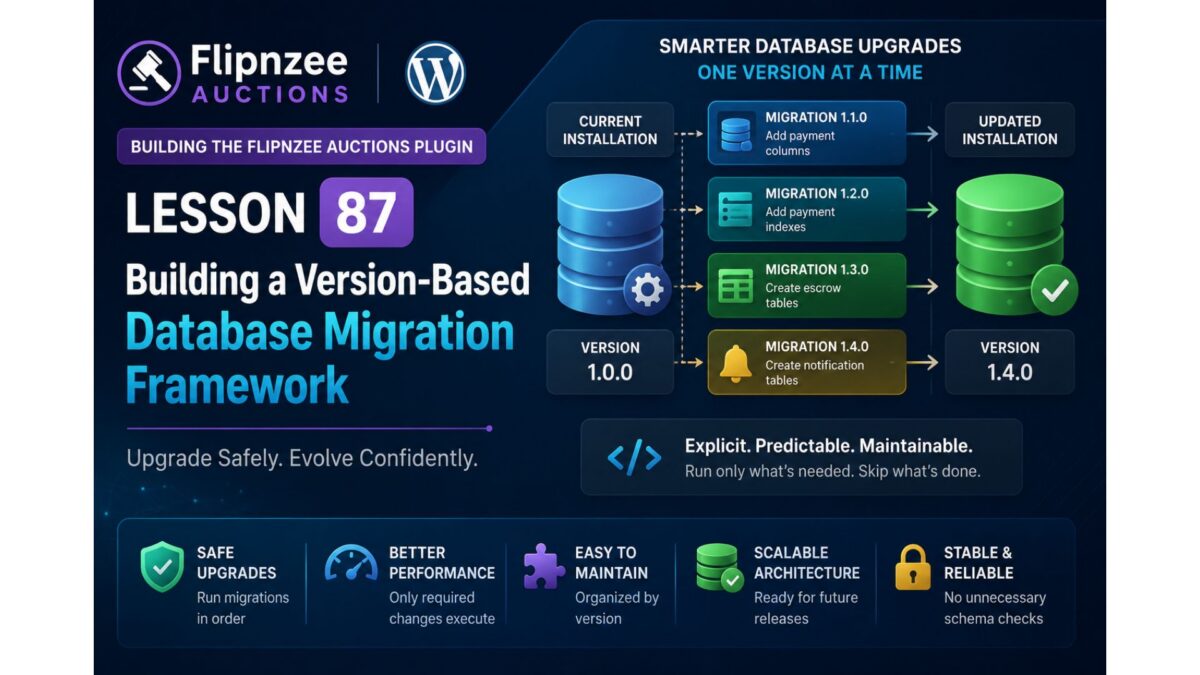
Lesson 87: Building a Version-Based Database Migration Framework

Series: Building the Flipnzee Auctions WordPress Plugin
Lesson: 87
Project: Flipnzee Auctions
Difficulty: Advanced
Introduction
During the previous lessons, we introduced database versioning and stabilized the plugin activation process. We also discovered an important limitation of relying on dbDelta() for repeated schema comparisons on existing installations.
Although dbDelta() remains an excellent tool for creating tables during a fresh installation, our debugging experience showed that long-term schema evolution requires a more controlled and predictable approach.
In this lesson, we will begin implementing a dedicated version-based database migration framework. This framework will become responsible for upgrading existing installations safely while keeping fresh installations simple and reliable.
Rather than asking WordPress to infer schema differences automatically, the plugin will explicitly execute only the database changes required for each version.
Why Build a Migration Framework?
Most production plugins continue evolving long after their initial release.
New releases often introduce:
- new database columns,
- additional indexes,
- modified table structures,
- new tables,
- deprecated fields,
- performance improvements.
Attempting to manage all of these changes using repeated dbDelta() comparisons can become increasingly difficult as the project grows.
A migration framework provides a much more maintainable solution.
Objectives
By the end of this lesson, we will:
- create the foundation of a dedicated migration system,
- separate installation logic from upgrade logic,
- introduce a migration manager class,
- implement version-aware migration execution,
- prepare the plugin for future schema upgrades,
- keep activation stable across environments.
Current Database Architecture
At this stage, the plugin already contains:
- database version constant,
- version storage in WordPress options,
- table creation logic,
- payment infrastructure,
- stable activation process.
The next step is allowing the plugin to upgrade older installations without recreating existing tables.
The New Architecture
Instead of relying entirely on dbDelta(), the plugin architecture will evolve into the following flow.
Plugin Activation
        │
        ▼
Check Stored Database Version
        │
        ├───────────────┐
        │               │
        ▼               ▼
Fresh Install      Existing Install
        │               │
        ▼               ▼
create_tables()   run_migrations()
        │               │
        └───────┬───────┘
                ▼
Update Database Version
This separation makes installation and upgrades independent processes.
Migration Manager
The migration manager will become responsible for coordinating every database upgrade.
Responsibilities include:
- reading the current database version,
- comparing versions,
- executing required migrations,
- updating the stored version,
- ensuring migrations run only once.
No migration should execute twice.
Migration Philosophy
Instead of asking:
“Does this table match my SQL?”
the plugin will ask:
“Which version is currently installed?”
This simple change dramatically improves predictability.
Example:
Installed Version
        │
        ▼
1.0.0
        │
        ▼
Run Migration 1.1.0
        │
        ▼
Update Version
Future releases follow exactly the same pattern.
Planned Class Structure
A new class will manage all database migrations.
Example:
includes/
    class-database.php
    class-database-migration.php
Responsibilities remain clearly separated.
class-database.php
- create tables
- installation logic
class-database-migration.php
- migration runner
- migration helpers
- schema upgrades
- version comparisons
This follows the Single Responsibility Principle and keeps each class focused on one purpose.
Version Comparison
Rather than checking individual columns during activation, the plugin will compare versions.
Conceptually:
$current_version
↓

version_compare()

↓

Run only required migrations
This approach scales naturally as more releases are added.
Example Upgrade Path
Suppose a user installs Version 1.0.0.
Later versions introduce additional features.
1.0.0
↓

1.1.0
Add payment columns

↓

1.2.0
Add payment indexes

↓

1.3.0
Create escrow tables

↓

1.4.0
Create notification tables
Each version executes only its own migration.
Benefits
The migration framework provides numerous advantages.
Reliability
Database upgrades become deterministic.
Performance
Only required changes execute.
Maintainability
Schema changes remain organized by version.
Safety
Existing installations avoid unnecessary schema comparisons.
Scalability
Future releases simply add new migration methods.
Files Expected to Change
This lesson is expected to introduce or modify:
includes/
    class-database-migration.php

flipnzee-auctions.php

includes/
    class-database.php
The exact implementation will remain incremental and thoroughly tested after each step.
Testing Strategy
Each migration will be verified by:
- activating the plugin,
- upgrading older installations,
- confirming database version updates,
- ensuring no duplicate migrations occur,
- checking schema consistency,
- validating existing auction functionality.
Every migration should be idempotent and safe to execute.
Lessons Learned from Previous Work
The activation debugging carried out in Lesson 86 reinforced several important principles.
- Installation and upgrades should be treated separately.
- Stable Git checkpoints are invaluable.
- Environment differences can expose unexpected behaviors.
- Incremental development simplifies debugging.
- Database migrations deserve their own dedicated architecture.
These lessons directly influenced the design of the migration framework introduced in this lesson.
Roadmap
After completing the migration framework foundation, the following lessons will extend its capabilities.
Lesson 88
Implement reusable migration helper methods:
table_exists()column_exists()index_exists()add_column()add_index()drop_column()drop_index()
Lesson 89
Implement the first production migration by replacing manual payment schema upgrades with version-controlled migration methods.
Lesson 90
Expand the migration framework to support:
- escrow tables,
- notification tables,
- reporting tables,
- future REST API infrastructure.
Conclusion
The Flipnzee Auctions plugin has now reached a stage where database evolution deserves its own dedicated subsystem.
By introducing a version-based migration framework, we move beyond relying solely on dbDelta() and establish a scalable architecture capable of supporting future releases with confidence.
This lesson marks the beginning of a mature database lifecycle where installations, upgrades, and schema evolution are handled independently, providing a stable foundation for the continued growth of the Flipnzee Auctions marketplace plugin.