
Lesson 13: Creating a Dedicated Form Handler with the WordPress Admin Post API

Introduction
In the previous lesson, we improved the architecture of our Add Auction form by submitting it to WordPress’s admin-post.php endpoint and protecting it with a nonce.
However, there is still no code that actually receives the submitted form.
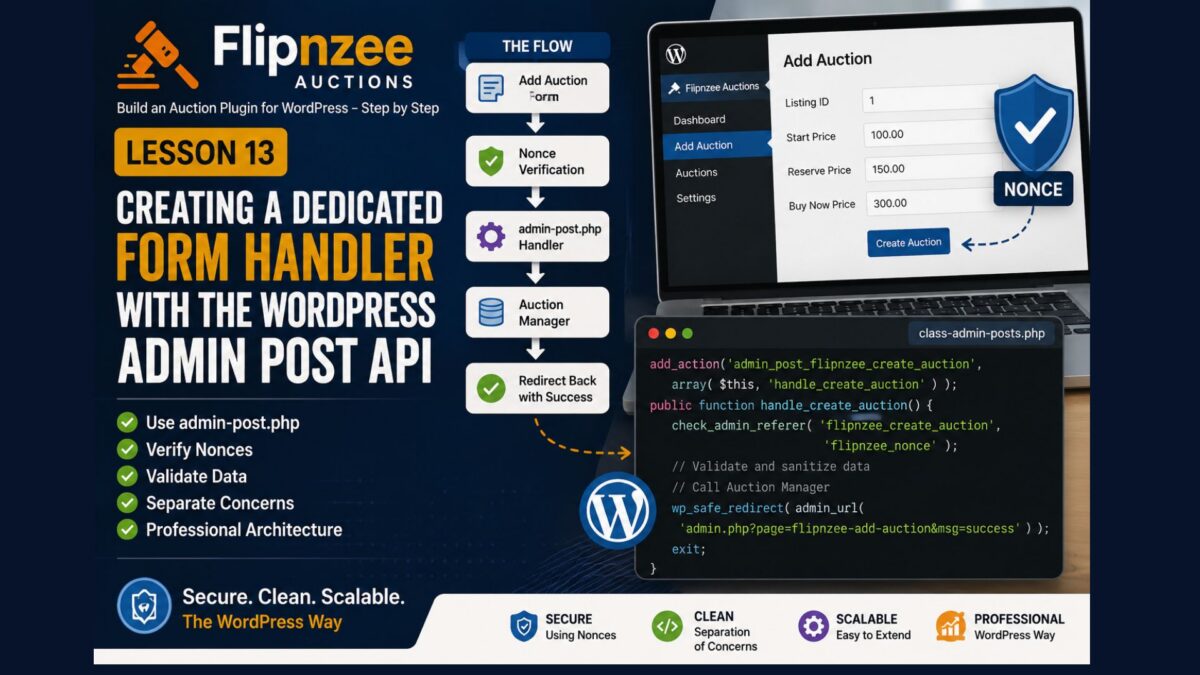
In this lesson, we’ll create a dedicated Form Handler class. This class will verify the nonce, validate the submitted data, and then call the Auction Manager to create the auction.
By keeping form processing separate from page rendering, we make the plugin cleaner, easier to maintain, and more aligned with WordPress best practices.
Learning Objectives
By the end of this lesson, you’ll be able to:
- Understand the WordPress Admin Post API.
- Register custom admin actions.
- Create a dedicated form handler class.
- Verify WordPress nonces.
- Validate submitted form data.
- Prepare the plugin for database insertion.
Why Create a Form Handler?
Instead of mixing everything together:
Form

↓

SQL

↓

HTML
we’ll separate responsibilities:
Form

↓

Form Handler

↓

Auction Manager

↓

Database
Each component now has one responsibility.
Step 1 – Create a New File
Inside the admin folder create:
class-admin-posts.php
Step 2 – Create the Form Handler
Copy the following code into the file.
<?php

if ( ! defined( 'ABSPATH' ) ) {
	exit;
}

class Flipnzee_Auction_Admin_Posts {

	/**
	 * Constructor.
	 */
	public function __construct() {

		add_action(
			'admin_post_flipnzee_create_auction',
			array( $this, 'handle_create_auction' )
		);
	}

	/**
	 * Handle Add Auction form submission.
	 */
	public function handle_create_auction() {

		// Verify nonce.
		check_admin_referer(
			'flipnzee_create_auction',
			'flipnzee_nonce'
		);

		// Form processing will be added in Lesson 14.

		wp_safe_redirect(
			admin_url( 'admin.php?page=flipnzee-add-auction' )
		);

		exit;
	}
}

new Flipnzee_Auction_Admin_Posts();
Understanding admin_post
WordPress automatically looks for an action matching:
admin_post_{action}
Our form contains:
<input
	type="hidden"
	name="action"
	value="flipnzee_create_auction">
WordPress therefore executes:
admin_post_flipnzee_create_auction
which calls our handler.
Understanding check_admin_referer()
This function verifies the nonce we added in Lesson 12.
If the nonce is invalid:
- Processing stops immediately.
- WordPress displays an error.
- The request is rejected.
This protects our plugin against Cross-Site Request Forgery (CSRF) attacks.
Why Redirect?
After processing the form, we redirect back to the Add Auction page.
This prevents duplicate submissions if the administrator refreshes the page and follows the standard Post/Redirect/Get (PRG) pattern used by professional web applications.
Step 3 – Load the New Class
Open:
flipnzee-auctions.php
Immediately after loading the Admin class, add:
/**
 * Load Admin Posts Class
 */
if ( file_exists( FLIPNZEE_AUCTION_PATH . 'admin/class-admin-posts.php' ) ) {
	require_once FLIPNZEE_AUCTION_PATH . 'admin/class-admin-posts.php';
}
Step 4 – Test the Plugin
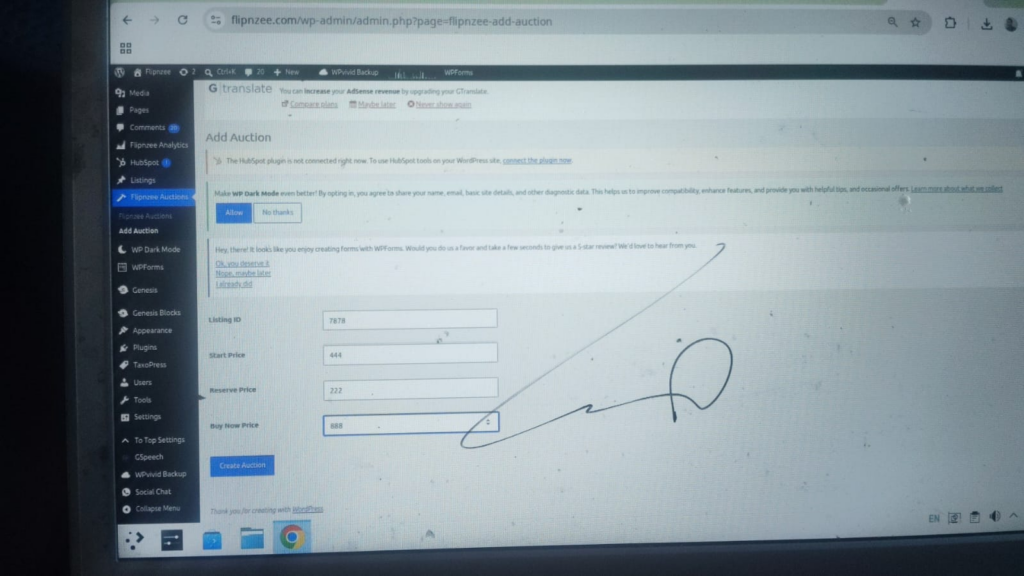
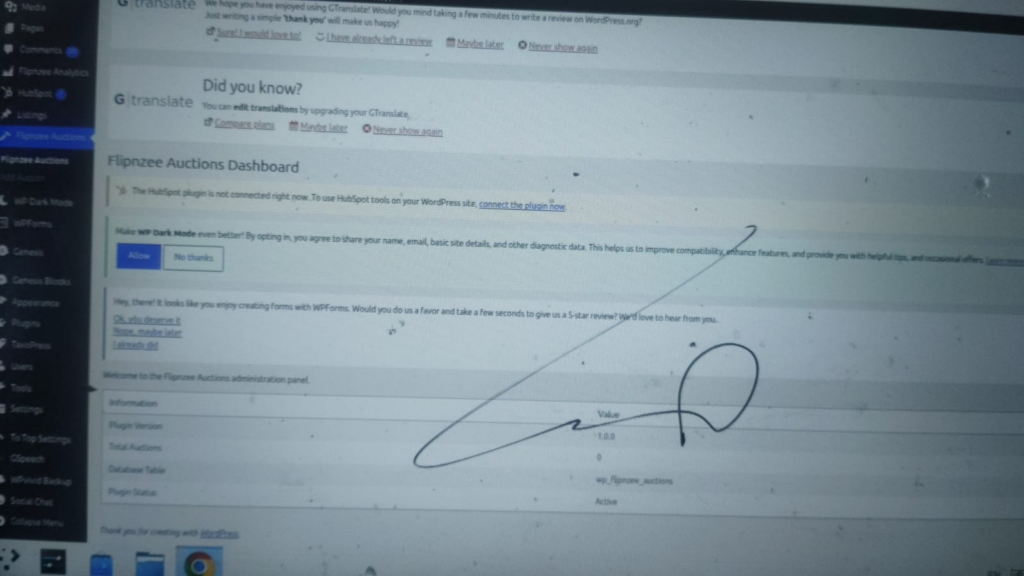
Create a new ZIP.
Upload the plugin.
Activate it.
Open:
Flipnzee Auctions → Add Auction
Complete the form.
Click:
Create Auction
Nothing will be saved yet.
However, if everything has been configured correctly, the form should redirect back to the Add Auction page without errors.
That’s exactly what we want at this stage.
Lesson Summary
In this lesson, we created a dedicated Form Handler using the WordPress Admin Post API.
Although the handler currently verifies the nonce and redirects the user, it establishes the architecture we’ll use for all future form processing.
In the next lesson, we’ll finally connect this handler to the Auction Manager and insert our first auction into the database.
Key Takeaways
- ✓ Use
admin_postfor processing administration forms. - ✓ Verify nonces before processing data.
- ✓ Separate form handling from page rendering.
- ✓ Redirect after successful processing.
- ✓ Build applications one layer at a time.
Common Mistakes
- Forgetting to register the
admin_postaction. - Processing forms inside page-rendering methods.
- Omitting nonce verification.
- Forgetting to call
exitafterwp_safe_redirect().
Git Commands Used
git add .

git commit -m "Lesson 13: Create Admin Post form handler"

git push
Project Status
✅ Plugin dashboard

✅ Add Auction page

✅ Secure form architecture

✅ Admin Post handler

⬜ Save auction

⬜ Display auctions

⬜ Edit auction

⬜ Bid engine

⬜ Escrow workflow

⬜ Version 1.0
Project Evolution
Our plugin now follows a cleaner architecture by separating administration pages from form processing. This makes future features such as editing auctions, deleting auctions, and managing bids much easier to implement because every form can follow the same pattern.
As the project continues to grow, this separation of concerns will keep the codebase organized and easier to maintain.
Developer’s Notebook
One of the defining characteristics of well-designed WordPress plugins is that user interfaces and request processing are kept separate. While beginners often process forms directly inside page-rendering methods, larger plugins typically use dedicated handlers that can be reused, tested, and extended independently. Adopting this pattern early prepares the project for long-term growth and makes the code easier for other developers to understand.