
Lesson 23: Adding Secure Auction Deletion to Your WordPress Plugin

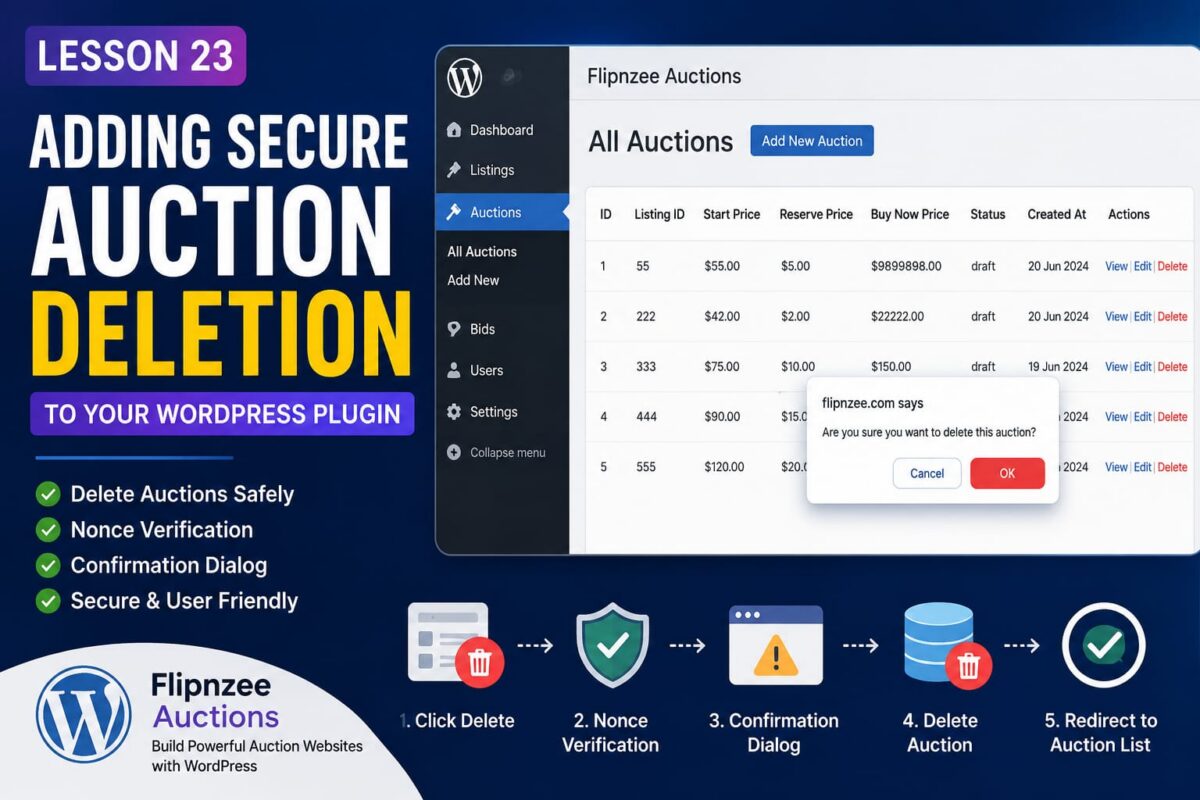
Deleting data is one of the most sensitive operations in any application. A single mistake can accidentally remove valuable records or create a serious security vulnerability.
In this lesson, we’ll build a secure Delete Auction feature for the Flipnzee Auctions plugin using WordPress best practices.
Why a Delete Feature Matters
As administrators manage auctions over time, some records become unnecessary:
- Test auctions
- Duplicate auctions
- Expired drafts
- Incorrect listings
Instead of manually deleting records from phpMyAdmin, administrators should be able to remove auctions directly from the WordPress dashboard.
Step 1 — Add a Delete Link
Inside our custom WP_List_Table, we added a new row action.
'delete' => sprintf(
    '<a href="%s" onclick="return confirm(\'Are you sure you want to delete this auction?\');">Delete</a>',
    wp_nonce_url(
        admin_url(
            'admin-post.php?action=flipnzee_delete_auction&auction_id=' . absint( $item->id )
        ),
        'flipnzee_delete_auction'
    )
),
This generates a secure URL for every auction.
Step 2 — Protect the Request with a Nonce
Deleting records should never rely only on an auction ID.
Instead, WordPress adds a nonce to the URL.
A nonce helps verify that:
- the request originated from your website
- the current administrator intentionally clicked Delete
- attackers cannot easily forge deletion requests
Step 3 — Display a Confirmation Dialog
Before the browser follows the Delete link, JavaScript displays:
Are you sure you want to delete this auction?
This gives administrators one final chance to cancel.
It is a simple but important safeguard.
Step 4 — Register the Delete Action
WordPress routes admin form submissions and custom actions through the admin_post hook.
We registered:
add_action(
    'admin_post_flipnzee_delete_auction',
    array( $this, 'handle_delete_auction' )
);
Now WordPress knows exactly which method should process the deletion request.
Step 5 — Verify the Nonce
Inside our handler we verify the request.
check_admin_referer(
    'flipnzee_delete_auction'
);
If the nonce is invalid, WordPress immediately stops execution.
This protects the plugin from Cross-Site Request Forgery (CSRF) attacks.
Step 6 — Delete the Database Record
The Auction Manager performs the actual deletion.
Flipnzee_Auction_Manager::delete_auction(
    $auction_id
);
Keeping database operations inside the manager class keeps the code organized and easier to maintain.
Step 7 — Redirect Back
After deletion, the administrator is redirected back to the auction list.
wp_safe_redirect(
    admin_url(
        'admin.php?page=flipnzee-all-auctions'
    )
);
This prevents accidental duplicate requests if the page is refreshed.
What We Learned
In this lesson we learned how to:
- Add custom row actions to
WP_List_Table - Generate secure admin URLs
- Protect delete operations using WordPress nonces
- Display JavaScript confirmation dialogs
- Handle custom
admin_postactions - Remove database records safely
- Redirect users after completing an action
Why This Matters
Delete functionality may seem simple, but implementing it securely is an important milestone in WordPress plugin development.
By following WordPress coding standards—using nonces, confirmation dialogs, dedicated manager classes, and proper redirects—you create a plugin that is both user-friendly and resistant to common security risks.
In the next lesson, we’ll continue enhancing the Flipnzee Auctions plugin by adding more professional management features to make auction administration even more powerful.