
Lesson 40: Building a Professional Auction Card Layout with CSS

In the previous lesson, we transformed our auction listings from plain database records into meaningful website listings by displaying the Listing title, featured image, placeholder image, and a direct link to the Listing page.
Although the auction now contains all the essential information, its appearance is still fairly basic. The next logical step is to improve the user interface so visitors can browse auctions more comfortably and the marketplace begins to resemble a modern website sales platform.
In this lesson, we’ll focus entirely on presentation by styling our auction cards with CSS while keeping the underlying PHP logic unchanged.
What You’ll Learn
By the end of this lesson, you’ll know how to:
- Style plugin output using a dedicated CSS file.
- Improve the appearance of auction cards.
- Make featured images responsive.
- Add spacing and padding for better readability.
- Create modern card layouts using borders, shadows, and rounded corners.
- Improve typography and button styling.
- Build a responsive layout that works well on desktops, tablets, and mobile devices.
Why This Matters
At the moment, an auction looks something like this:
+--------------------------------------+
| Screenshot                           |
|                                      |
| Calnzee.com                          |
|                                      |
| Start Price: ₹111                    |
| Current Bid: ₹0                      |
| Buy Now: ₹333                        |
| Status: Active                       |
| Auction Ends: 03 Jul 2026            |
|                                      |
| View Listing                         |
+--------------------------------------+
While functional, this still resembles a collection of HTML elements rather than a professional marketplace.
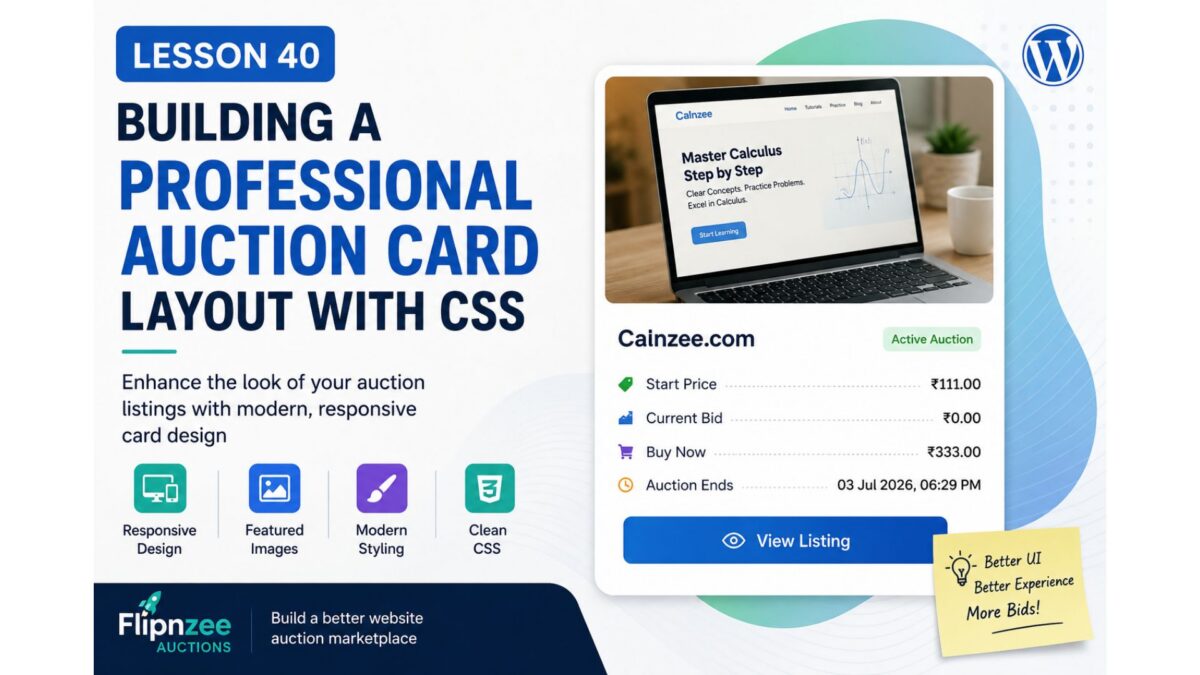
After completing this lesson, the goal is to achieve something closer to:
+--------------------------------------------------+
|               Website Screenshot                 |
|                                                  |
| Calnzee.com                                      |
|--------------------------------------------------|
| Start Price .............. ₹111                 |
| Current Bid .............. ₹0                   |
| Buy Now .................. ₹333                 |
| Auction Ends ............. 03 Jul 2026          |
|                                                  |
|            [ View Listing ]                      |
+--------------------------------------------------+
The cleaner presentation improves readability and creates a much stronger first impression for potential buyers.
Concepts Covered
During this lesson we’ll explore:
- CSS organization for WordPress plugins
- Responsive images
- Card-based layouts
- Padding and margins
- Borders and border radius
- Box shadows
- Typography improvements
- Button styling
- Responsive design fundamentals
Implementation Steps
We’ll implement the lesson gradually:
- Style the auction card container.
- Make featured images responsive.
- Improve spacing between elements.
- Style headings and auction details.
- Enhance the “View Listing” button.
- Remove unnecessary visual clutter.
- Improve alignment of auction information.
- Add responsive styling for smaller screens.
- Test the layout on different devices.
Files We’ll Modify
assets/css/frontend.css
Only minor HTML adjustments may be made if required.
No database changes are required.
Difficulty Level
Intermediate
This lesson focuses primarily on frontend development and demonstrates how separating presentation from business logic leads to cleaner, more maintainable plugins.
Best Practices
Throughout this lesson we’ll continue following WordPress development best practices:
- Keep PHP focused on generating HTML.
- Place all presentation rules inside CSS.
- Use reusable CSS classes.
- Avoid inline styles.
- Design with responsiveness in mind.
- Improve the user experience without changing plugin functionality.
What You’ll Gain
After completing this lesson, your auction listings will no longer look like simple collections of database fields. Instead, they’ll resemble professional marketplace cards that are visually appealing, easier to browse, and ready for future enhancements such as countdown timers, bidding buttons, analytics badges, and seller information.
This lesson also establishes the visual foundation for future integration between the Flipnzee Auctions plugin and the Flipnzee Analytics plugin, allowing auction cards to evolve into rich previews of each website while keeping the detailed analytics available on the corresponding Listing page.
In the implementation that follows, we’ll enhance the stylesheet step by step and transform our auction cards into a polished marketplace interface without altering the underlying auction logic.