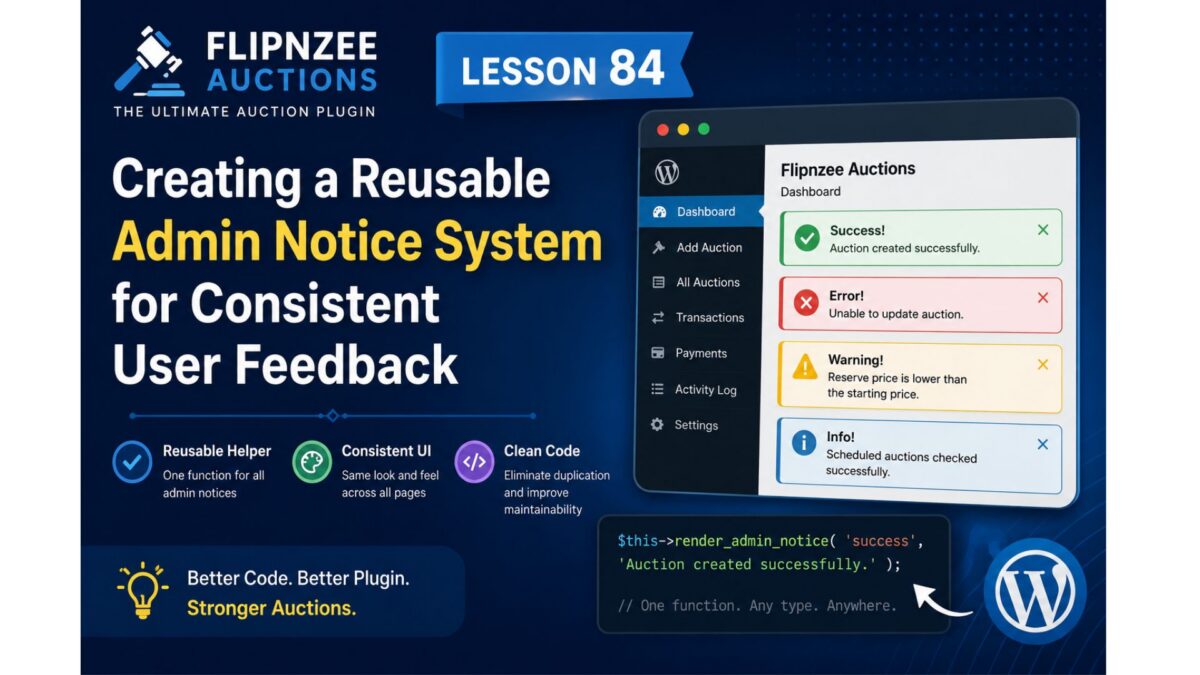
Lesson 84: Creating a Reusable Admin Notice System in Flipnzee Auctions


Introduction

As the Flipnzee Auctions plugin has grown, many administration pages now display success and error messages after performing actions such as creating auctions, updating auctions, deleting auctions, activating scheduled auctions, or closing expired auctions.

Currently, each page contains its own HTML for displaying WordPress admin notices. While this works correctly, it results in duplicated code scattered throughout the plugin.

In software development, repeated code is a maintenance problem. If the appearance or behavior of admin notices ever needs to change, every copy must be updated individually.

In this lesson, we will centralize the rendering of WordPress admin notices by creating reusable helper methods. This follows the same refactoring approach introduced in Lessons 82 and 83.


Why This Refactoring Matters

Currently, the plugin contains many repeated blocks like this:

<div class="notice notice-success is-dismissible">
    <p>Auction created successfully.</p>
</div>

and

<div class="notice notice-error is-dismissible">
    <p>Unable to update auction.</p>
</div>

These snippets appear on multiple admin pages.

Instead, we’ll create one reusable method that can display any type of notice.


What We’ll Build

Instead of repeating HTML throughout the plugin, we’ll be able to write:

$this->render_admin_notice(
    'success',
    'Auction created successfully.'
);

or

$this->render_admin_notice(
    'error',
    'Unable to update auction.'
);

or

$this->render_admin_notice(
    'warning',
    'Reserve price is lower than the starting price.'
);

One helper method will handle all notice rendering.


Benefits

This refactoring provides several advantages.

  • Eliminates duplicated HTML.
  • Consistent appearance across every admin page.
  • Easier future customization.
  • Cleaner PHP methods.
  • Better object-oriented design.
  • Improved readability.
  • Easier testing.

What You’ll Learn

During this lesson you’ll learn how to:

  • Create reusable helper methods.
  • Render different types of WordPress admin notices.
  • Pass arguments into helper methods.
  • Reduce duplicated code.
  • Improve maintainability.
  • Refactor existing functionality safely.

Implementation Plan

Step 1

Locate all existing success and error notices inside admin/class-admin.php.


Step 2

Create a reusable helper method.

private function render_admin_notice(
    $type,
    $message
)

Step 3

Move the repeated notice HTML into this helper.

The helper should automatically generate:

<div class="notice notice-success is-dismissible">

or

<div class="notice notice-error is-dismissible">

depending on the notice type.


Step 4

Replace every duplicated notice block with calls such as:

$this->render_admin_notice(
    'success',
    'Auction created successfully.'
);

Step 5

Test every admin page to ensure notices display correctly.

Pages to test include:

  • Dashboard
  • Add Auction
  • Edit Auction
  • All Auctions
  • Transactions
  • Payments

Files We’ll Modify

Primary file:

admin/class-admin.php

Potential future lessons may extend the same helper into:

  • admin/class-admin-payments.php
  • admin/class-admin-transactions.php
  • admin/class-admin-activity-log.php

Difficulty

⭐⭐☆☆☆ (Beginner–Intermediate)


Estimated Time

20–30 minutes


Expected Outcome

By the end of this lesson:

  • Every admin notice will be generated by a single reusable helper method.
  • The plugin will contain significantly less duplicated HTML.
  • Admin pages will become easier to maintain.
  • Future notice styling changes will require editing only one method.
  • The plugin architecture will continue moving toward professional WordPress development standards.

Why This Lesson Comes Next

Lessons 82, 83, and 84 form a logical refactoring series:

  • Lesson 82 separated dashboard styling into an external stylesheet.
  • Lesson 83 extracted dashboard cards into reusable helper methods.
  • Lesson 84 centralizes admin notice rendering.

Together, these lessons improve the internal quality of the plugin without changing how administrators use it. They also establish reusable patterns that will support the production-readiness phase leading up to the planned live launch around Lessons 100–105.

Leave a Reply