
Lesson 63: Automatically Create Transactions When an Auction Ends Using WordPress Action Hooks

Overview
In the previous lesson, we built the Transaction Manager and created the wp_flipnzee_transactions table. However, transactions are still created manually. The next logical step is to connect the Auction Manager with the Transaction Manager.
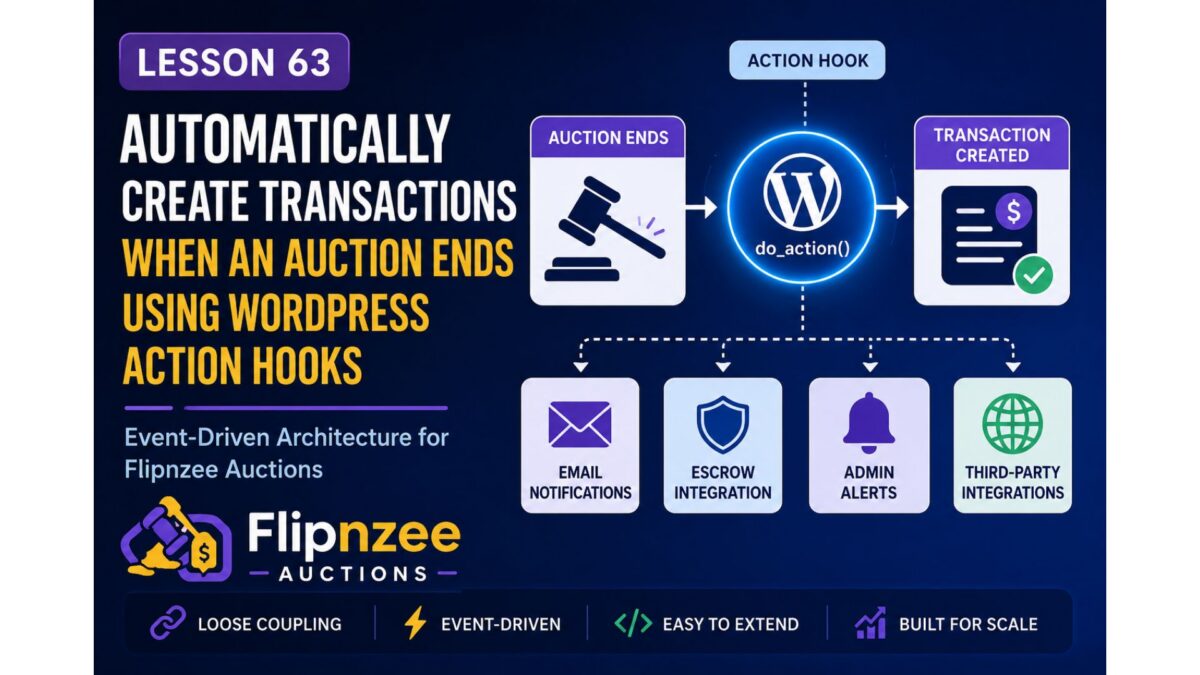
Rather than calling the Transaction Manager directly from the Auction Manager, we’ll use one of WordPress’ most powerful features—Action Hooks. This creates a loosely coupled, event-driven architecture where different components communicate through events instead of depending on each other directly.
By the end of this lesson, whenever an auction winner is determined, the plugin will automatically create a pending transaction without modifying the core auction logic.
What You Will Learn
In this lesson you will learn how to:
- Understand event-driven programming in WordPress.
- Create a custom WordPress action hook.
- Pass auction data through an action hook.
- Listen for custom actions.
- Automatically create transactions after an auction closes.
- Reduce coupling between plugin components.
- Build an extensible architecture for future escrow integrations.
Why This Improvement Matters
Suppose the Auction Manager directly inserts a transaction into the database.
Today that may seem fine.
Tomorrow you may also want to:
- Send buyer emails.
- Send seller emails.
- Start escrow.
- Notify administrators.
- Trigger webhooks.
- Generate invoices.
- Award badges.
- Push data to an external CRM.
If every feature is added inside the Auction Manager, the class quickly becomes difficult to maintain.
Using WordPress hooks solves this problem elegantly.
Instead of saying:
“Create a transaction.”
the Auction Manager simply says:
“An auction has ended.”
Any other class can decide whether it wants to respond.
Architecture Before Lesson 63
Auction Manager
      │
      ▼
Determine Winner
Architecture After Lesson 63
Auction Manager
      │
      ▼
do_action()

      │
      ▼

Transaction Manager

      │
      ▼

Create Transaction
Later we can attach even more listeners:
Auction Manager

      │

do_action()

      │
      ├────────► Transaction Manager
      ├────────► Email Manager
      ├────────► Escrow Manager
      ├────────► Notification Manager
      └────────► REST API
This is exactly how many mature WordPress plugins are designed.
What Will Be Implemented
During this lesson we will:
Step 1
Fire a custom action when a winner is determined.
Step 2
Create a listener inside the Transaction Manager.
Step 3
Automatically insert a new transaction.
Step 4
Log transaction creation in the Activity Log.
Step 5
Test the complete workflow.
Expected Result
Before Lesson 63:
Auction Ends

↓

Winner Selected

↓

Nothing Else Happens
After Lesson 63:
Auction Ends

↓

Winner Selected

↓

WordPress Action Fired

↓

Transaction Created

↓

Activity Logged
Files That Will Be Modified
includes/class-auction-manager.phpincludes/class-transaction-manager.phpincludes/class-activity-log.php
No database changes are required.
Skills You’ll Practice
- WordPress Action Hooks
- Custom Events
- Loose Coupling
- Event-Driven Programming
- Clean Plugin Architecture
- Object-Oriented WordPress Development
Difficulty Level
Intermediate
This lesson introduces one of the most important architectural concepts in WordPress development. Understanding custom action hooks will help you build plugins that are easier to extend, maintain, and integrate with future features such as escrow services, payment gateways, and notification systems.
Final Thoughts
Lesson 63 represents a significant shift in the design of the Flipnzee Auctions plugin. Instead of tightly connecting the Auction Manager with every future component, we will use WordPress’ hook system to broadcast auction events and allow independent classes to respond as needed.
This event-driven approach provides a solid foundation for the remaining roadmap, including escrow integration, payment workflows, buyer and seller notifications, and third-party integrations, while keeping the codebase clean and modular.