
Custom Plugin vs. Ready-Made WordPress Plugin: How to Decide What Is Better for Your Website

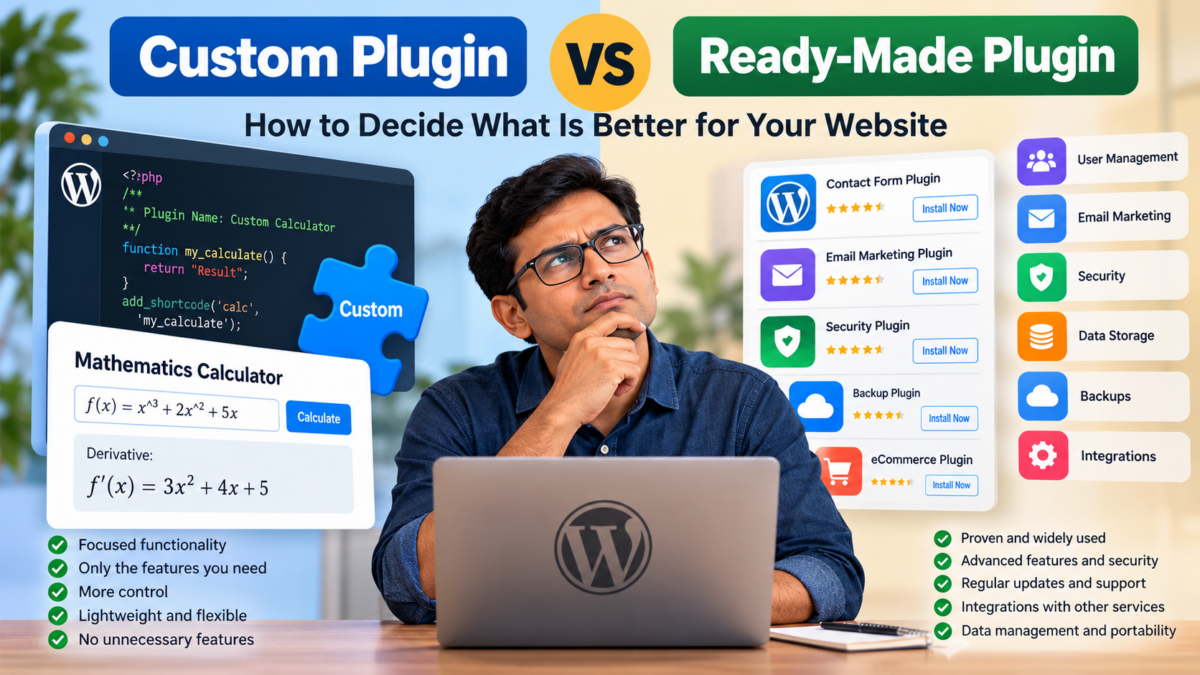
When developing a WordPress website, one question frequently arises: Should you develop a custom plugin to fulfil a particular requirement, or should you install an existing free or paid plugin?
At first glance, developing a custom plugin might seem like the more attractive option. You get exactly the functionality you want, avoid unnecessary features, and retain control over the code.
However, there is another side to the equation. A plugin is not always just a collection of features. Depending on its purpose, it may also be responsible for security, data storage, backups, user management, integrations, maintenance and long-term data accessibility.
The decision, therefore, should not be based exclusively on development costs or the number of features.
It should be based on the nature of the functionality, the responsibility the plugin carries, and what happens to the data and services associated with it over time.
Let’s examine the considerations.
1. When a Custom Plugin Makes More Sense
Custom plugin development is particularly attractive when the requirement is specific, self-contained and primarily functional.
Consider a website that publishes mathematics tutorials. The website owner wants to introduce a calculator that can differentiate mathematical expressions.
For example, a visitor enters:
[latex]f(x)=x^3+2x^2+5x[/latex]
The calculator returns:
[latex]f'(x)=3x^2+4x+5[/latex]
Would it make sense to install a large, multipurpose plugin just to provide this functionality?
Probably not.
A lightweight custom plugin could accomplish the task without introducing unnecessary dependencies or features.
Other examples include:
- A calculator for determining website acquisition costs.
- A domain renewal date display.
- A custom pricing calculator.
- A specialised mathematical equation solver.
- A shortcode that displays selected website statistics.
- A custom content display system.
- A small tool that converts one unit into another.
These functionalities have something in common: their primary responsibility is to perform a specific operation or display particular information.
They generally do not require extensive user management, sophisticated security infrastructure or long-term storage of sensitive customer information.
Advantages of custom development
1. Only the features you need
You don’t have to install a plugin containing dozens of features when you only need one or two.
2. Greater control
You decide how the functionality works, how it looks and how it integrates with your website.
3. Less unnecessary complexity
A focused plugin can be easier to maintain than a large multipurpose solution.
4. Freedom to evolve
You can introduce new features as your requirements change without waiting for the original plugin developer.
5. No unnecessary recurring licence fees
You avoid paying for premium features that you might never use.
However, custom development does not automatically mean better performance or security. Poorly written custom code can introduce vulnerabilities, compatibility problems and maintenance headaches.
A custom plugin still needs proper development practices, testing and updates.
2. When an Established Plugin Is the Better Choice
Now consider a different situation.
Suppose you operate a website that collects email addresses through subscription forms.
Initially, you might think that developing a custom plugin to collect email addresses and store them in a WordPress database would be straightforward.
After all, the basic functionality appears simple:
- Display a subscription form.
- Collect an email address.
- Store it in a database.
- Allow the administrator to view subscribers.
But this is where the real complexity begins.
What happens when thousands of people subscribe?
What happens when someone wants to unsubscribe?
How do you prevent spam registrations?
How do you secure subscriber information?
How do you manage consent and privacy requirements?
How do you export the subscriber list?
How do you handle backups?
What happens if your hosting provider suspends your account?
What happens if your website is compromised?
And perhaps most importantly, what happens if you eventually close the website?
Suddenly, the seemingly simple plugin has become a data management system.
This is where an established solution may offer considerably more value.
For example, dedicated email marketing platforms and established WordPress plugins often provide:
- Subscriber management.
- Email verification.
- Unsubscribe mechanisms.
- Spam protection.
- Data export.
- Subscriber segmentation.
- Email campaign management.
- Security mechanisms.
- Backup and recovery options.
- Integration with other platforms.
Recreating all these capabilities independently could require considerable development effort.
More importantly, you would become responsible for maintaining them.
The importance of data independence
This brings us to an especially important consideration.
Your website and your business data should not necessarily depend on each other.
Imagine that you operate a website for five years and accumulate 20,000 subscribers.
Eventually, you decide to discontinue the website.
Does that mean you should lose access to your subscriber database?
Absolutely not.
The subscriber list might still have considerable business value. You may want to transfer it to another website, use it for a different business, or migrate it to another email marketing platform, subject to applicable consent and privacy requirements.
This is one reason why dedicated platforms can be attractive.
If subscriber information is maintained independently of your website, closing the website does not necessarily mean losing access to the information.
However, there is an important distinction: not every popular WordPress plugin provides independent data storage.
Some plugins store everything inside your WordPress database. If your hosting account disappears and you have no backup, the data may disappear with it.
Therefore, choosing an established plugin is not enough. You must examine its data portability and storage arrangements.
3. Security Is More Than Writing Secure Code
Security is another important factor when deciding between custom and established plugins.
A developer might write a perfectly functional plugin that performs its intended task.
But does that automatically make it secure?
Not necessarily.
Security involves considerably more than preventing SQL injection or sanitising user input.
Depending on the plugin’s responsibilities, security may involve:
- User authentication and authorisation.
- Protection against cross-site scripting.
- Protection against SQL injection.
- Nonce verification.
- Rate limiting.
- Spam prevention.
- Secure API communication.
- Access control.
- Data encryption where appropriate.
- Regular vulnerability assessments.
- Security updates.
If a custom plugin simply calculates mathematical expressions without collecting personal information, its security requirements are relatively limited.
However, if it processes payments, manages customer accounts, stores personal information or handles business transactions, the requirements become substantially more demanding.
An established plugin with a strong development team, a history of security updates and a responsible vulnerability disclosure process may be a more sensible choice.
Nevertheless, popularity alone is not proof of security.
A widely installed plugin can still contain vulnerabilities, and an abandoned plugin can become a liability.
The important consideration is the quality of its maintenance and security practices.
4. Consider What Happens When the Website Closes Down
This is an area that deserves considerably more attention.
Website owners frequently evaluate plugins based on their immediate requirements.
They ask:
- Does it work?
- Is it compatible with my theme?
- Does it provide the required features?
- Is it free?
- Does it slow down my website?
These are reasonable questions, but they overlook an important issue:
What happens to the functionality and data when the website is discontinued?
Consider three examples.
| Plugin functionality | What happens when the website closes? |
|---|---|
| Mathematical calculator | The functionality becomes unavailable, but there may be no valuable user data to recover. |
| Contact management system | Customer information may need to be exported and retained securely. |
| Email subscriber management | Subscriber information may need to be migrated to another platform, subject to consent and privacy obligations. |
The distinction is significant.
A calculator is primarily a functional asset.
A subscriber database is a business asset.
A payment processing system may be part of a critical business operation.
The more important the underlying data and business processes, the more carefully you should evaluate the infrastructure supporting them.
For critical information, consider maintaining independent backups, regular exports and a migration strategy.
Do not assume that installing a popular plugin automatically provides these safeguards.
5. The Hidden Cost of Maintaining a Custom Plugin
One of the biggest misconceptions about custom development is that the cost ends when the plugin is completed.
It doesn’t.
A custom plugin becomes another software component that someone must maintain.
Consider the following responsibilities:
| Responsibility | What it involves |
|---|---|
| WordPress compatibility | Testing against newer WordPress releases. |
| PHP compatibility | Ensuring the plugin works with updated PHP versions. |
| Security | Identifying and fixing vulnerabilities. |
| Database maintenance | Managing schema changes and data integrity. |
| Third-party integrations | Updating APIs when external services change. |
| Bug fixes | Resolving unexpected behaviour. |
| Documentation | Maintaining technical documentation. |
| Testing | Ensuring new changes do not break existing functionality. |
These responsibilities become particularly important when a plugin is used across multiple websites.
An established plugin may distribute these maintenance responsibilities across a dedicated development team and a larger user base.
With a custom plugin, the responsibility generally falls on its owner or developer.
This does not mean custom development is necessarily more expensive.
A small, stable plugin might require very little maintenance.
But a complex custom system can eventually become considerably more expensive than purchasing an established solution.
6. Free vs. Paid Plugins: Another Important Distinction
It is also worth distinguishing between free and paid plugins.
A free plugin is not necessarily inferior to a paid one.
Many excellent WordPress plugins are available without charge.
However, paid plugins sometimes offer additional benefits:
- Dedicated technical support.
- Regular updates.
- Advanced functionality.
- Better integrations.
- Premium security features.
- Professional documentation.
- Commercial maintenance commitments.
When evaluating a paid plugin, examine what the licence actually provides.
Does the subscription cover updates only, or does it include support?
What happens when the subscription expires?
Will the plugin continue functioning?
Can you continue using the installed version?
Can you export your data?
These questions are particularly important when a plugin becomes integral to your business.
A paid plugin should not be selected merely because it carries a price tag. Its ongoing value must justify the expenditure.
7. A Hybrid Approach Might Be the Best Solution
There is another possibility that website owners sometimes overlook.
You do not necessarily have to choose between developing everything yourself and installing an existing plugin for everything.
A hybrid approach can offer the best of both worlds.
For example, suppose you operate a website that provides mathematics tutorials.
You might use:
- A custom plugin for mathematical calculators.
- An established SEO plugin for search optimisation.
- A dedicated email marketing platform for subscriber management.
- An established security plugin for website protection.
- A recognised backup solution for disaster recovery.
- A custom plugin for displaying specialised website analytics.
This arrangement allows you to develop features that differentiate your website while relying on established solutions for infrastructure-intensive responsibilities.
There is little reason to reinvent functionality that is already available, tested and maintained by experienced developers.
At the same time, there is no reason to install an unnecessarily large plugin when a small custom solution can accomplish the task more efficiently.
8. A Practical Decision Framework
The following table summarises how website owners can approach the decision.
| Requirement | Recommended approach |
|---|---|
| Simple mathematical calculator | Custom plugin |
| Specialised pricing calculator | Custom plugin |
| Custom shortcode or display functionality | Custom plugin |
| Domain information display | Custom plugin |
| Complex membership management | Established plugin |
| Email subscriber management | Established platform or plugin |
| Payment processing | Established payment provider and integration |
| Customer relationship management | Established CRM |
| Security infrastructure | Established, actively maintained solution |
| Backup and recovery | Established backup solution |
| Complex e-commerce functionality | Established e-commerce platform |
| Specialised business workflow | Hybrid approach |
These are general recommendations rather than absolute rules.
For example, a custom membership system might be justified for a highly specialised application, provided the organisation has the resources to maintain it.
Similarly, a simple subscriber collection form might be developed as a custom plugin if it integrates with an established email marketing service rather than storing and managing subscribers independently.
The distinction is between developing the interface or specialised functionality and taking responsibility for the entire underlying infrastructure.
9. Think Beyond the Initial Development Cost
Perhaps the most important lesson is that plugin selection should be treated as a long-term business decision.
Imagine two scenarios.
Scenario A: Custom development
You spend ₹10,000 developing a custom plugin that performs exactly the function you need.
It works perfectly, and you retain complete control over its functionality.
But three years later, WordPress or PHP changes, and the plugin requires modifications.
You must find a developer, pay for the work and test the updated version.
Scenario B: Established solution
You pay for an established plugin with an annual licence.
The initial and recurring expenditure might be higher.
However, the developer maintains compatibility, provides updates and offers technical support.
Neither scenario is automatically better.
If the custom plugin is small and stable, Scenario A could be considerably more economical.
If the plugin handles critical business operations, Scenario B might offer better long-term value.
The correct comparison is therefore not simply:
Custom development cost vs. plugin purchase price.
It is:
Total cost of ownership vs. the value, reliability and independence provided by the solution.
This includes development, licensing, hosting, storage, maintenance, support, security and eventual migration costs.
Conclusion: Develop What Differentiates You, Adopt What Protects Your Business
The decision to develop a custom plugin or use an established solution should depend primarily on what the plugin is expected to accomplish.
If the requirement is a focused functionality, such as calculating derivatives, displaying domain information or generating specialised reports, custom development can be an excellent choice.
It offers flexibility, control and the freedom to avoid unnecessary features.
However, when a plugin becomes responsible for managing subscribers, customer information, payments, memberships, security or other critical business operations, the decision becomes more complicated.
In such cases, established solutions may provide a more practical foundation because they can offer mature infrastructure, ongoing maintenance, integrations and data management capabilities.
There is also a particularly important consideration: the long-term independence of your data.
A website might eventually be discontinued, but its business information could remain valuable for years.
Therefore, data portability, independent backups and migration options deserve as much attention as the plugin’s immediate functionality.
Ultimately, a sensible principle to follow is:
Build the functionality that makes your website unique. Adopt established solutions for infrastructure that requires continuous security, reliability and specialised maintenance.
And where necessary, combine the two.
The objective should not be to minimise the number of plugins or maximise custom development. It should be to build a website that remains manageable, secure, economical and sustainable over the long term.