
Lesson 113: Building the Payment Workflow Foundation

In the previous lessons, auctions could successfully determine a winner and create a transaction. However, there was still no mechanism for the buyer to complete payment or for the marketplace to track payment progress.
This lesson introduces the payment workflow foundation for Flipnzee Auctions.
Rather than integrating directly with a payment provider immediately, the plugin now establishes a flexible payment architecture capable of supporting multiple providers in future releases while already allowing manual payment submissions.
Objectives
This lesson aimed to:
- Create a buyer payment page
- Support multiple payment providers
- Introduce an External Provider architecture
- Allow manual payment submissions
- Upload payment proof
- Prepare the plugin for Escrow.com integration
- Preserve compatibility with future gateways
External Provider Architecture
Instead of embedding payment provider logic directly inside the transaction manager, the plugin now introduces an independent provider layer.
Auction
    │
    ▼
Transaction
    │
    ▼
External Provider
    │
    ▼
Transfer
This separation keeps responsibilities clear.
Transactions continue to represent marketplace events, while external providers maintain information about third-party payment services.
Database Changes
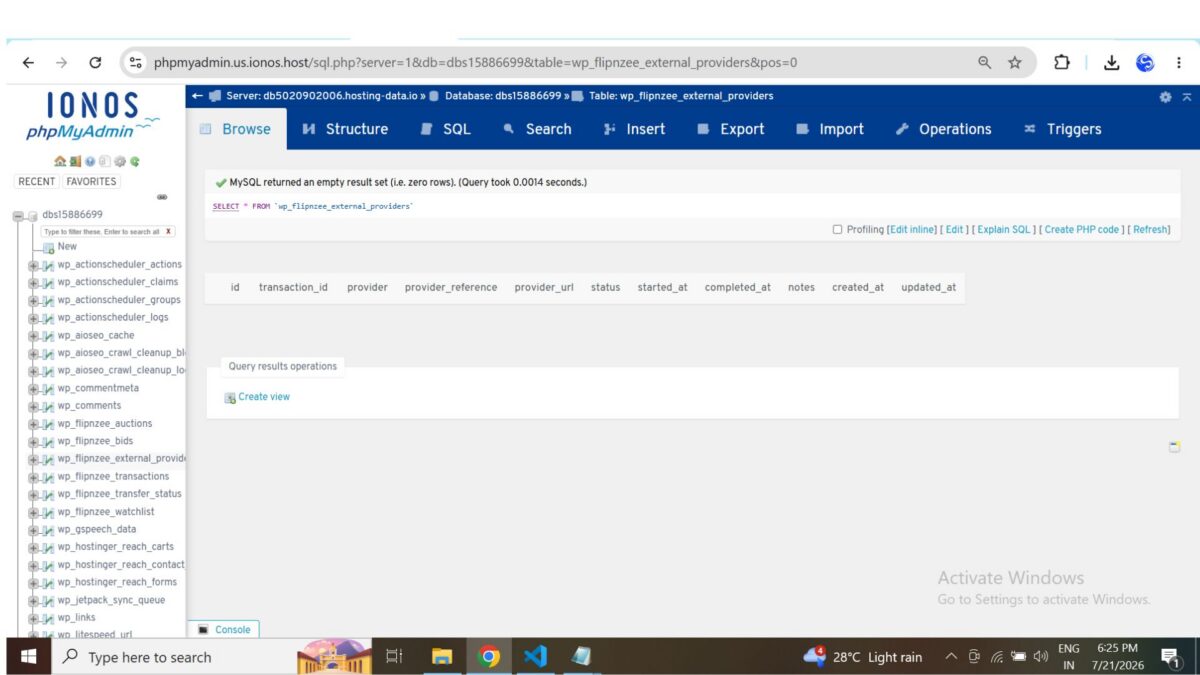
Lesson 113 introduces a dedicated table for provider-specific information.
wp_flipnzee_external_providers
The table stores:
- Transaction ID
- Provider name
- External reference
- External URL
- Provider status
- Notes
- Timestamps
This allows each transaction to maintain its own provider lifecycle independently of the payment record itself.
Buyer Payment Page
A new frontend payment page was implemented.
The page now:
- Displays transaction information
- Shows the winning bid
- Displays payment status
- Displays the selected payment gateway
The payment page retrieves transactions securely using the transaction ID passed through the URL.
Supported Payment Providers
The gateway selector was designed from the beginning to support multiple providers.
Current options include:
- Escrow.com (recommended)
- Manual Payment
- Stripe
- PayPal
- Razorpay
- Cryptocurrency (USDT)
Only Manual Payment is currently active.
The remaining gateways are intentionally displayed as “Coming Soon,” allowing the interface to remain stable while future integrations are developed.
Manual Payment Workflow
The first complete payment workflow now exists.
After selecting Manual Payment, buyers receive:
- Payment instructions
- Reference number
- Amount due
- Payment status
- Important reminders
The workflow is intentionally simple while providing a complete end-to-end payment process.
Uploading Payment Proof
Buyers can upload payment evidence directly from the payment page.
Supported formats include:
- JPG
- JPEG
- PNG
Uploads are handled using the standard WordPress Media Library APIs rather than creating a custom upload system.
Once uploaded, the attachment ID is stored against the transaction for later verification.
Transaction Improvements
Several improvements were made to transaction handling.
The payment page now:
- Retrieves transactions using the correct transaction ID
- Reloads transactions after updates
- Displays current payment information
- Handles missing transactions gracefully
During development, a bug caused older transactions to appear because of confusion between multiple transaction records. This was resolved by ensuring that payment pages always retrieve the exact transaction referenced in the URL.
Debugging Improvements
Lesson 113 also included several reliability improvements.
These included fixing:
- Object versus array access errors
- Transaction retrieval bugs
- Payment page rendering issues
- Upload state refresh
- Gateway display consistency
Additional logging was temporarily introduced during development to validate the payment workflow before being cleaned up.
Why This Architecture Matters
Although only Manual Payment is currently operational, the underlying architecture was designed for long-term extensibility.
Future payment providers can now plug into the same workflow without redesigning the payment page.
This makes it possible to introduce services such as Escrow.com, Stripe, PayPal, or cryptocurrency while keeping a consistent buyer experience.
Files Added
includes/class-external-provider-manager.php
Major Files Updated
includes/class-payment-page.phpincludes/class-payment-manager.phpincludes/class-transaction-manager.phpincludes/class-database.phpincludes/class-database-migration.phpflipnzee-auctions.php
What Comes Next
With the payment foundation complete, the next lesson will shift from adding functionality to improving architecture.
Lesson 114 will refactor the payment page into a state-driven workflow, allowing each payment stage—Pending, Submitted, Verified, and Completed—to present only the actions relevant to that stage. This will simplify future integrations with Escrow.com, admin verification, and automated ownership transfers.
Git Tag Recommendation
lesson-113-stable
I recommend tagging this release as lesson-113-stable. It represents the first complete payment workflow in Flipnzee Auctions and establishes the architecture that future payment providers and transfer features will build upon.