
Building Flipnzee Auctions – Lesson 113 (Planning) – Implementing Escrow.com Support (Part 1)

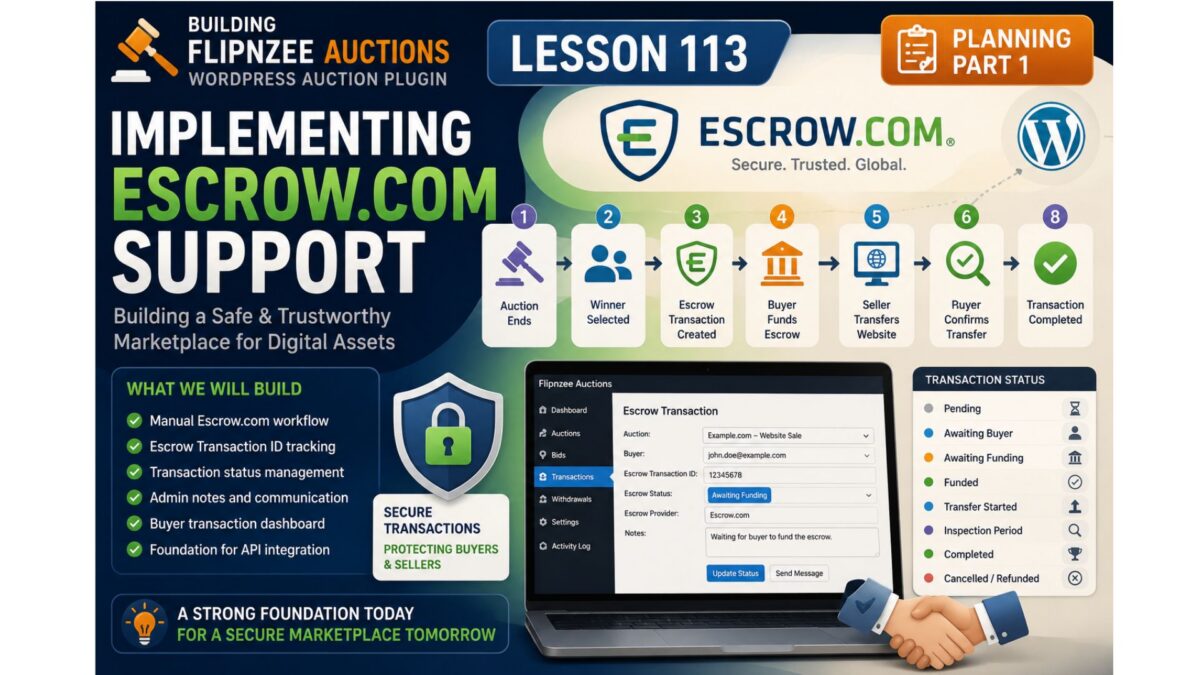
Objective
In this lesson we’ll build the foundation for external transaction management.
Instead of trying to duplicate Escrow.com’s workflow, Flipnzee Auctions will simply track that an auction has entered an external transaction process.
This makes the plugin simpler, easier to maintain, and ready for future providers.
Philosophy
The plugin is responsible for:
✅ Auction
✅ Winner
✅ Transaction Record
✅ External Provider
✅ Completion Status
The plugin is not responsible for:
❌ collecting payment
❌ holding funds
❌ inspection
❌ disputes
❌ fee calculation
❌ releasing payment
Those remain the responsibility of the external transaction provider.
New Workflow
Auction Ends
        │
        ▼
Winner Selected
        │
        ▼
Create External Transaction
        │
        ▼
Transaction In Progress
        │
        ▼
Seller Receives Confirmation
        │
        ▼
Mark Transaction Completed
        │
        ▼
Auction Completed
Notice how much cleaner this is.
Database Changes
We’ll extend the existing transaction table.
New columns:
| Column | Purpose |
|---|---|
| provider | Escrow.com |
| external_transaction_id | Transaction reference |
| external_transaction_url | Optional link |
| status | In Progress / Completed |
| started_at | Started date |
| completed_at | Completion date |
| notes | Internal notes |
No provider-specific columns.
Statuses
Instead of many workflow states we’ll begin with four.
Pending

↓

Initiated

↓

In Progress

↓

Completed
Simple.
Reliable.
Expandable.
Provider Architecture
Instead of
Escrow Manager
we’ll build
External Transaction

↓

Provider

↓

Escrow.com
Later we can support
Escrow.com

Escrow Europe

Sedo

Afternic

Dan.com

Manual Transfer
without changing the architecture.
Administration Screen
Each transaction will eventually contain something similar to:
Auction

Website.com

Winner

[email protected]

Provider

Escrow.com

External Transaction ID

E48329844

Started

21 July 2026

Status

In Progress

Notes

Buyer funded transaction.
Waiting for completion.

[Mark Completed]
Nothing more is needed.
Why We Aren’t Tracking Every Step
A common temptation is to mirror every stage of the escrow process.
For example:
Buyer Paid

↓

Funds Verified

↓

Seller Transfers

↓

Buyer Inspection

↓

Funds Released
Although these stages are useful within Escrow.com, they are not controlled by Flipnzee Auctions.
Attempting to reproduce them inside the plugin would require manual updates, duplicate information already maintained by the escrow provider, and increase the risk of inconsistencies.
Instead, Flipnzee Auctions records only what it can reliably know:
- when an external transaction begins
- which provider is being used
- the provider’s transaction reference
- whether the transaction is still in progress or has been completed
This keeps responsibilities clearly separated between the marketplace and the external escrow service.
Future API Integration
When we eventually integrate with the Escrow.com API, this design will remain unchanged.
Instead of an administrator manually updating the transaction status, the plugin will retrieve the latest information from the provider automatically.
Because the underlying architecture is provider-independent, future integrations with additional services will require minimal changes.
What We’ll Build in This Lesson
Rather than making isolated edits throughout the plugin, we’ll implement the feature as a cohesive unit.
The implementation will include:
- Extending the transaction database schema with provider-independent fields.
- Enhancing the Transaction Manager to create and manage external transaction records.
- Updating the Payment Manager to recognise external providers.
- Adding administrator controls for recording provider information, transaction references, and notes.
- Displaying transaction progress within the existing administration interface.
- Preparing the codebase for future API integration without introducing provider-specific dependencies.
Expected Result
After completing this lesson, a finished auction will be able to move into an external transaction workflow.
Administrators will be able to record the transaction provider, store the provider’s reference number, monitor whether the transaction is still in progress, and mark it as completed once the provider confirms that the sale has successfully concluded.
Although the financial transaction itself remains under the supervision of the external provider, Flipnzee Auctions will maintain an accurate record of every completed marketplace sale.
Git Commit
Lesson 113

Implement external transaction tracking

• extend transaction schema
• support external transaction providers
• add transaction references
• add transaction tracking
• prepare for Escrow.com integration
Before we write the code
I also want to make one additional architectural improvement, and I believe you’ll appreciate it.
At the moment, your plugin has Payment Manager and Transaction Manager. Once we introduce external transaction tracking, those responsibilities become distinct:
- Payment Manager → Responsible for available payment methods (Escrow.com, Stripe, Manual, etc.).
- Transaction Manager → Responsible for recording and managing the lifecycle of a completed auction transaction.
This separation follows the Single Responsibility Principle and will make future enhancements—such as API integrations or support for multiple providers—much easier to implement. Since we’re moving quickly toward a production-ready plugin, I recommend making this distinction now rather than after additional features have been added.