
Cron Jobs, WordPress and Postman Explained: Are Free Automation Services Really Free?

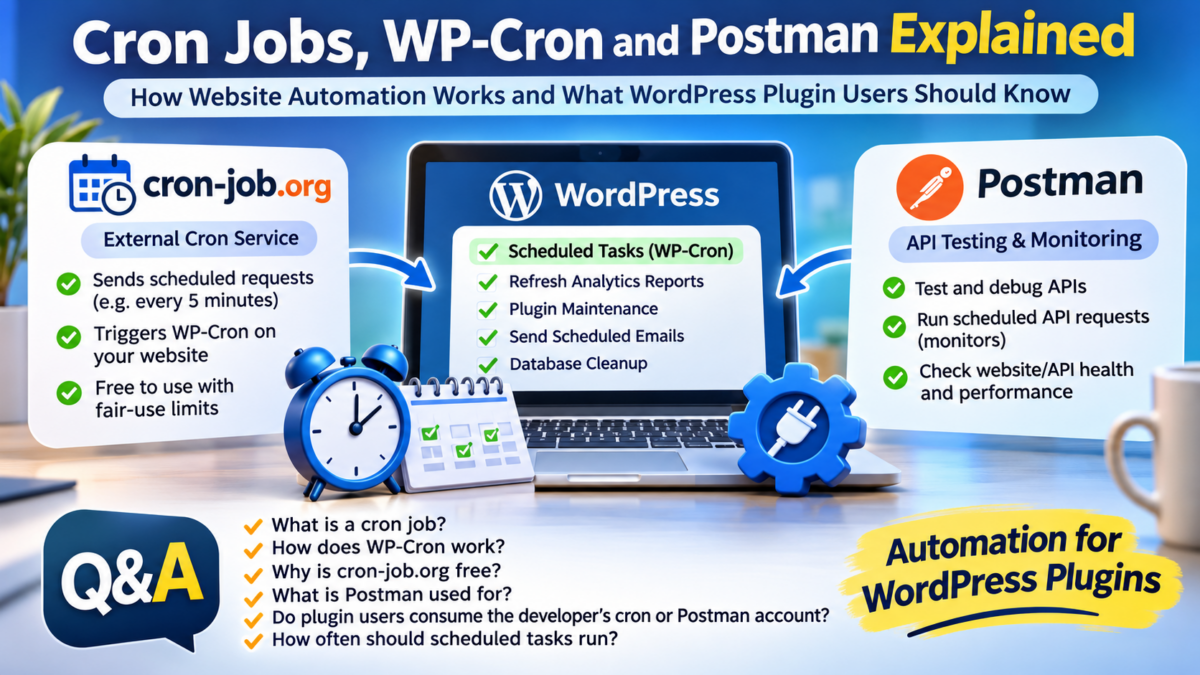
Understanding how scheduled tasks work, why services such as cron-job.org offer free scheduling, and whether third-party WordPress plugin users consume the developer’s resources.
Automation has become an essential part of modern websites. WordPress plugins routinely perform background activities such as refreshing analytics, generating reports, checking website status, processing transactions and maintaining databases.
Many of these operations happen automatically, without requiring an administrator to log in and initiate them.
But how do websites perform these tasks? What exactly are cron jobs? Why do services such as cron-job.org offer free scheduling? And when someone downloads a WordPress plugin, does that person consume the developer’s external automation resources?
These questions are particularly relevant to WordPress developers who distribute plugins to other website owners.
Let’s explore the subject through a series of questions and answers.
1. What exactly is a cron job?
A cron job is an automated task scheduled to execute at a particular time or at recurring intervals.
The concept originated in Unix-like operating systems, where the cron utility manages scheduled commands.
For example, a server administrator might schedule a task to:
- Back up a database every night.
- Delete temporary files every week.
- Generate a report every morning.
- Check whether a website is responding.
- Refresh information from an external API.
Instead of requiring someone to perform these activities manually, the scheduling system initiates them automatically.
A simple example would be scheduling a task to execute every five minutes.
This means that the task is scheduled to run 12 times every hour, or 288 times per day.
Cron jobs are therefore particularly useful for websites and applications that depend on regular background processing.
2. What is WordPress WP-Cron?
WordPress has its own scheduling mechanism called WP-Cron.
It allows WordPress itself and installed plugins to register scheduled tasks.
For example, a WordPress plugin might need to generate an analytics report every week. Rather than requiring the website administrator to generate the report manually, the plugin can register a recurring event with WP-Cron.
WordPress then attempts to execute that event when its scheduling mechanism is triggered.
Common examples include:
- Publishing scheduled posts.
- Checking for plugin updates.
- Cleaning expired database records.
- Sending scheduled emails.
- Refreshing analytics reports.
- Performing routine plugin maintenance.
An important distinction is that WP-Cron is not necessarily a continuously running background service.
By default, WordPress checks for scheduled tasks when the website receives visits. If a website receives very little traffic, a scheduled task might not execute exactly when expected.
This is one reason website administrators sometimes use an external cron service.
Official documentation: WordPress Cron – Plugin Developer Handbook
3. What is cron-job.org, and why is it free?
cron-job.org is an online scheduling service that allows website owners to configure recurring HTTP requests.
It essentially works like an automated alarm clock.
Instead of running a scheduled command directly on the website’s hosting server, the service periodically sends a request to a specified URL.
For example:
When this URL is accessed, WordPress gets an opportunity to process its scheduled events.
A website owner can configure the external service to send this request every five minutes.
Why does cron-job.org offer this service for free?
According to its official FAQ, cron-job.org provides its service free of charge. It supports recurring requests, including schedules as frequent as once per minute.
The service operates its own infrastructure to schedule and send requests. Its business model and operating arrangements allow it to offer a free scheduling service.
However, free does not mean that the underlying infrastructure consumes no resources.
The service must maintain servers, scheduling systems, network connectivity and operational infrastructure.
The distinction is that the user does not have to operate that infrastructure independently.
Official resources:
- Cron-job.org – Official Website
- Cron-job.org – Frequently Asked Questions
- Cron-job.org – Terms of Service
4. Does a request every five minutes consume server resources?
Yes.
Every external request sent to a website requires some processing.
Consider a website configured to receive an external cron request every five minutes.
| Interval | Number of requests |
|---|---|
| Every hour | 12 |
| Every day | 288 |
| 30 days | 8,640 |
| 365 days | 105,120 |
These figures demonstrate that even a seemingly small recurring request can generate a substantial number of requests over time.
However, the actual resource consumption depends on what happens after the request reaches the website.
For example, a request that simply triggers WordPress to check its scheduled events may be relatively lightweight.
A request that initiates database-intensive processing, generates reports or communicates with multiple external APIs can consume considerably more resources.
Therefore, the frequency of requests alone does not determine the overall server workload.
The nature of the scheduled operation is equally important.
5. What is Postman? Is it another cron service?
Postman is primarily a platform for developing, testing and monitoring APIs.
It is widely used by developers to examine how applications communicate with one another.
For example, a developer might use Postman to test whether an API:
- Returns the expected response.
- Accepts the correct authentication credentials.
- Responds with the appropriate HTTP status code.
- Returns valid JSON data.
- Responds within an acceptable time.
Postman also provides monitoring and scheduled collection execution capabilities.
These features can periodically execute API requests and help developers identify problems.
However, Postman and cron-job.org serve different purposes.
| Feature | cron-job.org | Postman |
|---|---|---|
| Primary purpose | Schedule recurring HTTP requests | Develop, test and monitor APIs |
| Scheduled execution | Yes | Yes |
| Website maintenance | Can trigger WP-Cron | Not its primary purpose |
| API testing | Basic HTTP request capability | Major functionality |
| External monitoring | Through recurring requests | Through API monitors |
| Account-based usage limits | Depends on service policies | Depends on Postman plan |
Postman is not a mandatory component of ordinary WordPress plugin scheduling.
Its scheduled features are optional developer and monitoring tools.
Official resources:
- Postman – Official Website
- Postman – API Monitoring Documentation
- Postman – Scheduled Collection Runs
- Postman – Resource Usage and Limits
6. Does installing a WordPress plugin automatically connect it to the developer’s cron-job.org account?
No.
This is perhaps the most important distinction for WordPress plugin users and developers.
A typical WordPress plugin uses the scheduling infrastructure of the WordPress installation on which it is installed.
Consider an example.
A developer creates an analytics plugin that registers a scheduled event to refresh website statistics every day.
When another website owner installs that plugin:
- The plugin registers its scheduled event with that website’s WordPress installation.
- WordPress maintains the scheduled event.
- WordPress attempts to execute it through its own WP-Cron mechanism.
- The plugin performs the required operation on that website.
The developer’s personal cron-job.org account is not automatically involved.
The plugin does not need to use the developer’s external scheduling account simply because it was downloaded from the developer’s GitHub repository or WordPress plugin directory.
An example involving multiple websites
Suppose a developer publishes an analytics plugin used by 100 website owners.
Each website has its own WordPress installation.
The arrangement looks like this:
| Website | Scheduling mechanism |
|---|---|
| Website A | Its own WP-Cron |
| Website B | Its own WP-Cron |
| Website C | Its own WP-Cron |
| Website D | Its own WP-Cron |
| Website 100 | Its own WP-Cron |
Each website independently executes its scheduled plugin tasks.
The developer does not automatically become responsible for running 100 websites’ scheduled operations.
7. Can plugin users consume the developer’s external API or automation resources?
There is an important exception.
Although ordinary WP-Cron scheduling is independent, a plugin can be programmed to communicate with external services using the developer’s own credentials or infrastructure.
For example, imagine a developer creates a plugin that sends every user’s analytics information to an API hosted on the developer’s server.
In that situation, every installation could generate requests against the developer’s infrastructure.
Similarly, if the plugin contains a shared API key belonging to the developer, users might indirectly consume the developer’s API quota.
The distinction is therefore not simply whether a plugin uses cron jobs.
It is whether the plugin relies on external services belonging to the developer.
Some examples:
| Plugin operation | Resource generally consumed |
|---|---|
| WordPress scheduled database cleanup | Website owner’s hosting |
| WordPress scheduled analytics refresh | Website owner’s hosting and relevant API quota |
| External cron request configured by the website owner | Website owner’s external cron account |
| API request using the user’s own API key | User’s API allocation |
| API request using the developer’s shared API key | Developer’s API allocation |
| Request to the developer’s central server | Developer’s server resources |
This is an important architectural consideration when distributing free WordPress plugins.
8. Why do some plugins work without external cron configuration?
Because WP-Cron is already part of WordPress.
A plugin developer can register scheduled events without requiring the website owner to create an external account.
For example, a plugin might schedule a daily task using WordPress’s scheduling functions.
The plugin can work automatically after installation, provided the website’s WordPress scheduling mechanism is functioning.
An external cron service is generally an enhancement rather than a compulsory requirement.
It becomes particularly useful when:
- A website receives very little traffic.
- Scheduled tasks must execute more reliably.
- Time-sensitive background operations are involved.
- A plugin performs important periodic maintenance.
- The website administrator wants more predictable scheduling.
For a small website with occasional background tasks, the default WordPress scheduling mechanism may be sufficient.
9. Is running an external cron service every five minutes excessive?
Not necessarily.
The appropriate frequency depends on the purpose of the scheduled operation.
For example:
| Task | Possible scheduling frequency |
|---|---|
| Basic website maintenance | Hourly or daily |
| Analytics report generation | Daily or weekly |
| Transaction maintenance | Depending on transaction activity |
| Time-sensitive queue processing | Every few minutes |
| Website availability monitoring | Every few minutes |
| Database cleanup | Daily or weekly |
These are illustrative intervals, not universal recommendations.
A five-minute interval may be appropriate for a website that needs regular queue processing. It may be unnecessary for a plugin that generates a report only once a week.
The best approach is to schedule tasks according to their actual requirements rather than running everything as frequently as possible.
10. What should WordPress plugin developers consider when distributing free plugins?
Plugin developers should design their products so that each installation operates independently wherever practical.
A good architecture should consider the following:
1. Independent scheduling
Each WordPress installation should register and execute its own scheduled events.
2. Optional external cron
External cron services should be optional unless the plugin has a specific technical requirement.
3. User-owned API credentials
Where practical, users should provide their own API keys rather than relying on a developer’s shared credentials.
4. Efficient background processing
Scheduled tasks should avoid unnecessary database queries, repeated API requests and resource-intensive operations.
5. Retry management
Failed API requests should not trigger unlimited retries. Temporary failures should be handled with appropriate retry intervals.
6. Monitoring and diagnostics
Administrators should be able to see whether scheduled tasks are registered, when they last ran and whether they encountered errors.
7. Clear documentation
Plugin documentation should explain which operations happen locally, which require external services and which consume third-party API quotas.
These practices help developers distribute plugins without inadvertently creating an unsustainable infrastructure burden.
Conclusion: Free Automation Does Not Mean Resource-Free Automation
Cron jobs, WP-Cron and Postman help automate activities that would otherwise require manual intervention.
Although services such as cron-job.org provide free scheduling facilities, the requests they generate still consume resources on the destination server.
The key distinction is the location of those resources.
A typical WordPress plugin uses the scheduling infrastructure of the website on which it is installed. Installing a plugin does not automatically connect the installation to the developer’s personal cron-job.org or Postman account.
However, developers must pay attention to shared API keys, central servers and external services embedded in their plugins. These can create dependencies and usage costs across multiple installations.
Ultimately, good plugin architecture should make each installation as independent as possible.
The broader principle is simple: a plugin should generally use the website owner’s resources for its own background operations, rather than silently depending on the developer’s personal automation accounts or infrastructure.
That distinction is important not only for developers distributing free WordPress plugins, but also for website owners who want to understand what happens behind the scenes when they install an automated application.