
Lesson 124: Improving Transaction Navigation and User Experience

Overview
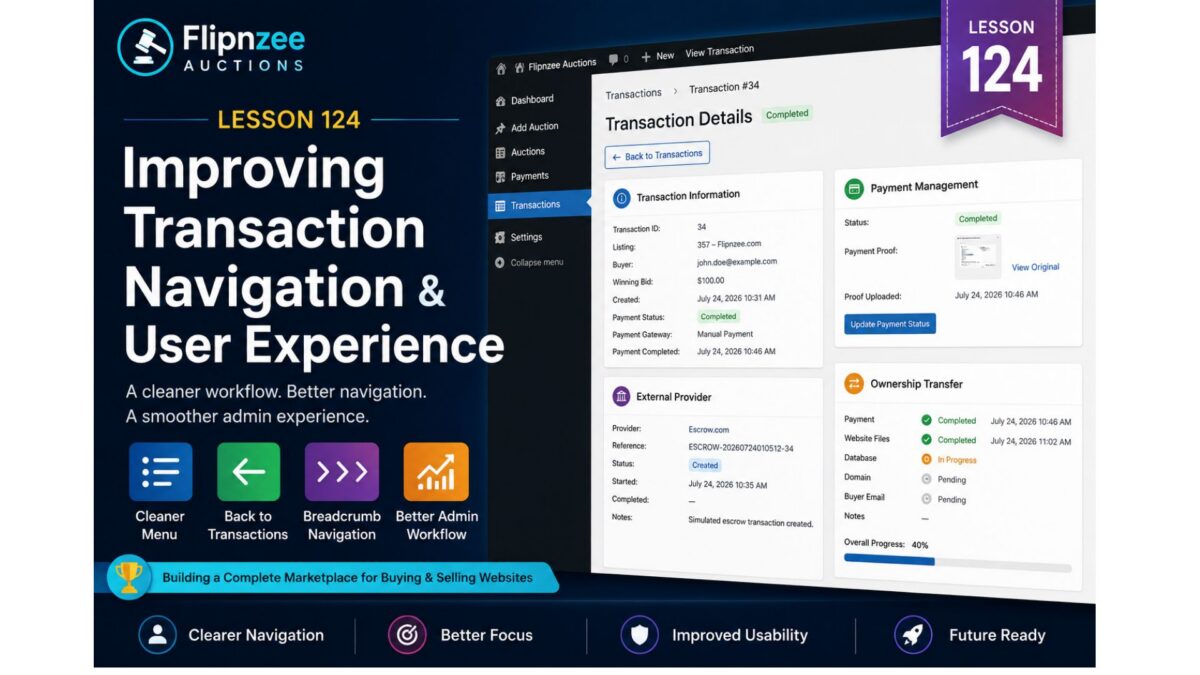
As the Flipnzee Auctions plugin has evolved, the transaction management interface has become significantly more capable. Administrators can now manage payments, monitor ownership transfers, and inspect external provider information from a single screen.
However, one aspect of the user experience can still be improved.
The Transaction Details page currently exists as a standalone administration page, even though it is only meaningful when viewing a specific transaction. This creates unnecessary clutter in the WordPress administration menu and makes navigation less intuitive.
In this lesson, we will refine the transaction management workflow by improving navigation and aligning the plugin more closely with common WordPress administration patterns.
Why Improve Navigation?
The Transaction Details screen represents a detail view, not a destination in its own right.
Administrators typically follow this workflow:
Transactions

        │

        ▼

Select Transaction

        │

        ▼

Transaction Details

        │

        ▼

Payment Management

        │

        ▼

External Provider

        │

        ▼

Ownership Transfer
The page should therefore be accessed from the Transactions list rather than appearing as a permanent menu item.
Objectives
By the end of this lesson we will:
- Hide the Transaction Details page from the WordPress sidebar.
- Continue allowing direct access through secure admin URLs.
- Improve navigation between the Transactions list and individual transactions.
- Add contextual navigation for administrators.
- Prepare the interface for future transaction actions.
Current Navigation
Today the administrator sees:
Flipnzee Auctions

Dashboard

Add Auction

Auctions

Payments

Transactions

Transaction Details

Settings
The final item is only useful when a specific transaction has been selected.
Desired Navigation
After this lesson the administration menu becomes:
Flipnzee Auctions

Dashboard

Add Auction

Auctions

Payments

Transactions

Settings
The Transaction Details page still exists, but it becomes a hidden administrative page accessed only when needed.
Improved Workflow
Instead of manually navigating to Transaction Details, the administrator simply clicks View from the Transactions list.
The flow becomes:
Transactions

        │

        ▼

View Transaction

        │

        ▼

Transaction Details

        │

        ├── Payment

        ├── External Provider

        └── Ownership Transfer
This mirrors the user experience provided by many established WordPress plugins.
Contextual Navigation
To make navigation clearer, the Transaction Details page will also introduce contextual controls such as:
← Back to Transactions
and a simple breadcrumb:
Transactions
        >
Transaction #34
These additions help administrators understand where they are within the transaction management workflow.
Architectural Benefits
This lesson is primarily about user experience rather than backend functionality, but it still reinforces good architectural principles.
The page hierarchy becomes:
Transactions

        │

        ▼

Transaction Details

        │

        ├── Payment Management

        ├── External Provider

        └── Ownership Transfer
Each screen now has a clear responsibility.
Future Expansion
This refined navigation also prepares the interface for future transaction actions, including:
- Refresh Provider Status
- View Activity History
- Retry Provider Synchronization
- Open Escrow Dashboard
- Generate Transaction Report
- Archive Completed Transaction
These features will naturally belong within the Transaction Details page rather than cluttering the main Transactions list.
Benefits
Completing this lesson provides several improvements:
- Cleaner WordPress administration menu.
- Better navigation between list and detail views.
- Improved administrator workflow.
- More intuitive transaction management.
- Better alignment with WordPress administration conventions.
- A stronger foundation for future transaction management features.
Looking Ahead
With the transaction workflow becoming easier to navigate, future lessons can focus on enriching the transaction experience rather than reorganizing it.
Upcoming work may include:
- Provider status synchronization.
- Transaction activity timelines.
- Administrator action buttons.
- Escrow API integration.
- Automated provider updates.
- Transaction reporting.
By refining the navigation before introducing these capabilities, the Flipnzee Auctions plugin continues its progression from a collection of independent management pages toward a cohesive, production-ready marketplace administration system.