
Lesson 128: Refactoring the Escrow API Client with the WordPress HTTP API

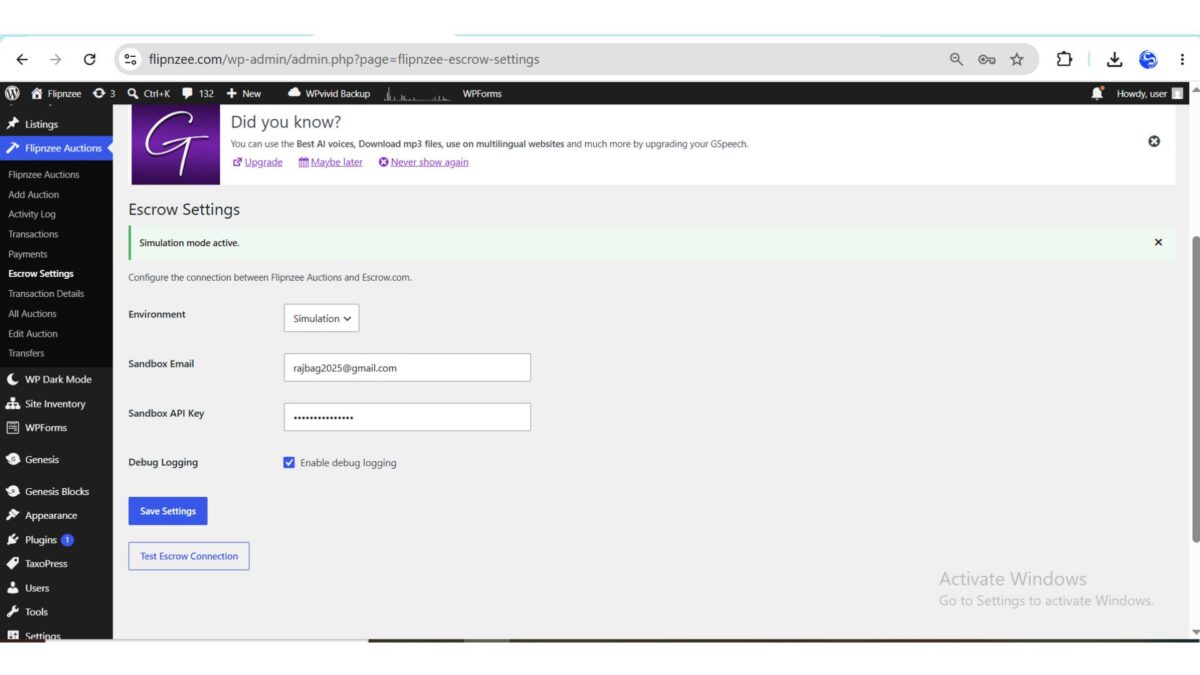
In the previous lessons, the Escrow provider relied on a simulated API client. Although this allowed us to build and test the payment workflow without contacting external services, the implementation was tightly coupled to simulation logic and wasn’t ready for real API communication.
In this lesson, we’ll redesign the Escrow API client into a reusable networking component built on top of the WordPress HTTP API. Rather than focusing on Escrow.com specifically, the goal is to establish a clean architecture that can communicate with any REST API while keeping the rest of the plugin independent of transport details.
Why Refactor?
As the plugin grows, responsibilities should become more clearly separated.
Previously, the API client:
- Simulated responses directly inside public methods.
- Mixed environment detection with business logic.
- Had no reusable HTTP layer.
- Was difficult to extend for production integration.
Instead, we want a client that:
- Supports multiple environments.
- Centralizes HTTP communication.
- Produces consistent response structures.
- Is easy to test and maintain.
Design Goals
By the end of this lesson, the client should:
- Support Simulation, Sandbox, and Production modes.
- Use the WordPress HTTP API (
wp_remote_request()). - Centralize networking in a reusable request method.
- Generate HTTP Basic Authentication headers.
- Return standardized responses.
- Preserve backwards compatibility with existing provider classes.
Environment-Based Configuration
Instead of relying on a simple boolean flag, the client now loads its configuration directly from the plugin settings.
This allows the same class to operate in different environments without requiring code changes.
Supported environments include:
- Simulation
- Sandbox
- Production
Simulation mode continues to return fake responses so development can proceed safely without contacting Escrow.com.
Centralizing HTTP Requests
One of the biggest improvements is introducing a dedicated request handler.
Rather than each public method performing its own networking, all requests now flow through a single internal method responsible for:
- Building request URLs
- Creating headers
- Encoding JSON payloads
- Calling the WordPress HTTP API
- Handling transport errors
- Decoding JSON responses
- Returning normalized data
This dramatically reduces duplicated code throughout the client.
Authentication
Authentication is now generated automatically from the saved Escrow settings.
Depending on the selected environment, the client retrieves the appropriate credentials and builds a standard HTTP Basic Authentication header before every request.
This keeps authentication logic in one place while allowing the rest of the plugin to remain unaware of implementation details.
Consistent Responses
Another important improvement is response normalization.
Regardless of whether the client is operating in Simulation, Sandbox, or Production, every public method returns a consistent structure containing information such as:
- Success status
- Message
- Provider reference
- Transaction status
- Response data
- Endpoint information
- HTTP response code
Having a predictable response format greatly simplifies error handling elsewhere in the plugin.
Simulation Mode
Simulation mode remains an important part of the architecture.
Instead of bypassing the client entirely, simulation requests travel through the same workflow before returning realistic mock responses.
This allows the rest of the plugin to be developed and tested without requiring valid Escrow credentials or network connectivity.
WordPress HTTP API
The client now communicates through the WordPress HTTP API instead of custom networking code.
Using the WordPress HTTP API provides several benefits:
- WordPress-managed SSL verification
- Proxy support
- Better compatibility across hosting environments
- Consistent error handling
- Easier future maintenance
It also aligns the plugin with WordPress development best practices.
Logging
Debug logging has been improved to assist development.
When enabled, the client records useful information during requests without exposing sensitive authentication details.
This makes troubleshooting significantly easier while keeping production environments clean when debugging is disabled.
Benefits of the Refactoring
Although the plugin’s visible behavior changes very little, the internal architecture improves substantially.
The Escrow client is now:
- More modular
- Easier to understand
- Easier to extend
- More reusable
- Better aligned with WordPress Coding Standards
Most importantly, future lessons can focus entirely on Escrow transaction payloads and provider synchronization without needing to revisit the networking layer.
What We Learned
In this lesson we learned how to:
- Refactor an API client without changing its public interface.
- Separate networking concerns from business logic.
- Use the WordPress HTTP API for REST communication.
- Support multiple runtime environments.
- Normalize API responses.
- Build a maintainable foundation for future payment provider integrations.
Conclusion
Lesson 128 marks an important architectural milestone for Flipnzee Auctions. The Escrow API client has evolved from a simple simulation helper into a reusable networking component capable of supporting real-world API integrations.
While transaction creation and synchronization will continue to evolve in upcoming lessons, the underlying transport layer is now in place. This separation of concerns makes the plugin easier to maintain, easier to test, and better prepared for production use.
In the next lesson, we’ll build on this foundation by improving how Escrow responses are processed and preparing the plugin for real transaction lifecycle management.
https://github.com/SplendidDigital/flipnzee-auctions/releases/tag/lesson-128-stable