
Lesson 69: Build the Buyer Payment Page

Why This Lesson?
A buyer can now:
- Browse auctions.
- Place bids.
- Win an auction.
- View purchases.
- View transaction details.
The next logical step is allowing the buyer to proceed to payment.
Although payment gateways (Stripe, Razorpay, PayPal, etc.) will be integrated later, we should first build the payment page and workflow.
What We Will Build
A new frontend shortcode:
[flipnzee_payment]
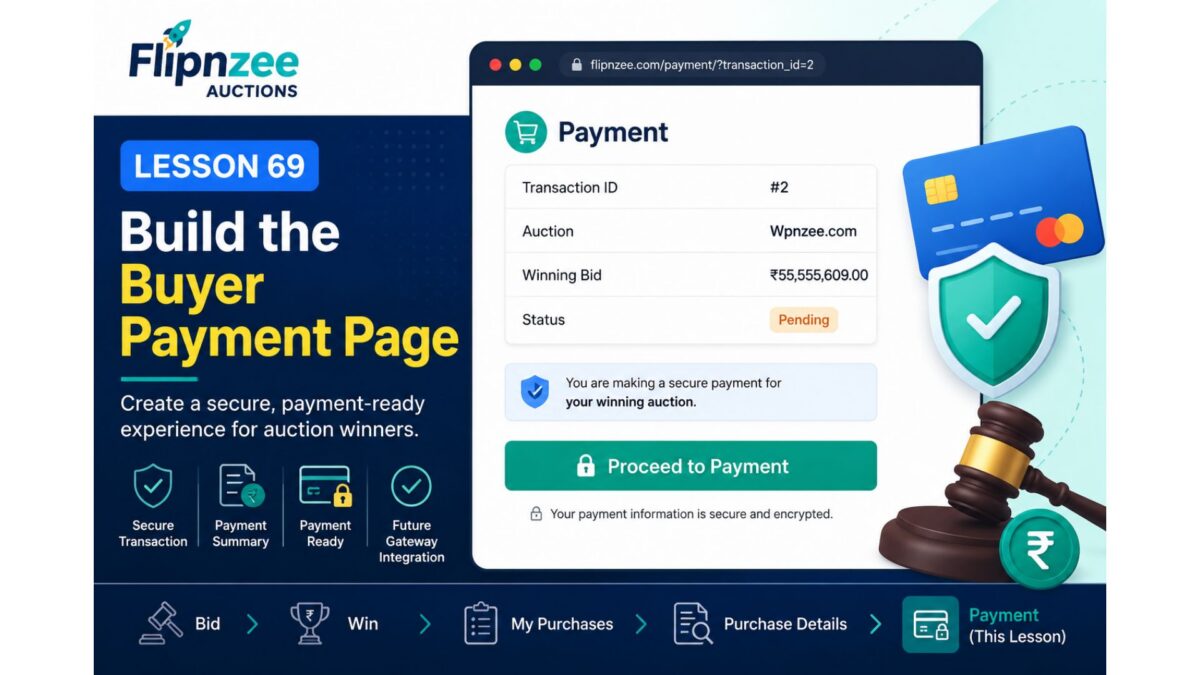
This page will display:
Payment

Auction:
Wpnzee.com

Transaction ID:
#2

Winning Bid:
₹55,555,609.00

Status:
Pending

------------------------------------------------

Proceed to Payment
Initially, the button will simply display a placeholder message.
In later lessons it will connect to:
- Stripe
- Razorpay
- PayPal
without redesigning the page.
New Workflow
My Purchases
      │
      ▼
View Details
      │
      ▼
Purchase Details
      │
      ▼
Proceed to Payment
Features
During this lesson we will:
- Create a Payment shortcode.
- Verify the buyer owns the transaction.
- Retrieve transaction details.
- Display payment summary.
- Show a “Proceed to Payment” button.
- Hide the button once the transaction is already marked as Paid.
Files Expected to Change
includes/class-payment.php
includes/class-shortcodes.php
flipnzee-auctions.php
includes/class-my-purchase-details.php
New Shortcode
[flipnzee_payment]
Payment Summary
The page will display:
| Field | Example |
|---|---|
| Transaction ID | #2 |
| Auction | Wpnzee.com |
| Winning Bid | ₹55,555,609.00 |
| Status | Pending |
Button Behaviour
If:
Status = Pending
display
Proceed to Payment
If:
Status = Paid
display
✓ Payment Received
This provides immediate visual feedback and prevents duplicate payment attempts.
Skills You’ll Learn
During this lesson you’ll learn how to:
- Build another reusable frontend shortcode.
- Reuse secure transaction validation.
- Conditionally display interface elements.
- Create a payment-ready architecture.
- Design pages that can later integrate with payment gateways without major refactoring.
Expected Outcome
By the end of Lesson 69, Flipnzee Auctions will have a complete post-purchase navigation flow:
Auction
      │
      ▼
Bid
      │
      ▼
Winner
      │
      ▼
My Purchases
      │
      ▼
Purchase Details
      │
      ▼
Payment Page
Although no real payment will be processed yet, the platform will be structurally ready for payment gateway integration in subsequent lessons.
Why this is a good next step
Instead of postponing payment until the end of development, we’re building the user journey in the same order a real buyer experiences it. When you later integrate Stripe, Razorpay, or another gateway, you’ll only need to replace the placeholder button action rather than redesign the buyer workflow. This keeps the development incremental and makes Version 1 feel complete from a user’s perspective.