
Lesson 33 – Adding Auction Scheduling with Start and End Date/Time

Series: Building the Flipnzee Auctions WordPress Plugin
Lesson: 33
Difficulty: Intermediate
Introduction
Up to this point, our Flipnzee Auctions plugin allows administrators to create, edit, search, filter, and manage auctions from the WordPress dashboard. However, every auction becomes active immediately after it is created.
In a real-world marketplace, auctions usually begin and end at specific times. Sellers may wish to schedule an auction several days in advance, while buyers expect to know exactly when bidding starts and when it closes.
In this lesson, we’ll extend our auction system by adding Start Date/Time and End Date/Time fields. These scheduling options will become the foundation for many future features, including countdown timers, automatic activation, automatic closing, winner selection, and Escrow.com integration.
What You’ll Learn
After completing this lesson, you’ll know how to:
- Add datetime fields to the auction database.
- Update the database schema safely.
- Modify auction forms to support scheduling.
- Store start and end times securely.
- Display scheduling information in the admin table.
- Prepare the plugin for automatic auction management.
Why Auction Scheduling Matters
Without scheduling, every auction becomes active as soon as it is created.
This creates several limitations:
- Sellers cannot prepare future auctions.
- Buyers do not know when bidding begins.
- Auctions cannot close automatically.
- Countdown timers are impossible.
- Escrow workflows cannot be triggered automatically.
Scheduling solves all of these problems.
Real-World Example
Imagine a premium website is scheduled for auction.
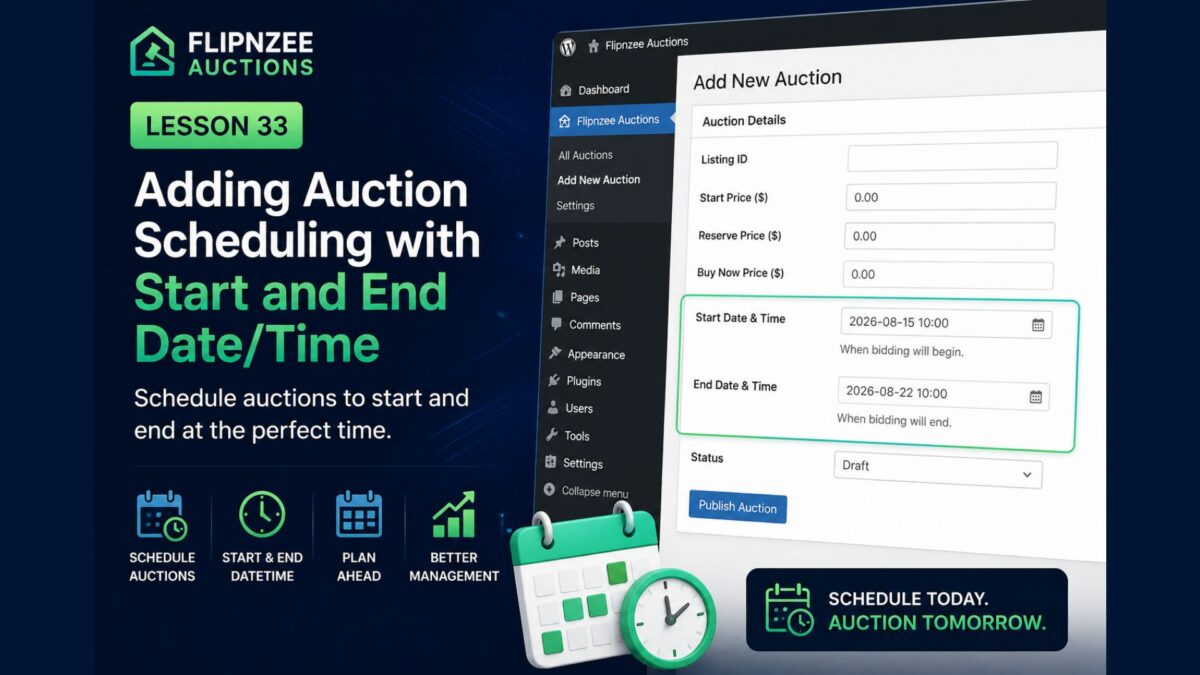
Instead of starting immediately, the seller configures:
Auction Starts:
15 August 2026
10:00 AM

Auction Ends:
22 August 2026
10:00 AM
Visitors can view the auction before it starts, while bidding automatically opens at the scheduled time and closes exactly one week later.
Files We’ll Modify
During this lesson we’ll update:
includes/class-database.php
includes/class-auction-manager.php
admin/class-admin.php
admin/class-auctions-table.php
Database Changes
We’ll extend the auctions table by adding two new columns:
start_datetime
and
end_datetime
Both fields will store the auction schedule using MySQL’s DATETIME data type.
Admin Form Changes
The Add Auction screen will include two new fields:
- Start Date & Time
- End Date & Time
The Edit Auction screen will also allow administrators to update the auction schedule whenever necessary.
Auction List Improvements
The All Auctions table will display:
- Start Date
- End Date
This allows administrators to quickly see when each auction begins and ends without opening the edit screen.
Data Validation
We’ll also introduce validation rules such as:
- End date cannot be earlier than the start date.
- Both fields must use valid date/time values.
- Empty schedules should be handled gracefully.
These checks help prevent invalid auction configurations.
Future Features Enabled
Although this lesson focuses only on scheduling, it lays the groundwork for several upcoming capabilities.
Upcoming lessons will build upon these fields to implement:
- Automatic auction activation.
- Automatic auction closing.
- Live countdown timers.
- Winner selection.
- Email notifications.
- Escrow.com transaction creation.
Expected Result
After completing this lesson, administrators will be able to:
- Schedule auctions in advance.
- Specify exact opening and closing times.
- Edit auction schedules.
- View auction schedules from the listing table.
The plugin will be one major step closer to becoming a production-ready auction platform.
Security Considerations
Throughout this lesson we’ll continue following WordPress best practices by:
- Sanitizing all user input.
- Validating date and time values.
- Escaping output before displaying it.
- Updating the database safely without affecting existing auction records.
Conclusion
Auction scheduling is one of the most important features of any professional auction platform. Rather than activating auctions immediately, administrators can now define exactly when bidding begins and when it ends.
This enhancement not only improves the user experience but also establishes the technical foundation for automation throughout the remainder of the project.
With scheduling in place, Flipnzee Auctions will be ready for features such as automatic status changes, countdown timers, winner selection, and seamless Escrow.com integration.
Lesson 33 Implementation: Adding Auction Scheduling (Start & End Date/Time)
In the Next Lesson
In Lesson 34, we’ll use the newly added scheduling fields to automatically determine the auction status. Instead of manually choosing between Draft, Active, or Closed, the plugin will calculate whether an auction is Scheduled, Active, or Ended based on the current date and time, bringing the system one step closer to a fully automated auction marketplace.