
Lesson 54: Automatically Declare and Display the Auction Winner

So far, the Flipnzee Auctions plugin can:
- Create auctions
- Prevent duplicate auctions
- Accept bids
- Track the highest bidder
- Display bid history
- Prevent bid sniping
- Automatically close expired auctions
However, one important question still remains unanswered:
Who actually won the auction?
Although the highest bidder is already stored in the bids table, the plugin does not yet officially declare a winner once the auction ends.
In this lesson, we’ll introduce winner determination and display the auction winner on the frontend.
What You’ll Build
By the end of this lesson, the plugin will automatically:
- Detect that an auction has ended.
- Retrieve the highest bid.
- Declare that bidder as the winner.
- Display the winner prominently.
- Display the final winning bid.
- Replace the bidding interface with a winner announcement.
Why This Matters
Every successful auction should end with a clear result.
Visitors should immediately know:
- Who won?
- What was the winning bid?
- Is the auction still active?
- Has the property been sold?
Professional auction platforms always display this information after an auction concludes.
Current Behaviour
Currently, a closed auction only shows:
Auction Closed

No further bids are accepted.
Although useful, it doesn’t tell visitors the outcome.
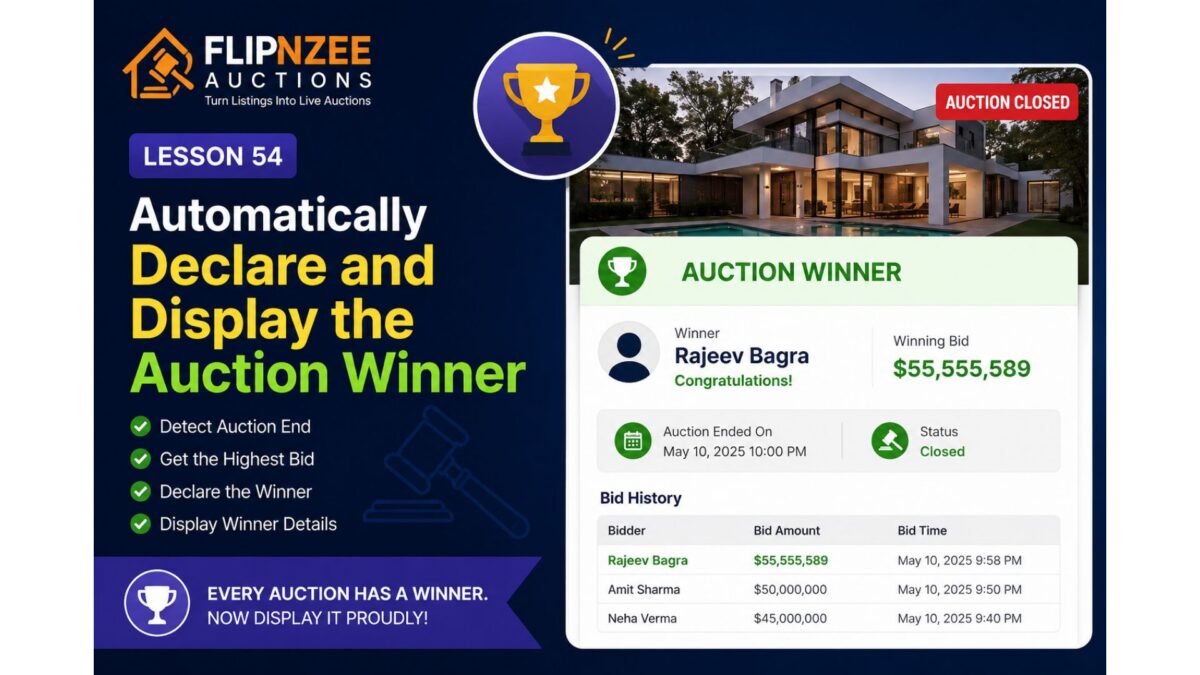
Desired Behaviour
Once the auction ends, visitors should see something like:
🏆 Auction Winner

Winner:
Rajeev Bagra

Winning Bid:
$55,555,589

Status:
Auction Closed
The bid history should remain visible below the winner announcement.
Implementation Plan
During this lesson we’ll:
Step 1
Determine whether the auction has ended.
Step 2
Retrieve the highest bidder from the bids table.
Step 3
Display the winner section above the bid history.
Step 4
Highlight the winning amount.
Step 5
Show a congratulatory message.
Example:
🏆 Congratulations!

Rajeev Bagra won this auction with a bid of
$55,555,589.
User Experience
Before the auction ends:
- Live countdown
- Bid form
- Highest bidder
- Bid history
↓
After the auction ends:
- 🏆 Winner
- Winning bid
- Auction Closed badge
- Bid history
- No bid form
This creates a clear transition from an active auction to a completed sale.
What You’ll Learn
In this lesson, you’ll learn how to:
- Reuse existing database queries efficiently.
- Display conditional content based on auction status.
- Present auction results in a user-friendly way.
- Improve the overall completion flow of an online auction.
Final Thoughts
An auction isn’t complete until a winner is announced. By automatically displaying the winning bidder and final selling price, the Flipnzee Auctions plugin will provide visitors with a satisfying conclusion to every auction while laying the groundwork for future enhancements such as winner notifications, payment processing, sold badges, and auction archives.
Next Lesson
Lesson 55: Notify the Winning Bidder and Administrator After Auction Completion
We’ll build on this by automatically sending email notifications to the winner and the site administrator when an auction concludes, making the auction workflow even more complete.