
Lesson 65: Adding Transaction Status Management to Flipnzee Auctions

What You’ll Learn
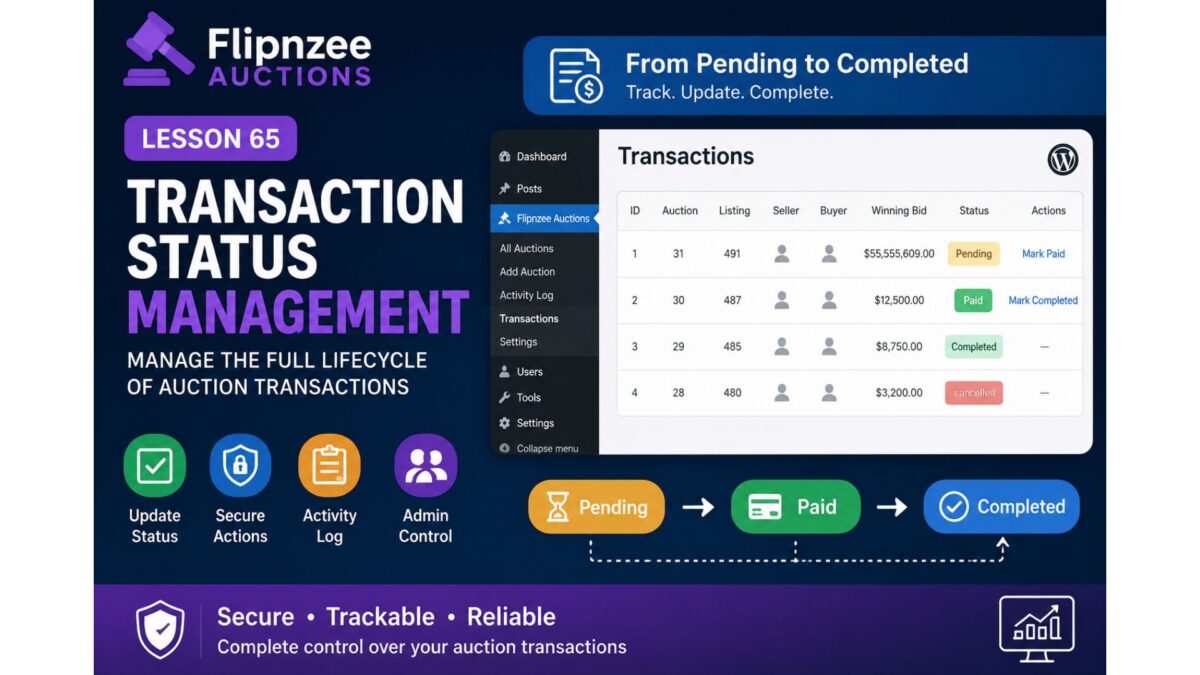
In this lesson, you’ll enhance the Transactions page by allowing administrators to change the status of auction transactions directly from the WordPress dashboard.
By the end of this lesson, you’ll be able to:
- Display transaction status as a clickable action
- Add row actions to each transaction
- Update transaction status securely
- Use WordPress nonces for protection
- Process admin actions with custom handlers
- Record status changes in the activity log
Why This Matters
Currently every transaction is stored like this:
| ID | Status |
|---|---|
| 1 | pending |
| 2 | pending |
Once payment is received or the website/domain has been transferred, an administrator needs a way to mark the transaction as:
- Pending
- Paid
- Completed
- Cancelled
- Refunded (future lesson)
Without this capability, the transaction system is read-only.
What We’ll Build
We’ll transform this:
Status
pending
into something like:
Status
Pending

[Mark Paid]
Later:
Status
Paid

[Mark Completed]
Finally:
Status
Completed
Files We’ll Modify
admin/class-admin-transactions.phpincludes/class-transaction-manager.phpincludes/class-activity-log.phpflipnzee-auctions.php
Features We’ll Implement
Step 1
Create transaction status update method.
Step 2
Add admin action handler.
Step 3
Verify WordPress nonce.
Step 4
Update transaction status in database.
Step 5
Write activity log entry.
Step 6
Display success notice.
Step 7
Add “Mark Paid” row action.
Step 8
Add “Mark Completed” row action.
Step 9
Hide actions once transaction is completed.
Step 10
Test the complete workflow.
Expected Result
Instead of only viewing transactions, administrators will be able to manage their progress:
Transaction #5

Status: Pending

Actions:
✓ Mark Paid
↓
Status: Paid

Actions:
✓ Mark Completed
↓
Status: Completed
Skills You’ll Learn
- WordPress admin action handlers
- Secure nonce verification
- Updating custom database tables
- Admin notices
- Row actions in
WP_List_Table - Activity logging
- Transaction workflow design
End Result
After Lesson 65, the Flipnzee Auctions plugin will evolve from simply recording transactions to managing the full transaction lifecycle. Administrators will be able to move transactions through meaningful stages—such as Pending, Paid, and Completed—while every status change is securely processed and automatically recorded in the activity log. This creates a practical workflow for handling completed auctions and prepares the plugin for future enhancements like payment gateway integration, downloadable invoices, email notifications, refunds, and commission tracking.