
Lesson 102: Dynamic Website Transfer Tracking System

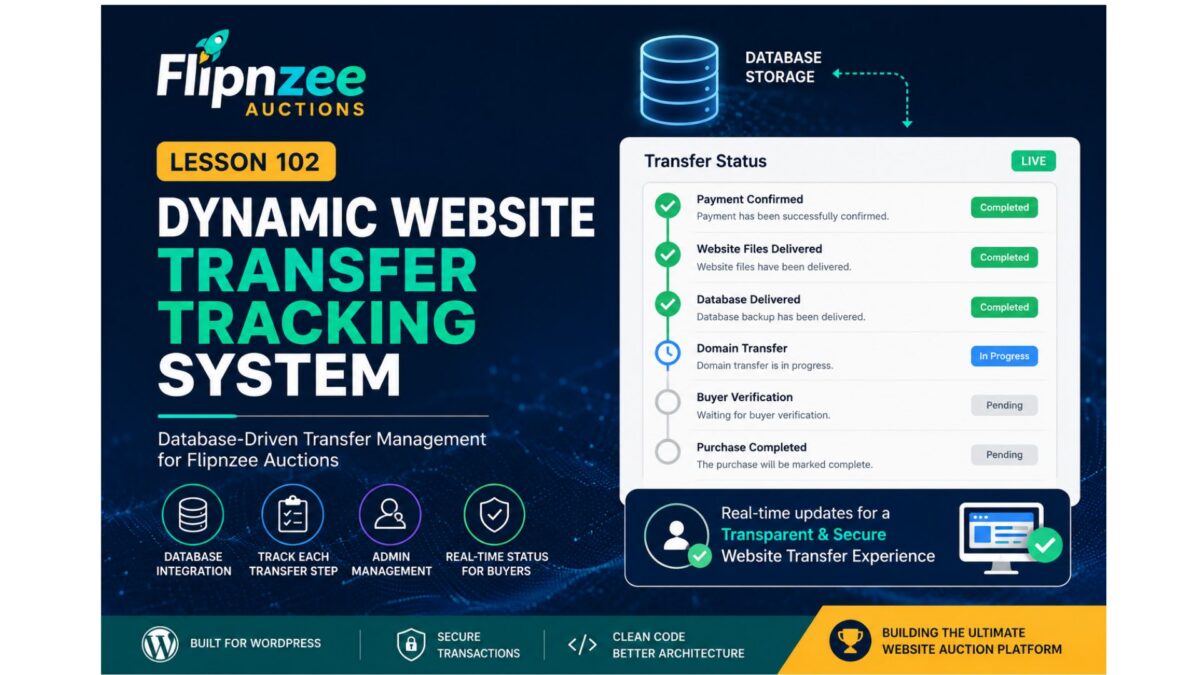
Welcome to Lesson 102 of the Flipnzee Auctions development series.
In Lesson 101, we introduced the Transfer Manager and refactored the Purchase Details page to use centralized transfer data. While the interface became much cleaner, the transfer progress is still based on default placeholder values.
In this lesson, we will transform the transfer system into a real, transaction-specific tracking system.
Lesson Goal
Replace hardcoded transfer progress with database-driven transfer tracking.
Instead of every buyer seeing the same default progress, each completed purchase will have its own transfer record.
Why This Matters
Buying a website involves much more than simply winning an auction.
After payment, several important steps must be completed:
- Website files delivered
- Database exported
- Domain transferred
- Buyer verifies ownership
- Purchase completed
Each transaction progresses independently.
Therefore, every purchase requires its own transfer record.
Current Situation
Currently the Transfer Manager returns:
array(

    'payment'  => 'Completed',

    'files'    => 'Pending',

    'database' => 'Pending',

    'domain'   => 'Pending',

    'buyer'    => 'Pending',

);
This means every buyer sees identical transfer progress.
New Architecture
We will introduce a dedicated database table:
wp_flipnzee_transfer_status
Each row represents one website transfer.
Proposed Database Structure
| Column | Purpose |
|---|---|
| id | Primary Key |
| transaction_id | Links to transaction |
| payment_status | Payment confirmation |
| files_status | Website files |
| database_status | Database transfer |
| domain_status | Domain transfer |
| buyer_status | Buyer verification |
| notes | Admin notes |
| updated_at | Last update |
One Transfer Per Transaction
Each completed purchase will have exactly one transfer record.
Example:
Transaction
ID = 17
Transfer Record
Transaction ID = 17

Payment = Completed

Files = Completed

Database = Completed

Domain = In Progress

Buyer = Pending
New Transfer Manager Responsibilities
The manager will no longer simply return default arrays.
Instead it will become responsible for:
Create transfer record

Load transfer record

Update transfer record

Return transfer progress

Return status badges

Return workflow steps
New Methods
The Transfer Manager will gradually gain methods such as:
create_transfer()
get_transfer()
update_transfer()
get_transfer_status()
These methods will hide database logic from the user interface.
Purchase Details Improvements
The Purchase Details page will no longer use:
Flipnzee_Transfer_Manager::get_default_status();
Instead it will call:
Flipnzee_Transfer_Manager::get_transfer(
    $transaction['id']
);
This allows every buyer to see their own progress.
Administrator Workflow
After an auction is completed, the administrator will eventually be able to update transfer progress.
Example:
✓ Payment Confirmed

✓ Website Files Delivered

✓ Database Delivered

○ Domain Transfer

○ Buyer Verification
Every update will immediately appear on the buyer’s Purchase Details page.
Designed for Flipnzee.com
Currently Flipnzee.com sells only in-house websites.
Therefore, the administrator controls every transfer.
This makes the workflow straightforward and ensures a consistent buyer experience.
Future Marketplace Compatibility
Although Flipnzee currently sells only its own digital assets, the plugin is fully open source.
Future developers may extend it into a marketplace where multiple sellers manage their own transfers.
Because transfer management is isolated inside the Transfer Manager, those future enhancements can be implemented without redesigning the Purchase Details page.
Benefits
By completing Lesson 102 we will:
- Replace hardcoded transfer progress.
- Store transfer records in the database.
- Display transaction-specific progress.
- Build the foundation for admin transfer management.
- Improve scalability.
- Keep presentation separated from business logic.
Files Expected to Change
includes/
    class-transfer-manager.php

includes/
    class-database-migration.php

includes/
    class-my-purchase-details.php

admin/
    (future admin transfer screen)

flipnzee-auctions.php
Learning Outcomes
After completing Lesson 102 you will understand:
- Designing relational database tables.
- One-to-one relationships between transactions and transfers.
- Encapsulating database operations inside manager classes.
- Separating business logic from presentation.
- Building scalable WordPress plugin architecture.
Roadmap
Lesson 102 begins the second phase of the Flipnzee Auctions plugin.
The project is now moving beyond auction bidding into complete post-sale website transfer management, bringing the plugin closer to becoming a full-featured platform for buying and selling websites and digital assets.
The transfer system we build now will serve as the foundation for future features such as administrator dashboards, transfer timelines, notifications, document sharing, and eventual multi-seller marketplace support.