
What Is a WordPress Plugin? Build Your First Plugin from Scratch

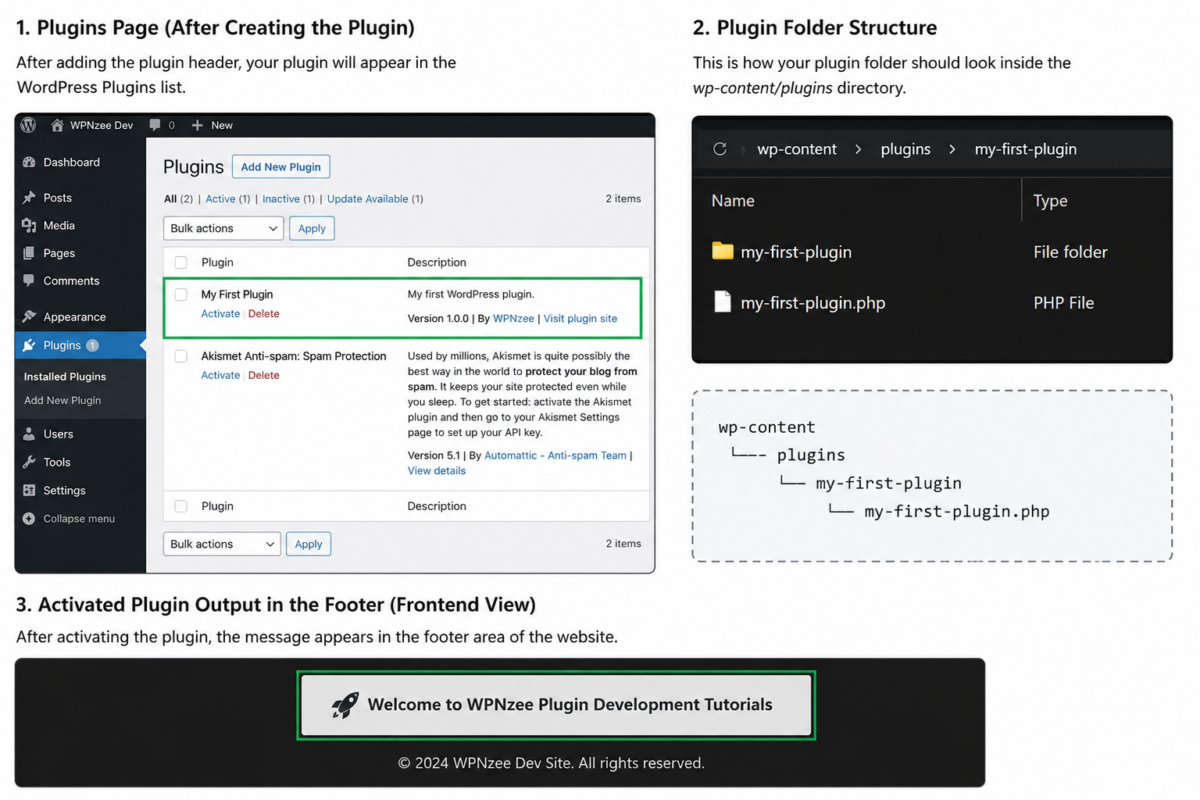
Series: WordPress Development From Scratch
Level: Beginner
Project Reference: Flipnzee Analytics
Introduction
One of the biggest reasons WordPress powers millions of websites worldwide is its plugin ecosystem.
A plugin allows developers to add new functionality to WordPress without modifying the core WordPress files. Whether you want to add contact forms, SEO features, analytics dashboards, membership systems, or eCommerce functionality, there’s usually a plugin available to do the job.
But have you ever wondered how WordPress plugins are built?
In this tutorial, you’ll learn:
- What a WordPress plugin is
- How WordPress loads plugins
- How to create your first plugin
- How plugin headers work
- How to add functionality using WordPress hooks
- How real-world plugins like Flipnzee Analytics are structured
By the end of this guide, you’ll have built your very first WordPress plugin from scratch.
What Is a WordPress Plugin?
A WordPress plugin is a collection of PHP files that extend or modify WordPress functionality.
Think of WordPress as a smartphone.
- WordPress Core = Operating System
- Plugins = Mobile Apps
Just as you install apps to add new features to your phone, you install plugins to add new capabilities to WordPress.
Examples include:
- WooCommerce → Online stores
- Yoast SEO → Search engine optimization
- Contact Form 7 → Contact forms
- MonsterInsights → Analytics reporting
- Flipnzee Analytics → Google Analytics integration
Why Plugins Exist
Without plugins, every website owner would need to edit WordPress core files to add features.
That creates several problems:
- Updates would overwrite changes
- Security risks increase
- Maintenance becomes difficult
Plugins solve this by providing a standardized way to extend WordPress.
Benefits include:
- Easy installation
- Easy updates
- Better security
- Modular development
- Reusability
How WordPress Loads Plugins
When WordPress starts, it scans the:
/wp-content/plugins/
directory.
Every plugin lives inside its own folder.
Example:
wp-content
└── plugins
    ├── hello-dolly
    ├── woocommerce
    └── my-first-plugin
When a plugin is activated, WordPress loads its main PHP file and executes the code.
This process happens automatically during every page load.
Create Your First Plugin
Navigate to:
wp-content/plugins/
Create a folder:
my-first-plugin
Inside the folder create:
my-first-plugin.php
Your structure should look like:
wp-content
└── plugins
    └── my-first-plugin
        └── my-first-plugin.php
Add the Plugin Header
Open:
<?php
/*
Plugin Name: My First Plugin
Plugin URI: https://wpnzee.com
Description: My first WordPress plugin.
Version: 1.0.0
Author: WPNzee
Author URI: https://wpnzee.com
License: GPLv2
*/
Save the file.
Now visit:
Dashboard → Plugins
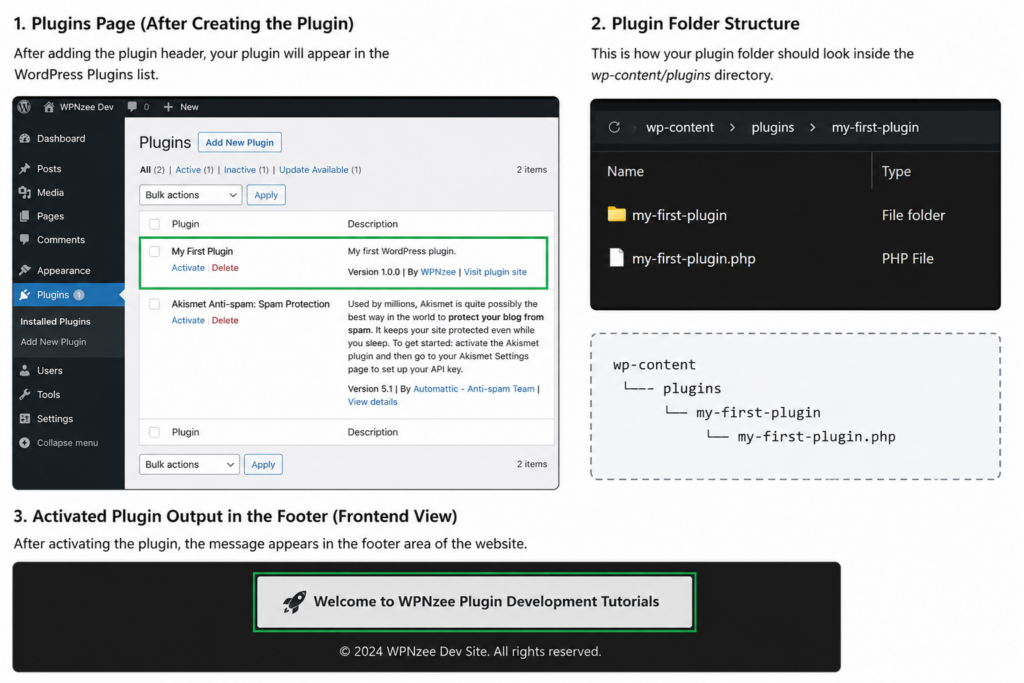
You’ll see your plugin listed.
Congratulations!
You just created a valid WordPress plugin.
Activate the Plugin
Click Activate.
Nothing will happen visually because our plugin doesn’t do anything yet.
Let’s change that.
Add Your First Function
Below the plugin header, add:
function wpnzee_hello_world() {
    echo '<p>Hello from my first plugin!</p>';
}
This creates a function.
However, WordPress still doesn’t know when to run it.
That’s where hooks come in.
Understanding WordPress Hooks
Hooks allow developers to inject code into WordPress at specific points.
There are two major types:
Actions
Actions perform tasks.
Example:
add_action('wp_footer', 'wpnzee_hello_world');
Filters
Filters modify data.
Example:
add_filter('the_title', 'custom_title');
For now we’ll focus on actions.
Display Content in the Footer
Add:
function wpnzee_hello_world() {
    echo '<p>Hello from my first plugin!</p>';
}

add_action('wp_footer', 'wpnzee_hello_world');
Save the file.
Visit your website frontend.
Scroll to the footer.
You’ll see:
Hello from my first plugin!
Your plugin is now actively extending WordPress.
How the Hook Works
When WordPress reaches the footer section:
do_action('wp_footer');
it checks whether any plugins registered callbacks for that hook.
Our code:
add_action('wp_footer', 'wpnzee_hello_world');
tells WordPress:
“When the wp_footer hook fires, run the function wpnzee_hello_world().”
This is the foundation of plugin development.
Making It Look Better
Update the function:
function wpnzee_hello_world() {
    echo '
    <div style="padding:10px;background:#f5f5f5;text-align:center;">
        Welcome to WPNzee Plugin Development Tutorials
    </div>';
}

add_action('wp_footer', 'wpnzee_hello_world');
Refresh your website.
Now your plugin outputs a styled message.
Real-World Example: Flipnzee Analytics
Professional plugins rarely consist of a single file.
The Flipnzee Analytics plugin uses a more advanced structure:
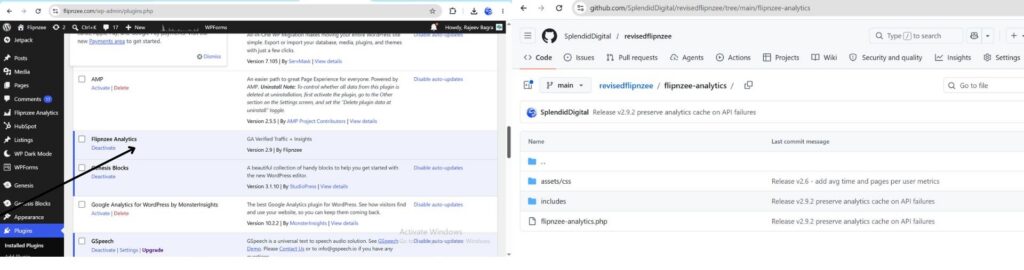
flipnzee-analytics
├── admin
├── assets
├── includes
├── templates
├── frontend
└── flipnzee-analytics.php
The main plugin file acts as the entry point.
It:
- Loads required files
- Registers hooks
- Initializes settings
- Connects WordPress with plugin components
As your plugins grow, you’ll adopt a similar architecture.
Common Beginner Mistakes
Editing WordPress Core Files
Never modify:
wp-admin
wp-includes
Always use plugins or themes.
Forgetting PHP Opening Tags
Every plugin file should start with:
<?php
Outputting Content Everywhere
Avoid:
echo "Hello";
outside hooks.
Always attach functionality to actions or filters.
Not Using Unique Function Names
Bad:
function display_message()
Good:
function wpnzee_display_message()
Prefixing prevents conflicts with other plugins.
What You’ve Learned
In this tutorial you learned:
✓ What a WordPress plugin is
✓ Why plugins exist
✓ How WordPress loads plugins
✓ How plugin headers work
✓ How hooks connect plugins to WordPress
✓ How to build and activate your first plugin
✓ How real-world plugins like Flipnzee Analytics are structured
Next Lesson
In the next tutorial we’ll explore the most important concept in WordPress development:
Understanding the WordPress Hook System: Actions vs Filters
Once you master hooks, you’ll understand how virtually every plugin in the WordPress ecosystem works.
Happy coding!
Recommended Resources
- WordPress Plugin Developer Handbook
- WordPress Hooks Documentation
- PHP Official Documentation
- Flipnzee Analytics GitHub Repository