
Lesson 48 Implementation – Prevent Users from Bidding on Their Own Highest Bid

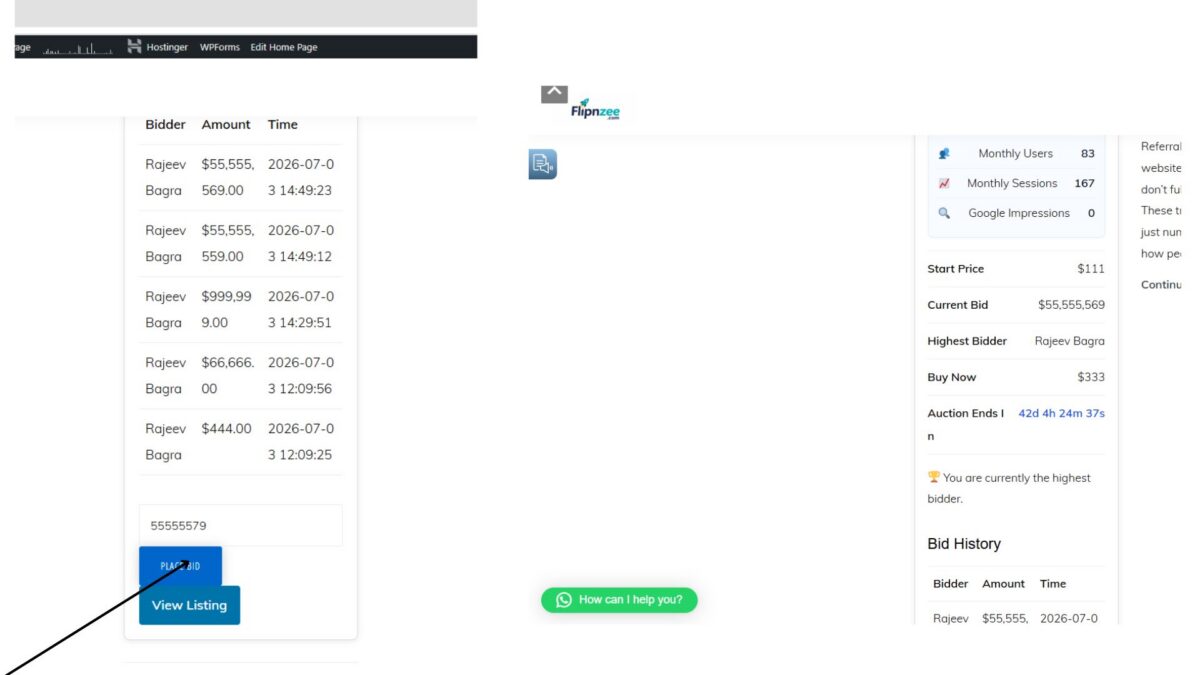
In the previous lesson, we discussed why an auction system should not allow the current highest bidder to keep increasing their own bid. In this implementation lesson, we’ll add server-side validation that prevents self-bidding.
By the end of this lesson, if the highest bidder attempts to place another bid, the bid will be rejected before it is saved to the database.
Step 1: Open the Bid Manager
Open the following file:
includes/class-bid-manager.php
Locate the place_bid() method:
public static function place_bid(
    $auction_id,
    $bidder_id,
    $bid_amount
) {
Step 2: Retrieve the Current Highest Bidder
Inside the function, locate the following code:
global $wpdb;

$bid_table = $wpdb->prefix . 'flipnzee_bids';

$auction_table = $wpdb->prefix . 'flipnzee_auctions';
Immediately after it, add:
$highest_bidder = self::get_highest_bidder(
    $auction_id
);
The beginning of the function now becomes:
global $wpdb;

$bid_table = $wpdb->prefix . 'flipnzee_bids';

$auction_table = $wpdb->prefix . 'flipnzee_auctions';

$highest_bidder = self::get_highest_bidder(
    $auction_id
);
This loads the user who currently owns the highest bid.
Step 3: Locate the Current Bid
Further down in the same function, locate the code that retrieves the current bid:
$current_bid = $wpdb->get_var(
    $wpdb->prepare(
        "SELECT current_bid
        FROM {$auction_table}
        WHERE id = %d",
        $auction_id
    )
);
Step 4: Prevent Self-Bidding
Immediately after the code above, add:
if (
    $highest_bidder &&
    (int) $highest_bidder->bidder_id === (int) $bidder_id
) {

    return new WP_Error(

        'already_highest_bidder',

        __(
            'You are already the highest bidder.',
            'flipnzee-auctions'
        )

    );

}
The complete section now becomes:
$current_bid = $wpdb->get_var(
    $wpdb->prepare(
        "SELECT current_bid
        FROM {$auction_table}
        WHERE id = %d",
        $auction_id
    )
);

if (
    $highest_bidder &&
    (int) $highest_bidder->bidder_id === (int) $bidder_id
) {

    return new WP_Error(

        'already_highest_bidder',

        __(
            'You are already the highest bidder.',
            'flipnzee-auctions'
        )

    );

}
Whenever the logged-in user is already leading the auction, the function stops immediately and returns a WP_Error.
Step 5: Upload the Updated Plugin
Create a fresh ZIP archive of the plugin:
zip -r flipnzee-auctions.zip flipnzee-auctions
Upload it through:
Plugins → Add New → Upload Plugin
Activate the updated version.
Step 6: Test the Feature
Log in as the user who currently has the highest bid.
Try placing another bid.
Expected Result
The bid is rejected.
No new row is inserted into the bids table.
The current bid remains unchanged.
Although no message is displayed yet, the backend validation is working correctly.
Complete Source Code
Retrieve the Highest Bidder
global $wpdb;

$bid_table = $wpdb->prefix . 'flipnzee_bids';

$auction_table = $wpdb->prefix . 'flipnzee_auctions';

$highest_bidder = self::get_highest_bidder(
    $auction_id
);
Prevent Self-Bidding
$current_bid = $wpdb->get_var(
    $wpdb->prepare(
        "SELECT current_bid
        FROM {$auction_table}
        WHERE id = %d",
        $auction_id
    )
);

if (
    $highest_bidder &&
    (int) $highest_bidder->bidder_id === (int) $bidder_id
) {

    return new WP_Error(

        'already_highest_bidder',

        __(
            'You are already the highest bidder.',
            'flipnzee-auctions'
        )

    );

}
What We Achieved
By implementing this lesson, we made the auction system smarter and fairer.
The plugin now:
- Prevents users from bidding against themselves.
- Stops unnecessary increases in the auction price.
- Uses secure server-side validation that cannot be bypassed from the browser.
- Returns a
WP_Errorwhen a self-bid is detected. - Ensures the current bid and bid history remain unchanged when the validation fails.
At this stage, the validation works correctly, although users do not yet receive a visible explanation when their bid is rejected.
Download Source Code
Download the starting version of the plugin before the lesson:
Download the completed version after this lesson:
What’s Next?
In Lesson 49, we’ll build a proper notification system to display friendly success and error messages after bid submission, including:
- ✅ Bid placed successfully.
- ❌ You are already the highest bidder.
- ❌ Bid amount is too low.
- ❌ Auction has ended.
This will complete the bidding workflow and provide users with clear, professional feedback after every action.