
Lesson 44: Building a Bid History Section for Every Auction

Objective
In this lesson, we will add a Bid History section to every auction page.
Instead of only showing the current highest bid, visitors will be able to see the progression of bidding throughout the auction.
Why This Feature Matters
Every successful auction platform provides transparency.
A visible bid history helps users:
- Build confidence in the auction
- See bidding activity
- Understand how quickly prices are increasing
- Encourage competitive bidding
- Increase engagement
Without bid history, visitors only know the current highest bid.
With bid history, they can see the auction’s journey.
What We Will Build
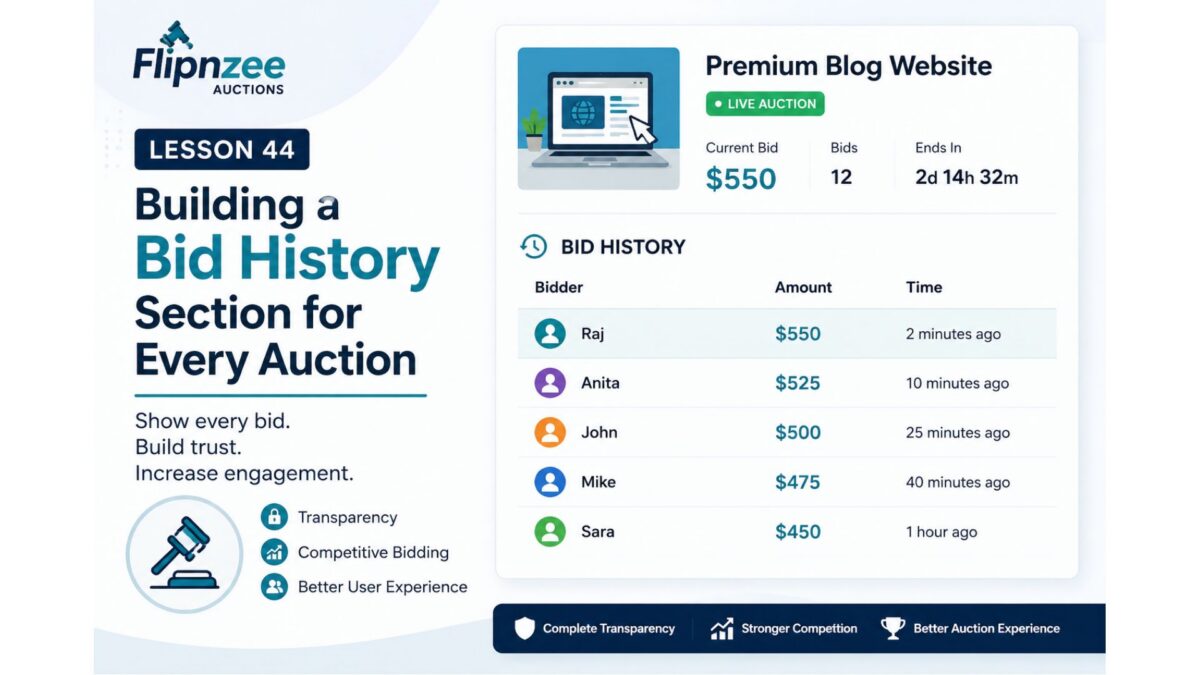
Each auction page will include a new section:
Bid History

-----------------------------------
Bidder         Amount        Time
-----------------------------------
Raj            $550         2 mins ago
Anita          $525         10 mins ago
John           $500         25 mins ago
-----------------------------------
Initially, we can display:
- Bid amount
- Date & time
Later, when user accounts are fully integrated, we can add bidder names (or anonymised usernames).
Features We’ll Implement
1. Create a Bid History Table
We’ll create a new custom database table to store every bid.
Example fields:
- Bid ID
- Auction ID
- User ID
- Bid Amount
- Bid Time
2. Record Every Bid
Instead of simply replacing the current bid, every bid will be stored permanently.
This creates a complete bidding history.
3. Retrieve Bid History
We’ll build helper functions to retrieve bids ordered by:
Newest First
or
Highest First
depending on the display requirement.
4. Display Bid History on the Frontend
Each auction card (or single auction page) will include:
Latest Bids
beneath the auction details.
5. Format Dates
Instead of displaying raw database timestamps, we’ll use WordPress date formatting functions.
Example:
Instead of:
2026-07-03 15:30:00
display
3 July 2026
3:30 PM
or
5 minutes ago
for recent bids.
6. Empty State
If no bids exist yet:
No bids have been placed yet.

Be the first bidder!
What You’ll Learn
By completing this lesson, you’ll gain experience with:
- Creating another custom database table
- Database relationships
- One-to-many data structures
- Retrieving ordered records
- Displaying dynamic lists
- Formatting dates and times
- Improving auction transparency
Why This Is an Important Milestone
Until now, the plugin has focused primarily on auction setup and presentation.
With bid history, we begin adding the interactive elements that make an auction platform feel alive. It also lays the foundation for future features such as:
- Highest bidder tracking
- Automatic winner selection
- User bidding dashboards
- Email notifications
- Auction analytics
- Escrow integration after auction completion
Each of these features will build naturally on the bid history system.
End Result
After Lesson 44, every auction will not only display its current price but also the complete story of how bidding has progressed, making the Flipnzee Auctions plugin more transparent, engaging, and closer to a production-ready auction platform.
Lesson 44 Implementation: Building the First Working Bidding System