
Lesson 72: Building the Payment Gateway Selection Interface

Objective
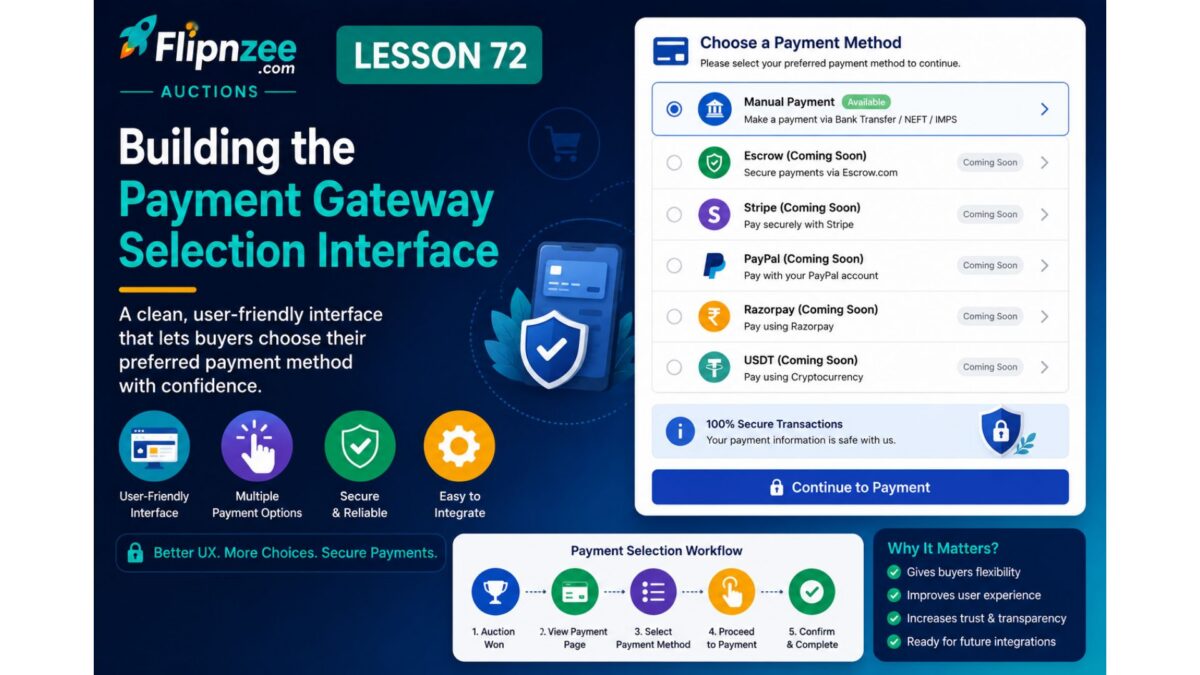
With the payment architecture now prepared, the next logical step is to give buyers the ability to choose how they would like to pay.
In this lesson, we will introduce a Payment Method Selection section on the Payment page. Although only a placeholder gateway exists today, the interface will be built so future gateways (Stripe, PayPal, Razorpay, Bank Transfer, Crypto, etc.) can be added with almost no changes to the frontend.
This lesson focuses entirely on UI architecture, not actual payment processing.
What We’ll Build
Instead of only showing:
Payment Gateway
Manual Payment (Coming Soon)
the payment page will display something like:
Select Payment Method

(•) Manual Payment (Coming Soon)
( ) Stripe
( ) PayPal
( ) Razorpay
( ) Cryptocurrency (USDT)

[Continue]
Only Manual Payment will be enabled.
The remaining gateways will appear disabled with a “Coming Soon” label.
Why This Lesson Matters
This is an important architectural step because:
- separates payment UI from payment logic
- allows new gateways without redesigning pages
- provides a familiar checkout experience
- keeps the plugin scalable
- prepares for future gateway plugins
Files We’ll Modify
Existing
includes/class-payment-page.php
Existing
includes/class-payment-manager.php
(add helper function for available gateways)
New Features
1. Payment Gateway List
Create a helper such as:
Flipnzee_Payment_Manager::get_available_gateways()
which returns an array like
array(
    'manual' => array(
        'label' => 'Manual Payment',
        'enabled' => true,
    ),
    'stripe' => array(
        'label' => 'Stripe',
        'enabled' => false,
    ),
    'paypal' => array(
        'label' => 'PayPal',
        'enabled' => false,
    ),
    'razorpay' => array(
        'label' => 'Razorpay',
        'enabled' => false,
    ),
    'crypto' => array(
        'label' => 'USDT Cryptocurrency',
        'enabled' => false,
    ),
);
2. Display Gateway Choices
Show all gateways as radio buttons.
Only enabled gateways are selectable.
Disabled gateways display:
Coming Soon
3. Continue Button
Display
Continue to Payment
No payment processing yet.
4. Clean HTML Structure
Wrap the section in
<div class="flipnzee-payment-gateways">
for future styling.
User Experience
Current page:
Transaction Details

Gateway:
Manual Payment
New page:
Transaction Details

Select Payment Method

○ Stripe
○ PayPal
● Manual Payment
○ Razorpay
○ Crypto

Continue
Benefits
After this lesson the plugin will have:
- scalable payment architecture
- configurable gateway list
- reusable gateway rendering
- future-ready checkout interface
- no dependency on a specific payment provider
What We Won’t Build Yet
To keep the project stable, we are not implementing:
- Stripe API
- PayPal API
- Razorpay API
- Crypto payments
- Order confirmation
- Payment verification
Those will come in later lessons.
Expected Outcome
By the end of Lesson 72, buyers will see a professional payment method selection interface with a working placeholder for Manual Payment and clearly marked future payment options, laying the foundation for integrating real payment gateways in the upcoming lessons.