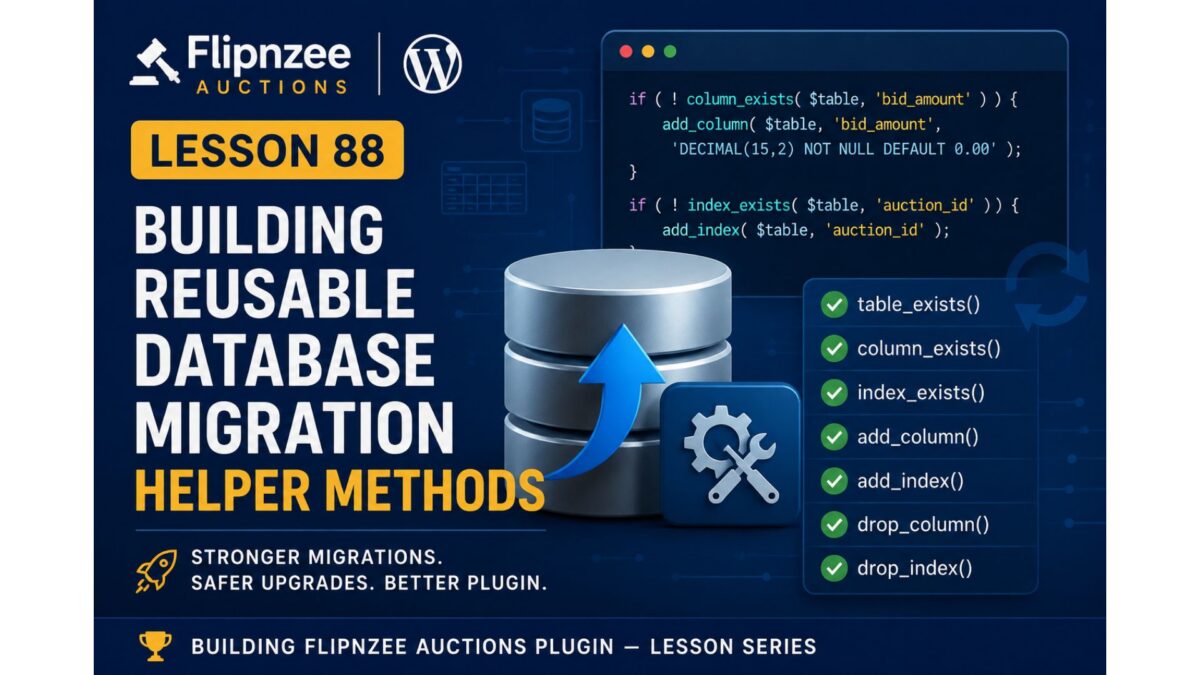
Lesson 88: Building Reusable Database Migration Helper Methods

Series: Building the Flipnzee Auctions Plugin
Lesson: 88
Topic: Creating Reusable Migration Helper Methods


Introduction

In the previous lesson, we introduced a dedicated database migration framework to separate installation logic from upgrade logic. The plugin now has a migration runner capable of handling future database schema changes in a structured manner.

However, the migration framework is only the foundation. Every future database upgrade will require common operations such as checking whether a table exists, determining if a column is already present, adding new indexes, or removing obsolete schema elements.

Writing these checks repeatedly for every migration would quickly become repetitive, error-prone, and difficult to maintain.

In this lesson, we will build a collection of reusable helper methods that will serve as the toolkit for every future database migration performed by the Flipnzee Auctions plugin.


Objectives

By the end of this lesson we aim to:

  • Create reusable helper methods for database migrations.
  • Eliminate repetitive SQL existence checks.
  • Standardize schema modification logic.
  • Improve the safety of future database upgrades.
  • Prepare the plugin for production-ready version migrations.

Why Helper Methods Are Important

Without helper methods, every migration would need to manually perform tasks like:

  • Check whether a table exists.
  • Check whether a column already exists.
  • Verify indexes.
  • Execute ALTER TABLE statements.
  • Handle duplicate schema elements.

This leads to duplicated code throughout the project.

Instead, we’ll centralize these responsibilities inside the migration framework.


Current Architecture

Plugin Activation
        │
        ▼
Migration Runner
        │
        ▼
Future Migration Methods

Architecture After Lesson 88

Plugin Activation
        │
        ▼
Migration Runner
        │
        ▼
Migration Helper Methods
        │
        ├── table_exists()
        ├── column_exists()
        ├── index_exists()
        ├── add_column()
        ├── add_index()
        ├── drop_column()
        └── drop_index()

Every future migration will rely on these reusable methods rather than writing raw SQL repeatedly.


Planned Helper Methods

1. table_exists()

Determine whether a database table exists before attempting any modifications.

Example usage:

if ( Flipnzee_Database_Migration::table_exists( $table ) ) {
    // Continue migration.
}

2. column_exists()

Verify that a column is present before adding or removing it.

Example:

if ( ! Flipnzee_Database_Migration::column_exists( $table, 'payment_status' ) ) {
    // Add column.
}

3. index_exists()

Determine whether a database index already exists.

Example:

if ( ! Flipnzee_Database_Migration::index_exists( $table, 'auction_id' ) ) {
    // Create index.
}

4. add_column()

Safely add a new column only if it does not already exist.

Responsibilities include:

  • checking table existence
  • checking column existence
  • executing ALTER TABLE
  • returning success/failure

5. add_index()

Safely create database indexes.

Should avoid duplicate index creation.


6. drop_column()

Safely remove obsolete columns during future upgrades.


7. drop_index()

Safely remove unused indexes while preserving database integrity.


Files Expected to Change

Primary file:

includes/class-database-migration.php

Very little work should be required elsewhere because the migration framework has already been integrated during Lesson 87.


Benefits

After completing this lesson the migration system will become:

  • cleaner
  • reusable
  • easier to maintain
  • safer
  • easier to extend
  • consistent across future upgrades

Testing Plan

After implementing each helper method we will verify:

  • Table existence detection.
  • Column existence detection.
  • Index detection.
  • Safe execution when objects already exist.
  • No duplicate SQL errors.
  • Plugin activation remains stable.
  • Compatibility with existing installations.

Roadmap

✅ Lesson 85

Database versioning and payment schema foundation.

✅ Lesson 86

Activation stability improvements.

✅ Lesson 87

Migration framework and activation integration.

▶ Lesson 88 (Current)

Reusable migration helper methods.

Upcoming Lessons

Lesson 89

  • First production database migration using the helper methods.

Lesson 90

  • Escrow database foundation.

Lesson 91

  • Payment workflow database enhancements.

Lesson 92

  • Migration rollback and validation improvements.

Expected Outcome

By the end of Lesson 88, the Flipnzee Auctions plugin will have a reusable migration toolkit that significantly reduces duplicate database code and provides a consistent, reliable way to perform future schema upgrades.

This lesson represents another important architectural investment. Rather than adding visible user-facing features, we are strengthening the plugin’s internal infrastructure so future development becomes safer, faster, and easier to maintain.
Lesson 87 Implementation: Introducing a Database Migration Framework

Series: Building the Flipnzee Auctions Plugin
Lesson: 87
Topic: Creating a Dedicated Database Migration Framework


Introduction

In the previous lessons, we significantly improved the stability of the Flipnzee Auctions plugin by introducing database versioning and resolving the activation issues caused by dbDelta(). Those improvements laid the foundation for a more reliable database upgrade process.

In this lesson, we take the next architectural step by introducing a dedicated database migration framework. Instead of placing all upgrade logic inside the activation routine, we create a separate migration class that will eventually manage all database schema upgrades in a structured and maintainable way.

Although the framework currently contains only the basic migration runner, it establishes the architecture that future migrations will build upon.


Objectives

By the end of this lesson we achieved the following:

  • Created a dedicated database migration class.
  • Introduced a migration runner.
  • Connected the migration framework to plugin activation.
  • Separated fresh installations from upgrade logic.
  • Successfully tested plugin activation on multiple WordPress environments.
  • Prepared the plugin for version-based database migrations.

Why We Needed a Migration Framework

During Lessons 85 and 86 we discovered that repeatedly calling dbDelta() on existing installations could produce unpredictable behaviour on some hosting environments.

Rather than relying solely on dbDelta() for future upgrades, we decided to move toward a proper migration architecture.

The long-term goals are:

  • predictable upgrades
  • easier maintenance
  • version-controlled database changes
  • safer production deployments

Architecture Before Lesson 87

Previously, plugin activation simply created the database tables.

Plugin Activation
        │
        ▼
create_tables()
        │
        ▼
Update Database Version

While this worked for new installations, it wasn’t designed for long-term schema evolution.


New Architecture

After Lesson 87 the activation process is smarter.

Plugin Activation
        │
        ▼
Database Version Exists?
        │
   ┌────┴─────┐
   │          │
   ▼          ▼
Fresh      Existing
Install     Install
   │          │
   ▼          ▼
create_     Migration
tables()     Runner
   │          │
   └────┬─────┘
        ▼
Update Database Version

This separation allows future upgrades to be handled independently from initial installations.


Files Modified

Main Plugin File

flipnzee-auctions.php

Updated the activation routine to distinguish between fresh installations and existing installations.


New File

includes/class-database-migration.php

Added the new migration framework that will host all future database migrations.


Implementation Highlights

The migration framework now contains a dedicated class responsible for future schema upgrades.

Responsibilities include:

  • central migration runner
  • version-based upgrade handling
  • future migration methods
  • database upgrade coordination

Although the class is intentionally lightweight at this stage, it provides a clean foundation for incremental development.


Activation Flow

The activation process now follows this logic:

  1. Check whether the plugin has been installed before.
  2. If this is a new installation:
    • Create all required database tables.
  3. If this is an existing installation:
    • Execute the migration runner.
  4. Update the stored database version.

This approach reduces unnecessary database operations on existing sites.


Testing Performed

The migration framework was tested extensively.

Local Development

  • Plugin activated successfully.
  • No PHP syntax errors.
  • Activation logic executed correctly.
  • Database version updated successfully.

Hostinger Test Site

The plugin was activated successfully after correcting a syntax issue discovered during testing.

Verified:

  • plugin activation
  • database version update
  • migration runner execution

WP Engine Test Site

The plugin was also activated successfully on WP Engine.

This confirmed that the new activation flow behaves consistently across different hosting environments.


Debugging Process

This lesson involved careful debugging before reaching the final implementation.

Challenges included:

  • PHP parse errors caused by unmatched braces.
  • Syntax errors while introducing the migration class.
  • Activation failures during early integration.
  • Ensuring the migration framework loaded before activation.

Each issue was isolated and resolved systematically, resulting in a stable implementation.


Git Milestone

A stable checkpoint was created after successful testing.

Commit

Lesson 87: Add database migration framework

Git Tag

lesson-87-stable

This tag represents the new stable baseline for future database migration work.


Lessons Learned

Several important software engineering principles became evident during this lesson:

  • Separate installation logic from upgrade logic.
  • Build the migration architecture before implementing migrations.
  • Test across multiple hosting environments.
  • Resolve one issue at a time rather than making multiple unrelated changes.
  • Small architectural improvements reduce future complexity.

Roadmap

The migration framework introduced in this lesson serves as the foundation for the next phase of development.

Upcoming work includes:

  • reusable migration helper methods
  • version-specific migration functions
  • production database migrations
  • removal of remaining upgrade dependencies on dbDelta()
  • safer long-term database evolution

Download Source Code

Download the starting version of the plugin before the lesson:

Download the completed version after this lesson:


Conclusion

Lesson 87 marks an important architectural milestone in the Flipnzee Auctions project. Rather than simply adding new features, we invested in strengthening the plugin’s internal design.

By introducing a dedicated migration framework, we have separated installation and upgrade responsibilities, making the plugin easier to maintain, safer to upgrade, and better prepared for future releases.

This foundation will support all upcoming database enhancements as Flipnzee Auctions continues evolving into a professional WordPress auction marketplace plugin.

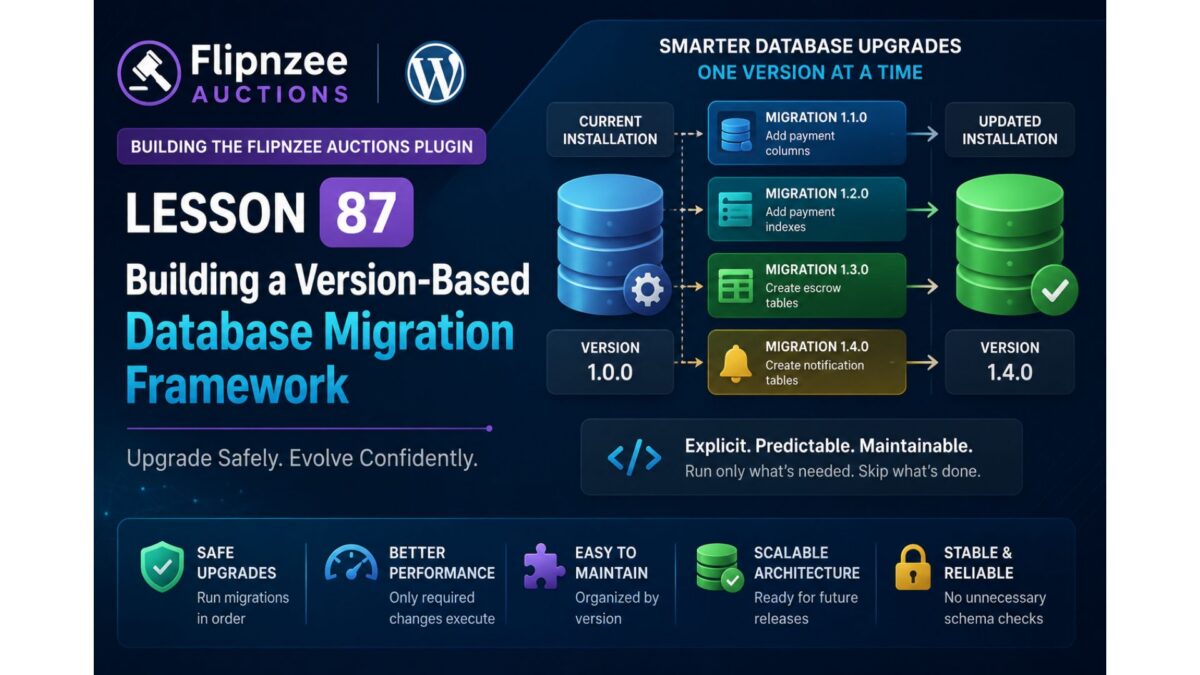
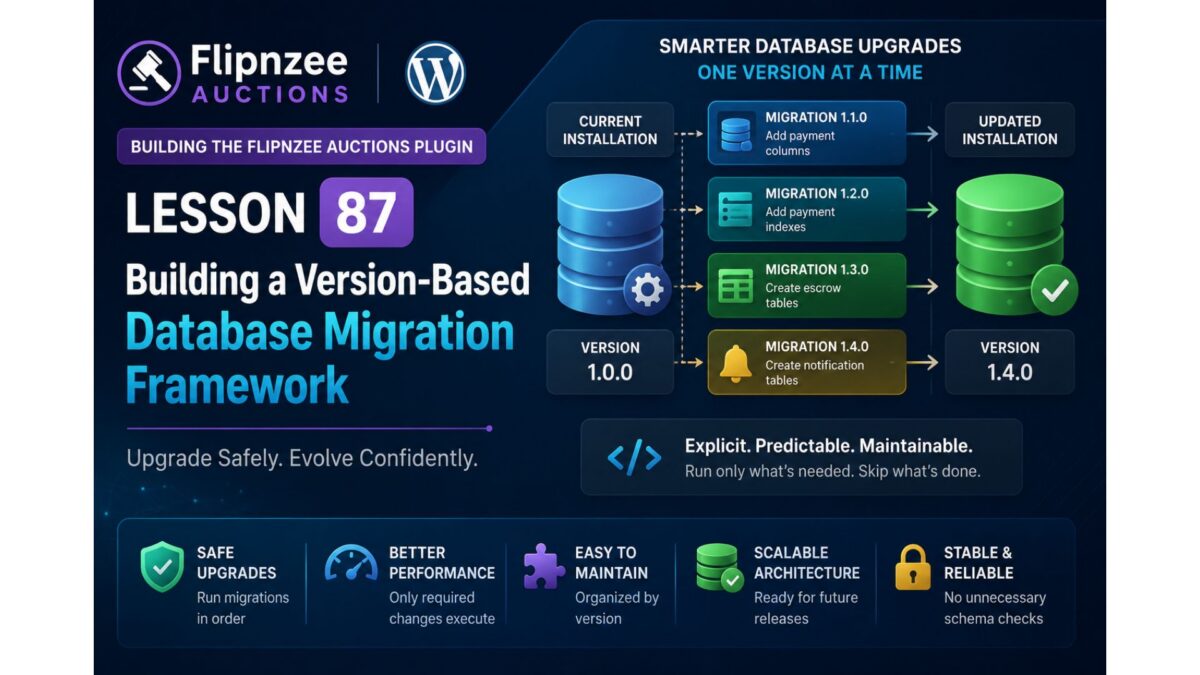
Lesson 87: Building a Version-Based Database Migration Framework

Series: Building the Flipnzee Auctions WordPress Plugin
Lesson: 87
Project: Flipnzee Auctions
Difficulty: Advanced


Introduction

During the previous lessons, we introduced database versioning and stabilized the plugin activation process. We also discovered an important limitation of relying on dbDelta() for repeated schema comparisons on existing installations.

Although dbDelta() remains an excellent tool for creating tables during a fresh installation, our debugging experience showed that long-term schema evolution requires a more controlled and predictable approach.

In this lesson, we will begin implementing a dedicated version-based database migration framework. This framework will become responsible for upgrading existing installations safely while keeping fresh installations simple and reliable.

Rather than asking WordPress to infer schema differences automatically, the plugin will explicitly execute only the database changes required for each version.


Why Build a Migration Framework?

Most production plugins continue evolving long after their initial release.

New releases often introduce:

  • new database columns,
  • additional indexes,
  • modified table structures,
  • new tables,
  • deprecated fields,
  • performance improvements.

Attempting to manage all of these changes using repeated dbDelta() comparisons can become increasingly difficult as the project grows.

A migration framework provides a much more maintainable solution.


Objectives

By the end of this lesson, we will:

  • create the foundation of a dedicated migration system,
  • separate installation logic from upgrade logic,
  • introduce a migration manager class,
  • implement version-aware migration execution,
  • prepare the plugin for future schema upgrades,
  • keep activation stable across environments.

Current Database Architecture

At this stage, the plugin already contains:

  • database version constant,
  • version storage in WordPress options,
  • table creation logic,
  • payment infrastructure,
  • stable activation process.

The next step is allowing the plugin to upgrade older installations without recreating existing tables.


The New Architecture

Instead of relying entirely on dbDelta(), the plugin architecture will evolve into the following flow.

Plugin Activation
        │
        ▼
Check Stored Database Version
        │
        ├───────────────┐
        │               │
        ▼               ▼
Fresh Install      Existing Install
        │               │
        ▼               ▼
create_tables()   run_migrations()
        │               │
        └───────┬───────┘
                ▼
Update Database Version

This separation makes installation and upgrades independent processes.


Migration Manager

The migration manager will become responsible for coordinating every database upgrade.

Responsibilities include:

  • reading the current database version,
  • comparing versions,
  • executing required migrations,
  • updating the stored version,
  • ensuring migrations run only once.

No migration should execute twice.


Migration Philosophy

Instead of asking:

“Does this table match my SQL?”

the plugin will ask:

“Which version is currently installed?”

This simple change dramatically improves predictability.

Example:

Installed Version
        │
        ▼
1.0.0
        │
        ▼
Run Migration 1.1.0
        │
        ▼
Update Version

Future releases follow exactly the same pattern.


Planned Class Structure

A new class will manage all database migrations.

Example:

includes/
    class-database.php
    class-database-migration.php

Responsibilities remain clearly separated.

class-database.php

  • create tables
  • installation logic

class-database-migration.php

  • migration runner
  • migration helpers
  • schema upgrades
  • version comparisons

This follows the Single Responsibility Principle and keeps each class focused on one purpose.


Version Comparison

Rather than checking individual columns during activation, the plugin will compare versions.

Conceptually:

$current_version
↓

version_compare()

↓

Run only required migrations

This approach scales naturally as more releases are added.


Example Upgrade Path

Suppose a user installs Version 1.0.0.

Later versions introduce additional features.

1.0.0
↓

1.1.0
Add payment columns

↓

1.2.0
Add payment indexes

↓

1.3.0
Create escrow tables

↓

1.4.0
Create notification tables

Each version executes only its own migration.


Benefits

The migration framework provides numerous advantages.

Reliability

Database upgrades become deterministic.


Performance

Only required changes execute.


Maintainability

Schema changes remain organized by version.


Safety

Existing installations avoid unnecessary schema comparisons.


Scalability

Future releases simply add new migration methods.


Files Expected to Change

This lesson is expected to introduce or modify:

includes/
    class-database-migration.php

flipnzee-auctions.php

includes/
    class-database.php

The exact implementation will remain incremental and thoroughly tested after each step.


Testing Strategy

Each migration will be verified by:

  • activating the plugin,
  • upgrading older installations,
  • confirming database version updates,
  • ensuring no duplicate migrations occur,
  • checking schema consistency,
  • validating existing auction functionality.

Every migration should be idempotent and safe to execute.


Lessons Learned from Previous Work

The activation debugging carried out in Lesson 86 reinforced several important principles.

  • Installation and upgrades should be treated separately.
  • Stable Git checkpoints are invaluable.
  • Environment differences can expose unexpected behaviors.
  • Incremental development simplifies debugging.
  • Database migrations deserve their own dedicated architecture.

These lessons directly influenced the design of the migration framework introduced in this lesson.


Roadmap

After completing the migration framework foundation, the following lessons will extend its capabilities.

Lesson 88

Implement reusable migration helper methods:

  • table_exists()
  • column_exists()
  • index_exists()
  • add_column()
  • add_index()
  • drop_column()
  • drop_index()

Lesson 89

Implement the first production migration by replacing manual payment schema upgrades with version-controlled migration methods.


Lesson 90

Expand the migration framework to support:

  • escrow tables,
  • notification tables,
  • reporting tables,
  • future REST API infrastructure.

Conclusion

The Flipnzee Auctions plugin has now reached a stage where database evolution deserves its own dedicated subsystem.

By introducing a version-based migration framework, we move beyond relying solely on dbDelta() and establish a scalable architecture capable of supporting future releases with confidence.

This lesson marks the beginning of a mature database lifecycle where installations, upgrades, and schema evolution are handled independently, providing a stable foundation for the continued growth of the Flipnzee Auctions marketplace plugin.

Lesson 86 Implementation: Stabilizing Plugin Activation and Preparing the Migration Framework

Series: Building the Flipnzee Auctions WordPress Plugin
Lesson: 86
Project: Flipnzee Auctions
Difficulty: Intermediate–Advanced


Introduction

In the previous lesson, we laid the foundation for database versioning by introducing a database version constant and storing the plugin’s schema version inside WordPress. The long-term objective is to transition from relying solely on dbDelta() for database upgrades to a dedicated migration framework.

As work began on Lesson 86, the initial goal was to implement reusable migration helper methods such as table_exists(), column_exists(), index_exists(), and add_column(). However, during development we encountered a significant activation issue that required immediate investigation before continuing with the migration framework.

Rather than ignoring the problem and moving forward, we paused development to systematically isolate the root cause. This debugging effort ultimately resulted in a cleaner activation process and a more robust long-term architecture.


Objectives

The objectives for Lesson 86 were:

  • Continue preparing the database migration system.
  • Investigate unexpected plugin activation warnings.
  • Restore stable plugin activation.
  • Prevent unnecessary database schema comparisons during activation.
  • Preserve the Lesson 85 database foundation.
  • Prepare the project for the upcoming migration framework.

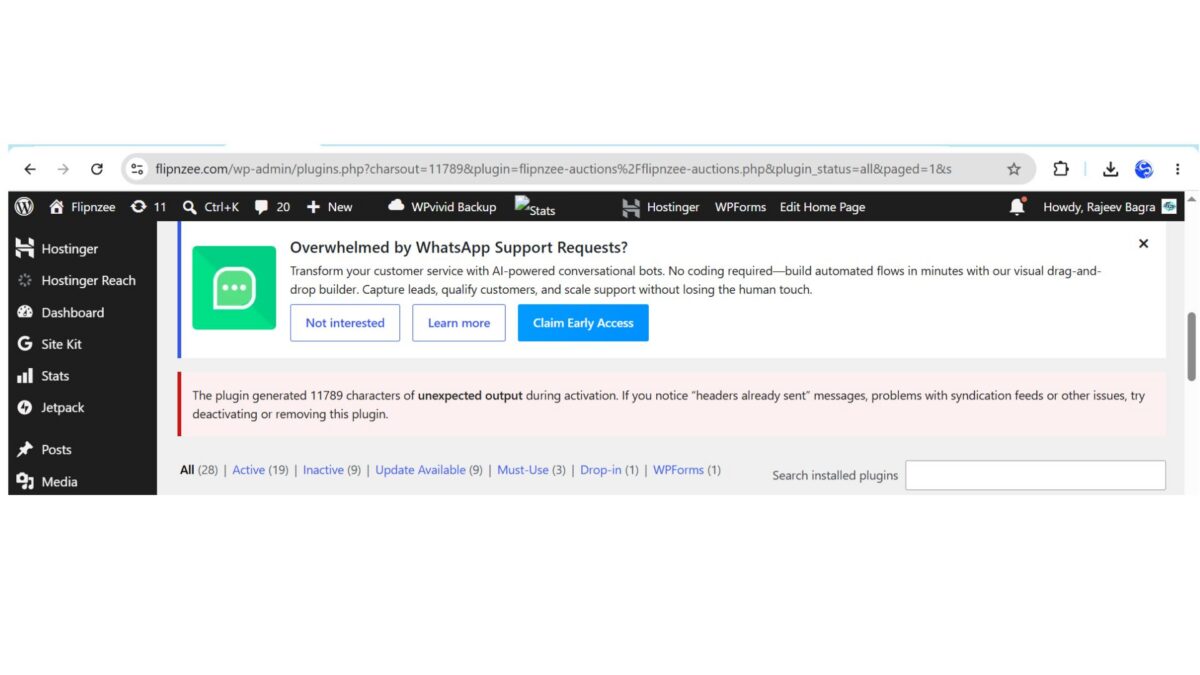
The Unexpected Activation Problem

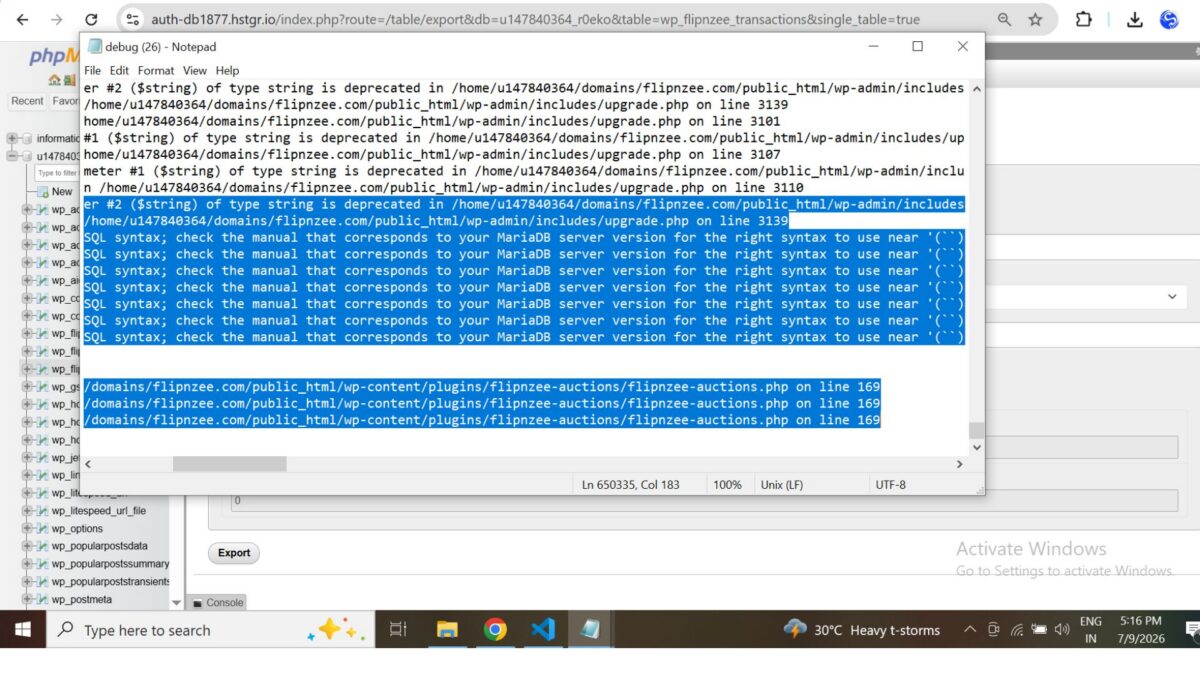
During activation, WordPress displayed the following warning:

The plugin generated 11788 characters of unexpected output during activation.

The debug log consistently pointed to WordPress core’s dbDelta() function, producing warnings similar to:

Undefined array key "index_name"
Undefined array key "index_columns"
Undefined array key "column_name"

followed by SQL such as:

ALTER TABLE wp_flipnzee_transactions ADD `` (``)

This SQL was not generated by the plugin itself. Instead, it originated from WordPress while attempting to compare the existing database schema with the SQL definition provided to dbDelta().


Debugging Strategy

Instead of making multiple unrelated changes, we followed a structured debugging process.

The investigation included:

  • Verifying PHP syntax.
  • Reviewing the transaction table schema.
  • Inspecting the activation hook.
  • Examining database exports.
  • Comparing the SQL generated by the plugin.
  • Reviewing WordPress debug logs.
  • Comparing plugin behavior across different hosting environments.
  • Restoring the project to the Lesson 85 Git checkpoint to confirm whether the issue originated in Lesson 86.

Each step narrowed the possibilities without introducing additional variables.


Cross-Environment Testing

One of the most valuable discoveries came from testing the exact same plugin on two different hosting environments.

WP Engine

  • Plugin activated successfully.
  • Database creation completed normally.
  • No activation warnings appeared.

Hostinger

The same plugin triggered repeated dbDelta() parser warnings when reactivated on an existing installation.

This comparison demonstrated that:

  • the plugin code itself was functional,
  • the activation issue occurred during repeated schema comparisons on an existing database.

Architectural Improvement

Previously, the activation routine always executed:

Flipnzee_Auction_Database::create_tables();

This meant that every activation caused WordPress to run dbDelta() and compare the existing schema with the SQL definitions.

To avoid unnecessary schema comparisons, the activation logic was updated.

Previous implementation

function flipnzee_auction_activate() {

    Flipnzee_Auction_Database::create_tables();
    Flipnzee_Auction_Database::update_db_version();
}

Updated implementation

function flipnzee_auction_activate() {

    if ( false === get_option( 'flipnzee_db_version', false ) ) {
        Flipnzee_Auction_Database::create_tables();
    }

    Flipnzee_Auction_Database::update_db_version();
}

The revised activation process now creates database tables only during the initial installation. Existing installations simply update the stored database version and avoid unnecessary schema comparisons.


Why This Improvement Matters

This seemingly small change significantly improves the plugin architecture.

Instead of repeatedly asking dbDelta() to compare an already existing database schema, future upgrades will be handled by explicit migration routines.

Benefits include:

  • faster activation,
  • reduced risk of parser-related issues,
  • cleaner upgrade path,
  • easier maintenance,
  • improved compatibility across different hosting environments.

Testing

The updated activation workflow was tested after correcting an unrelated PHP syntax issue introduced during debugging.

The final activation tests confirmed:

  • ✅ Plugin activates successfully.
  • ✅ Existing auction functionality remains operational.
  • ✅ Payment infrastructure remains intact.
  • ✅ Database version continues to update correctly.
  • ✅ No activation warnings appear using the revised activation flow.

Git Checkpoint

After verifying successful activation, the project was committed and tagged as a stable checkpoint.

This provides a reliable rollback point before implementing the dedicated migration framework in future lessons.


Lessons Learned

Several important engineering lessons emerged from this debugging session.

1. Debug systematically

Avoid making multiple changes simultaneously. Isolating one variable at a time makes root causes much easier to identify.


2. Cross-environment testing is essential

Testing on multiple hosting providers revealed that the issue was environment-specific rather than a general plugin defect.


3. Stable checkpoints save time

Creating Git tags before major architectural changes allowed the project to be restored quickly during debugging.


4. Installation and upgrades are different concerns

Creating database tables and upgrading existing schemas should be treated as separate responsibilities.


Roadmap

The activation system is now stable again.

The next lessons will continue the original roadmap.

Lesson 87

Introduce a dedicated migration framework responsible for:

  • version-based database upgrades,
  • reusable migration helpers,
  • controlled schema evolution,
  • eliminating the need for repeated dbDelta() schema comparisons on existing installations.

Download Source Code

Download the starting version of the plugin before the lesson:

Download the completed version after this lesson:


Conclusion

Although Lesson 86 began as an implementation of reusable migration helper methods, it evolved into an important architectural milestone.

By resolving the activation issues and refining the activation workflow, the Flipnzee Auctions plugin now has a more stable foundation for future database migrations. This work reinforces an important principle of long-term plugin development: installation and schema upgrades should be managed independently.

With a clean activation process restored and the database versioning system already in place, the project is well positioned to continue building a dedicated migration framework in the upcoming lessons.

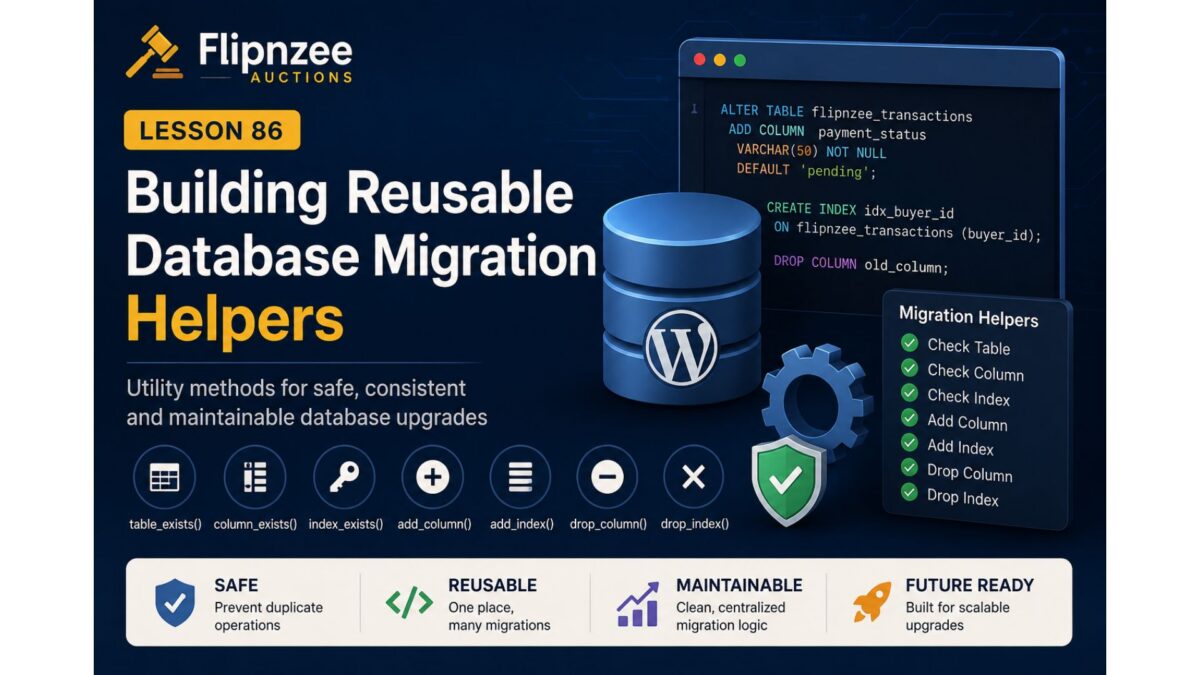
Lesson 86: Building Reusable Database Migration Helpers for Flipnzee Auctions

Introduction

As software evolves, database schemas inevitably change. New features often require additional columns, indexes, or even entirely new tables. While WordPress provides the powerful dbDelta() function for creating and updating database tables, relying exclusively on it for every schema modification can become increasingly difficult as a plugin grows.

During the previous lesson, we introduced database version tracking after resolving an activation issue caused by schema upgrade processing. With a stable versioning mechanism now in place, the next logical step is to build a reusable migration toolkit that simplifies future database upgrades.

Instead of writing repetitive SQL checks every time a new database change is needed, we’ll create a collection of helper methods that can safely determine the current database structure before making any modifications. This approach improves code readability, reduces duplication, and provides a reliable foundation for all future migrations.


Lesson Objectives

By the end of this lesson we will:

  • Design a reusable migration helper system.
  • Detect whether database tables already exist.
  • Verify if specific columns are present.
  • Check for existing database indexes.
  • Create helper methods for adding new columns.
  • Create helper methods for adding indexes safely.
  • Prepare helper methods for removing obsolete columns and indexes when required.
  • Build a maintainable migration framework that future lessons can reuse.

Why We Need Migration Helpers

Without reusable helpers, every database upgrade typically requires repeating the same pattern:

  • Check if a table exists.
  • Check whether a column already exists.
  • Execute an ALTER TABLE statement.
  • Handle duplicate column errors.
  • Repeat the same logic for every future schema change.

Over time this leads to:

  • duplicated code
  • inconsistent error handling
  • difficult maintenance
  • greater risk during plugin upgrades

A centralized migration helper solves these problems by keeping all schema-related logic in one place.


Planned Helper Methods

Our migration helper class will include several reusable methods.

table_exists()

Checks whether a database table currently exists before attempting any schema modifications.

Example use cases:

  • verifying custom auction tables
  • confirming transaction tables
  • validating optional plugin components

column_exists()

Determines whether a specific column already exists within a table.

This prevents SQL errors such as:

Duplicate column name

Future migrations can safely execute only when the required column is missing.


index_exists()

Indexes improve query performance, but attempting to recreate an existing index results in SQL errors.

This helper allows migrations to safely verify whether an index already exists before adding it.


add_column()

Instead of repeatedly writing raw SQL throughout the project, this helper will:

  • verify table existence
  • verify column absence
  • execute the required ALTER TABLE statement
  • return a success/failure result

This greatly simplifies future migrations.


add_index()

Provides a standardized method for creating indexes while avoiding duplicate index errors.

Future performance improvements can be implemented with minimal code.


drop_column()

Although used less frequently, removing obsolete columns should follow the same controlled process.

This helper keeps removal operations consistent with additions.


drop_index()

Indexes occasionally become unnecessary after schema redesigns.

This helper provides a clean mechanism for safely removing outdated indexes.


Architectural Design

Rather than scattering migration logic across multiple files, we’ll centralize all reusable schema operations inside the database layer.

The migration helpers will serve as the foundation for future version-based migrations, allowing upgrade routines to focus only on what needs to change instead of repeatedly implementing how those changes should be performed.

This separation improves readability while making future maintenance significantly easier.


Benefits of Reusable Migration Helpers

Once implemented, future database upgrades become much cleaner.

Instead of writing repetitive SQL validation code for every release, migration scripts can simply invoke helper methods that already perform the necessary safety checks.

Advantages include:

  • reduced code duplication
  • safer database upgrades
  • easier debugging
  • improved readability
  • better long-term maintainability
  • simplified future development

Files Expected to Change

The implementation of this lesson is expected to modify the database management layer, including:

  • includes/class-database.php

Depending on the final architecture, additional migration-related classes or files may also be introduced if they improve organization without unnecessarily increasing complexity.


Testing Plan

After implementation we will verify that:

  • helper methods correctly detect existing tables
  • column detection functions return accurate results
  • index detection works correctly
  • duplicate columns are never created
  • duplicate indexes are prevented
  • existing databases continue functioning without modification
  • fresh installations remain unaffected

Looking Ahead

With reusable migration helpers complete, the plugin will be ready for its first true production migration.

In the next lesson, we’ll replace the previous payment schema upgrade logic with a version-based migration that leverages these new helper methods. This will demonstrate how future database changes can be applied safely and consistently without relying on dbDelta() for incremental schema upgrades.

By taking this incremental approach, Flipnzee Auctions continues evolving toward a robust, production-quality architecture capable of supporting many future releases while maintaining backward compatibility with existing installations.

In the next step, we’ll implement the migration helper framework one method at a time, keeping the changes small, testable, and consistent with the project’s development philosophy.

Lesson 85 Implementation: Building the Payment Infrastructure and Database Versioning System

As Flipnzee Auctions continues to evolve into a complete auction marketplace, maintaining the database safely across plugin updates becomes increasingly important. While WordPress provides the dbDelta() function for creating and updating database tables, real-world testing during development revealed that relying entirely on dbDelta() for schema upgrades can sometimes lead to unexpected behaviour across different environments.

In this lesson, the focus shifted from simply adding new payment-related database fields to designing a more reliable foundation for future database upgrades. Along the way, a challenging activation issue became an opportunity to investigate WordPress database migrations in greater depth.


Objectives

The primary objectives of this lesson were to:

  • Extend the transactions table for payment processing.
  • Introduce database schema versioning.
  • Build the foundation for future database migrations.
  • Improve the payment infrastructure.
  • Resolve plugin activation issues.
  • Prepare the plugin for safe future upgrades.

Features Implemented

During this lesson, several important improvements were completed.

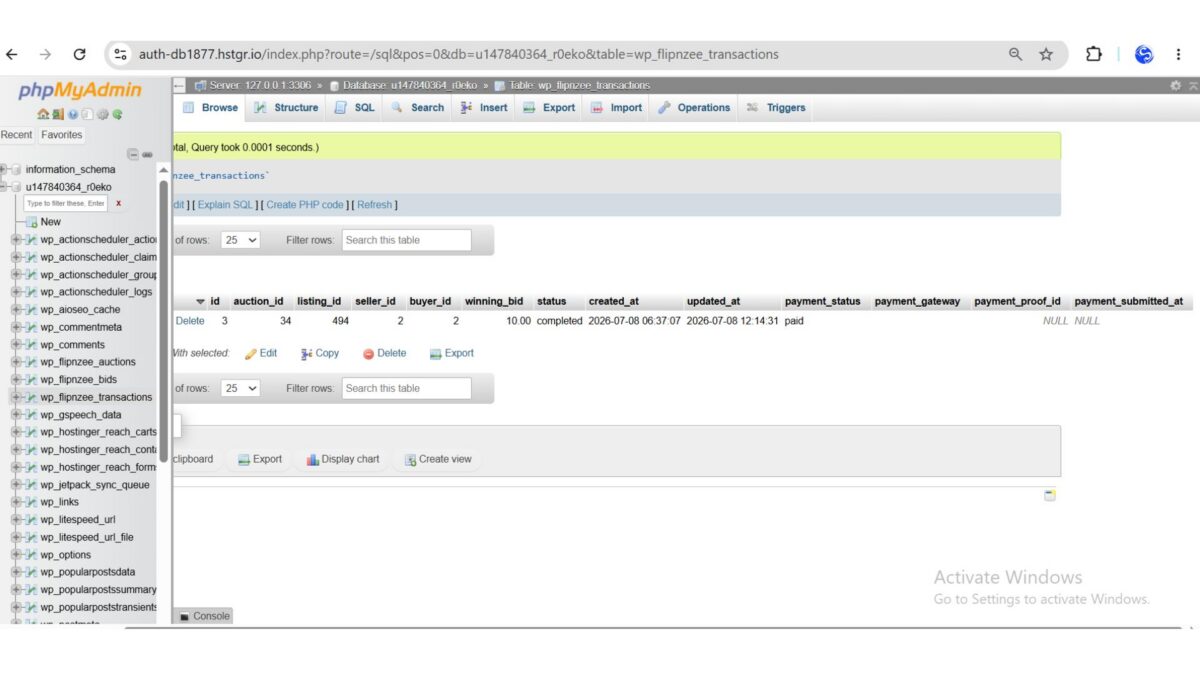
1. Payment Database Foundation

The transactions table was extended to support the upcoming payment workflow.

New database fields include:

  • payment_status
  • payment_gateway
  • payment_proof_id
  • payment_submitted_at

These fields provide the information required for buyers to submit payments and for sellers or administrators to verify them.


2. Database Schema Versioning

A dedicated database version constant was introduced:

define( 'FLIPNZEE_DB_VERSION', '1.1.0' );

Separating the plugin version from the database schema version lays the groundwork for future database migrations without affecting plugin functionality.


3. Database Version Tracking

A new helper method was added to store the installed schema version:

public static function update_db_version() {
    update_option( 'flipnzee_db_version', FLIPNZEE_DB_VERSION );
}

The activation routine now records the installed database version after creating or updating the database tables.


4. Payment Infrastructure

The lesson also introduced the initial payment management components, including:

  • Payment Manager class
  • Payment administration page
  • Payment styling
  • Supporting transaction updates

These components will be expanded in upcoming lessons as the complete payment workflow is implemented.


Debugging the Activation Issue

One of the most educational parts of this lesson involved diagnosing a difficult plugin activation problem.

Initially, activating the plugin generated thousands of characters of unexpected output.

Rather than immediately rewriting the implementation, the issue was investigated systematically.

The debugging process included:

  • validating SQL syntax
  • checking PHP syntax
  • comparing generated SQL with the database
  • examining table structures
  • isolating dbDelta() calls
  • reviewing activation hooks
  • inspecting plugin output
  • checking for whitespace before PHP opening tags
  • analysing activation behaviour across multiple iterations

This systematic approach made it possible to eliminate several possible causes before identifying and correcting the underlying issues.


Lessons Learned

Several valuable engineering lessons emerged from this implementation.

Database migrations deserve careful planning

Although dbDelta() is extremely useful for initial table creation, upgrading existing database schemas requires additional care. Introducing database version tracking provides a much safer path for future enhancements.


Debugging should be systematic

Rather than changing multiple components simultaneously, isolating one potential cause at a time greatly reduced the complexity of diagnosing the activation issue.


Build infrastructure before features

Instead of rushing into the payment workflow itself, creating the supporting database and versioning infrastructure first will make future development significantly easier.


Testing Performed

The following tests were successfully completed:

  • Plugin activation
  • Database table verification
  • Payment column creation
  • Existing data preservation
  • Database version storage
  • Payment infrastructure integration
  • Administrative page verification
  • Transaction table verification

The plugin returned to a stable working state after the activation issue was resolved.


Complete Source Code

The implementation involved updates across several files, including:

flipnzee-auctions.php

includes/class-database.php

includes/class-payment-manager.php

includes/class-payment-page.php

includes/class-transaction-manager.php

includes/class-auction-manager.php

includes/class-shortcodes.php

admin/class-admin.php

admin/class-admin-payments.php

admin/class-admin-transaction-details.php

assets/css/admin.css

These changes collectively establish the foundation for payment processing and future database migrations.


What Comes Next?

With the payment infrastructure and database versioning now in place, the next lesson will focus on implementing the first stage of the buyer payment workflow.

Upcoming work will include:

  • Payment submission interface
  • Payment proof upload
  • Transaction status updates
  • Seller verification workflow
  • Administrative payment approval

These features will build upon the infrastructure completed during Lesson 85.

Download Source Code

Download the starting version of the plugin before the lesson:

Download the completed version after this lesson:


Final Thoughts

This lesson demonstrates an important aspect of professional software development: sometimes the most valuable progress comes not from adding visible features, but from strengthening the architecture beneath them.

By introducing database versioning, expanding the payment schema, and carefully investigating a complex activation issue, Flipnzee Auctions is now built on a much stronger technical foundation. These improvements will make future enhancements easier to implement, safer to deploy, and more reliable for users as the project continues to grow.

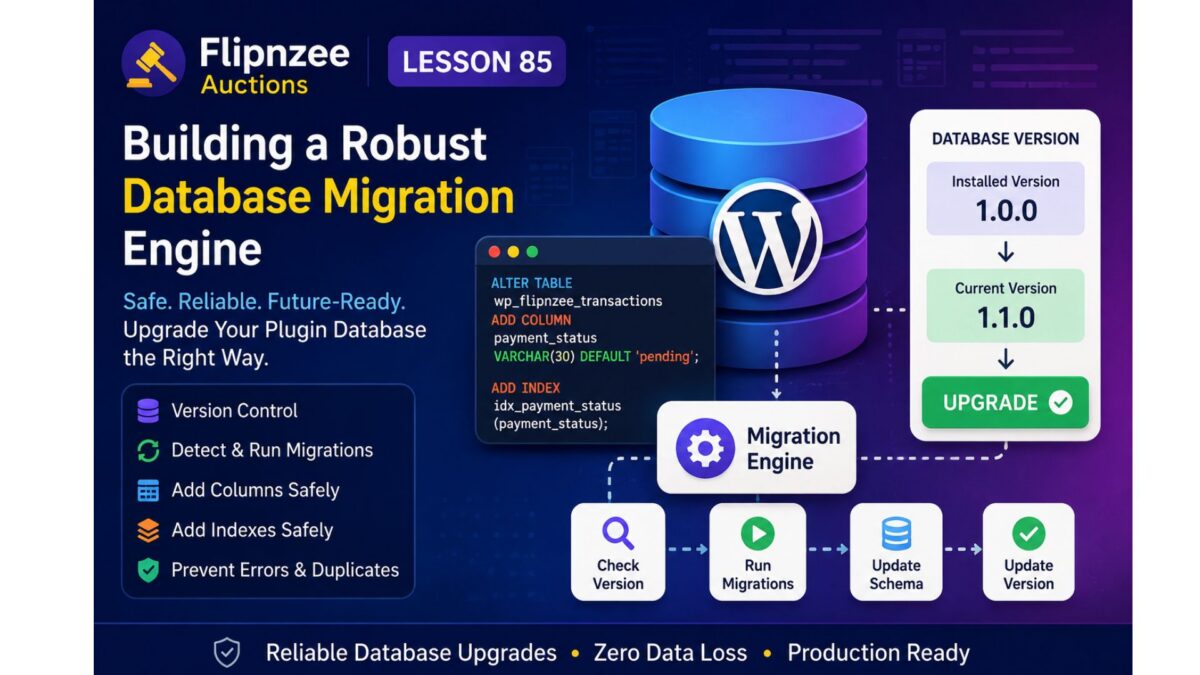
Lesson 85: Building a Robust Database Migration Engine for WordPress Plugins


Introduction

As WordPress plugins evolve, their database schema often needs to change. New columns, indexes, and even tables may be added as features are introduced. While WordPress provides the dbDelta() function to create and update database tables, real-world experience has shown that it is not always reliable for upgrading complex schemas across different hosting environments, PHP versions, and database servers.

During the previous lesson, while extending the Flipnzee Auctions payment system, extensive debugging revealed that the SQL definitions were valid, yet dbDelta() repeatedly generated invalid index upgrade statements when attempting to modify an existing table. Rather than continuing to rely on automatic schema parsing, this lesson introduces a dedicated database migration engine that performs controlled, version-based upgrades.

This approach follows the design philosophy used by many mature WordPress plugins and provides much greater reliability for long-term maintenance.


Objectives

By the end of this lesson we will:

  • Create a database version management system.
  • Store the installed database version.
  • Detect plugin upgrades automatically.
  • Execute database migrations only when required.
  • Check whether columns already exist.
  • Check whether indexes already exist.
  • Safely execute ALTER TABLE statements.
  • Prevent duplicate database modifications.
  • Prepare the plugin for future schema upgrades.

Why Database Migrations Matter

Using only dbDelta() works well when a plugin is first installed, but upgrading an existing database becomes increasingly difficult as more features are added.

A migration system offers several advantages:

  • predictable upgrades
  • version tracking
  • improved compatibility
  • safer production deployments
  • easier debugging
  • rollback-friendly architecture

Instead of recreating entire table definitions during every plugin activation, migrations apply only the changes required for the installed version.


Proposed Architecture

The migration engine will consist of four main components.

1. Database Version Constant

define( 'FLIPNZEE_DB_VERSION', '1.1.0' );

2. Stored Database Version

get_option( 'flipnzee_db_version' );

3. Migration Runner

Plugin Activated
        │
        ▼
Read Installed Database Version
        │
        ▼
Compare With Current Version
        │
        ▼
Run Required Migration(s)
        │
        ▼
Update Stored Version

4. Individual Migration Methods

Examples include:

migrate_to_1_1_0()

migrate_to_1_2_0()

migrate_to_1_3_0()

Each migration performs only the changes required for that specific release.


Column Upgrade Strategy

Before adding a column:

SHOW COLUMNS

If the column does not exist:

ALTER TABLE
ADD COLUMN ...

Otherwise:

Skip

This prevents duplicate column errors.


Index Upgrade Strategy

Instead of relying on dbDelta():

SHOW INDEX

If the index is missing:

ALTER TABLE
ADD INDEX

Otherwise:

Skip

This avoids parser-related upgrade issues.


Benefits

After implementing the migration engine, Flipnzee Auctions will gain:

  • reliable upgrades
  • production-safe database changes
  • incremental schema evolution
  • simpler debugging
  • compatibility with existing installations
  • cleaner activation logic
  • easier future development

Files Expected to Change

During implementation we expect to work primarily with:

includes/class-database.php

Potentially also:

flipnzee-auctions.php

to initialise the migration process during activation.


Skills Learned

This lesson introduces several professional WordPress development concepts:

  • semantic database versioning
  • migration architecture
  • schema evolution
  • defensive database programming
  • production-safe plugin upgrades
  • backward compatibility

Expected Outcome

By the end of this lesson, Flipnzee Auctions will no longer depend entirely on dbDelta() for schema upgrades.

Instead, the plugin will include a dedicated migration engine capable of safely upgrading existing installations while preserving data and supporting future releases.

This establishes a solid foundation for upcoming lessons involving payment verification, escrow workflows, notifications, reporting, and additional marketplace features without risking database inconsistencies.

Lesson 84 Implementation: Extending the Payment Database and Investigating WordPress Database Upgrades

In this lesson, work continued on preparing Flipnzee Auctions for a complete payment workflow.

The initial objective was to extend the transaction database so that future lessons could support payment proof uploads, manual verification, and payment tracking.

Database Enhancements

The transactions table was extended to include:

  • payment_status
  • payment_gateway
  • payment_proof_id
  • payment_submitted_at

These additions provide the foundation required for recording buyer payments after an auction has ended.

Unexpected Challenge

After implementing the schema changes, plugin activation began producing thousands of characters of unexpected output.

Instead of immediately changing the implementation, the issue was investigated systematically.

The debugging process included:

  • validating SQL syntax
  • checking PHP syntax
  • isolating individual dbDelta() calls
  • inspecting plugin activation logs
  • comparing generated SQL with the existing database
  • examining the database structure using SHOW CREATE TABLE
  • logging the SQL sent to dbDelta()
  • analysing the return values from dbDelta()

Findings

The investigation revealed several important observations:

  • The SQL statements themselves were valid.
  • The existing database tables were structurally correct.
  • WordPress repeatedly generated malformed index upgrade statements while processing database upgrades.
  • The issue originated from dbDelta() attempting to parse existing indexes rather than from invalid SQL definitions.

Although the payment schema itself was correct, relying on dbDelta() for complex schema upgrades proved unreliable in this development environment.

Engineering Decision

Rather than continuing to force dbDelta() to modify existing tables, the project will adopt a dedicated migration system in the next lesson.

Future database upgrades will:

  • check whether tables exist
  • verify individual columns
  • verify indexes
  • execute explicit ALTER TABLE statements only when required
  • maintain a plugin database version for safe upgrades

This approach is widely used in mature WordPress plugins because it provides greater control over database evolution and reduces compatibility issues across different hosting environments.

What Was Learned

One of the biggest lessons from this implementation is that software development often involves validating assumptions.

The payment database design itself was correct. The challenge lay in how WordPress attempted to upgrade an existing schema.

Carefully isolating each database operation, examining generated SQL, and validating the existing database structure made it possible to identify the true source of the problem rather than assuming the SQL definitions were incorrect.

Source Code Highlights

During this lesson, the transaction table was extended with new payment-related fields, including:

payment_status VARCHAR(30) DEFAULT 'pending',
payment_gateway VARCHAR(50) DEFAULT '',
payment_proof_id BIGINT UNSIGNED DEFAULT NULL,
payment_submitted_at DATETIME NULL,

Extensive logging was also added temporarily to inspect the SQL generated during activation and analyse the output returned by dbDelta() before deciding on a more robust migration strategy.

Download Source Code

Download the starting version of the plugin before the lesson:

Download the completed version after this lesson:

Next Lesson

Lesson 85 will focus on building Flipnzee’s database migration engine.

Instead of depending on dbDelta() for every schema change, the plugin will introduce version-based database migrations that safely upgrade existing installations while remaining compatible with future releases.


Lesson 84: Designing the Payment Transaction Database for Flipnzee Auctions


One of the most important milestones for any auction platform is handling what happens after an auction ends. While previous lessons focused on listings, bidding, winners, and auction management, the next stage is enabling a complete payment workflow between buyers and sellers.

In this lesson, the goal is to extend the existing transactions table so that it can support manual payment verification and future payment gateway integrations.

Objectives

  • Extend the transaction database schema.
  • Store payment status for every completed auction.
  • Record the selected payment gateway.
  • Support uploading payment proof.
  • Store the payment submission timestamp.
  • Prepare the plugin for future escrow and automated payment workflows.

Planned Database Enhancements

The transaction table will be extended with additional fields such as:

  • payment_status
  • payment_gateway
  • payment_proof_id
  • payment_submitted_at

These fields will allow the plugin to track the complete payment lifecycle from auction completion through seller verification.

Expected Outcome

By the end of this lesson, the payment database foundation will be ready for implementing buyer payment submission and seller/admin verification in upcoming lessons.

Lesson 83 Implementation: Refactoring the Flipnzee Auctions Dashboard with Reusable Helper Methods

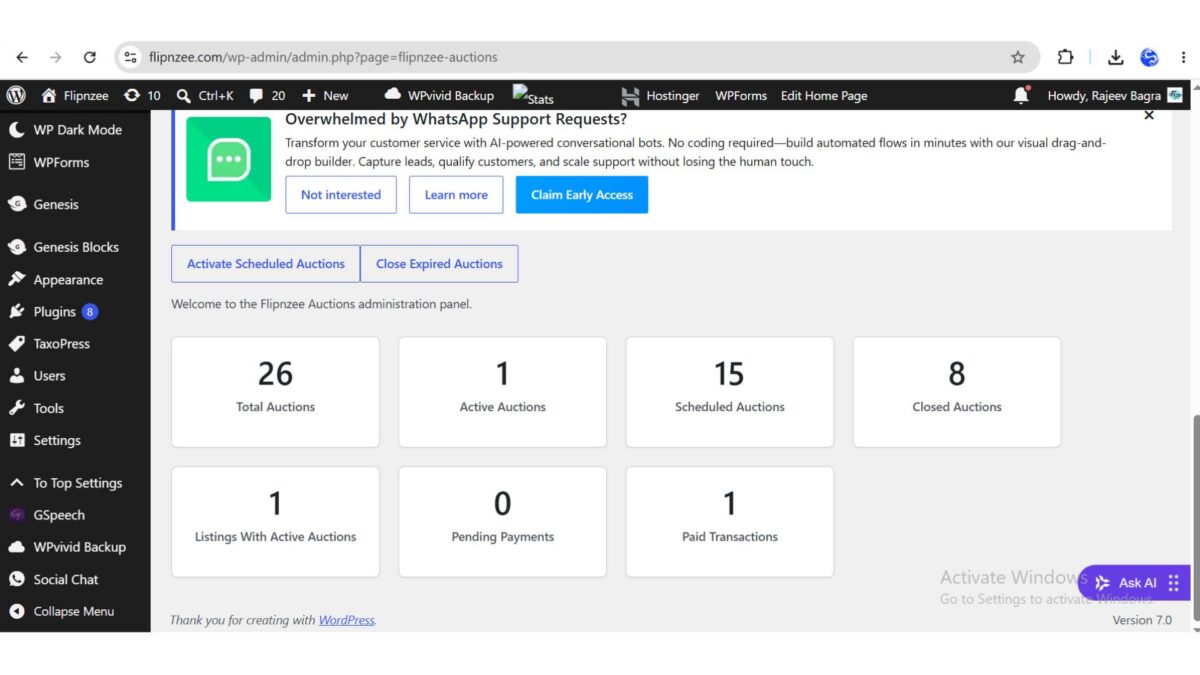
As the Flipnzee Auctions plugin continues to evolve, maintaining clean, readable, and reusable code becomes increasingly important. In previous lessons, the dashboard was enhanced to display multiple live statistics, including the total number of auctions, active auctions, scheduled auctions, closed auctions, and transaction counts. Although the functionality worked perfectly, the dashboard contained repeated HTML for every statistics card.

In this lesson, the focus shifted from adding new features to improving the internal architecture of the plugin. By extracting the repeated dashboard card markup into a reusable helper method, the code became cleaner, more modular, and easier to maintain without changing any existing functionality.


Objective

The primary objective of this lesson was to eliminate duplicated HTML from the Flipnzee Auctions Dashboard by introducing a reusable helper method responsible for rendering individual dashboard cards.

The implementation aimed to:

  • Remove repeated dashboard card markup.
  • Improve readability of the dashboard_page() method.
  • Follow the DRY (Don’t Repeat Yourself) principle.
  • Improve maintainability for future dashboard enhancements.
  • Preserve all existing functionality.

Original Dashboard Implementation

Previously, the dashboard rendered every statistics card directly inside the loop.

foreach ( $cards as $title => $value ) :
?>

<div class="flipnzee-dashboard-card">

    <h2>
        <?php echo esc_html( $value ); ?>
    </h2>

    <p>
        <?php echo esc_html( $title ); ?>
    </p>

</div>

<?php endforeach; ?>

Although this approach worked correctly, the HTML structure was tightly coupled with the dashboard logic. Every new dashboard card required copying the same markup again.


Creating a Reusable Helper Method

To eliminate the duplicated HTML, a new private helper method was introduced inside the Flipnzee_Auction_Admin class.

/**
 * Render a dashboard statistic card.
 *
 * @param string $title Card title.
 * @param mixed  $value Card value.
 */
private function render_dashboard_card( $title, $value ) {
    ?>
    <div class="flipnzee-dashboard-card">

        <h2><?php echo esc_html( $value ); ?></h2>

        <p><?php echo esc_html( $title ); ?></p>

    </div>
    <?php
}

This helper method accepts two parameters:

  • The title of the dashboard statistic.
  • The value to display.

The method is responsible only for rendering a dashboard card, making it reusable throughout the plugin.


Simplifying the Dashboard Loop

With the helper method in place, the dashboard rendering logic became significantly cleaner.

Instead of repeating HTML inside the loop, each dashboard card is now generated by a single function call.

foreach ( $cards as $title => $value ) {

    $this->render_dashboard_card(
        $title,
        $value
    );

}

This reduced the size of the dashboard_page() method and clearly separated data preparation from presentation.


Benefits of the Refactoring

Although the appearance of the dashboard remained unchanged, the internal architecture improved considerably.

The advantages include:

  • Cleaner dashboard code.
  • Elimination of duplicated HTML.
  • Easier maintenance.
  • Easier future expansion.
  • Improved readability.
  • Better object-oriented structure.
  • Greater consistency across dashboard components.

Adding a new dashboard statistic now requires only a new entry in the $cards array rather than duplicating HTML.


Implementation Challenges

During the implementation, several structural issues had to be resolved.

Correct Placement of the Helper Method

Initially, the helper method was inserted inside the dashboard_page() method, which caused PHP syntax errors.

The issue was resolved by placing the helper method outside dashboard_page() while keeping it inside the Flipnzee_Auction_Admin class.


Cleaning Up Leftover HTML

After replacing the repeated dashboard markup with the helper method, several leftover closing HTML tags from the original implementation remained.

These obsolete tags were removed to restore the correct HTML structure.


Avoiding Duplicate Methods

While moving the helper function, an accidental duplicate copy of the method was created.

The duplicate method was removed, leaving a single reusable implementation.


Verifying Syntax

After completing the refactoring, PHP’s built-in syntax checker was executed.

php -l admin/class-admin.php

Output:

No syntax errors detected in admin/class-admin.php

This confirmed the refactoring introduced no syntax errors.


Testing

Extensive testing was carried out after the refactoring.

Dashboard Statistics

The following dashboard cards displayed correctly:

  • Total Auctions
  • Active Auctions
  • Scheduled Auctions
  • Closed Auctions
  • Listings With Active Auctions
  • Pending Payments
  • Paid Transactions

Dashboard Actions

Both dashboard maintenance buttons continued to function correctly.

  • Activate Scheduled Auctions
  • Close Expired Auctions

No behavioural changes were introduced.


Plugin Pages

Additional plugin pages were opened to verify that no unrelated functionality had been affected.

Successfully tested:

  • Dashboard
  • Add Auction
  • All Auctions
  • Transactions
  • Payments
  • Activity Log
  • Edit Auction

All pages loaded successfully.


Lessons Learned

This lesson reinforced several important software engineering concepts.

  • Refactoring is an essential part of software development.
  • Cleaner code is easier to maintain than duplicated code.
  • Helper methods improve readability.
  • Following the DRY principle reduces maintenance effort.
  • Separating presentation from business logic produces a better architecture.
  • Syntax validation should always follow structural changes.
  • Functional testing is equally important after refactoring.

Final Result

The Flipnzee Auctions Dashboard now uses a reusable helper method to render every statistics card.

The dashboard looks exactly the same to administrators, but internally the code is significantly cleaner, shorter, and easier to extend.

This refactoring provides a stronger architectural foundation for future dashboard enhancements, including additional statistics, widgets, notifications, charts, and reusable UI components.

Download Source Code

Download the starting version of the plugin before the lesson:

Download the completed version after this lesson:


Source Code Summary

The implementation included the following improvements:

  • Created the render_dashboard_card() helper method.
  • Replaced duplicated dashboard HTML with a reusable method call.
  • Removed redundant markup.
  • Corrected method placement within the class.
  • Eliminated duplicate helper methods.
  • Validated PHP syntax.
  • Tested all dashboard functionality.
  • Verified backward compatibility.

Conclusion

Not every improvement in a software project involves adding new functionality. Sometimes the most valuable progress comes from improving the quality of the existing code.

By extracting repeated dashboard card markup into a reusable helper method, the Flipnzee Auctions plugin now follows cleaner object-oriented design principles while maintaining exactly the same user experience. The result is a more maintainable, scalable, and professional codebase that will support future development much more effectively.