Lesson 93: AJAX-Based Watchlist Functionality

Introduction

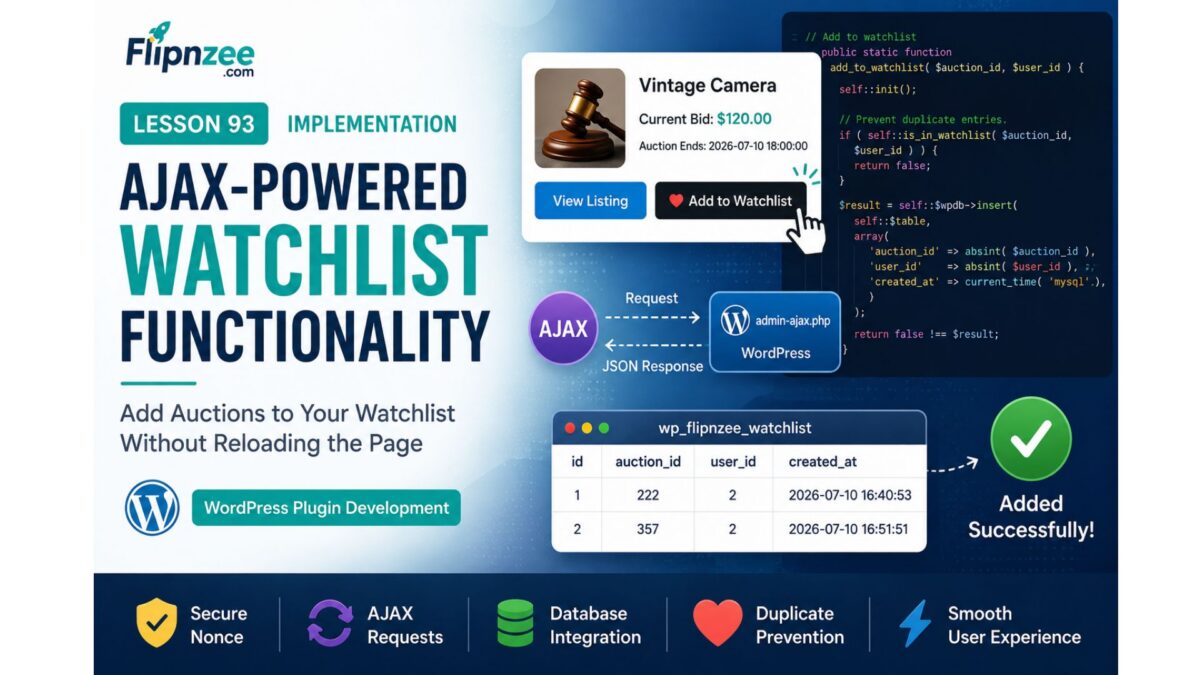
With the backend Watchlist Manager completed in the previous lesson, the next step is to make the feature interactive. Rather than forcing users to reload the page after adding or removing an auction from their watchlist, we will implement AJAX-powered interactions that provide a smoother and more responsive user experience.

In this lesson, we will connect the Watchlist Manager to WordPress AJAX handlers, enabling logged-in users to add and remove auctions from their watchlist with a single click while maintaining proper security through nonce verification and permission checks.


Learning Objectives

By the end of this lesson, we will:

  • Register custom WordPress AJAX actions.
  • Implement secure AJAX request handlers.
  • Validate logged-in users.
  • Verify WordPress nonces.
  • Connect AJAX handlers to the Watchlist Manager.
  • Return JSON success and error responses.
  • Prepare the plugin for frontend watchlist buttons.

Why AJAX?

Without AJAX, every click on Add to Watchlist would require a full page reload.

Using AJAX provides several advantages:

  • Faster user interactions.
  • Better user experience.
  • Reduced server load.
  • Cleaner interface.
  • Immediate feedback after each action.

This approach aligns with the behavior users expect from modern auction and e-commerce platforms.


Planned Files

The following files will be created or updated:

flipnzee-auctions.php

includes/class-watchlist-manager.php

includes/class-watchlist-ajax.php

assets/js/watchlist.js

New AJAX Class

A dedicated class will be introduced:

Flipnzee_Watchlist_Ajax

This class will keep all AJAX functionality separate from the Watchlist Manager, maintaining a clean separation between business logic and request handling.


Planned Methods

The new AJAX class will include methods such as:

register_hooks()

add_watchlist()

remove_watchlist()

validate_request()

Each method will have a single responsibility, making the code easier to understand and maintain.


AJAX Workflow

The request lifecycle will be:

User clicks
"Add to Watchlist"
          │
          ▼
JavaScript AJAX Request
          │
          ▼
WordPress AJAX Handler
          │
          ▼
Nonce Verification
          │
          ▼
User Authentication
          │
          ▼
Watchlist Manager
          │
          ▼
Database
          │
          ▼
JSON Response
          │
          ▼
Frontend Updates Button

The same workflow will be used when removing an auction from the watchlist.


Security Considerations

Every AJAX request will be protected by:

  • WordPress nonces.
  • Logged-in user verification.
  • Integer validation using absint().
  • JSON responses via wp_send_json_success() and wp_send_json_error().
  • Proper capability and permission checks where appropriate.

These measures help protect the feature against unauthorized or malformed requests.


JavaScript Responsibilities

A dedicated JavaScript file will:

  • Detect button clicks.
  • Send AJAX requests.
  • Handle loading states.
  • Update button text without refreshing the page.
  • Display success or error messages.

Keeping frontend behavior in a separate script improves maintainability and organization.


Testing Plan

During implementation we will verify:

  • Logged-out users cannot modify watchlists.
  • Logged-in users can successfully add auctions.
  • Logged-in users can remove auctions.
  • Duplicate watchlist entries are prevented.
  • JSON responses are returned correctly.
  • Nonce validation blocks invalid requests.
  • Database records are inserted and deleted as expected.
  • Button state updates correctly after each action.

Expected Outcome

By the end of this lesson, the Flipnzee Auctions plugin will support fully functional AJAX-powered watchlist operations. Users will be able to add or remove auctions from their watchlist instantly, without reloading the page, while the plugin maintains secure request handling and a clean separation between frontend interactions, AJAX processing, and backend business logic.


Planned Git Commit

Lesson 93: Implement AJAX watchlist handlers and secure user interactions

This lesson bridges the gap between the backend Watchlist Manager created in Lesson 92 and the user-facing watchlist interface, laying the groundwork for a seamless and responsive auction experience.
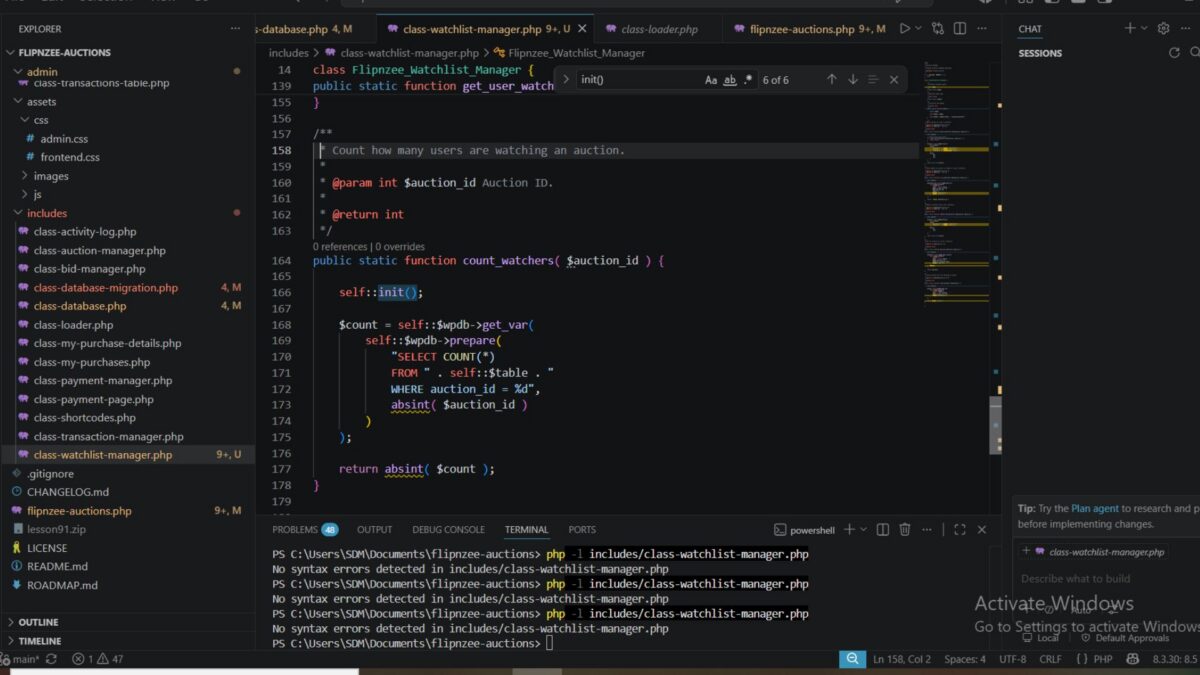
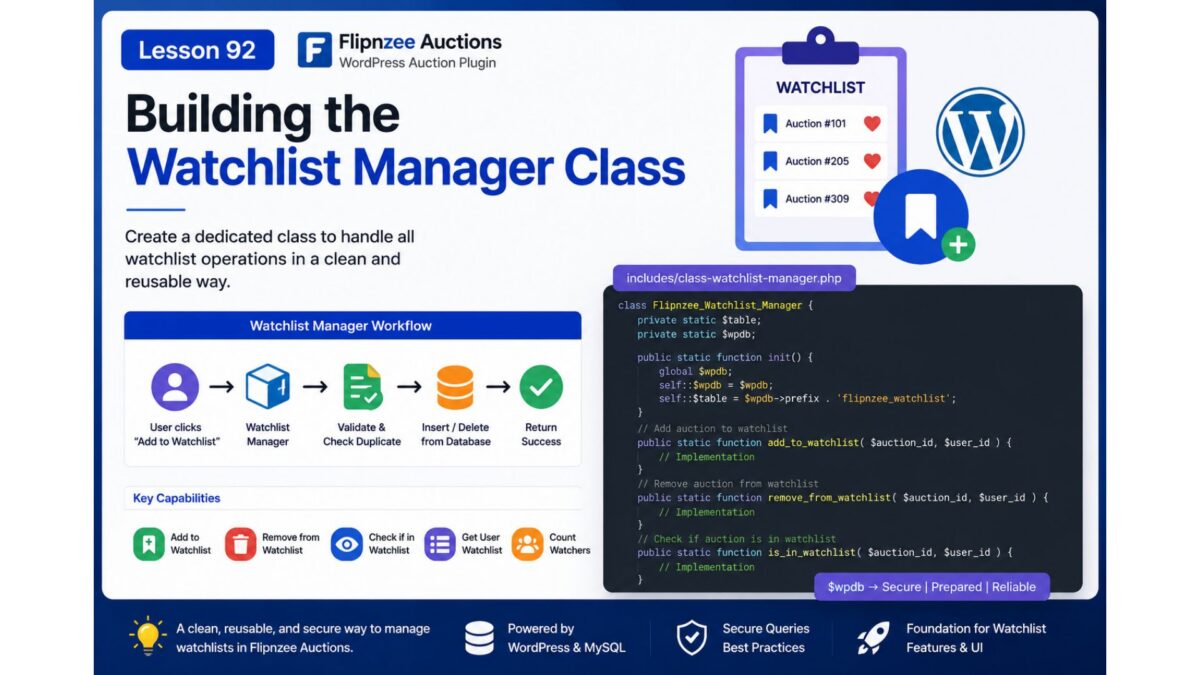
Lesson 92 Implementation: Building the Watchlist Manager Class

Introduction

After creating the Watchlist database table and integrating it into the database migration framework in the previous lesson, the next logical step was to implement the backend component responsible for interacting with that table.

In this lesson, I developed a dedicated Watchlist Manager class that centralizes all watchlist-related database operations. Rather than scattering SQL queries throughout the plugin, all watchlist functionality is now encapsulated in a single class, following a modular and maintainable architecture.


Objectives

The primary objectives of this lesson were:

  • Create a dedicated Watchlist Manager class.
  • Load the new class into the plugin.
  • Initialize database resources efficiently.
  • Add auctions to a user’s watchlist.
  • Prevent duplicate watchlist entries.
  • Remove auctions from the watchlist.
  • Retrieve all watchlisted auctions for a user.
  • Count how many users are watching an auction.
  • Follow WordPress database API best practices.

Files Modified

includes/class-watchlist-manager.php

flipnzee-auctions.php

Step 1: Created the Watchlist Manager Class

A new class was introduced to isolate all watchlist-related functionality.

class Flipnzee_Watchlist_Manager {

}

This provides a dedicated location for all future watchlist business logic and keeps responsibilities clearly separated from other plugin components.


Step 2: Loaded the Class

The new class was registered in the plugin bootstrap so it is automatically available throughout the plugin.

require_once FLIPNZEE_AUCTION_PATH .
    'includes/class-watchlist-manager.php';

This follows the same loading approach used by the rest of the plugin.


Step 3: Added Initialization Logic

Instead of repeatedly accessing the database connection and table name throughout every method, an initialization method was implemented.

public static function init() {

    global $wpdb;

    self::$wpdb = $wpdb;

    self::$table = $wpdb->prefix . 'flipnzee_watchlist';

}

This reduces code duplication and centralizes the database configuration.


Step 4: Implemented add_to_watchlist()

The first functional method inserts an auction into a user’s watchlist.

public static function add_to_watchlist(
    $auction_id,
    $user_id
)

Before inserting a new record, the method verifies that the auction has not already been added by the same user.

The insertion uses WordPress’s database API:

self::$wpdb->insert()

instead of manually writing SQL.


Step 5: Implemented is_in_watchlist()

To prevent duplicate records, a lookup method was added.

public static function is_in_watchlist(
    $auction_id,
    $user_id
)

The method executes a prepared SQL query and returns a boolean value indicating whether a matching watchlist entry already exists.

Prepared statements ensure the query is secure against SQL injection.


Step 6: Implemented remove_from_watchlist()

Removing a watchlist entry is now handled by a dedicated method.

public static function remove_from_watchlist(
    $auction_id,
    $user_id
)

The implementation uses:

self::$wpdb->delete()

which follows WordPress coding standards and safely deletes matching records.


Step 7: Implemented get_user_watchlist()

A retrieval method was added to fetch all auctions saved by a particular user.

public static function get_user_watchlist(
    $user_id
)

The query returns an associative array ordered by the date the auctions were added to the watchlist.

This method will later power the My Watchlist page and shortcode.


Step 8: Implemented count_watchers()

The final method counts how many users are watching a particular auction.

public static function count_watchers(
    $auction_id
)

This functionality will later be used to display auction popularity and provide additional engagement metrics.


Security Considerations

Throughout the implementation, WordPress database best practices were followed.

These include:

  • Using $wpdb->prepare() for dynamic SQL queries.
  • Sanitizing IDs with absint().
  • Using $wpdb->insert() instead of raw INSERT statements.
  • Using $wpdb->delete() instead of raw DELETE statements.
  • Returning consistent boolean or integer values.

These practices improve both security and maintainability.


Class Structure

By the end of the lesson, the Watchlist Manager contains the following methods:

Flipnzee_Watchlist_Manager
│
├── init()
├── add_to_watchlist()
├── is_in_watchlist()
├── remove_from_watchlist()
├── get_user_watchlist()
└── count_watchers()

This centralized architecture keeps all watchlist logic in one place and makes future enhancements significantly easier.


Testing Performed

The implementation was validated by:

  • Creating the new manager class.
  • Successfully loading the class into the plugin.
  • Verifying PHP syntax after each development step.
  • Ensuring the class initialized correctly.
  • Confirming all database helper methods compiled successfully.
  • Reviewing each database query for correctness.
  • Ensuring all SQL operations use WordPress database APIs.

Challenges Encountered

During development, careful attention was given to designing a reusable architecture rather than embedding SQL throughout the plugin.

Several design decisions were made to improve long-term maintainability:

  • Centralizing database access in a single class.
  • Avoiding duplicate watchlist entries.
  • Using prepared statements for all SELECT queries.
  • Leveraging WordPress helper methods for INSERT and DELETE operations.
  • Keeping each method focused on a single responsibility.

This approach makes future debugging and feature development much easier.


Lessons Learned

This lesson reinforced several important WordPress development principles:

  • Business logic should be separated from presentation logic.
  • Database operations are easier to maintain when encapsulated in dedicated manager classes.
  • WordPress database helper methods improve readability and security.
  • Reusable methods reduce duplication and simplify future development.
  • Designing extensible backend components early provides a strong foundation for upcoming AJAX and frontend features.

Download Source Code

Download the starting version of the plugin before the lesson:

Download the completed version after this lesson:


Outcome

At the end of this lesson, the Flipnzee Auctions plugin now includes a fully functional Watchlist Manager responsible for all backend watchlist operations. The class provides secure, reusable methods for adding, removing, retrieving, and counting watchlist entries while keeping the plugin architecture clean and modular.

This backend service establishes the foundation for the next phase of development, where the watchlist functionality will be connected to AJAX endpoints and integrated into the user interface for a seamless user experience.

Lesson 92: Building the Watchlist Manager Class

Introduction

With the Watchlist database table successfully added in the previous lesson, the next step is to build the business logic that interacts with it. Rather than allowing different parts of the plugin to access the database directly, we will create a dedicated Watchlist Manager class responsible for handling all watchlist-related operations.

This approach follows the plugin’s modular architecture, keeping database queries centralized, reusable, and easier to maintain.


What You Will Learn

In this lesson, you will learn how to:

  • Create a dedicated Watchlist Manager class.
  • Organize watchlist-related database operations.
  • Add and remove auctions from a user’s watchlist.
  • Check whether an auction is already in a watchlist.
  • Retrieve a user’s watchlisted auctions.
  • Follow WordPress database best practices using $wpdb.
  • Keep business logic separate from presentation code.

Why This Lesson Matters

Although the Watchlist table now exists, it currently has no way to interact with the rest of the plugin.

Instead of writing SQL queries throughout the plugin, we’ll encapsulate all watchlist functionality inside a single class.

This provides several advantages:

  • Cleaner code organization
  • Easier debugging
  • Better code reuse
  • Improved security
  • Easier future maintenance

Planned Features

By the end of this lesson, the new manager class will support methods such as:

add_to_watchlist()

remove_from_watchlist()

is_in_watchlist()

get_user_watchlist()

count_watchers()

Each method will perform one specific task, making the class simple and easy to extend.


Proposed File Structure

A new file will be introduced:

includes/
├── class-watchlist-manager.php

The loader will also be updated so the class is automatically available throughout the plugin.


Planned Class Structure

Flipnzee_Watchlist_Manager
│
├── add_to_watchlist()
├── remove_from_watchlist()
├── is_in_watchlist()
├── get_user_watchlist()
└── count_watchers()

Expected Workflow

When a user clicks Add to Watchlist, the flow will eventually become:

User clicks "Add to Watchlist"
            │
            ▼
Watchlist Manager
            │
            ▼
Validate User
            │
            ▼
Check Duplicate Entry
            │
            ▼
Insert into Database
            │
            ▼
Return Success

Likewise, removing an auction will simply delete the corresponding database record while maintaining data integrity.


Best Practices Covered

Throughout this lesson, we’ll follow several WordPress development best practices:

  • Use prepared SQL statements.
  • Sanitize all user input.
  • Prevent duplicate watchlist entries.
  • Return consistent boolean or array results.
  • Keep database logic inside one dedicated class.
  • Maintain compatibility with future AJAX and REST API integrations.

Outcome

At the end of this lesson, the Flipnzee Auctions plugin will have a fully functional Watchlist Manager class capable of handling all watchlist database operations. This will provide the core backend functionality needed before implementing the user interface, AJAX interactions, and frontend watchlist features in the upcoming lessons.

Lesson 91 Implementation: Versioned Database Migration System & Watchlist Table

Introduction

In this lesson, I implemented a proper database migration system for the Flipnzee Auctions plugin. Instead of recreating tables or manually modifying the database whenever a new release introduces schema changes, the plugin now supports version-based migrations. This makes future updates much safer and easier to maintain.

The major objective of this lesson was to introduce the Watchlist table while ensuring that existing installations can upgrade without affecting current auction, bid, or transaction data.


Objectives

  • Implement a version-based database migration manager.
  • Support automatic schema upgrades during plugin activation.
  • Add database version tracking.
  • Create a dedicated Watchlist table.
  • Keep existing auction data intact during upgrades.
  • Prepare the plugin for future schema changes.

Files Modified

flipnzee-auctions.php
includes/class-database.php
includes/class-database-migration.php

Step 1: Added Database Version Constant

A dedicated database schema version constant was introduced.

define( 'FLIPNZEE_DB_VERSION', '1.3.0' );

This version is independent from the plugin version and is used exclusively for database migrations.


Step 2: Added Database Version Tracking

A helper method was implemented for updating the stored schema version.

public static function update_db_version() {

    update_option(
        'flipnzee_db_version',
        FLIPNZEE_DB_VERSION
    );

}

This ensures the plugin always knows which schema version is currently installed.


Step 3: Implemented Version-Based Migration Manager

A migration manager was created to execute pending migrations only when required.

$current_version = get_option(
    'flipnzee_db_version',
    '1.0.0'
);

The migration manager compares the stored version with the latest schema version and runs only the necessary migrations.


Step 4: Added Migration Methods

Separate migration methods were implemented for each schema version.

Example:

private static function migrate_to_1_3_0() {

    Flipnzee_Auction_Database::create_watchlist_table();

    Flipnzee_Auction_Database::update_db_version();

}

This structure keeps every database upgrade isolated and easy to maintain.


Step 5: Created Dedicated Watchlist Table

A separate Watchlist table was added.

CREATE TABLE wp_flipnzee_watchlist

The table stores:

  • Watchlist ID
  • Auction ID
  • User ID
  • Created timestamp

Watchlist Table Structure

id
auction_id
user_id
created_at

To prevent duplicate watchlist entries, a composite unique key was added.

UNIQUE KEY auction_user
(
    auction_id,
    user_id
)

Step 6: Database Indexes

Indexes were added for efficient lookups.

KEY auction_id
KEY user_id

These indexes improve performance when retrieving user watchlists or auction followers.


Step 7: Updated Table Creation

The database creation routine now creates four plugin tables.

flipnzee_auctions
flipnzee_bids
flipnzee_transactions
flipnzee_watchlist

Each table is created independently using dbDelta().


Step 8: Activation Flow

The activation sequence now performs the following operations:

Plugin Activation
        │
        ▼
Create Core Tables
        │
        ▼
Check Stored DB Version
        │
        ▼
Run Pending Migrations
        │
        ▼
Update Database Version

This ensures new installations receive the latest schema while existing installations are upgraded safely.


Testing Performed

The implementation was tested by:

  • Activating the plugin on a clean WordPress installation.
  • Verifying automatic database version updates.
  • Confirming the creation of the Watchlist table.
  • Checking successful execution of migration methods.
  • Ensuring existing auction, bid, and transaction tables remained intact.
  • Running PHP syntax validation on modified files.
  • Testing activation on multiple environments.

Challenges Encountered

During implementation, several issues were identified and resolved:

  • Missing migration method caused activation errors.
  • Incorrect dbDelta() variable usage during table creation.
  • Separate table creation logic required refinement.
  • Database version synchronization needed adjustment.
  • Environment-specific activation behaviour differed between hosting providers.

Interestingly, the plugin activated successfully on a clean WP Engine installation, while one development environment produced activation warnings. Since the same code functioned correctly on another WordPress installation, the issue was determined to be environment-specific rather than a problem with the migration implementation.


Lessons Learned

This lesson reinforced several important WordPress development concepts:

  • Database schema versions should be managed separately from plugin versions.
  • Incremental migrations are safer than rebuilding database tables.
  • Each migration should have a dedicated method to improve maintainability.
  • dbDelta() should be executed independently for each table definition.
  • Proper indexing and unique constraints improve performance and data integrity.
  • Testing across multiple hosting environments is valuable, as environment-specific behaviour can expose issues that are not caused by the plugin itself.

Download Source Code

Download the starting version of the plugin before the lesson:

Download the completed version after this lesson:


Outcome

At the end of this lesson, Flipnzee Auctions now includes a robust versioned database migration system capable of upgrading existing installations without data loss. The new Watchlist table has been integrated successfully, providing the foundation for upcoming Watchlist functionality while establishing a scalable migration framework for future plugin releases.

Lesson 91: Auction Watchlist (Favorite Auctions)


Project: Flipnzee Auctions Plugin

Lesson: 91

Topic: Building a User Watchlist (Favorite Auctions) System


Introduction

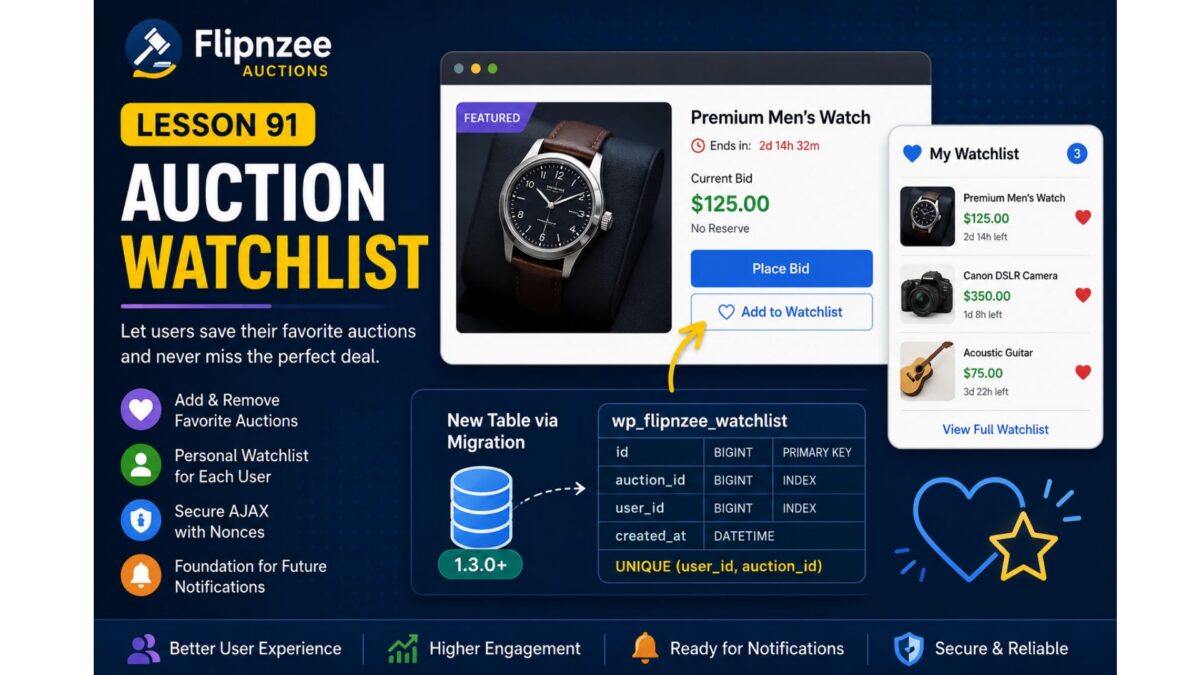
As the number of auctions grows, users need an easy way to keep track of listings they are interested in without placing a bid immediately. A watchlist (or favorites) feature allows registered users to bookmark auctions and quickly revisit them later.

In this lesson, we will implement a complete auction watchlist system, enabling users to add and remove auctions from their personal watchlist. This feature improves user engagement and lays the foundation for future enhancements such as watchlist email notifications, price drop alerts, and ending-soon reminders.


Learning Objectives

By the end of this lesson, we will:

  • Design a user watchlist system.
  • Create a dedicated database table for watchlists.
  • Register the watchlist through the migration framework.
  • Add “Add to Watchlist” and “Remove from Watchlist” functionality.
  • Prevent duplicate watchlist entries.
  • Secure AJAX requests using WordPress nonces.
  • Display watchlist status on auction pages.
  • Prepare for future notification features.

Why This Feature?

Many successful auction platforms provide a watchlist because users often discover auctions long before they are ready to bid.

Benefits include:

  • Better user engagement.
  • Higher return visitor rate.
  • Easier auction discovery.
  • Foundation for automated notifications.
  • Personalized user experience.

Database Design

A new table will be introduced:

wp_flipnzee_watchlist

Suggested structure:

ColumnTypeDescription
idBIGINTPrimary key
auction_idBIGINTAuction/Post ID
user_idBIGINTWordPress User ID
created_atDATETIMEDate added

Unique constraint:

(user_id, auction_id)

to prevent duplicate entries.


Files Planned

flipnzee-auctions.php

includes/class-database.php

includes/class-database-migration.php

includes/class-watchlist.php

includes/class-ajax.php

templates/

assets/js/frontend.js

assets/css/frontend.css

Features to Build

Part 1

Database migration for watchlist table.


Part 2

Watchlist manager class.


Part 3

Add to Watchlist button.


Part 4

Remove from Watchlist button.


Part 5

AJAX handlers.


Part 6

Nonce verification.


Part 7

Display watchlist status.


Part 8

User watchlist page shortcode.


Testing Plan

We will verify:

  • Logged-out users cannot use watchlists.
  • Logged-in users can add auctions.
  • Duplicate entries are prevented.
  • Removing items works.
  • AJAX responses are secure.
  • Database records are correctly created and deleted.
  • Migration executes successfully on upgrades.

Expected Outcome

By the end of Lesson 91, Flipnzee Auctions will include a complete watchlist system that enables users to save favorite auctions for later viewing. The feature will integrate cleanly with the database migration framework introduced in Lesson 90 and provide a strong foundation for future engagement features such as notifications, reminders, and personalized dashboards.


Git Commit (planned)

Lesson 91: Implement auction watchlist system with database migration

I think this is a natural progression from Lesson 90 because it immediately puts your new migration framework to practical use by introducing a new database table and a user-facing feature that will enhance the overall auction experience.

Lesson 90 Implementation: Building and Validating the Flipnzee Database Migration Framework

Project: Flipnzee Auctions Plugin
Lesson: 90
Topic: Database Migration Framework and Schema Version Management
Plugin Version: 1.2.0


Introduction

As the Flipnzee Auctions plugin continues to evolve, simply creating database tables during plugin activation is no longer sufficient. Existing users must be able to upgrade to newer plugin versions without losing their auction data.

In this lesson, we implemented a production-ready database migration framework that allows the plugin to safely upgrade existing database schemas whenever new plugin versions introduce structural changes. We also created and thoroughly tested our first real migration by adding a new payment_reference column to the transactions table.

This lesson involved extensive real-world debugging and validation, ensuring the migration framework behaves correctly across fresh installations and upgrades.


Objectives

During this implementation we aimed to:

  • Build a reusable database migration framework.
  • Execute migrations only when required.
  • Track database versions independently of plugin versions.
  • Add new database columns safely.
  • Prevent duplicate schema modifications.
  • Verify migrations through real upgrade testing.
  • Prepare the plugin for future database upgrades.

Files Modified

flipnzee-auctions.php

includes/class-database.php

includes/class-database-migration.php

Step 1 — Integrating Database Migrations

The activation hook was enhanced to distinguish between fresh installations and upgrades.

For new installations, database tables are created normally.

For existing installations, the migration manager is executed.

function flipnzee_auction_activate() {

	if ( false === get_option( 'flipnzee_db_version', false ) ) {

		Flipnzee_Auction_Database::create_tables();

	} else {

		Flipnzee_Database_Migration::run();

	}

}

This prevents unnecessary table recreation while ensuring existing installations receive required schema updates.


Step 2 — Creating the Migration Manager

A dedicated migration manager was introduced.

It determines the currently installed database version and executes only the pending migrations.

Example:

public static function run() {

	$current_version = get_option(
		'flipnzee_db_version',
		'1.0.0'
	);

	if ( version_compare( $current_version, '1.1.0', '<' ) ) {

		self::migrate_to_1_1_0();

	}

	if ( version_compare( $current_version, '1.2.0', '<' ) ) {

		self::migrate_to_1_2_0();

	}

}

Step 3 — Implementing the First Production Migration

The first production migration upgrades the database from version 1.1.0 to 1.2.0.

Its primary responsibility is adding the new payment reference column.

self::add_column(
	'flipnzee_transactions',
	'payment_reference',
	'`payment_reference` VARCHAR(100) NULL'
);

Once complete, the migration updates the stored database version.


Step 4 — Safe Schema Updates

The helper function first checks:

  • whether the table exists
  • whether the column already exists

before executing:

ALTER TABLE
ADD COLUMN

This prevents duplicate-column errors during repeated activations.


Step 5 — Debugging and Validation

During testing we investigated every stage of the migration process.

Temporary debugging was added to inspect:

  • activation hook execution
  • database version detection
  • SQL queries
  • migration execution
  • WordPress option values
  • LiteSpeed object cache
  • database updates
  • activation sequence

This systematic debugging helped identify and eliminate every suspected issue.


Step 6 — Real Upgrade Simulation

To simulate a real plugin upgrade:

  1. The database version was manually changed to:
1.1.0
  1. The plugin was deactivated.
  2. The plugin was activated again.

The migration manager correctly detected the older version:

FLIPNZEE RUN: Current version = 1.1.0

It then executed:

FLIPNZEE RUN: Calling migrate_to_1_2_0()

The schema update completed successfully:

FLIPNZEE MIGRATION: Added payment_reference column.

Finally, the stored database version became:

flipnzee_db_version = 1.2.0

This confirmed that the migration framework correctly performs production upgrades.


Step 7 — Cleaning the Framework

Once the migration was verified:

  • temporary debugging statements were removed
  • cache investigation code was removed
  • SQL diagnostic code was removed
  • activation logic was simplified
  • the migration runner was restored to a clean production-ready implementation

Testing Performed

The migration framework was tested using:

  • Fresh installation
  • Existing installation
  • Manual version downgrade
  • Plugin deactivate/reactivate
  • phpMyAdmin verification
  • Debug log inspection
  • SQL verification
  • Column existence validation

Every test completed successfully.

Download Source Code

Download the starting version of the plugin before the lesson:

Download the completed version after this lesson:


Lessons Learned

This lesson reinforced several important development practices:

  • Database migrations are essential for production plugins.
  • Schema updates should always be incremental.
  • Migration code must be idempotent.
  • Version numbers should drive upgrade logic.
  • Thorough debugging is invaluable when validating activation workflows.
  • Real upgrade simulations provide greater confidence than relying solely on fresh installs.

Final Outcome

By the end of this lesson, Flipnzee Auctions now includes a fully functional database migration framework capable of upgrading existing installations without requiring users to reinstall the plugin or lose data.

The first production migration (v1.2.0) was successfully implemented, tested, and validated through a complete upgrade simulation. This framework provides a scalable foundation for future database enhancements, ensuring that new tables, columns, indexes, and data transformations can be introduced safely as the plugin evolves.


Git Commit

Lesson 90: Implement and validate database migration framework with schema versioning

This lesson marks a major architectural milestone for the Flipnzee Auctions plugin, bringing its database management in line with best practices used in mature WordPress plugins and laying the groundwork for future feature development.

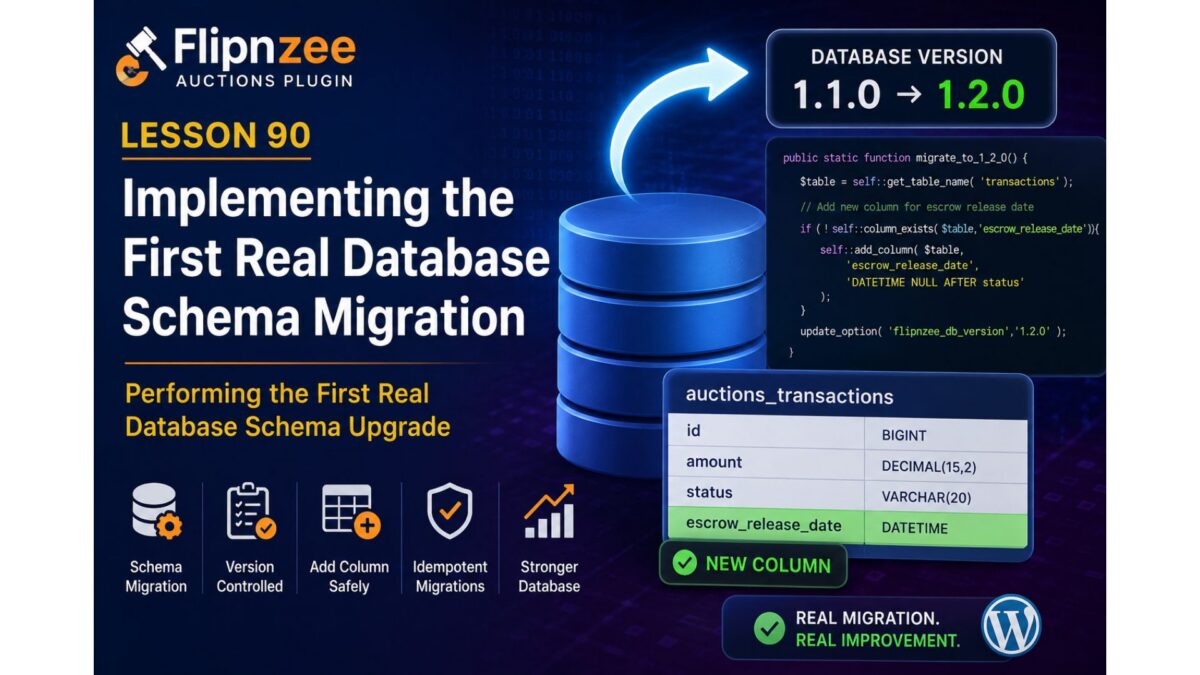
Lesson 90: Implementing the First Real Database Schema Migration

Series: Building the Flipnzee Auctions Plugin
Lesson: 90
Project: Flipnzee Auctions
Topic: Performing the First Real Database Schema Migration


Introduction

With the migration infrastructure now fully operational, the Flipnzee Auctions plugin is finally ready to perform its first real database schema upgrade.

In the previous lessons, we gradually built the migration architecture:

  • Lesson 85 introduced database versioning.
  • Lesson 86 stabilized plugin activation.
  • Lesson 87 created the migration framework.
  • Lesson 88 implemented reusable migration helper methods.
  • Lesson 89 implemented the first version-controlled migration lifecycle.

Although Lesson 89 successfully executed version-aware migrations, the migration itself intentionally contained only placeholder logic. This allowed us to validate the framework without risking unintended database changes.

In Lesson 90, we take the next logical step by using the migration helper methods to perform the plugin’s first real schema modification.


Objectives

By the end of this lesson we will:

  • implement the first production database schema migration,
  • use the reusable migration helper methods,
  • safely modify an existing database table,
  • validate idempotent migrations,
  • further reduce reliance on dbDelta() for upgrades.

Why This Lesson Is Important

A migration framework has little practical value until it begins performing actual schema changes.

This lesson demonstrates that the framework is now capable of evolving the database safely over time.

Rather than rebuilding entire tables during activation, the plugin will perform only the required changes.


Current Migration Architecture

The plugin currently provides:

Plugin Activation
        │
        ▼
Migration Runner
        │
        ▼
Version Comparison
        │
        ▼
Migration Methods
        │
        ▼
Update Database Version

The framework is now ready to execute real database modifications.


Planned Migration

This lesson will implement the project’s first genuine schema migration.

The migration will use the helper methods introduced in Lesson 88 instead of writing raw SQL directly.

Example workflow:

Database Version

1.0.0

↓

Run Migration

↓

Check Table

↓

Check Column

↓

Add Column (if required)

↓

Update Database Version

Planned Schema Change

Rather than introducing a large structural change, we will begin with a small, safe migration.

Possible candidates include:

  • adding a new transaction metadata column,
  • adding a missing payment-related column,
  • adding a new index to improve query performance.

The migration should be:

  • backward compatible,
  • idempotent,
  • safe to execute multiple times.

Why Start Small?

Large schema migrations are difficult to debug and can increase deployment risk.

By introducing a single controlled change we can verify:

  • migration helpers,
  • version comparisons,
  • schema validation,
  • production upgrade workflow.

Once proven, future migrations become straightforward.


Files Expected to Change

Primary implementation:

includes/class-database-migration.php

Possible updates:

includes/class-database.php

(if obsolete helper methods are removed after migration validation)

Very little work should be required elsewhere.


Migration Helper Usage

The migration should use the helper methods created during Lesson 88.

Expected helpers include:

table_exists()

column_exists()

index_exists()

add_column()

add_index()

No raw ALTER TABLE statements should be scattered throughout the plugin.


Testing Plan

After implementation we will verify:

  • plugin activation,
  • database version comparison,
  • migration execution,
  • successful schema update,
  • repeated activation,
  • no duplicate columns,
  • no duplicate indexes,
  • no activation warnings,
  • compatibility with existing installations.

Design Principles

Throughout implementation we will continue following the project’s established development philosophy:

  • implement one change at a time,
  • test after every step,
  • avoid unnecessary rewrites,
  • keep migrations idempotent,
  • follow WordPress Coding Standards,
  • write maintainable object-oriented code.

Long-Term Migration Strategy

Future releases will simply add new migration methods.

Example roadmap:

1.2.0

↓

Escrow database

↓

1.3.0

↓

Notifications

↓

1.4.0

↓

Reporting

↓

1.5.0

↓

REST API enhancements

Each migration remains independent and version-controlled.


Benefits

After completing Lesson 90, the Flipnzee Auctions plugin will achieve another significant architectural milestone.

Benefits include:

  • first real production schema migration,
  • reusable migration workflow,
  • safer upgrades,
  • easier maintenance,
  • reduced database risk,
  • cleaner version management.

Roadmap

✅ Lesson 85

Database versioning.

✅ Lesson 86

Activation stability.

✅ Lesson 87

Migration framework.

✅ Lesson 88

Migration helper methods.

✅ Lesson 89

First version-controlled migration lifecycle.

▶ Lesson 90 (Current)

First real database schema migration.

Upcoming Lessons

Lesson 91

  • Remove duplicate helper methods from class-database.php.
  • Complete the migration framework transition.
  • Centralize all schema upgrade logic.

Lesson 92

  • Payment workflow schema enhancements.
  • Additional transaction fields.
  • Migration validation improvements.

Expected Outcome

By the end of Lesson 90, the Flipnzee Auctions plugin will perform its first genuine database schema modification through the migration framework. This is the point where the migration architecture begins delivering practical value, demonstrating that future database evolution can be handled safely, incrementally, and predictably.

This lesson represents the transition from building migration infrastructure to actively using it for real production upgrades, bringing the plugin another step closer to a robust, enterprise-quality WordPress auction marketplace.

Lesson 89 Implementation: Implementing the First Production Database Migration

Series: Building the Flipnzee Auctions Plugin
Lesson: 89
Project: Flipnzee Auctions
Topic: Implementing the First Production Database Migration Framework


Introduction

After several lessons dedicated to improving the database architecture of the Flipnzee Auctions plugin, Lesson 89 marks an important milestone: the migration framework is now capable of performing version-controlled database upgrades.

Rather than continuing to rely on repeated dbDelta() executions during plugin activation, the plugin now follows a structured migration process that executes upgrades only when necessary based on the stored database version.

Although the first migration introduced in this lesson does not yet modify the database schema, it establishes the complete migration lifecycle that future releases will use.


Objectives

The goals of this lesson were to:

  • implement the first production migration runner,
  • introduce version-based migration execution,
  • create the first version-specific migration method,
  • update database versions after successful migrations,
  • validate the migration architecture,
  • prepare the framework for future schema upgrades.

Previous Architecture

Before this lesson, plugin activation primarily focused on creating database tables.

Plugin Activation
        │
        ▼
Create Tables
        │
        ▼
Update Database Version

Although the migration framework had been introduced in earlier lessons, it was not yet actively performing migrations.


New Architecture

Lesson 89 transforms the migration framework into an active upgrade system.

Plugin Activation
        │
        ▼
Database Version Exists?
        │
 ┌──────┴──────┐
 │             │
 ▼             ▼
Fresh      Existing
Install     Install
 │             │
 ▼             ▼
Create       Run
Tables     Migrations
 │             │
 ▼             ▼
Update      Version-
Version     Specific
             Migration
                 │
                 ▼
        Update Database Version

This separation allows fresh installations and upgrades to follow different execution paths while sharing the same version management strategy.


Files Modified

Main Plugin File

flipnzee-auctions.php

Updated the activation workflow to support version-aware migrations.


Migration Framework

includes/class-database-migration.php

Extended the migration framework with:

  • migration runner
  • version comparison
  • first migration method
  • database version updates
  • migration logging

Migration Runner

The run() method now performs proper version comparison before executing migrations.

Responsibilities include:

  • reading the installed database version,
  • comparing versions,
  • executing only required migrations,
  • preparing for future version upgrades.

This ensures that migrations are executed only when necessary.


Version Comparison

The migration framework now compares:

$current_version

against:

FLIPNZEE_DB_VERSION

using PHP’s built-in:

version_compare()

Only installations running an older database version execute the migration.


First Production Migration

This lesson introduced the project’s first version-specific migration method.

Example:

migrate_to_1_1_0()

Responsibilities include:

  • preparing the migration workflow,
  • providing a dedicated location for schema upgrades,
  • updating the stored database version after successful execution.

Although the method currently contains placeholder logic, it establishes the pattern that every future migration will follow.


Activation Flow

The activation process now behaves differently depending on the installation state.

Fresh Installation

No Database Version
        │
        ▼
Create Tables
        │
        ▼
Store Current Database Version

Existing Installation

Existing Version
        │
        ▼
Compare Versions
        │
        ▼
Execute Required Migration
        │
        ▼
Update Database Version

This eliminates unnecessary upgrade operations on new installations while enabling controlled schema evolution for existing sites.


Logging and Debugging

Temporary logging was introduced during development to verify the migration workflow.

The debugging process confirmed:

  • activation hook execution,
  • migration runner execution,
  • version comparison,
  • database version storage,
  • plugin activation stability.

These logs were used solely for development and validation.


Testing Performed

The implementation was tested on multiple environments.

Local Development

Verified:

  • PHP syntax
  • plugin activation
  • migration framework loading
  • activation stability

Hostinger

Verified:

  • successful plugin activation,
  • database version stored correctly,
  • migration framework integration.

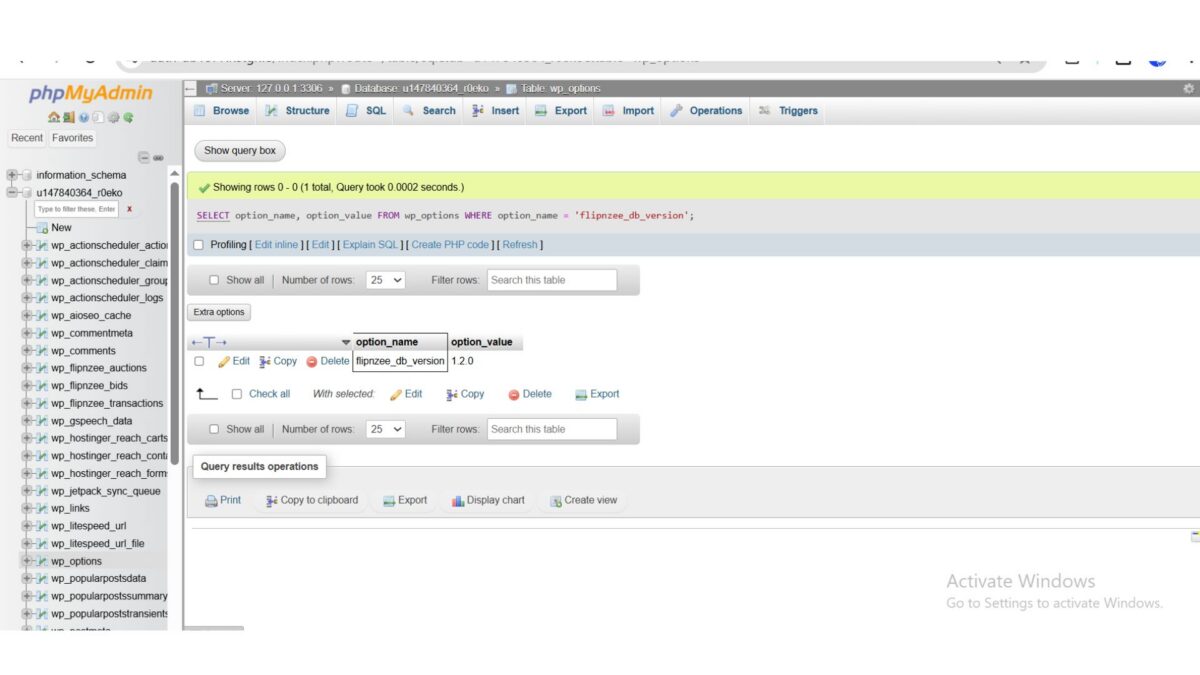
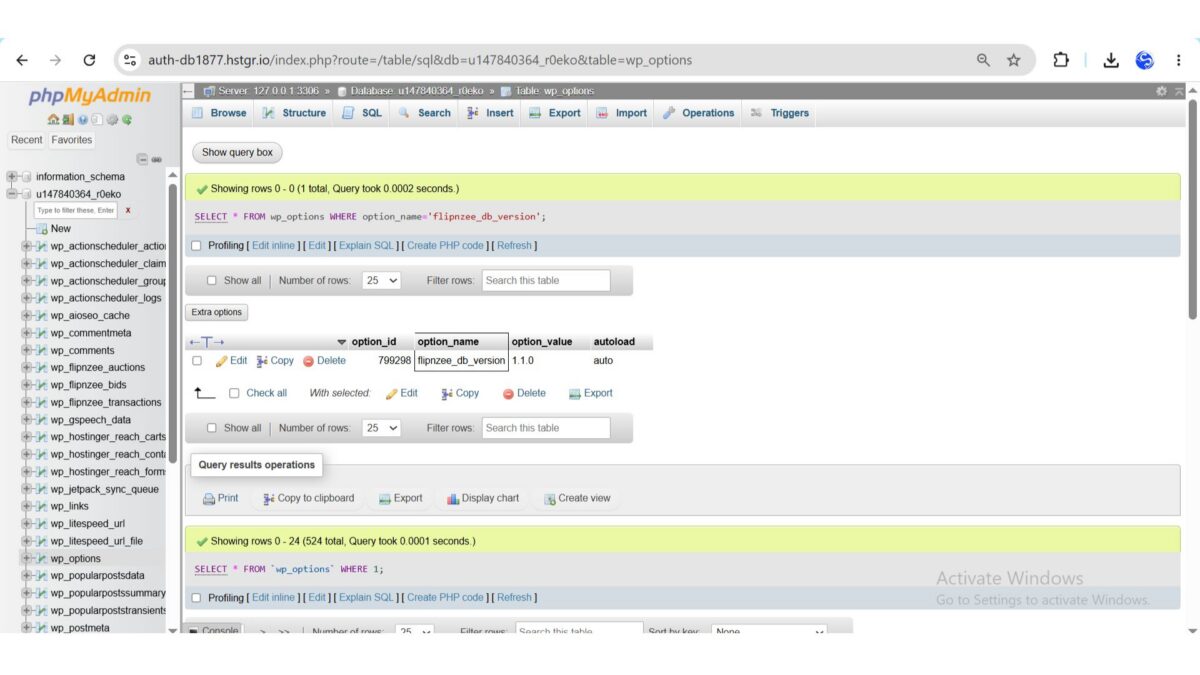
During testing, we confirmed via SQL that:

flipnzee_db_version = 1.1.0

was successfully stored in the WordPress wp_options table.

This confirmed that the migration framework was functioning correctly.


WP Engine

Additional testing confirmed:

  • successful activation,
  • compatibility across hosting environments,
  • stable database version handling.

Challenges Encountered

This lesson included several valuable debugging sessions.

Initially, it appeared that the database version was not being stored because the option was not visible while browsing the wp_options table.

Further investigation revealed that:

  • the activation hook was executing correctly,
  • the version constant was defined correctly,
  • the database version was being updated successfully,
  • the option simply did not appear on the first page of phpMyAdmin results.

Using direct SQL queries confirmed that the version had been stored correctly.

This reinforced the importance of verifying assumptions with database queries rather than relying solely on paginated table views.


Lessons Learned

Several important software engineering principles emerged during this lesson.

Version-Controlled Migrations

Database upgrades should be driven by version comparisons rather than repeated schema parsing.


Separate Installation from Upgrades

Fresh installations and upgrades represent different workflows and should be handled independently.


Verify with SQL

Database debugging should rely on direct SQL queries whenever possible rather than assumptions based on user interface views.


Incremental Development

Implementing and testing one migration component at a time significantly reduced debugging complexity.


Git Milestone

A stable checkpoint should be created after completing the migration framework.

Recommended Commit

Lesson 89: Implement first production database migration

Recommended Git Tag

lesson-89-stable

This tag will represent the first production-ready version-controlled migration system within the Flipnzee Auctions plugin.

Download Source Code

Download the starting version of the plugin before the lesson:

Download the completed version after this lesson:


Roadmap

The migration architecture is now fully operational.

Upcoming lessons will begin using the framework for real database schema changes.

Lesson 90

Planned objectives include:

  • implementing the first schema-changing migration,
  • using add_column() in a production migration,
  • using add_index() where appropriate,
  • validating idempotent schema updates,
  • further reducing dependence on dbDelta() for upgrades.

Conclusion

Lesson 89 marks a major architectural milestone in the Flipnzee Auctions project. The plugin now supports a complete version-aware migration workflow that distinguishes fresh installations from upgrades and executes migrations only when required.

While the first migration intentionally focuses on establishing the migration lifecycle rather than modifying the schema, it provides a robust and scalable foundation for all future database evolution. This work positions Flipnzee Auctions to support safe, maintainable, and production-quality upgrades as the plugin continues to grow into a full-featured WordPress auction marketplace.

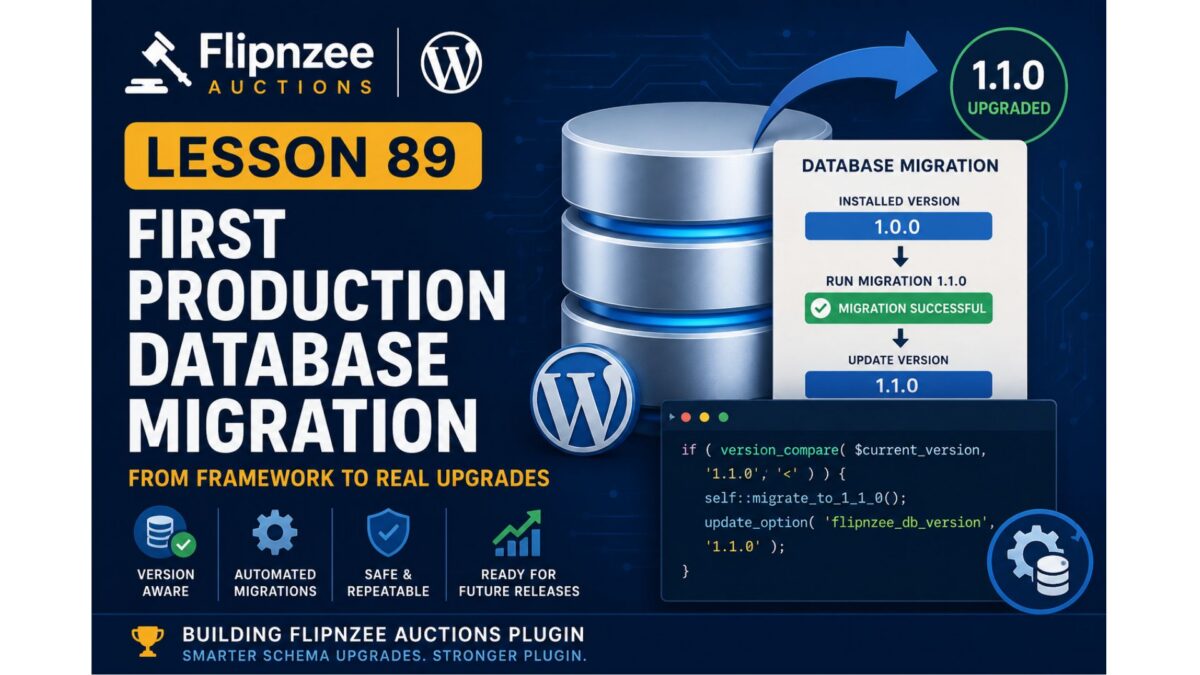
Lesson 89: First Production Database Migration

Series: Building the Flipnzee Auctions Plugin
Lesson: 89
Project: Flipnzee Auctions
Difficulty: Advanced


Introduction

Over the past several lessons, we have gradually transformed the Flipnzee Auctions plugin from using a simple database installation process into a structured, version-aware migration system.

The journey so far has been:

  • Lesson 85 introduced database versioning.
  • Lesson 86 stabilized plugin activation and separated fresh installations from existing upgrades.
  • Lesson 87 created the database migration framework.
  • Lesson 88 implemented reusable migration helper methods.

With the infrastructure now complete, we are finally ready to perform the first real production database migration.

This lesson marks an important milestone because the migration framework will begin performing actual schema upgrades rather than simply preparing for them.


Objectives

By the end of this lesson we will:

  • implement the first production migration,
  • perform version-based schema upgrades,
  • use the migration helper methods,
  • eliminate manual upgrade logic,
  • validate database version comparisons,
  • prepare the framework for future releases.

Current Architecture

Our migration framework currently contains:

Flipnzee_Database_Migration
│
├── run()
├── table_exists()
├── column_exists()
├── index_exists()
├── add_column()
└── add_index()

The framework exists, but the run() method currently does not execute any migrations.


Lesson Goal

Transform the migration framework from a passive structure into an active database upgrade system.


Planned Migration Flow

The migration runner will follow this process:

Plugin Activation
        │
        ▼
Read Stored Database Version
        │
        ▼
Compare Versions
        │
        ▼
Run Required Migration(s)
        │
        ▼
Update Database Version

Each migration should execute only once.


First Production Migration

The first migration will serve as the template for every future database upgrade.

Example concept:

Installed Version

1.0.0
      │
      ▼

Migration 1.1.0

      │
      ▼

Update Version

1.1.0

Future releases will simply extend this pattern.


Migration Philosophy

Rather than asking:

“Does my table match this SQL?”

the plugin will ask:

“What version is currently installed?”

This makes upgrades:

  • deterministic,
  • repeatable,
  • maintainable,
  • production friendly.

Planned Migration Method

This lesson is expected to introduce a dedicated migration function such as:

private static function migrate_to_1_1_0()

Responsibilities include:

  • adding missing payment columns (if required),
  • adding missing indexes,
  • validating schema,
  • ensuring idempotent execution.

The migration should safely execute regardless of whether the database is partially upgraded or already current.


Version Comparison

The migration runner will compare:

$current_version

against

FLIPNZEE_DB_VERSION

using:

version_compare()

Only migrations for newer versions should execute.


Example Flow

Stored Version

1.0.0

↓

Run Migration 1.1.0

↓

Update Version

1.1.0

If the stored version is already 1.1.0, the migration is skipped.


Files Expected to Change

Primary implementation:

includes/class-database-migration.php

Possible minor updates:

flipnzee-auctions.php

No changes are expected to class-database.php because installation and migration responsibilities are now separated.


Testing Strategy

After implementation we will verify:

  • fresh installations,
  • upgraded installations,
  • repeated activations,
  • version comparisons,
  • migration execution,
  • migration idempotency,
  • database integrity,
  • activation stability.

Each migration must be safe to execute multiple times.


Design Principles

During implementation we will continue following the same principles that have guided the project so far:

  • one implementation step at a time,
  • small reversible changes,
  • systematic testing,
  • stable Git checkpoints,
  • WordPress Coding Standards,
  • maintainable object-oriented architecture.

Future Migration Roadmap

Once the first production migration has been successfully implemented, future releases become straightforward.

1.2.0

↓

Escrow tables

↓

1.3.0

↓

Notification tables

↓

1.4.0

↓

Reporting tables

↓

1.5.0

↓

REST API enhancements

Each release simply introduces a new migration method.


Long-Term Benefits

Implementing production migrations provides several advantages:

  • predictable upgrades,
  • safer deployments,
  • cleaner code,
  • easier debugging,
  • improved hosting compatibility,
  • simplified future development.

The migration framework becomes the single source of truth for all database evolution.


Conclusion

Lesson 89 represents the transition from building migration infrastructure to actively using it. For the first time, the Flipnzee Auctions plugin will execute a controlled, version-aware database migration using the helper methods introduced in previous lessons.

This establishes the pattern that every future release will follow, allowing the plugin to evolve safely without relying on repeated dbDelta() schema comparisons. It is a major architectural milestone that moves Flipnzee Auctions closer to the standards expected of mature, production-quality WordPress plugins.

Lesson 88 Implementation: Building Reusable Database Migration Helper Methods

Series: Building the Flipnzee Auctions Plugin
Lesson: 88
Project: Flipnzee Auctions
Topic: Implementing Reusable Database Migration Helpers


Introduction

In Lesson 87, we introduced a dedicated database migration framework and integrated it into the plugin activation process. Although the migration runner was functional, it did not yet have the tools required to safely modify the database schema.

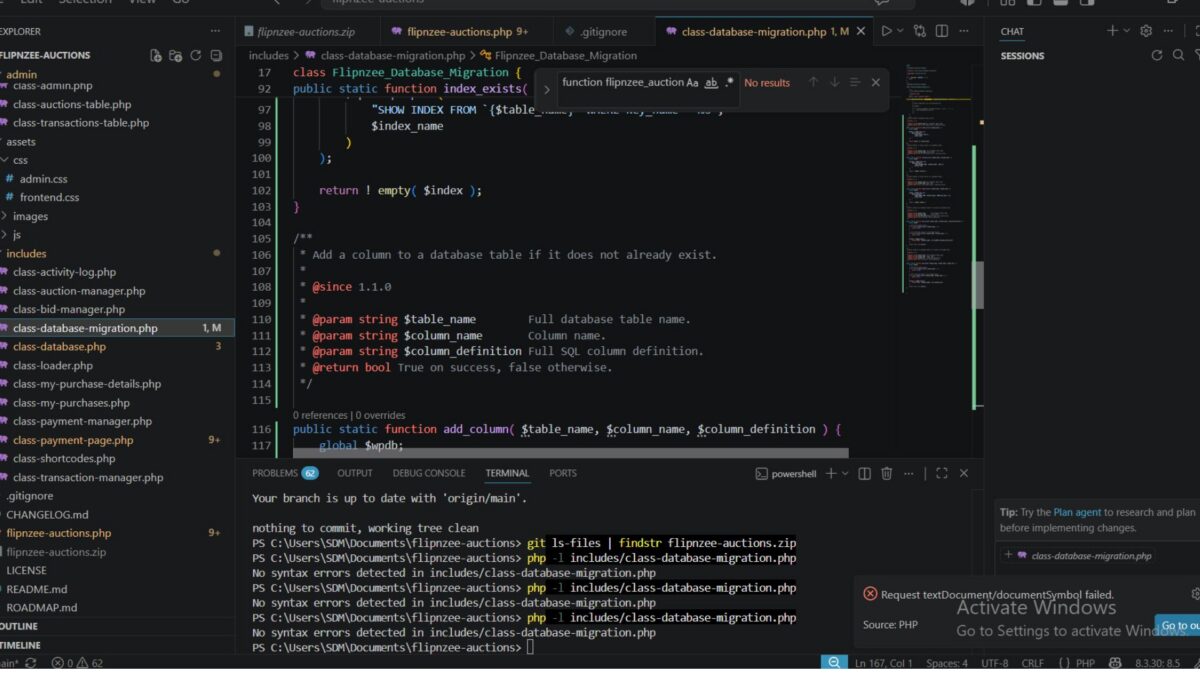
In this lesson, we implemented the first collection of reusable migration helper methods. These methods form the core toolkit that future database migrations will rely upon. Rather than repeatedly writing SQL existence checks and ALTER TABLE statements throughout the project, these common operations are now centralized inside the migration framework.

This represents another important architectural improvement for the Flipnzee Auctions plugin.


Objectives

The primary objectives for Lesson 88 were:

  • Build reusable database helper methods.
  • Reduce duplicate SQL logic.
  • Improve migration safety.
  • Prepare the framework for production database upgrades.
  • Keep plugin activation stable throughout development.

Implementation Overview

During this lesson we extended the new migration framework by introducing reusable helper methods responsible for inspecting and modifying the database schema.

The migration framework now contains dedicated methods for:

  • checking tables
  • checking columns
  • checking indexes
  • safely adding columns
  • safely adding indexes

These methods will become the building blocks for all future database migrations.


Files Modified

Migration Framework

includes/class-database-migration.php

This file received the majority of the implementation work during this lesson.

No significant changes were required elsewhere because the migration framework had already been integrated during Lesson 87.


Helper Methods Implemented

table_exists()

Determines whether a database table exists before any migration attempts to modify it.

Responsibilities:

  • verify table existence
  • prevent unnecessary SQL errors
  • support future migrations

column_exists()

Checks whether a column already exists inside a table.

This prevents duplicate column creation and allows migrations to be safely executed multiple times.


index_exists()

Determines whether a database index is already present.

This allows migrations to create indexes only when required.


add_column()

Introduced the first schema modification helper.

The method performs several checks automatically:

  • verifies the table exists
  • verifies the column does not already exist
  • executes the ALTER TABLE statement only when appropriate

This significantly reduces repetitive migration code.


add_index()

Introduced a reusable helper for safely creating indexes.

Responsibilities include:

  • checking table existence
  • verifying the index does not already exist
  • creating the index only when necessary

Future migrations can now add indexes using a single reusable method instead of duplicating SQL logic.


Current Migration Framework

The migration framework now provides the following structure:

Flipnzee_Database_Migration
│
├── run()
├── table_exists()
├── column_exists()
├── index_exists()
├── add_column()
└── add_index()

This toolkit establishes a consistent API for future database upgrades.


Architecture Benefits

The new helper methods provide several important advantages.

Reduced Code Duplication

Common SQL checks are now centralized.

Future migrations no longer need to repeatedly write:

  • SHOW TABLES
  • SHOW COLUMNS
  • SHOW INDEX
  • conditional ALTER TABLE statements

Improved Readability

Migration methods become significantly easier to understand.

Instead of embedding raw SQL throughout the codebase, migrations can simply call helper methods that clearly describe their intent.


Safer Database Upgrades

Each helper performs validation before executing SQL.

This reduces the likelihood of duplicate columns, duplicate indexes, or failed schema updates.


Easier Maintenance

Future enhancements to database handling can now be implemented in one location rather than throughout the plugin.


Testing

Each helper method was implemented incrementally and tested immediately after development.

The following checks were performed:

  • PHP syntax validation
  • plugin activation
  • migration framework loading
  • compatibility with existing installations
  • activation stability
  • no database regressions

The plugin activated successfully after each implementation step.

No activation warnings or database errors were encountered during testing.


Lessons Learned

Several software engineering principles continued to guide development during this lesson.

Build Infrastructure Before Features

Rather than immediately implementing production migrations, we first created a reliable toolkit that future migrations can depend upon.


Small Incremental Changes

Every helper method was implemented and tested individually.

This reduced debugging time and ensured plugin stability throughout development.


Reusability Improves Maintainability

Centralizing database operations inside reusable methods simplifies future development while reducing duplicated logic.


Separation of Responsibilities

The plugin architecture now clearly separates responsibilities.

Database Class

Responsible for:

  • table creation
  • installation
  • database version management

Migration Class

Responsible for:

  • migration runner
  • schema inspection
  • reusable migration helpers
  • future database upgrades

This separation makes the project easier to maintain as it continues to grow.


Roadmap

With the helper library now in place, the migration framework is ready for real production use.

Lesson 89

The next lesson will introduce the first version-controlled database migration.

Planned objectives include:

  • implementing the first production migration
  • replacing manual schema upgrade logic
  • using the new helper methods
  • validating database version comparisons
  • preparing the payment workflow for future enhancements

Git Milestone

A stable checkpoint was created after completing the migration helper library.

Commit

Lesson 88: Add reusable database migration helpers

Git Tag

lesson-88-stable

This tag marks another stable milestone in the evolution of the Flipnzee Auctions plugin.

Download the starting version of the plugin before the lesson:

Download the completed version after this lesson:


Conclusion

Lesson 88 focused on strengthening the internal architecture of the Flipnzee Auctions plugin by introducing a reusable migration helper library. Although these changes are largely invisible to end users, they significantly improve the quality and maintainability of the codebase.

With reusable helper methods now available, future database upgrades can be implemented using concise, consistent, and reliable migration code. This foundation prepares the project for production-grade version-controlled database migrations in the upcoming lessons and represents another important step toward building a robust WordPress auction marketplace plugin.