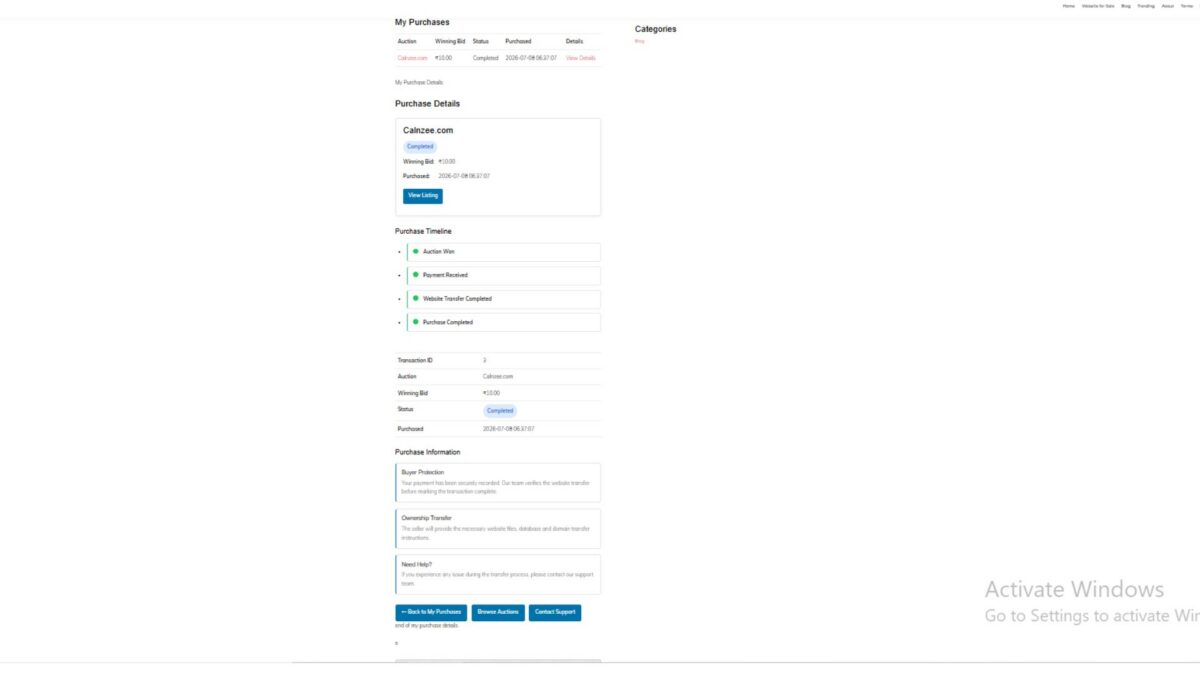
Lesson 114 — State-Driven Payment Workflow

Objective

In Lesson 113, the Flipnzee Auctions plugin gained a complete payment workflow, including gateway selection, manual payments, payment proof uploads, and transaction tracking.

However, the payment page still displays multiple interface components simultaneously, regardless of the transaction’s current state. As additional payment providers and transfer stages are introduced, this approach will become increasingly difficult to maintain.

The objective of Lesson 114 is to refactor the payment page into a state-driven workflow, where the user interface changes automatically based on the transaction’s current payment status.


Why Refactor?

Currently, class-payment-page.php mixes together several responsibilities:

  • Loading transactions
  • Processing uploads
  • Rendering summaries
  • Rendering payment gateways
  • Rendering manual payment instructions
  • Displaying success messages

As more payment providers and statuses are added, the file will become difficult to understand and maintain.

Instead of checking multiple conditions throughout the page, the plugin should have one central decision point responsible for determining which interface to display.


Current Workflow

Load Transaction

↓

Display Summary

↓

Display Gateway Selection

↓

Manual Payment

↓

Upload Proof

↓

Display Messages

Regardless of payment status, much of the interface continues to be shown.


Desired Workflow

Load Transaction

↓

Read payment_status

↓

pending
│
├── Show Gateway Selection
├── Allow Payment
└── Allow Upload

submitted
│
├── Payment Submitted
├── Awaiting Verification
└── Hide Payment Controls

verified
│
├── Payment Verified
├── Ownership Transfer Started
└── Display Progress

completed
│
├── Transfer Completed
└── Transaction Finished

Only the interface relevant to the current stage should be displayed.


Architectural Goal

Rather than writing numerous if statements throughout the payment page, the plugin will introduce a dedicated payment state renderer.

render()

        │
        ▼

Load Transaction

        │
        ▼

render_transaction_summary()

        │
        ▼

render_payment_state()

        │
        ▼

Pending
Submitted
Verified
Completed

Each payment state becomes responsible for rendering its own interface.


New Rendering Methods

The payment page will gradually be divided into focused rendering methods such as:

  • render_pending_state()
  • render_submitted_state()
  • render_verified_state()
  • render_completed_state()

Each method will display only the controls appropriate for that stage.


Benefits

This refactoring provides several advantages.

Cleaner Code

Instead of hundreds of lines inside render(), each payment state becomes a small, focused method.


Easier Maintenance

Adding new payment providers no longer requires editing multiple parts of the payment page.


Better User Experience

Buyers only see the actions relevant to their current payment stage.

For example:

Pending

  • Select Gateway
  • Upload Proof

Submitted

  • Confirmation message
  • Waiting for review

Verified

  • Ownership transfer started

Completed

  • Auction completed

Easier Future Integrations

Future lessons will introduce:

  • Escrow.com API
  • Stripe
  • PayPal
  • Razorpay
  • Cryptocurrency
  • Admin verification
  • Automatic ownership transfer

Each of these features can simply render the appropriate payment state without restructuring the payment page.


Engineering Principle

Lesson 114 introduces an important software engineering concept:

The user interface should reflect the current state of the underlying business process.

Instead of asking:

“Which buttons should I display?”

the plugin asks:

“What is the current payment state?”

The interface then naturally follows from that answer.


Files to Modify

Primary:

includes/class-payment-page.php

Potentially:

includes/class-payment-manager.php

for helper methods if needed.


Expected Outcome

By the end of Lesson 114:

  • Payment rendering will be state-driven.
  • Gateway selection will only appear when payment is pending.
  • Submitted payments will display confirmation instead of payment controls.
  • The payment page will be significantly cleaner and easier to extend.
  • The foundation will be ready for Lesson 115, which will introduce the Admin Payment Verification Workflow.

Git Tag Recommendation

lesson-114-stable

This lesson marks an architectural milestone. Rather than adding new functionality, it refines the payment system into a scalable design that will support all future payment providers and ownership transfer stages.
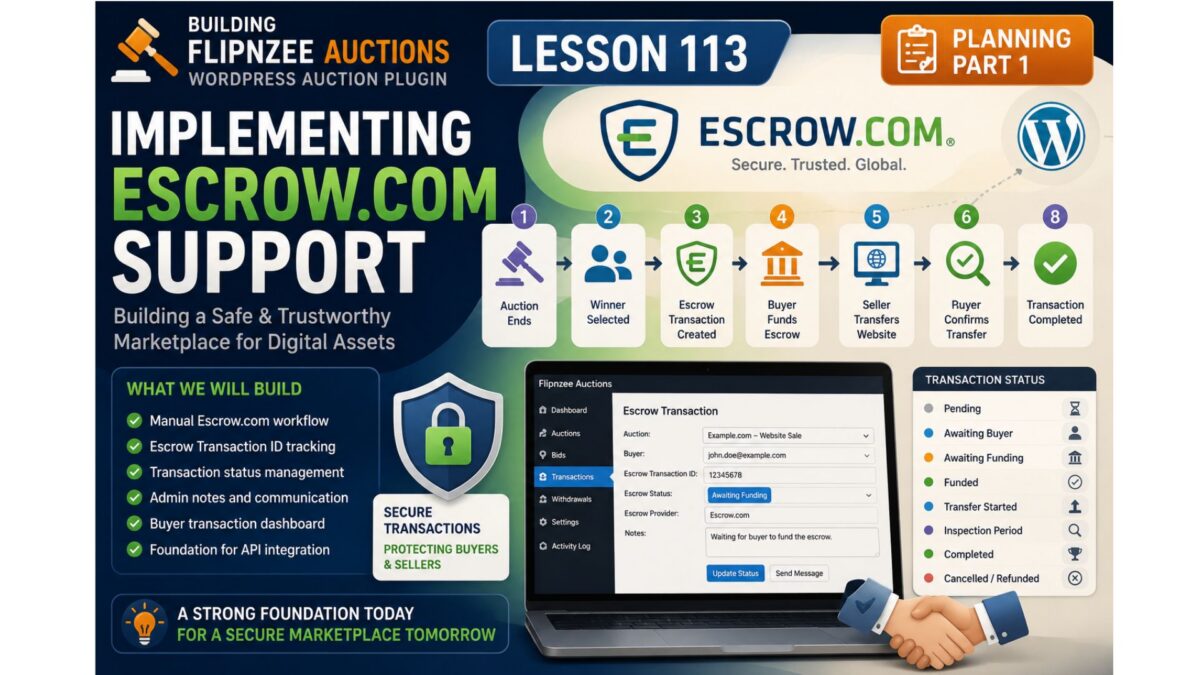
Building Flipnzee Auctions – Lesson 113 (Planning) – Implementing Escrow.com Support (Part 1)


Objective

In this lesson we’ll build the foundation for external transaction management.

Instead of trying to duplicate Escrow.com’s workflow, Flipnzee Auctions will simply track that an auction has entered an external transaction process.

This makes the plugin simpler, easier to maintain, and ready for future providers.


Philosophy

The plugin is responsible for:

✅ Auction

✅ Winner

✅ Transaction Record

✅ External Provider

✅ Completion Status

The plugin is not responsible for:

❌ collecting payment

❌ holding funds

❌ inspection

❌ disputes

❌ fee calculation

❌ releasing payment

Those remain the responsibility of the external transaction provider.


New Workflow

Auction Ends
        │
        ▼
Winner Selected
        │
        ▼
Create External Transaction
        │
        ▼
Transaction In Progress
        │
        ▼
Seller Receives Confirmation
        │
        ▼
Mark Transaction Completed
        │
        ▼
Auction Completed

Notice how much cleaner this is.


Database Changes

We’ll extend the existing transaction table.

New columns:

ColumnPurpose
providerEscrow.com
external_transaction_idTransaction reference
external_transaction_urlOptional link
statusIn Progress / Completed
started_atStarted date
completed_atCompletion date
notesInternal notes

No provider-specific columns.


Statuses

Instead of many workflow states we’ll begin with four.

Pending

↓

Initiated

↓

In Progress

↓

Completed

Simple.

Reliable.

Expandable.


Provider Architecture

Instead of

Escrow Manager

we’ll build

External Transaction

↓

Provider

↓

Escrow.com

Later we can support

Escrow.com

Escrow Europe

Sedo

Afternic

Dan.com

Manual Transfer

without changing the architecture.


Administration Screen

Each transaction will eventually contain something similar to:

Auction

Website.com

Winner

[email protected]

Provider

Escrow.com

External Transaction ID

E48329844

Started

21 July 2026

Status

In Progress

Notes

Buyer funded transaction.
Waiting for completion.

[Mark Completed]

Nothing more is needed.


Why We Aren’t Tracking Every Step

A common temptation is to mirror every stage of the escrow process.

For example:

Buyer Paid

↓

Funds Verified

↓

Seller Transfers

↓

Buyer Inspection

↓

Funds Released

Although these stages are useful within Escrow.com, they are not controlled by Flipnzee Auctions.

Attempting to reproduce them inside the plugin would require manual updates, duplicate information already maintained by the escrow provider, and increase the risk of inconsistencies.

Instead, Flipnzee Auctions records only what it can reliably know:

  • when an external transaction begins
  • which provider is being used
  • the provider’s transaction reference
  • whether the transaction is still in progress or has been completed

This keeps responsibilities clearly separated between the marketplace and the external escrow service.


Future API Integration

When we eventually integrate with the Escrow.com API, this design will remain unchanged.

Instead of an administrator manually updating the transaction status, the plugin will retrieve the latest information from the provider automatically.

Because the underlying architecture is provider-independent, future integrations with additional services will require minimal changes.


What We’ll Build in This Lesson

Rather than making isolated edits throughout the plugin, we’ll implement the feature as a cohesive unit.

The implementation will include:

  • Extending the transaction database schema with provider-independent fields.
  • Enhancing the Transaction Manager to create and manage external transaction records.
  • Updating the Payment Manager to recognise external providers.
  • Adding administrator controls for recording provider information, transaction references, and notes.
  • Displaying transaction progress within the existing administration interface.
  • Preparing the codebase for future API integration without introducing provider-specific dependencies.

Expected Result

After completing this lesson, a finished auction will be able to move into an external transaction workflow.

Administrators will be able to record the transaction provider, store the provider’s reference number, monitor whether the transaction is still in progress, and mark it as completed once the provider confirms that the sale has successfully concluded.

Although the financial transaction itself remains under the supervision of the external provider, Flipnzee Auctions will maintain an accurate record of every completed marketplace sale.


Git Commit

Lesson 113

Implement external transaction tracking

• extend transaction schema
• support external transaction providers
• add transaction references
• add transaction tracking
• prepare for Escrow.com integration

Before we write the code

I also want to make one additional architectural improvement, and I believe you’ll appreciate it.

At the moment, your plugin has Payment Manager and Transaction Manager. Once we introduce external transaction tracking, those responsibilities become distinct:

  • Payment Manager → Responsible for available payment methods (Escrow.com, Stripe, Manual, etc.).
  • Transaction Manager → Responsible for recording and managing the lifecycle of a completed auction transaction.

This separation follows the Single Responsibility Principle and will make future enhancements—such as API integrations or support for multiple providers—much easier to implement. Since we’re moving quickly toward a production-ready plugin, I recommend making this distinction now rather than after additional features have been added.

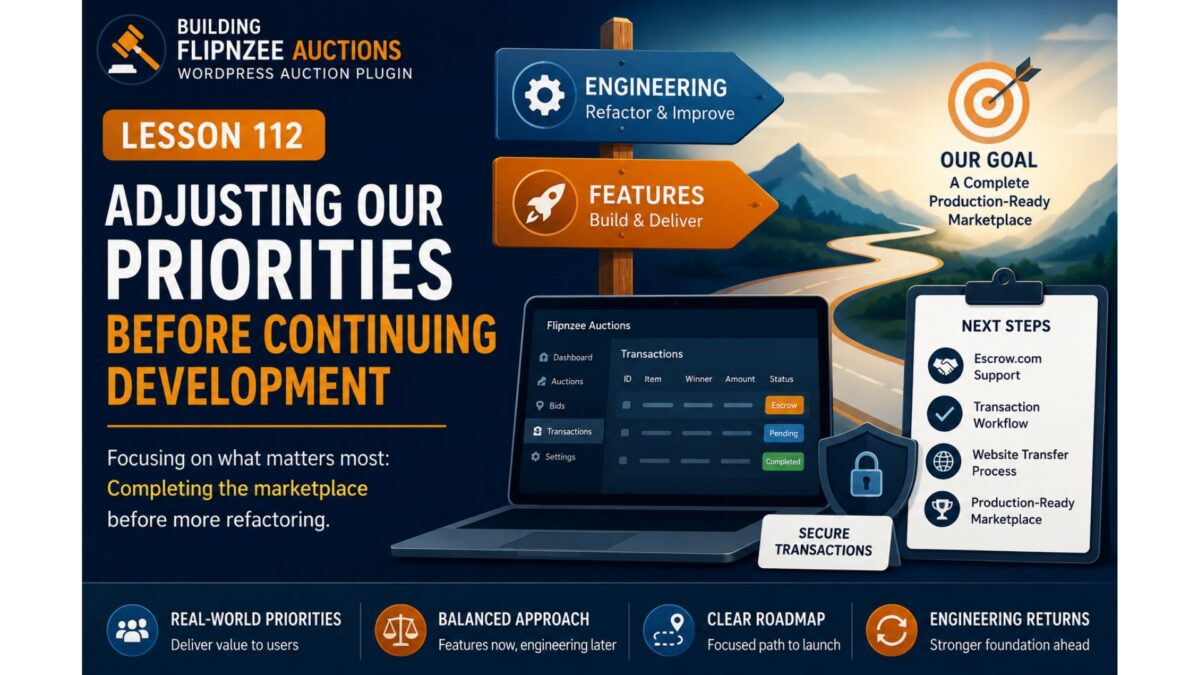
Building Flipnzee Auctions – Lesson 112


Adjusting Our Priorities Before Continuing Development

Series: Building Flipnzee Auctions

Lesson: 112

Difficulty: Beginner

Prerequisites: Lesson 111

Code Changes: None (Project Planning)


Introduction

Over the past several lessons, we’ve taken a short break from adding new features to review parts of the Flipnzee Auctions codebase from a software engineering perspective.

During that review, we examined the plugin bootstrap, explored the plugin lifecycle, and identified several areas that could eventually be improved through refactoring.

Our original intention was to continue along that path.

However, software projects rarely follow a perfectly straight roadmap.

Before continuing with additional engineering improvements, we’ve decided to return to feature development and complete one of the most important capabilities originally planned for Flipnzee Auctions: Escrow.com support.


Why Change Direction?

When this project began, Flipnzee Auctions was primarily a learning exercise for building a WordPress plugin.

As development progressed, it gradually evolved into a real marketplace application intended to power Flipnzee.com.

That changes the project’s priorities.

Instead of focusing solely on cleaner architecture, we now need to ensure that the marketplace itself is capable of supporting real transactions.


The Marketplace Is Almost Complete

Most of the core auction functionality already exists.

Today the plugin can:

  • Create auction listings
  • Accept bids
  • Determine auction winners
  • Manage transactions
  • Display buyer information
  • Support watchlists
  • Record activity
  • Handle administrative workflows

From a feature perspective, the marketplace is surprisingly close to being usable.

One important piece, however, is still missing.


The Missing Piece

Website and domain sales are often significantly more valuable than ordinary online purchases.

Because of that, buyers and sellers frequently prefer using a trusted third-party escrow service instead of sending money directly.

From the beginning of this project, Escrow.com was intended to become the primary payment method for completed auctions.

Although the plugin already contains the foundation for transaction management, the Escrow workflow itself has not yet been implemented.

Completing that workflow now provides more value than continuing with additional internal refactoring.


Engineering Is Not Being Abandoned

This is important.

We’re not abandoning the Plugin Engineering series.

We’re simply changing priorities.

Professional software projects constantly alternate between two activities:

Build New Features
        │
        ▼
Improve Existing Code
        │
        ▼
Build More Features
        │
        ▼
Refactor and Maintain

Both activities are important.

The challenge is deciding which one creates the greatest value at a particular stage of the project.

Right now, completing the marketplace is the higher priority.


Why Not Finish Refactoring First?

It might seem logical to finish every planned engineering improvement before adding more features.

In practice, that isn’t always the best approach.

Major features often influence the final architecture of a project.

Refactoring too early may result in restructuring code that will soon need to change again.

By completing the marketplace workflow first, future engineering decisions can be based on a more complete product.


What Happens Next?

The next phase of development returns to the Building Flipnzee Auctions series.

We’ll begin implementing the long-planned Escrow workflow, starting with a practical solution that can be used in production before exploring deeper integrations.

The immediate roadmap becomes:

Escrow.com Support
        │
        ▼
Transaction Workflow
        │
        ▼
Website Transfer Process
        │
        ▼
Production-Ready Marketplace

Once these marketplace features are complete, we’ll return to the Plugin Engineering series and continue improving the plugin’s architecture.


Key Takeaways

Software development is rarely a straight line.

As projects evolve, priorities naturally change.

Although we originally planned to continue refactoring the plugin, completing the marketplace now provides greater value for both the project and its future users.

The engineering work remains important—but the marketplace comes first.


Looking Ahead

In the next lesson, we’ll begin designing the Escrow.com payment workflow for Flipnzee Auctions.

Rather than jumping directly into API integration, we’ll first design a practical transaction process that allows buyers, sellers, and administrators to complete website sales securely while laying the foundation for future automation.


Why I prefer this version

This version doesn’t feel like an apology or a detour. Instead, it reflects a real-world product decision:

  • Lessons 110–111 introduced engineering thinking.
  • Lesson 112 explains why the project is returning to feature development.
  • Lesson 113 onward resumes the familiar Building Flipnzee Auctions two-post format (planning first, implementation second).

That keeps both series coherent and makes the transition feel intentional rather than abrupt.

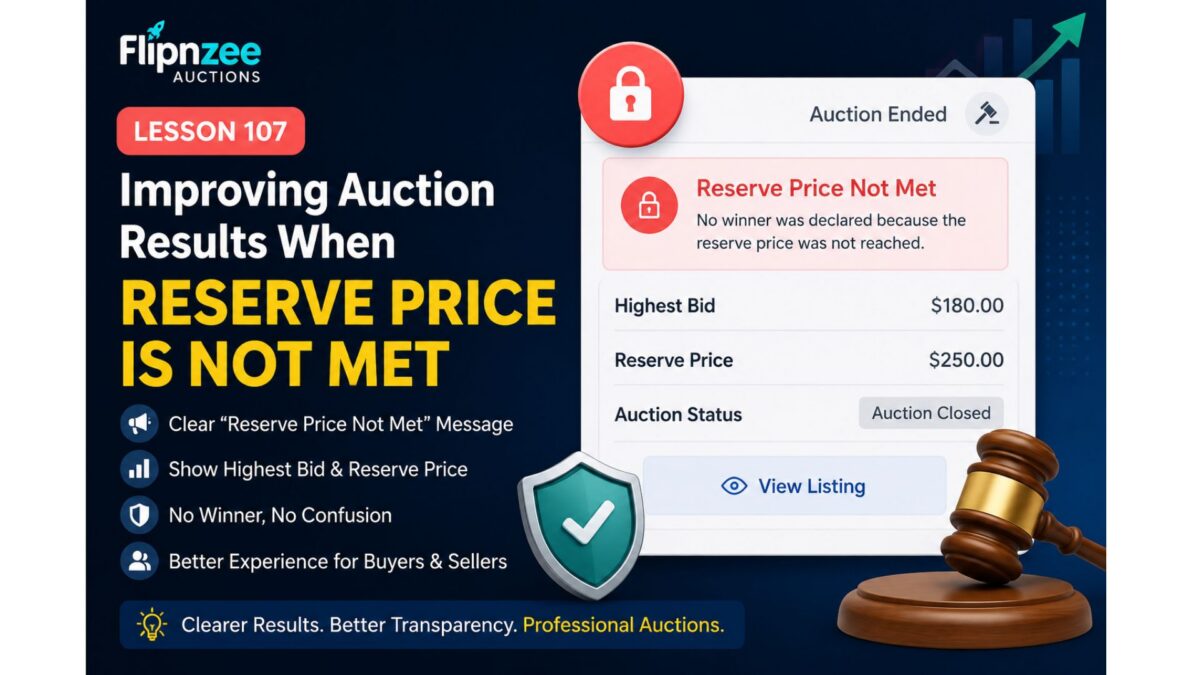
Lesson 107: Improving Auction Results When the Reserve Price Is Not Met

Introduction

In Lesson 106, we implemented one of the most important business rules of any auction platform: a winner is no longer declared if the highest bid does not meet the reserve price. We also confirmed that no transaction or transfer records are created in such cases.

While the backend logic now works correctly, the frontend still needs improvement. For example, after an unsuccessful auction, users currently see confusing information such as:

Auction Closed

Winning Bid: $0.00

Although technically no winner exists, this message can mislead both buyers and sellers.

In this lesson, we will focus on polishing the auction closing experience by clearly communicating that the reserve price was not met.


Objectives

By the end of this lesson, Flipnzee Auctions will:

  • Detect unsuccessful auctions on the frontend.
  • Display a clear “Reserve Price Not Met” message.
  • Show the highest bid instead of “$0.00”.
  • Explain why no winner was declared.
  • Improve the overall user experience.
  • Prepare the plugin for future auction result badges and reporting.

Why This Improvement Is Important

Professional auction platforms do more than enforce business rules—they also explain the outcome to users.

Instead of confusing visitors with:

Auction Closed

Winning Bid: $0.00

Flipnzee Auctions should display:

🔒 Reserve Price Not Met

Highest Bid: $10.00

Reserve Price: $200.00

No winner was declared because the reserve price was not reached.

This gives both buyers and sellers complete clarity.


Features We Will Implement

During this lesson we will:

  • Detect when an auction ends without meeting its reserve price.
  • Replace the “Winning Bid” section with a reserve status message.
  • Display the highest bid received.
  • Display the reserve price.
  • Prevent misleading winner information.
  • Improve the shortcode output used on auction pages.

Expected Result

Successful auction:

🏆 Auction Closed

Winning Bid: $650

Winner:
John Doe

Reserve not met:

🔒 Auction Closed

Reserve Price Not Met

Highest Bid: $180

Reserve Price: $250

No winner was declared.

Files Expected to Change

During implementation we will mainly modify:

includes/class-shortcodes.php

Possible minor updates may also be made to:

assets/css/frontend.css

for improved styling of the new reserve notice.


What You’ll Learn

In this lesson you will learn how to:

  • Improve frontend auction UX.
  • Display different content based on auction outcome.
  • Separate business logic from presentation.
  • Make auction results easier for buyers and sellers to understand.

Final Thoughts

Lesson 106 ensured that Flipnzee Auctions behaves correctly by enforcing reserve prices. Lesson 107 completes that work by making the auction results clear and informative for users.

By the end of this lesson, unsuccessful auctions will no longer appear broken or confusing. Instead, visitors will immediately understand that the auction ended without a sale because the seller’s reserve price was not reached, bringing Flipnzee Auctions one step closer to the polished experience expected from modern digital asset marketplaces.

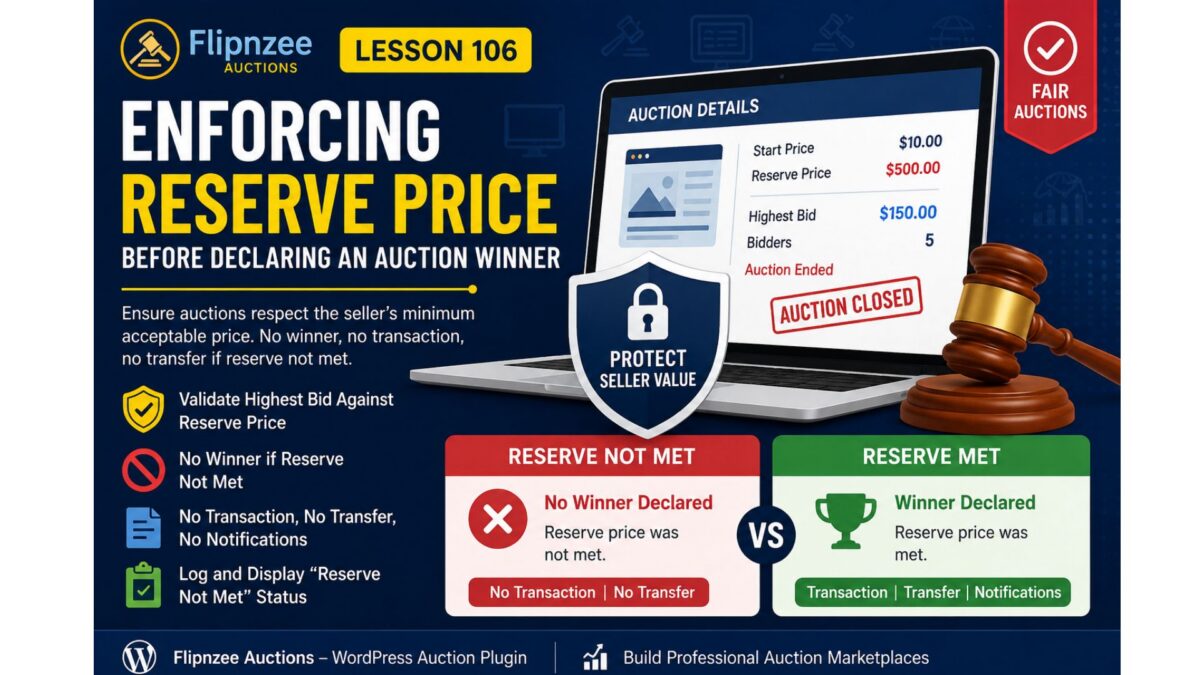
Lesson 106: Enforcing Reserve Price Before Declaring an Auction Winner

Introduction

A reserve price is one of the most important concepts in any professional auction platform. It protects sellers by ensuring that an asset is not sold below a minimum acceptable price.

During testing of the Flipnzee Auctions plugin, a critical business logic issue was identified. Although the plugin correctly determined the highest bidder when an auction closed, it declared that bidder as the winner even when the highest bid failed to meet the reserve price.

This lesson corrects that behavior and aligns the plugin with industry-standard auction platforms.


The Problem

Consider the following auction:

SettingValue
Start Price$10
Reserve Price$500
Highest Bid$150

Before this lesson, the plugin performed the following sequence:

Auction Closed
        │
        ▼
Highest Bid Found
        │
        ▼
Winner Declared
        │
        ▼
Transaction Created
        │
        ▼
Transfer Created

Although technically correct from a bidding perspective, this is incorrect from a business perspective because the seller never agreed to sell below the reserve price.


Why This Is a Serious Issue

Reserve prices exist to protect sellers.

Without reserve price enforcement:

  • Sellers may unintentionally sell valuable websites below their minimum acceptable price.
  • Buyers may assume ownership has been secured even though the seller expected otherwise.
  • Transactions and transfer records may be created for auctions that should have ended without a sale.

Professional auction marketplaces never ignore reserve prices.


Lesson Objectives

By the end of this lesson, the Flipnzee Auctions plugin will:

  • Validate the highest bid against the reserve price.
  • Prevent a winner from being declared if the reserve price has not been met.
  • Prevent transactions from being created.
  • Prevent transfer records from being created.
  • Prevent winner notifications.
  • Display an appropriate auction status on the frontend.
  • Record the event in the activity log.

Expected Auction Flow

Scenario 1 – Reserve Price Not Met

Auction Ends
        │
        ▼
Highest Bid Retrieved
        │
        ▼
Compare With Reserve Price
        │
        ▼
Reserve NOT Met
        │
        ▼
No Winner
        │
        ▼
No Transaction
        │
        ▼
No Transfer
        │
        ▼
Reserve Not Met Message

Scenario 2 – Reserve Price Met

Auction Ends
        │
        ▼
Highest Bid Retrieved
        │
        ▼
Compare With Reserve Price
        │
        ▼
Reserve Met
        │
        ▼
Winner Declared
        │
        ▼
Notifications
        │
        ▼
Transaction Created
        │
        ▼
Transfer Created

Files Expected to Change

The implementation will primarily involve:

includes/
    class-bid-manager.php

Additional updates may be required in:

admin/
    class-admin-posts.php
includes/
    class-shortcodes.php
includes/
    class-activity-log.php

New Business Rules

When an auction closes:

  1. Retrieve the highest bid.
  2. Retrieve the reserve price.
  3. Compare both values.
  4. If the reserve has not been met:
    • do not declare a winner
    • do not create a transaction
    • do not create a transfer
    • do not send notifications
    • log the event
  5. Otherwise continue with the normal auction completion workflow.

Frontend Improvements

Instead of displaying:

🏆 Auction Closed

Winning Bid: $150

the plugin should display something similar to:

⚠ Auction Closed

Reserve price was not met.

No winning bidder.

This provides clear feedback to both buyers and sellers.


Activity Logging

A new activity type will be introduced for reserve price failures.

Example:

auction_reserve_not_met

Example log message:

Auction #45 closed.

Highest bid: $150

Reserve price: $500

No winner declared.

This creates a useful audit trail for administrators.


Why This Matters

Almost every major auction platform enforces reserve prices before completing a sale.

Examples include:

  • Flippa
  • Empire Flippers
  • GoDaddy Auctions
  • eBay Auctions
  • Heritage Auctions

Adding this safeguard moves the Flipnzee Auctions plugin closer to production-grade marketplace behavior.


What You’ll Learn

In this lesson, you will learn how to:

  • Implement business rule validation.
  • Separate bidding logic from selling rules.
  • Prevent invalid transactions.
  • Improve auction integrity.
  • Build auction software that reflects real-world marketplace practices.

Conclusion

Lesson 106 introduces one of the most important safeguards in any auction platform: reserve price enforcement.

Rather than automatically declaring the highest bidder as the winner, the plugin will first verify that the seller’s reserve price has been satisfied. If it has not, the auction will end without a winner, ensuring that no notifications, transactions, or transfer records are created incorrectly.

This enhancement significantly improves the reliability and professionalism of the Flipnzee Auctions plugin, bringing its behavior in line with established online auction marketplaces while protecting both buyers and sellers.

Lesson 105 Implementation: Building an Event-Driven Notification System for Flipnzee Auctions

One of the strengths of WordPress is its event-driven architecture. Core WordPress features and many popular plugins communicate through actions and filters, allowing components to remain independent while still working together.

In this lesson, the Flipnzee Auctions plugin adopts the same design philosophy by introducing a dedicated Notification Manager. Rather than embedding notification logic inside the auction or transaction code, the plugin now responds to auction events using WordPress actions.

This approach keeps the code cleaner, easier to extend, and much simpler to maintain.


What We Built

Lesson 105 introduces a new notification subsystem that listens for auction events and records notifications for different participants.

Currently, the system logs notifications for:

  • Auction Winner
  • Seller
  • Site Administrator

Although these notifications are currently written to the debug log, the architecture has been designed so that future versions can easily send:

  • Emails
  • SMS
  • WhatsApp messages
  • Slack notifications
  • Discord webhooks
  • Push notifications

without modifying the core auction logic.


Why Use an Event-Driven Design?

Instead of writing code like this:

Auction Closed
↓

Determine Winner
↓

Send Winner Email
↓

Send Seller Email
↓

Send Admin Email
↓

Create Transaction
↓

Create Transfer

the plugin now works like this:

Auction Closed
↓

Determine Winner
↓

Fire WordPress Action
flipnzee_auction_winner_determined

↓

Notification Manager
Transaction Manager
Analytics
Future Extensions

The auction manager no longer needs to know what happens after a winner is determined.

It simply announces that the event has occurred.

Other components decide whether they need to respond.


Creating the Notification Manager

A new class was added:

includes/
    class-notification-manager.php

This class contains all notification-related functionality.

Separating responsibilities like this follows good object-oriented design and makes future maintenance much easier.


Initializing the Notification Manager

The plugin bootstrap file was updated to include the new class.

flipnzee-auctions.php

The Notification Manager is then initialized when the plugin loads.

This ensures every notification hook is registered automatically whenever WordPress loads the plugin.


Registering WordPress Actions

Inside the Notification Manager, three listeners were registered.

add_action(
    'flipnzee_auction_winner_determined',
    array( __CLASS__, 'notify_winner' ),
    10,
    2
);

add_action(
    'flipnzee_auction_winner_determined',
    array( __CLASS__, 'notify_seller' ),
    10,
    2
);

add_action(
    'flipnzee_auction_winner_determined',
    array( __CLASS__, 'notify_admin' ),
    10,
    2
);

Notice something important.

Three completely different methods are listening for exactly the same event.

This is one of the biggest advantages of WordPress actions.


Firing the Event

During Lesson 103, winner determination already triggered an action.

do_action(
    'flipnzee_auction_winner_determined',
    $auction_id,
    $winner
);

Lesson 105 takes advantage of that event.

No modifications to the auction manager were required.

The Notification Manager simply listens for it.


Implementing Notification Methods

Three notification methods were created.

notify_winner()

notify_seller()

notify_admin()

Each currently records an entry in the debug log.

Example:

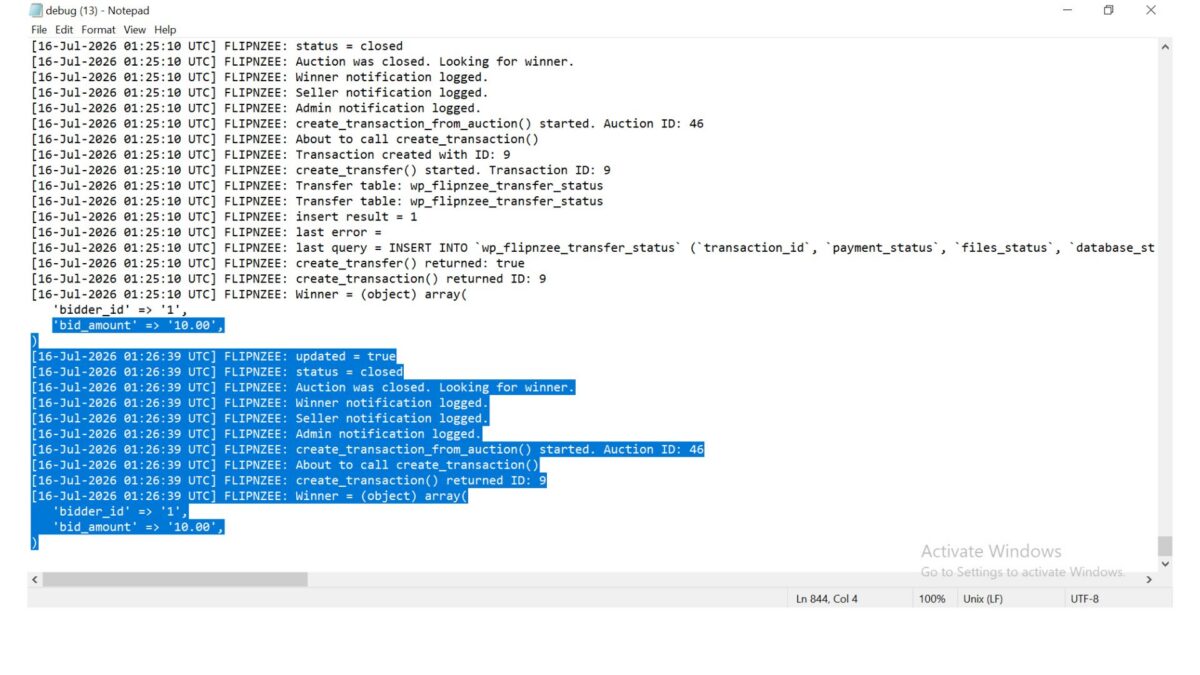
FLIPNZEE: Winner notification logged.

FLIPNZEE: Seller notification logged.

FLIPNZEE: Admin notification logged.

Although simple, this verifies that the notification system is functioning correctly.


Keeping Responsibilities Separate

One of the design goals of this lesson was to avoid tightly coupling unrelated systems.

The Notification Manager does not:

  • determine auction winners
  • create transactions
  • update transfer status
  • modify auctions

Likewise, the Auction Manager does not send notifications.

Each class has one clearly defined responsibility.

This makes future development much easier.


End-to-End Testing

Several live auction tests were performed.

The following workflow completed successfully.

Auction Closed

↓

Winner Determined

↓

Winner Notification Logged

↓

Seller Notification Logged

↓

Admin Notification Logged

↓

Transaction Created

↓

Transfer Status Created

Database verification confirmed that:

  • Transactions were created successfully.
  • Transfer records were created successfully.
  • Notification handlers executed without affecting existing functionality.

No SQL errors or PHP fatal errors were encountered during testing.


Benefits of This Architecture

The Notification Manager now provides a foundation for future communication features.

Possible additions include:

  • Email confirmations
  • Bid confirmation emails
  • Winning bid emails
  • Seller notifications
  • Administrator alerts
  • SMS gateways
  • WhatsApp Business integration
  • Discord notifications
  • Slack integrations
  • Push notifications
  • Third-party CRM integrations

Most of these can be added by creating new action listeners without modifying the auction lifecycle.


Lessons Learned

This lesson demonstrates an important software engineering principle:

Code should communicate through events rather than direct dependencies whenever practical.

Using WordPress actions allows independent components to work together while remaining loosely coupled.

The result is code that is easier to extend, easier to test, and easier to maintain over time.

Download Source Code

Download the starting version of the plugin before the lesson:

Download the completed version after this lesson:


Conclusion

Lesson 105 introduced an event-driven notification system to the Flipnzee Auctions plugin.

Instead of embedding notification logic inside auction processing, the plugin now responds to auction events using native WordPress actions. Winner, seller, and administrator notifications are handled independently, while transactions and transfer records continue to function without modification.

Although the current implementation logs notifications for testing purposes, the underlying architecture is now ready for future enhancements such as email delivery, SMS alerts, messaging platform integrations, and other communication channels. This modular design represents an important architectural milestone, bringing the plugin closer to a scalable and production-ready auction platform.

Lesson 105 — Automatic Winner Notification System

Now that Lesson 104 introduced the automated auction lifecycle (scheduled activation and automatic closing), the next logical milestone is notifying everyone involved when an auction finishes.

This adds real business value because an auction platform should communicate results automatically rather than requiring administrators to monitor auctions manually.


Objective

Create an automatic notification system that sends notifications immediately after an auction closes and a winner has been determined.

Initially, notifications will be written to the Activity Log.

Later lessons will expand this to:

  • Email notifications
  • Dashboard notifications
  • Buyer dashboard alerts
  • Seller dashboard alerts
  • Webhooks
  • SMS/WhatsApp (optional)

What will happen automatically?

Current workflow

Auction Ends
      ↓
Cron Job
      ↓
Auction Closed
      ↓
Winner Determined

New workflow

Auction Ends
      ↓
Cron Job
      ↓
Auction Closed
      ↓
Winner Determined
      ↓
Winner Notification
      ↓
Seller Notification
      ↓
Administrator Notification

Notifications to create

1. Winner

Example

Congratulations!

You won the auction for

example.com

Winning Bid:
$1,250

Please complete payment within 7 days.

2. Seller

Example

Your auction has ended.

Winner:
John

Winning Bid:
$1,250

Waiting for payment.

3. Administrator

Example

Auction Closed

Listing:
example.com

Winner:
John

Winning Bid:
$1,250

Transaction Created:
Yes

New Class

includes/
    class-notification-manager.php

Responsibilities

  • notify_winner()
  • notify_seller()
  • notify_admin()
  • future email support
  • future dashboard support

Initial Implementation

For now we won’t send emails.

Instead we’ll use

Flipnzee_Activity_Log::log()

This lets us verify the notification workflow before integrating email providers.

Example

Winner Notification Sent

Seller Notification Sent

Admin Notification Sent

Hook Integration

Lesson 104 already introduced an excellent hook:

flipnzee_auctions_expired_processed

Lesson 105 introduces another event-driven hook:

flipnzee_auction_winner_determined

When this action fires:

Winner Determined
        ↓
Notification Manager
        ↓
Notify Winner
Notify Seller
Notify Admin

No existing code needs modification.

This follows proper WordPress architecture.


Future Expansion

The same Notification Manager will later support

  • Email
  • HTML Email Templates
  • WooCommerce Mailer
  • WP Mail SMTP
  • Slack
  • Discord
  • Telegram
  • SMS
  • Push Notifications

without changing the auction logic.


Files to Modify

New

includes/class-notification-manager.php

Modify

includes/class-loader.php

Load the new class.


Modify

flipnzee-auctions.php

Initialize the notification hooks.


Why This Lesson Matters

By the end of Lesson 105, Flipnzee Auctions will evolve from simply closing auctions automatically to communicating auction outcomes automatically. This is a key feature expected in any production auction platform and lays the foundation for robust email, dashboard, and third-party notification systems in future lessons.


Expected Outcome

After Lesson 105:

  • ✔ Winner determined automatically
  • ✔ Transaction created automatically
  • ✔ Transfer record created automatically
  • ✔ Notification events generated automatically
  • ✔ Activity Log records every notification
  • ✔ Ready for email notifications in subsequent lessons

This lesson continues the transition from a functional auction engine to a complete marketplace workflow.

Lesson 104: Automatic Auction Closure via WP-Cron

In the previous lesson, we completed the backend workflow that creates a transaction and transfer record immediately after an auction is closed. However, auctions still depend on an administrator manually changing their status from Active to Closed.

In Lesson 104, we will remove this dependency by implementing automatic auction closure.


Objective

Automatically detect auctions whose end time has passed and close them without administrator intervention.

After an auction expires, the plugin should:

Auction End Time Reached
            ↓
WP-Cron Executes
            ↓
Auction Status → Closed
            ↓
Determine Winner
            ↓
Create Transaction
            ↓
Create Transfer
            ↓
Log Activity

This ensures that auctions finish on time even when no administrator is logged into WordPress.


Why This Lesson Is Important

A real auction platform cannot rely on an administrator to manually close every auction.

Without automatic closure:

  • Auctions may remain Active long after expiry.
  • Users can continue placing bids after the deadline.
  • Winners are not declared promptly.
  • Transactions are delayed.
  • Website transfers cannot begin.

Automatic closure solves all of these issues.


Existing Foundation

Fortunately, most of the difficult work has already been completed.

Previous lessons already provide:

  • Auction Manager
  • Bid Manager
  • Winner Determination
  • Transaction Manager
  • Transfer Manager
  • Activity Log
  • Scheduled maintenance hook

Lesson 104 simply connects these components into an automated workflow.


Implementation Plan

Step 1

Review the existing scheduled maintenance hook.

Verify that the plugin activation registers an hourly scheduled event if it is not already present.


Step 2

Create a method that searches for expired auctions.

Conditions:

  • status = Active
  • auction_end <= current WordPress time

Step 3

For every expired auction:

  • Update status to Closed
  • Determine winner
  • Fire the winner-determined action
  • Create transaction
  • Create transfer
  • Write activity log

Step 4

Prevent duplicate processing.

If an auction has already been closed or a transaction already exists, skip it.


Step 5

Add detailed logging.

During development, log events such as:

Cron started

Expired auction found

Auction closed automatically

Winner determined

Transaction created

Transfer created

Cron completed

These logs will help verify the automation before removing or reducing debug output.


Database Impact

The following tables will be updated automatically:

  • wp_flipnzee_auctions
  • wp_flipnzee_transactions
  • wp_flipnzee_transfer_status
  • Activity Log table

No schema changes are expected.


Expected Workflow

Once implemented, administrators will no longer need to manually close auctions.

The complete lifecycle will become:

Create Auction
        ↓
Auction Starts
        ↓
Users Place Bids
        ↓
Auction End Time Reached
        ↓
WP-Cron Detects Expiry
        ↓
Auction Closed Automatically
        ↓
Winner Determined
        ↓
Transaction Created
        ↓
Transfer Created
        ↓
Payment Workflow Begins

Benefits

After completing Lesson 104, Flipnzee Auctions will gain several production-ready capabilities:

  • Automatic auction completion
  • Accurate enforcement of auction end times
  • Immediate winner declaration
  • Automatic transaction generation
  • Automatic transfer initialization
  • Reduced administrator workload
  • Improved marketplace reliability

Learning Outcomes

By the end of this lesson, we will understand:

  • How WordPress WP-Cron works.
  • How to schedule recurring maintenance tasks.
  • How to safely process expired auctions.
  • How to prevent duplicate cron execution.
  • How to automate business workflows using existing plugin components.

Conclusion

Lesson 104 marks the transition from a manually managed auction system to a self-operating marketplace. By leveraging WordPress’s scheduling system, expired auctions will be processed automatically, ensuring that winners, transactions, and transfer records are created without administrator intervention. This is a significant step toward making the Flipnzee Auctions plugin suitable for real-world production use.

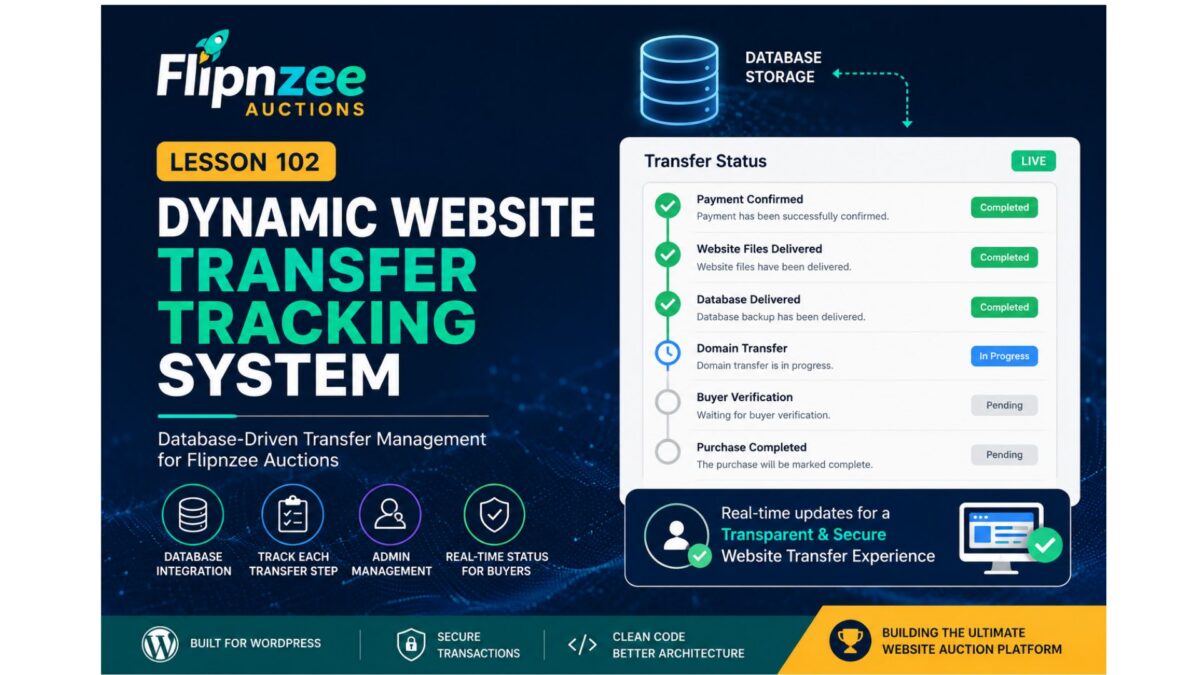
Lesson 102: Dynamic Website Transfer Tracking System

Welcome to Lesson 102 of the Flipnzee Auctions development series.

In Lesson 101, we introduced the Transfer Manager and refactored the Purchase Details page to use centralized transfer data. While the interface became much cleaner, the transfer progress is still based on default placeholder values.

In this lesson, we will transform the transfer system into a real, transaction-specific tracking system.


Lesson Goal

Replace hardcoded transfer progress with database-driven transfer tracking.

Instead of every buyer seeing the same default progress, each completed purchase will have its own transfer record.


Why This Matters

Buying a website involves much more than simply winning an auction.

After payment, several important steps must be completed:

  • Website files delivered
  • Database exported
  • Domain transferred
  • Buyer verifies ownership
  • Purchase completed

Each transaction progresses independently.

Therefore, every purchase requires its own transfer record.


Current Situation

Currently the Transfer Manager returns:

array(

    'payment'  => 'Completed',

    'files'    => 'Pending',

    'database' => 'Pending',

    'domain'   => 'Pending',

    'buyer'    => 'Pending',

);

This means every buyer sees identical transfer progress.


New Architecture

We will introduce a dedicated database table:

wp_flipnzee_transfer_status

Each row represents one website transfer.


Proposed Database Structure

ColumnPurpose
idPrimary Key
transaction_idLinks to transaction
payment_statusPayment confirmation
files_statusWebsite files
database_statusDatabase transfer
domain_statusDomain transfer
buyer_statusBuyer verification
notesAdmin notes
updated_atLast update

One Transfer Per Transaction

Each completed purchase will have exactly one transfer record.

Example:

Transaction

ID = 17

Transfer Record

Transaction ID = 17

Payment = Completed

Files = Completed

Database = Completed

Domain = In Progress

Buyer = Pending

New Transfer Manager Responsibilities

The manager will no longer simply return default arrays.

Instead it will become responsible for:

Create transfer record

Load transfer record

Update transfer record

Return transfer progress

Return status badges

Return workflow steps

New Methods

The Transfer Manager will gradually gain methods such as:

create_transfer()
get_transfer()
update_transfer()
get_transfer_status()

These methods will hide database logic from the user interface.


Purchase Details Improvements

The Purchase Details page will no longer use:

Flipnzee_Transfer_Manager::get_default_status();

Instead it will call:

Flipnzee_Transfer_Manager::get_transfer(
    $transaction['id']
);

This allows every buyer to see their own progress.


Administrator Workflow

After an auction is completed, the administrator will eventually be able to update transfer progress.

Example:

✓ Payment Confirmed

✓ Website Files Delivered

✓ Database Delivered

○ Domain Transfer

○ Buyer Verification

Every update will immediately appear on the buyer’s Purchase Details page.


Designed for Flipnzee.com

Currently Flipnzee.com sells only in-house websites.

Therefore, the administrator controls every transfer.

This makes the workflow straightforward and ensures a consistent buyer experience.


Future Marketplace Compatibility

Although Flipnzee currently sells only its own digital assets, the plugin is fully open source.

Future developers may extend it into a marketplace where multiple sellers manage their own transfers.

Because transfer management is isolated inside the Transfer Manager, those future enhancements can be implemented without redesigning the Purchase Details page.


Benefits

By completing Lesson 102 we will:

  • Replace hardcoded transfer progress.
  • Store transfer records in the database.
  • Display transaction-specific progress.
  • Build the foundation for admin transfer management.
  • Improve scalability.
  • Keep presentation separated from business logic.

Files Expected to Change

includes/
    class-transfer-manager.php

includes/
    class-database-migration.php

includes/
    class-my-purchase-details.php

admin/
    (future admin transfer screen)

flipnzee-auctions.php

Learning Outcomes

After completing Lesson 102 you will understand:

  • Designing relational database tables.
  • One-to-one relationships between transactions and transfers.
  • Encapsulating database operations inside manager classes.
  • Separating business logic from presentation.
  • Building scalable WordPress plugin architecture.

Roadmap

Lesson 102 begins the second phase of the Flipnzee Auctions plugin.

The project is now moving beyond auction bidding into complete post-sale website transfer management, bringing the plugin closer to becoming a full-featured platform for buying and selling websites and digital assets.

The transfer system we build now will serve as the foundation for future features such as administrator dashboards, transfer timelines, notifications, document sharing, and eventual multi-seller marketplace support.

Lesson 100 Implementation — Building the Website Transfer Workflow Foundation

After completing the buyer purchase dashboard in the previous lessons, the Flipnzee Auctions plugin now enters an important new development phase. While the buyer can already view purchase details, timelines, reference numbers, payment information, and transfer guidance, the transfer process itself is still based on placeholder values.

Lesson 100 focuses on preparing the architecture that will eventually power real website transfers.

Rather than immediately introducing complex database logic, this lesson establishes a clean foundation that future lessons can build upon. The objective is to separate presentation from business logic while keeping the current implementation simple, stable, and easy to understand.

Objectives

During this lesson we improved the purchase details page and prepared it for future dynamic transfer management.

Major goals included:

  • Display a professional purchase summary card
  • Improve the transfer timeline
  • Add transfer status information
  • Display purchase reference number
  • Show purchase date and purchase time separately
  • Display payment method
  • Introduce purchase notes
  • Add buyer guidance cards
  • Create next-step checklist
  • Keep transfer data temporarily hardcoded while backend architecture is being designed

Purchase Summary

The purchase page now begins with a clean summary card displaying important information at a glance.

The buyer can immediately see:

  • Purchased website
  • Current purchase status
  • Winning bid
  • Purchase date
  • Direct link to the listing

This significantly improves usability compared to viewing raw table data first.


Transfer Timeline

A visual timeline was introduced showing the expected stages of a website acquisition.

Current stages include:

  • Payment Confirmed
  • Website Files Delivered
  • Database Delivered
  • Domain Transfer Completed
  • Buyer Verification
  • Purchase Completed

Although currently driven by placeholder values, the interface is now ready for dynamic updates.


Purchase Information Cards

Additional informational panels were added beneath the transaction details.

These explain:

Buyer Protection

How Flipnzee verifies transfers before marking a purchase complete.

Ownership Transfer

Explains that website files, database and domain transfer instructions will be supplied.

Need Help?

Provides guidance if buyers experience issues during the transfer process.

These cards improve transparency while reducing repetitive support questions.


Transfer Status Section

A dedicated Transfer Status card has been introduced.

It currently displays:

  • Payment
  • Website Files
  • Database
  • Domain
  • Buyer Verification

Each value is presently hardcoded using placeholder data such as:

  • Completed
  • Pending

This section will later become fully dynamic.


Purchase Notes

A Purchase Notes section was introduced to provide important reminders to buyers after completing an auction.

Examples include:

  • Verify all transferred assets.
  • Change passwords immediately after receiving the website.
  • Review hosting and registrar access.
  • Contact support if any issue occurs.

This creates a much more professional post-purchase experience.


Next Steps Checklist

The buyer dashboard now includes a clear checklist describing the expected transfer workflow.

Typical items include:

  • ✓ Payment confirmed
  • Receive website files
  • Receive database
  • Receive domain transfer
  • Verify website
  • Change passwords
  • Confirm successful transfer

This checklist prepares buyers for the remaining transfer process instead of leaving them uncertain about what happens after payment.


Purchase Reference Number

A unique purchase reference was added to every transaction.

Example:

FLP-2026-00003

This makes customer support significantly easier since buyers can reference a human-friendly transaction ID instead of an internal database ID.


Purchase Date and Time

Instead of displaying a raw timestamp, the purchase details now separate:

  • Purchase Date
  • Purchase Time

This provides a cleaner and more readable interface while respecting the site’s configured WordPress date and time formats.


Payment Method

The purchase page now displays the payment method used for the transaction.

For current testing this defaults to:

Manual

As additional gateways such as Escrow.com, Stripe, PayPal, Wise and cryptocurrency are implemented, this field will automatically display the correct payment method.


Architecture Decision

One important architectural discussion took place during this lesson.

Initially, transfer progress was considered for storage using WordPress post meta attached to the listing.

However, after reviewing the long-term design, a better approach emerged.

Website transfer progress belongs to an individual transaction—not the listing itself.

A single website may eventually be sold multiple times over its lifetime, especially when the plugin is used as a marketplace by third-party developers.

For that reason, transfer management will be implemented using a dedicated Flipnzee_Transfer_Manager class and transaction-based data in upcoming lessons.

This decision avoids future refactoring while keeping the plugin scalable.


Why Placeholder Data Was Retained

Instead of prematurely introducing backend logic, Lesson 100 intentionally keeps transfer information hardcoded.

For example:

$transfer_status = array(
    'payment' => 'Completed',
    'files' => 'Pending',
    'database' => 'Pending',
    'domain' => 'Pending',
    'buyer' => 'Pending',
);

This allows the frontend interface to be fully designed and tested before connecting it to live transfer data.

Separating interface development from backend implementation results in cleaner, more maintainable code.


Current Status

By the end of Lesson 100, the Flipnzee Auctions buyer purchase page now provides:

  • Professional purchase summary
  • Purchase reference number
  • Purchase date and time
  • Payment method
  • Purchase information cards
  • Transfer timeline
  • Transfer status panel
  • Purchase notes
  • Buyer next-step checklist
  • Improved user experience
  • Clean foundation for future transfer automation

Download Source Code

Download the starting version of the plugin before the lesson:

Download the completed version after this lesson:


What Comes Next?

Lesson 101 will begin implementing the backend transfer architecture by introducing a dedicated Flipnzee_Transfer_Manager class.

This class will eventually become responsible for:

  • Managing website transfer progress
  • Updating transfer stages
  • Storing transaction-specific transfer data
  • Powering dynamic buyer dashboards
  • Supporting future marketplace implementations while remaining fully compatible with Flipnzee.com’s current in-house website sales model.

Lesson 100 therefore marks the transition from building the buyer interface to implementing the business logic that powers a complete website acquisition workflow.