Lesson 58: Building an Auction Activity Log

As Flipnzee Auctions continues to evolve, the plugin is becoming more than a simple auction manager. It now has automatic lifecycle processing, scheduled background maintenance, and public lifecycle hooks that allow future Flipnzee plugins to respond to important events.

The next logical step is recording those events.

In this lesson, we’ll begin building an Auction Activity Log, allowing administrators to track significant actions performed within the plugin.


Why This Lesson Is Needed

Currently, auctions can:

  • be created
  • be updated
  • receive bids
  • automatically close
  • select winners

All of these actions happen successfully.

However, once they occur, there is no historical record of when they happened or how they happened.

Imagine receiving a support request such as:

“Why did my auction close early?”

Or:

“When was this bid placed?”

Or:

“Who changed this auction?”

Without an activity log, answering those questions becomes difficult.

Professional systems almost always maintain some form of event history.


The Vision

Instead of treating actions as isolated events, Flipnzee Auctions will begin recording them as part of a timeline.

For example:

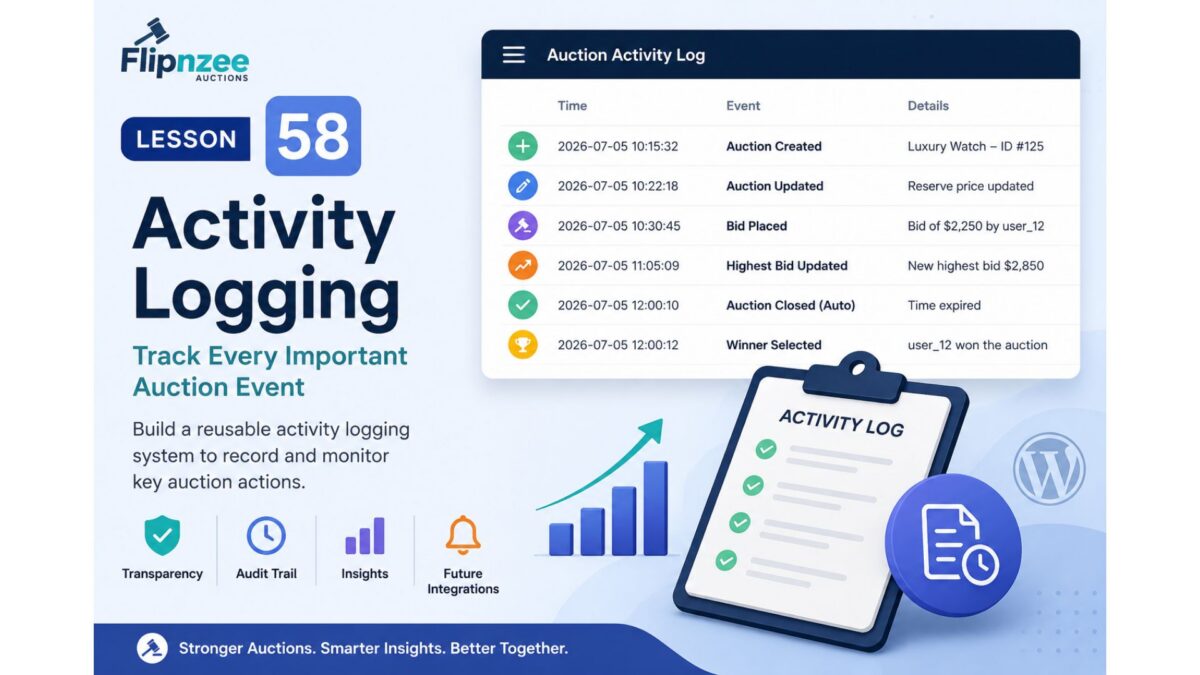
10:15 Auction Created

10:22 First Bid Placed

10:45 Highest Bid Updated

11:00 Reserve Price Met

12:00 Auction Automatically Closed

12:01 Winner Selected

This history provides valuable insight for both administrators and future integrations.


Relationship with Previous Lessons

The work completed in Lessons 55–57 makes this lesson much easier.

When an auction is automatically processed, the lifecycle hook introduced in Lesson 56 can be used to trigger logging.

Rather than scattering logging code throughout the plugin, important lifecycle events can simply record themselves as they occur.

This keeps the architecture clean while making the system more observable.


Planned Features

During this lesson we will:

  • Design an activity logging system.
  • Create a reusable logging method.
  • Record auction lifecycle events.
  • Prepare the system for future bid and notification events.
  • Keep logging lightweight and efficient.

Initial Events to Record

The first version of the logger will focus on major auction lifecycle events, including:

  • Auction created
  • Auction updated
  • Auction automatically activated
  • Auction automatically closed
  • Auction deleted

Later lessons can expand this list to include:

  • Bid placed
  • Highest bidder changed
  • Buy Now completed
  • Winner selected
  • Notifications sent

Designing for the Flipnzee Ecosystem

The activity log isn’t intended solely for administrators.

Future plugins may also use it.

For example:

  • Flipnzee Analytics could analyze auction behaviour.
  • Marketplace reports could summarize activity.
  • Email notifications could reference logged events.
  • Developers could troubleshoot integrations more easily.

Because the logging system will be reusable, every new feature can record events without rewriting the logging infrastructure.


Learning Objectives

In this lesson we’ll learn:

  • Designing reusable helper methods
  • Recording lifecycle events
  • Centralizing logging logic
  • Preparing for future integrations
  • Improving plugin observability
  • Keeping WordPress plugins maintainable

Files Likely to Change

Depending on the implementation, we may modify:

includes/class-auction-manager.php
includes/class-database.php

If we decide to store logs in a dedicated database table, we’ll also update the database installation routine.


Expected Benefits

After completing this lesson, Flipnzee Auctions will begin maintaining a historical record of important auction events.

This improves:

  • debugging
  • administration
  • auditing
  • future reporting
  • analytics integration
  • developer experience

Looking Ahead

The activity logging system will become the foundation for several future enhancements, including:

  • Admin Activity Log screen
  • Exportable audit reports
  • User activity timelines
  • Analytics dashboards
  • Notification history
  • Marketplace insights

Rather than treating logging as an afterthought, we’ll build it into the plugin architecture from the beginning.


Conclusion

Lesson 58 introduces one of the most valuable architectural features of a professional application: an activity logging system.

Although visitors won’t immediately see this feature, it significantly improves transparency, debugging, and maintainability while providing a reusable foundation for future analytics, reporting, and ecosystem integrations.


Why I recommend this next

One of our long-term goals has always been that Flipnzee Auctions and Flipnzee Analytics should complement each other naturally.

An activity log is the perfect bridge between them. It creates structured event data that can later be analyzed, visualized, or summarized by Flipnzee Analytics without tightly coupling the two plugins.

It also fits our development philosophy: each lesson adds a focused, reusable capability while strengthening the overall architecture rather than just adding another isolated feature.
Implementing Automatic Background Auction Maintenance with WP-Cron (Lesson 57)


One of the goals of Flipnzee Auctions is to behave like a professional auction platform rather than simply displaying auction listings.

In previous lessons, I introduced automatic auction lifecycle management and the first public lifecycle hook. Those improvements ensured expired auctions could be processed consistently and future Flipnzee plugins would have a standard way to respond to important auction events.

However, one question remained.

Who should trigger the maintenance?

Until now, expired auctions were primarily processed when visitors viewed auction pages.

In Lesson 57, I completed another important architectural improvement by strengthening the plugin’s background maintenance system using WordPress WP-Cron.


Discovering That the Foundation Already Existed

When we began the lesson, our first instinct was to implement WP-Cron from scratch.

Instead of immediately writing new code, we reviewed the plugin architecture.

That proved to be the right decision.

The plugin already contained:

  • Plugin activation scheduling
  • Plugin deactivation cleanup
  • A scheduled maintenance event
  • A maintenance callback

Rather than replacing working code, we decided to improve what was already there.

This is an important lesson in software development.

Good developers don’t rewrite functioning code unnecessarily—they build upon it.


Reviewing the Existing Scheduler

Inside the main plugin file, I confirmed that the plugin already scheduled a recurring maintenance event during activation.

The scheduler also checked whether the event already existed before registering it.

This prevents duplicate scheduled events.

Likewise, the plugin correctly removes the scheduled event during deactivation, ensuring WordPress isn’t left with orphaned scheduled tasks.

Since both pieces already followed WordPress best practices, no changes were required.


Examining Scheduled Maintenance

The next step was reviewing the maintenance callback inside the Auction Manager.

The method already delegated work to dedicated lifecycle methods rather than placing all logic inside one large function.

That immediately indicated the plugin was already moving toward a clean, modular architecture.

Instead of rewriting the callback, we looked for opportunities to improve code reuse.


Eliminating Multiple Lifecycle Paths

During the review we noticed something subtle.

Visitor-triggered processing and scheduled processing were following different internal code paths.

Although both ultimately closed expired auctions, they did not necessarily execute the exact same lifecycle.

That creates maintenance challenges because future improvements might accidentally be added to one path but not the other.

Instead of maintaining two separate implementations, we decided both visitor requests and scheduled maintenance should reuse the same business logic.


Reusing the Lifecycle Manager

The scheduled maintenance callback originally invoked a dedicated expiry method.

We replaced that call with the centralized lifecycle method introduced in Lesson 55.

self::update_expired_auctions();

Although the code change was very small, the architectural improvement was significant.

Now every path that closes expired auctions uses the same method.

That means:

  • the same database updates
  • the same lifecycle processing
  • the same WordPress hook introduced in Lesson 56
  • the same future integrations

Whether maintenance is triggered by a visitor or by WP-Cron, the plugin now behaves consistently.


Why Centralization Matters

Software becomes increasingly difficult to maintain when identical business logic exists in multiple places.

Suppose future versions introduce:

  • winner notifications
  • seller notifications
  • marketplace analytics
  • audit logs
  • cache refreshing

If two expiry methods existed, every enhancement would have to be implemented twice.

By centralizing the lifecycle, improvements only need to be made once.

This follows one of the most important software engineering principles:

Don’t Repeat Yourself (DRY).


An Unexpected Debugging Lesson

During implementation I briefly encountered a PHP parse error reporting:

Unexpected token "public"

At first glance, it appeared the new lifecycle code had introduced a syntax problem.

After carefully reviewing the implementation, however, we discovered something much simpler.

The file hadn’t been saved before running the PHP syntax checker.

Once the file was saved, the syntax validation completed successfully.

Although it was a small oversight, it reinforced an important development habit:

Whenever syntax errors appear unexpectedly, always verify that the latest changes have actually been saved before beginning deeper debugging.


Testing the Changes

After completing the implementation, I verified that the plugin continued to function correctly.

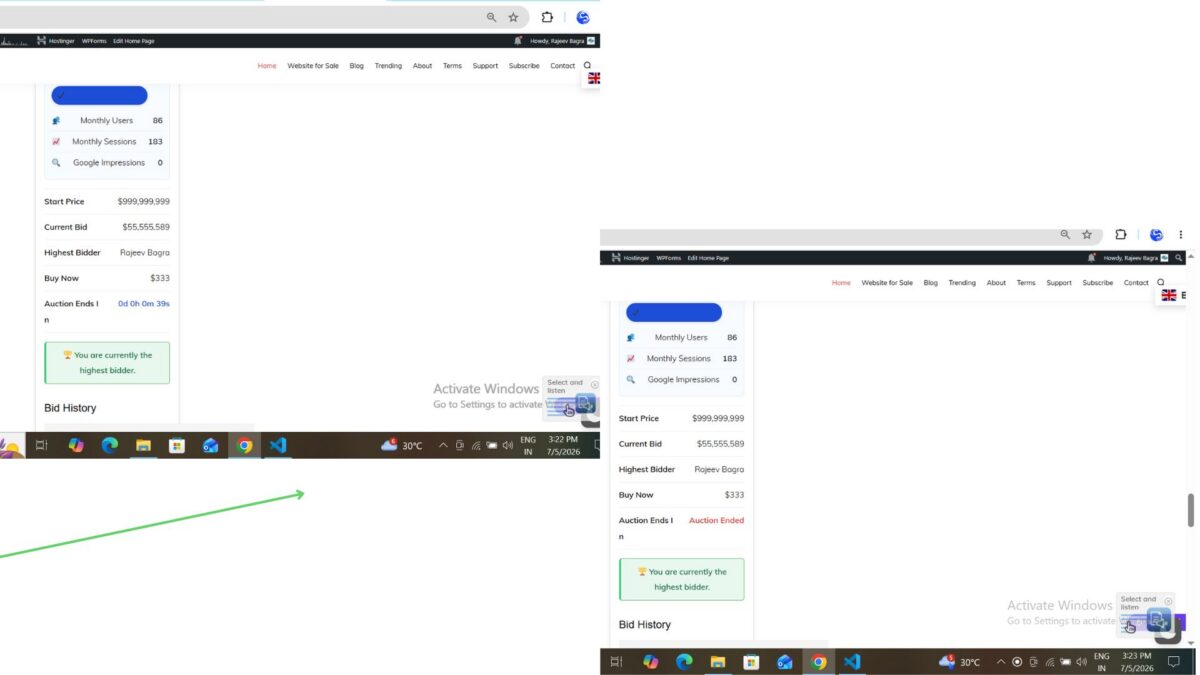
An auction nearing its end time was allowed to expire naturally.

Once maintenance processed the auction:

  • the auction status changed automatically
  • the countdown disappeared
  • the “Auction Ended” status appeared
  • bid history remained available
  • the winning bidder remained correctly displayed

The scheduled maintenance architecture continued working as expected while now sharing the same centralized lifecycle processing.


What This Means for Flipnzee Analytics

One of the long-term goals of the Flipnzee ecosystem is allowing multiple plugins to work together without directly depending on each other.

Because Lesson 56 introduced the public lifecycle hook, and Lesson 57 ensures every maintenance path passes through the same lifecycle manager, future integrations become much easier.

Eventually Flipnzee Analytics will be able to respond whenever auctions are automatically processed without requiring any modifications to the Auctions plugin itself.

This is exactly the loose coupling we have been aiming for since the beginning of the project.


Lessons Learned

This lesson wasn’t about writing a large amount of code.

Instead, it focused on improving architecture.

By reviewing the existing implementation before making changes, we avoided unnecessary duplication and strengthened the plugin using the code that was already in place.

Sometimes the best improvement is not adding more code, but making existing code more consistent, reusable, and maintainable.

Download Source Code

Download the starting version of the plugin before the lesson:

Download the completed version after this lesson:


Looking Ahead

With automated background maintenance now using the centralized lifecycle manager, the Flipnzee platform is well prepared for future enhancements such as:

  • automatic winner notifications
  • seller notifications
  • analytics synchronization
  • scheduled reminder emails
  • activity logging
  • marketplace statistics

Each of these features can now build upon the same lifecycle without introducing duplicate logic.


Conclusion

Lesson 57 completed another important milestone in the evolution of Flipnzee Auctions.

Rather than relying on multiple maintenance paths, the plugin now processes auction expiry through a single centralized lifecycle manager that is shared by both visitor-triggered requests and scheduled WP-Cron maintenance.

Although the code changes were relatively small, the architectural benefits are substantial.

The plugin is now more consistent, easier to maintain, and better prepared for future integration with Flipnzee Analytics and the broader Flipnzee ecosystem.

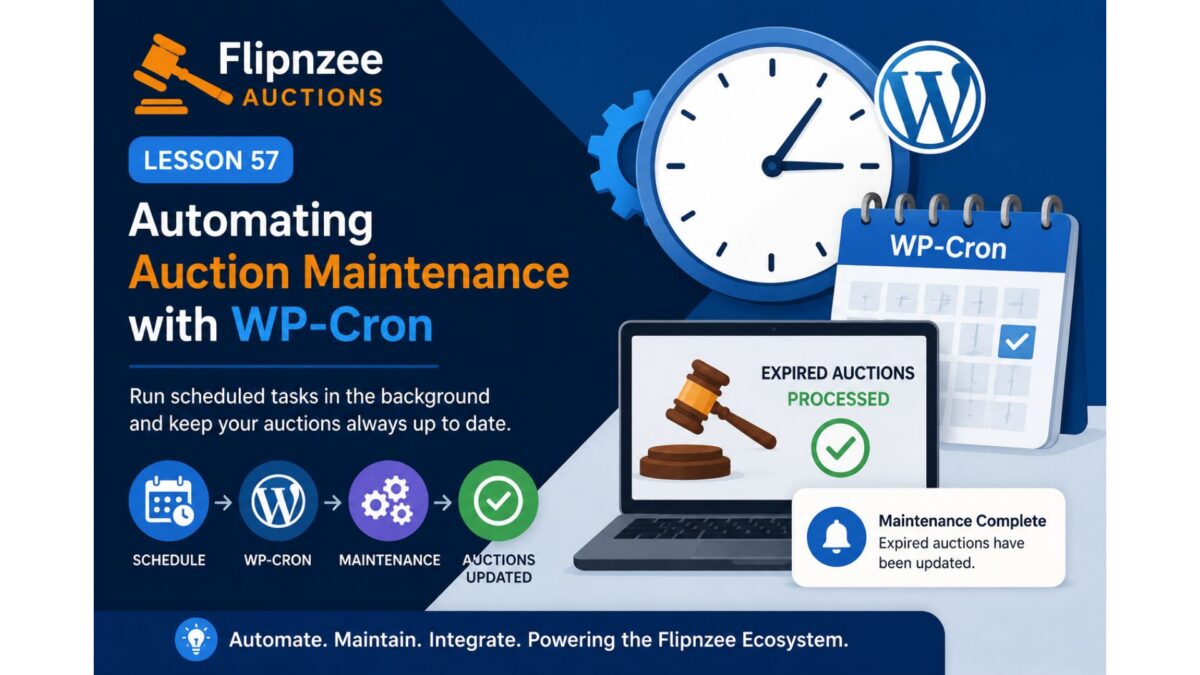
Lesson 57: Automating Auction Maintenance with WP-Cron

In previous lessons, Flipnzee Auctions learned how to automatically close expired auctions and notify the WordPress ecosystem when lifecycle events occur.

However, one limitation still exists.

The automatic lifecycle management only runs when someone visits a page that retrieves active auctions.

If nobody visits the website for several hours, an auction could technically remain active until the next page request.

Professional auction platforms don’t depend on visitors to keep their data up to date.

Instead, they perform routine maintenance in the background.

In this lesson, we’ll improve Flipnzee Auctions by integrating WordPress Cron (WP-Cron) so auction maintenance runs automatically at scheduled intervals.


Why This Lesson Is Needed

Currently, the workflow looks like this:

Visitor
    │
    ▼
Auction Page
    │
    ▼
Check Expired Auctions
    │
    ▼
Close Expired Auctions

This works well while visitors are browsing the website.

But imagine an auction ends at 2:00 AM.

If the next visitor doesn’t arrive until 8:00 AM, the auction won’t be processed until then.

For many websites, this delay may be acceptable.

For a professional auction platform, however, background processing provides a cleaner and more reliable design.


Understanding WP-Cron

Unlike a traditional Linux cron job, WP-Cron is part of WordPress itself.

Whenever WordPress receives a request, it checks whether any scheduled tasks are due.

If they are, WordPress executes them before continuing.

This allows plugins to perform routine maintenance without requiring administrators to manually trigger the process.


Our Existing Foundation

Fortunately, the plugin already contains the beginnings of a maintenance system.

During earlier development we introduced:

  • a scheduled maintenance hook
  • a maintenance callback
  • lifecycle processing methods

This lesson will refine and complete that implementation instead of replacing it.


Planned Improvements

During this lesson we will:

  • Review the existing scheduled maintenance architecture.
  • Ensure only one scheduled event is registered.
  • Improve the maintenance callback if necessary.
  • Reuse the lifecycle methods introduced in Lessons 55 and 56.
  • Verify that expired auctions can be processed through scheduled maintenance.
  • Preserve backward compatibility with visitor-triggered lifecycle updates.

Expected Workflow

After this lesson, the plugin architecture will look like this:

WP-Cron
    │
    ▼
Scheduled Maintenance
    │
    ▼
Auction Manager
    │
    ▼
Update Expired Auctions
    │
    ▼
Fire Lifecycle Hook
    │
    ▼
Future Flipnzee Plugins

This creates a single, reusable lifecycle pipeline regardless of how maintenance is triggered.


Why Reuse Existing Methods?

One important principle of software development is avoiding duplicated logic.

Rather than writing a second version of auction expiry processing specifically for WP-Cron, the scheduled task should simply call the same lifecycle methods already used elsewhere in the plugin.

This keeps maintenance simple and reduces the risk of inconsistent behaviour.


Learning Objectives

In this lesson we’ll learn:

  • How WP-Cron works.
  • Scheduling recurring events.
  • Preventing duplicate scheduled events.
  • Reusing business logic.
  • Building reliable background maintenance.
  • Improving plugin architecture through code reuse.

Files Likely to Change

Depending on the current implementation, we may modify:

flipnzee-auctions.php
includes/class-auction-manager.php

No database changes are expected.

No frontend changes are expected.


Benefits

Completing this lesson will allow Flipnzee Auctions to:

  • Automatically process expired auctions.
  • Keep auction data synchronized even during quiet periods.
  • Reuse existing lifecycle logic.
  • Continue supporting future integrations introduced in Lesson 56.
  • Move closer to a production-ready auction platform.

Looking Ahead

Once scheduled maintenance is fully operational, future lessons can build on it to introduce:

  • Winner notifications
  • Seller notifications
  • Scheduled reminder emails
  • Analytics synchronization
  • Activity logs
  • Automatic cleanup tasks

Because the lifecycle pipeline is already centralized, each new feature can build upon the same architecture.


Conclusion

Lesson 57 focuses on moving auction maintenance into the background using WordPress WP-Cron.

Rather than relying solely on visitors to trigger lifecycle processing, the plugin will begin performing routine maintenance automatically, making the auction platform more reliable, scalable, and suitable for real-world deployments.

This lesson continues the steady evolution of Flipnzee Auctions from a functional auction plugin into a professional, event-driven WordPress platform built on clean architecture and reusable components.

Implementing a Hook-Based Auction Lifecycle in Flipnzee Auctions (Lesson 56)

One of the biggest strengths of WordPress is its hook system. Actions and filters allow plugins to communicate with each other without becoming tightly coupled.

In Lesson 56, I took another important architectural step in the development of Flipnzee Auctions by introducing the plugin’s first public lifecycle hook.

Although this lesson adds no visible frontend features, it lays the foundation for future integrations with Flipnzee Analytics and other Flipnzee plugins.


Why This Lesson Was Needed

In Lesson 55, I implemented Automatic Auction Lifecycle Management.

Whenever active auctions are retrieved, the plugin now automatically checks for expired auctions and updates their status from Active to Closed.

The feature worked perfectly.

However, there was one limitation.

Only the Auction Manager knew that an auction had been closed.

No other plugin had any way of knowing that an important event had just occurred.

As the Flipnzee ecosystem grows, this would become a problem.


Thinking Beyond a Single Plugin

Although Flipnzee Auctions and Flipnzee Analytics are separate plugins, they have always been designed to complement each other.

For example, when an auction closes, future versions of Flipnzee Analytics might want to:

  • Update marketplace statistics.
  • Refresh dashboard widgets.
  • Record lifecycle events.
  • Generate reports.
  • Trigger conversion tracking.

Without a proper communication mechanism, Analytics would have to modify the Auctions plugin directly.

That isn’t good software architecture.

Instead, the Auctions plugin should simply announce that something has happened and allow any interested plugin to respond.

This is exactly what WordPress Actions were designed to do.


Understanding WordPress Actions

A WordPress Action works like an announcement.

Instead of calling another plugin directly, the Auctions plugin simply says:

“I’ve finished processing expired auctions.”

Any plugin that is interested can choose to listen.

If no plugin is listening, nothing happens.

This keeps every plugin independent while still allowing them to work together.


Creating the First Flipnzee Lifecycle Event

Inside the update_expired_auctions() method, I first stored the update result in a variable.

$updated_count = ( false === $result ) ? 0 : (int) $result;

Rather than immediately returning the value, I introduced the plugin’s first public action.

do_action(
    'flipnzee_auctions_expired_processed',
    $updated_count
);

Finally, the method returns the number of auctions that were updated.

return $updated_count;

This small change transformed the method from simply updating the database into publishing an event that other plugins can respond to.


Why Use an Intermediate Variable?

Previously, the method ended like this:

return ( false === $result ) ? 0 : (int) $result;

That worked perfectly.

However, since the update count now needs to be passed to the action, storing it in a variable makes the code much clearer.

The same value is now:

  • passed to the WordPress Action
  • returned to the calling method

without repeating the calculation.


Improving the Documentation

Since this hook is intended for other developers, I also expanded its documentation.

Instead of simply stating that expired auctions had been processed, the comment now explains:

  • why the hook exists
  • when it fires
  • the parameter it passes
  • examples of how future plugins might use it

Good documentation is especially important for public hooks because they become part of the plugin’s public API.


An Architectural Decision

During implementation, we briefly considered adding a listener inside the Auctions plugin itself using:

add_action(
    'flipnzee_auctions_expired_processed',
    ...
);

The purpose would have been to demonstrate how the hook worked.

After reviewing the architecture, however, we decided against it.

Adding a listener that only writes to the error log would introduce demonstration code into the production plugin without providing any real functionality.

Instead, we chose to keep the plugin clean.

The hook now exists and is fully documented.

Future plugins can use it whenever they genuinely need to respond to the auction lifecycle.

I believe this results in a much cleaner and more professional design.


Preparing the Flipnzee Ecosystem

One of the goals of the Flipnzee Platform is allowing independent plugins to work together without directly depending on each other.

This hook is the first step toward that vision.

Future plugins may simply register their own listeners.

For example:

add_action(
    'flipnzee_auctions_expired_processed',
    'my_custom_function'
);

The Auctions plugin doesn’t need to know anything about that plugin.

Likewise, the Analytics plugin doesn’t need to modify the Auctions plugin.

Each plugin remains independent while communicating through WordPress itself.


Testing the Implementation

Since this lesson focused on architecture rather than frontend functionality, testing was straightforward.

After implementing the new hook:

  • The plugin passed PHP syntax validation.
  • Automatic auction expiry continued to function exactly as before.
  • Existing functionality remained unaffected.
  • The new lifecycle event is now available for future integrations.

Because no listeners are currently registered, introducing the hook does not change the behaviour of the plugin.

Instead, it quietly prepares the foundation for future development.


Lessons Learned

This lesson reminded me that professional software development isn’t always about adding visible features.

Sometimes the most valuable improvements are architectural.

By introducing a public lifecycle event, the plugin has become significantly more extensible without increasing complexity.

Future features such as analytics updates, email notifications, activity logging, and marketplace statistics can all be built on top of this single hook.


Looking Ahead

With the first lifecycle event now in place, the plugin is ready for even greater automation.

The next logical step is to ensure auction maintenance happens automatically in the background using WordPress scheduling, rather than only when visitors load auction pages.

That will allow the lifecycle events introduced in this lesson to fire regardless of whether anyone is currently browsing the website.

Download Source Code

Download the starting version of the plugin before the lesson:

Download the completed version after this lesson:


Conclusion

Lesson 56 introduced the first public WordPress Action in Flipnzee Auctions.

Although visitors won’t notice any visual changes, this small addition represents an important architectural milestone.

The plugin now follows a more event-driven design, making it easier for Flipnzee Analytics and future plugins to integrate cleanly without modifying the core Auctions plugin.

As the Flipnzee Platform continues to grow, these well-documented hooks will become the foundation that allows multiple plugins to work together while remaining independent, maintainable, and true to WordPress development best practices.

Lesson 56 – Building a WordPress Hook-Based Auction Lifecycle


Why This Lesson?

In Lesson 55, we successfully automated the auction lifecycle.

Whenever active auctions are retrieved, the plugin now automatically detects expired auctions and updates their status to Closed.

The feature works correctly.

However, there is one limitation.

Only the Auction Manager knows that an auction has just been closed.

No other plugin can respond to that event.

As Flipnzee grows into an ecosystem of complementary plugins, we need a way for different plugins to communicate without becoming tightly coupled.

This is exactly what WordPress Actions and Filters were designed for.


Why Hooks Matter

Suppose in the future Flipnzee Analytics wants to know when an auction closes.

Without hooks, the Analytics plugin would need to modify the Auctions plugin directly.

That creates unnecessary dependencies.

Instead, the Auctions plugin can simply announce:

“An auction has just been closed.”

Other plugins can decide whether they care about that event.


Current Flow

Visitor
    │
    ▼
Auction Shortcode
    │
    ▼
Auction Manager
    │
    ▼
Update Expired Auctions
    │
    ▼
Database

Only the Auction Manager knows what happened.


New Flow

Visitor
    │
    ▼
Auction Manager
    │
    ▼
Auction Closed
    │
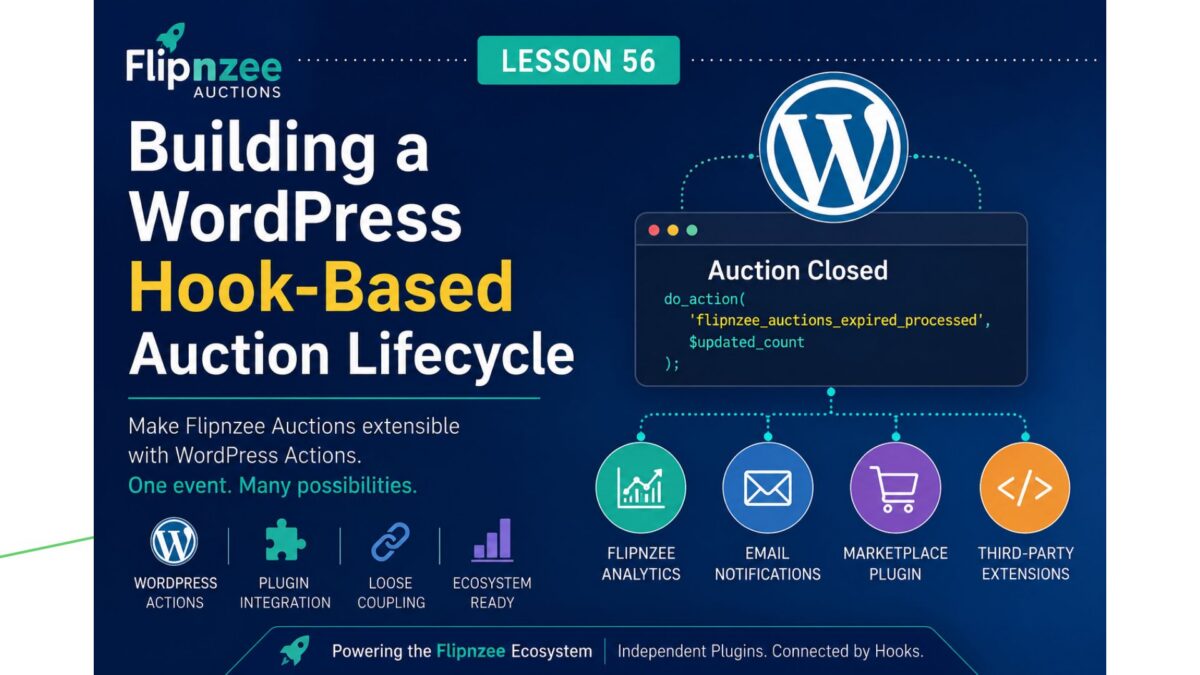
    ├────────► Flipnzee Analytics
    │
    ├────────► Email Notifications
    │
    ├────────► Future Marketplace Plugin
    │
    └────────► Other Developers

Now the Auctions plugin becomes extensible.


What We’ll Build

Whenever one or more auctions are automatically closed, we’ll fire a WordPress action.

For example:

do_action(
    'flipnzee_auctions_expired_processed',
    $updated_count
);

or perhaps an even more descriptive hook if we process individual auctions in the future.

Initially, nothing else will listen to this action.

That’s perfectly fine.

We’re building the extension point first.


Why This Fits the Flipnzee Platform

Flipnzee Analytics should never need to edit the Auctions plugin.

Instead, it can simply listen for events such as:

  • Auction Created
  • Auction Updated
  • Bid Placed
  • Highest Bid Changed
  • Auction Closed
  • Winner Selected

Likewise, future plugins could react to the same events.

This keeps every plugin independent while allowing them to work together seamlessly.


Learning Objectives

In this lesson we will learn:

  • WordPress Actions
  • Plugin interoperability
  • Loose coupling
  • Designing extension points
  • Building an extensible plugin architecture

Files Expected to Change

Most likely only:

includes/class-auction-manager.php

No database changes.

No UI changes.

No CSS changes.


Expected Behaviour

Today:

Auction closes

Tomorrow:

Auction closes

↓

WordPress Action Fires

↓

Other plugins can respond

Visitors won’t notice any visual difference, but the internal architecture becomes significantly more powerful.


Why This Before WP-Cron?

At first glance, WP-Cron might seem like the obvious next step.

However, even when we introduce background processing, we will still want other plugins to know that an auction has closed.

By creating the extension point first, the scheduled task can later reuse the same lifecycle events.

This results in cleaner, more reusable code.


Looking Ahead

This lesson prepares the way for future features such as:

  • Scheduled auction processing (WP-Cron)
  • Winner email notifications
  • Seller notifications
  • Marketplace statistics
  • Analytics integration
  • Activity logs
  • Third-party extensions

Conclusion

Lesson 56 introduces one of the most important concepts in professional WordPress plugin development: building for extensibility.

Rather than treating Flipnzee Auctions as a standalone plugin, we begin designing it as part of the wider Flipnzee Platform, where independent plugins communicate through well-defined WordPress hooks instead of direct dependencies.


Why I changed the roadmap

I think this lesson is more valuable than jumping straight into WP-Cron because it establishes the architectural foundation first. When we later implement scheduled processing, email notifications, or deeper integration with Flipnzee Analytics, they’ll all be able to reuse the same hook system instead of requiring further refactoring.

This is exactly the kind of incremental, professional evolution we’ve been following throughout the project.

Implementing Automatic Auction Lifecycle Management in Flipnzee Auctions (Lesson 55)


In the previous lesson, we improved the frontend by ensuring manually closed auctions no longer displayed a misleading countdown timer. However, there was still an important piece missing from the auction lifecycle.

Although an auction could reach its end time, its status in the database would remain Active until an administrator manually changed it. This meant the plugin’s stored data didn’t always reflect the true state of the auction.

In this lesson, I implemented Automatic Auction Lifecycle Management, allowing the plugin to automatically detect expired auctions and update their status to Closed.

This may seem like a small enhancement, but it significantly improves the reliability and architecture of the plugin.


The Problem

Before this lesson, an auction could look like this in the database:

StatusAuction End
ActiveYesterday

Although the auction had already expired, its status remained Active until someone manually edited it.

As the plugin grows, relying on manual updates becomes impractical. Features such as winner notifications, analytics, and scheduled processing all depend on accurate auction statuses.


Designing the Solution

Rather than placing the expiry logic inside the frontend or scattering it across multiple files, we decided to keep all lifecycle management inside the Auction Manager.

This follows one of the fundamental principles of object-oriented programming:

Business logic belongs in the manager classes, while presentation classes should focus only on displaying information.


Creating a Dedicated Lifecycle Method

The first step was creating a new method inside includes/class-auction-manager.php.

public static function update_expired_auctions()

Its responsibility is straightforward:

  • Find auctions that are still marked as Active.
  • Compare their end date and time with the current WordPress time.
  • Update only those auctions whose expiry time has already passed.

Keeping this functionality in a dedicated method makes it reusable throughout the plugin.


Letting the Database Do the Work

Instead of retrieving every auction and checking them individually in PHP, we allowed MySQL to perform the update directly.

$result = $wpdb->query(
    $wpdb->prepare(
        "
        UPDATE {$table}
        SET status = %s
        WHERE status = %s
          AND auction_end < %s
        ",
        'closed',
        'active',
        current_time( 'mysql' )
    )
);

This approach is far more efficient because the database updates all matching auctions in a single query.

We also used:

current_time( 'mysql' )

instead of PHP’s date() function so that the comparison respects the timezone configured in WordPress.


Our First Implementation

Initially, I called the new method directly inside the auction shortcode.

Flipnzee_Auction_Manager::update_expired_auctions();

$auctions = Flipnzee_Auction_Manager::get_active_auctions();

The feature worked correctly.

However, after reviewing the architecture, we realised the shortcode had started doing more than simply displaying auctions.


Refactoring for Better Architecture

The shortcode was now responsible for two different tasks:

  • Updating auction statuses.
  • Displaying auction listings.

Although functional, this wasn’t the cleanest design.

Instead, we moved the lifecycle processing into the Auction Manager itself.

Inside get_active_auctions() we added:

self::update_expired_auctions();

The shortcode then became much cleaner.

$auctions = Flipnzee_Auction_Manager::get_active_auctions();

Now the shortcode simply requests active auctions, while the Auction Manager ensures that the returned data is already accurate.


Why This Refactoring Matters

This small architectural improvement keeps responsibilities clearly separated.

Auction Manager

Responsible for:

  • Auction lifecycle
  • Business rules
  • Database operations
  • Retrieving auction data

Shortcode Class

Responsible for:

  • Displaying auction information
  • Rendering HTML
  • User interface

Separating responsibilities like this makes future maintenance much easier.


Testing the Feature

After completing the implementation, I carried out a real-world test instead of relying only on syntax validation.

First, I confirmed that the WordPress site was configured to use the Kolkata timezone under Settings → General.

I then created an auction with an expiry time a few minutes in the future.

Once the end time was reached, I refreshed the auction page.

The results were exactly as expected:

  • The auction automatically transitioned from Active to Closed.
  • The countdown was replaced with the Auction Ended notice.
  • No manual status update was required.

This confirmed that the automatic lifecycle management works correctly with the site’s configured WordPress timezone.


Lessons Learned

One of the biggest takeaways from this lesson was that good software isn’t just about making features work—it’s about placing responsibilities in the right classes.

The feature functioned correctly in its initial form, but moving the lifecycle processing into the Auction Manager resulted in a cleaner and more maintainable architecture.

Small refactorings like this become increasingly valuable as a project grows.


Looking Ahead

This lesson also supports the long-term vision for the Flipnzee Platform.

Although Flipnzee Auctions and Flipnzee Analytics are separate plugins, they are designed to complement each other. Keeping auction lifecycle management centralized provides a solid foundation for future integrations, including:

  • Winner notifications
  • Scheduled background processing
  • Marketplace statistics
  • Analytics events
  • Dashboard updates

Building this foundation now will make future lessons much easier to implement.

Download Source Code

Download the starting version of the plugin before the lesson:

Download the completed version after this lesson:


Conclusion

Lesson 55 introduced automatic auction lifecycle management to the Flipnzee Auctions plugin.

Expired auctions now automatically transition from Active to Closed, keeping the database synchronized with real-world auction activity.

Just as importantly, this lesson reinforced the architectural principles that guide the project: business logic belongs in manager classes, presentation classes should remain focused on the user interface, and each improvement should prepare the plugin for future growth.

With Lesson 55 complete, Flipnzee Auctions has become more reliable, easier to maintain, and better prepared for the next stage of development.

Lesson 55 – Automatic Auction Lifecycle Management


Why This Lesson?

In the previous lesson, we improved how closed auctions are displayed to visitors. However, there is still an important aspect of a professional auction system that happens behind the scenes: managing the auction lifecycle.

An auction doesn’t simply display different information after its end time—it progresses through defined states such as Active, Closed, and Sold. Keeping these states accurate ensures the rest of the plugin behaves consistently.

This lesson introduces automatic lifecycle management by allowing the plugin to recognize when an active auction has expired and update its status accordingly.

Although this feature is simple, it lays the foundation for future capabilities such as scheduled processing, winner notifications, payment workflows, and analytics integration.


Why It Matters

Every professional application has a clear business lifecycle.

For Flipnzee Auctions, that lifecycle includes:

Draft
   ↓
Published
   ↓
Active
   ↓
Closed
   ↓
Sold (future)

Instead of relying on administrators to manually update statuses, the plugin should keep auction records synchronized with real-world events.


Learning Objectives

By completing this lesson, you will learn how to:

  • Separate business logic from presentation.
  • Automatically manage auction states.
  • Write reusable methods that can be called throughout the plugin.
  • Keep the database synchronized with auction expiry.
  • Prepare the plugin for future automation features.

What We’ll Build

We’ll introduce a dedicated method inside the Auction Manager that:

  • Finds auctions that are still marked as Active.
  • Checks whether their end date and time have passed.
  • Updates only those auctions to Closed.

The method will be reusable and can later be called by scheduled tasks or other parts of the plugin.


Why This Fits the Flipnzee Ecosystem

Although Flipnzee Auctions and Flipnzee Analytics are separate plugins, they are designed to complement one another as part of the Flipnzee Platform.

Maintaining an accurate auction status benefits not only the Auctions plugin but also provides reliable events that other Flipnzee plugins can use.

For example, future integrations could respond when an auction closes by:

  • Refreshing marketplace statistics.
  • Updating auction dashboards.
  • Recording historical trends.
  • Triggering winner notifications.
  • Calculating conversion metrics.

By keeping the auction lifecycle accurate, we create a stronger foundation for the entire Flipnzee ecosystem.


Scope of This Lesson

To keep the lesson focused, we will only:

  • Detect expired active auctions.
  • Update their status to Closed.
  • Keep the implementation reusable.

We will not introduce background scheduling or email notifications yet. Those topics will be covered in future lessons.


Expected Behaviour

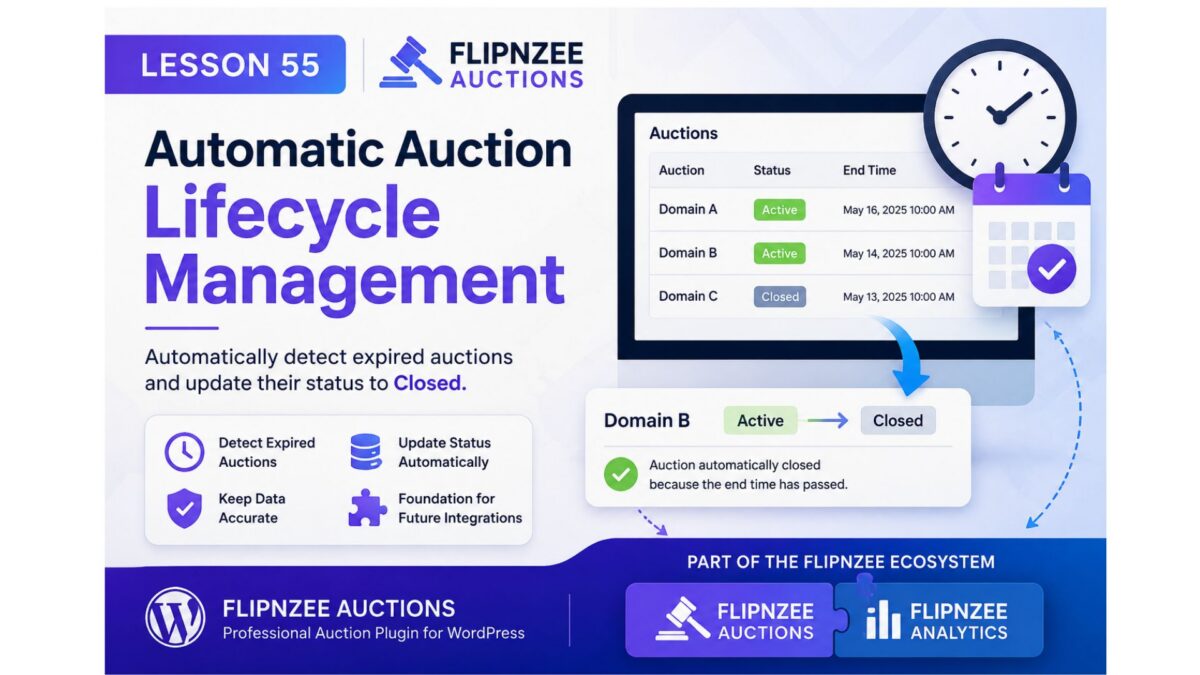
AuctionCurrent StatusEnd TimeResult
Domain AActiveTomorrowRemains Active
Domain BActiveYesterdayAutomatically Closed
Domain CClosedYesterdayNo Change

Only auctions that are both Active and Expired will be updated.


Files Expected to Change

The implementation should require only a small number of changes, primarily within:

  • includes/class-auction-manager.php
  • One location where auctions are retrieved before being displayed.

No database schema changes or user interface redesigns are expected.


Looking Ahead

This lesson begins the Auction Lifecycle series.

Future lessons can build upon it with features such as:

  • WP-Cron automation.
  • Winner and seller notifications.
  • Auction archive pages.
  • Marketplace statistics.
  • Integration hooks for other Flipnzee plugins.

Lesson 54: Handling Manually Closed Auctions Correctly in Flipnzee Auctions

While developing the Flipnzee Auctions plugin, an interesting edge case was discovered. Auctions that were manually marked as Closed from the admin dashboard continued to display a live countdown timer on the frontend. Although bidding was no longer possible, visitors still saw that the auction had many days remaining.

In this lesson, the auction display was updated so that manually closed auctions are presented consistently throughout the website.


The Problem

Initially, the auction countdown relied only on the auction end date.

The logic was similar to this:

$current_time >= strtotime( $auction['auction_end'] )

This worked perfectly when an auction naturally expired, but it ignored the auction status stored in the database.

As a result:

  • the auction card displayed a red Auction Ended badge,
  • the bidding form was disabled,
  • yet the countdown still showed something like:
Auction Ends In

41d 2h 53m

This created conflicting information for visitors.


Understanding the Cause

Each auction stores a status in the database.

Typical values include:

  • draft
  • active
  • closed

When an administrator manually closes an auction, the status changes to:

closed

However, the auction end date remains unchanged because the scheduled end date is still stored for historical purposes.

Therefore, relying only on the end date was not enough.


Updating the Auction Logic

The auction is now considered closed if either of the following conditions is true:

  • the auction status is closed, or
  • the scheduled end date has already passed.

The logic now looks like this:

$auction_closed =
(
    'closed' === $auction['status']
)
||
(
    current_time( 'timestamp' ) >=
    strtotime( $auction['auction_end'] )
);

This allows the plugin to distinguish between an auction that is still active and one that has been manually closed.


Improving the Frontend Display

Previously, every auction displayed the countdown row.

Auction Ends In
Loading...

This has now been replaced with conditional output.

For manually closed auctions the visitor now sees:

Auction Status
Auction Ended

For active auctions the countdown remains unchanged.

Auction Ends In
12d 05h 18m

This makes the interface much clearer.


Preserving Winner Information

During implementation another issue was discovered.

While testing, the code responsible for retrieving the winning bid had accidentally been commented out.

Because of that:

  • the Winner section disappeared,
  • the plugin incorrectly displayed “No bids were placed.” even when several bids existed.

Restoring the following code resolved the problem:

$winning_bid = Flipnzee_Bid_Manager::get_winning_bid(
    $auction['id']
);

After restoring it:

  • Winner information appeared correctly.
  • Winning bid amount was displayed.
  • Bid history continued to work.
  • Closed auctions correctly showed their final results.

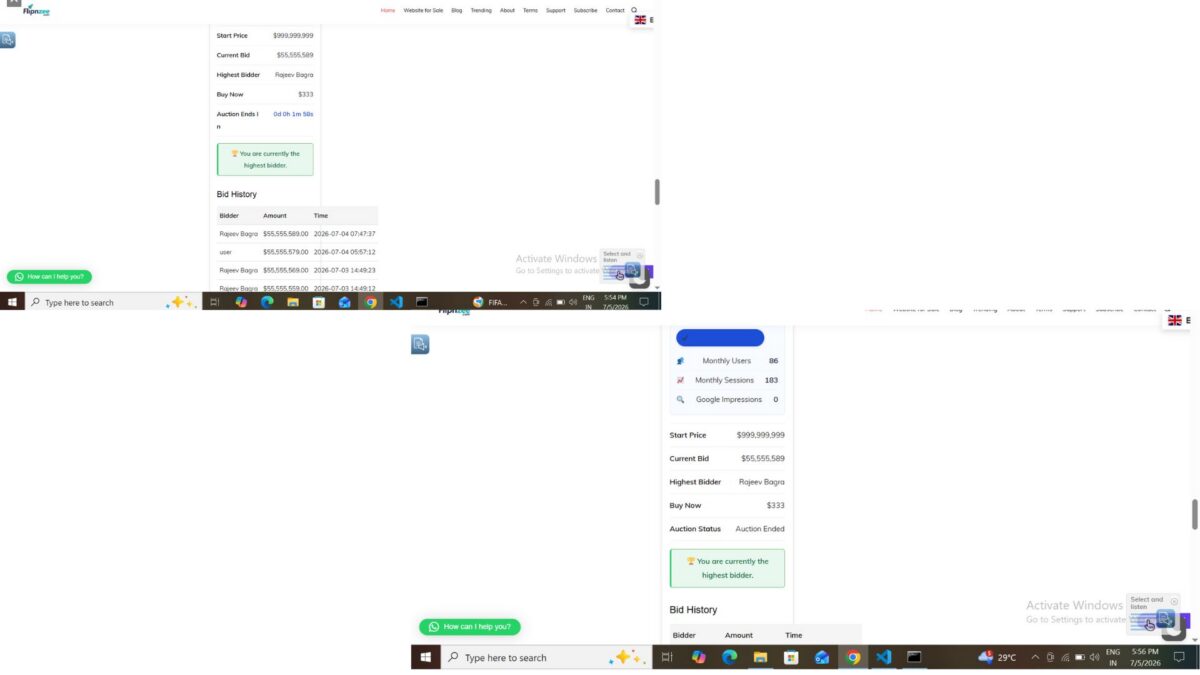
Final Behaviour

The auction system now behaves consistently.

Active Auction

  • Live countdown displayed
  • Bidding enabled
  • Highest bidder shown
  • Bid history available

Naturally Expired Auction

  • Auction Ended shown
  • Winner displayed
  • Winning bid displayed
  • No further bids accepted

Manually Closed Auction

  • Auction Status → Auction Ended
  • Winner displayed (if bids exist)
  • Winning bid displayed
  • Bid history preserved
  • No misleading countdown shown

Lessons Learned

This implementation highlighted an important development principle.

A date alone should not always determine the state of an application. When a dedicated status field exists in the database, both the status and the timestamp should be considered before deciding how information is presented to users.

Handling these edge cases makes the auction system more reliable and provides a better experience for both buyers and sellers.


Download Source Code

Download the starting version of the plugin before the lesson:

Download the completed version after this lesson:


Conclusion

With this improvement, Flipnzee Auctions now correctly handles manually closed auctions while preserving auction history, winner information, and bid history. Visitors receive clear and accurate information regardless of whether an auction ended naturally or was closed early by an administrator, making the plugin more robust and professional.

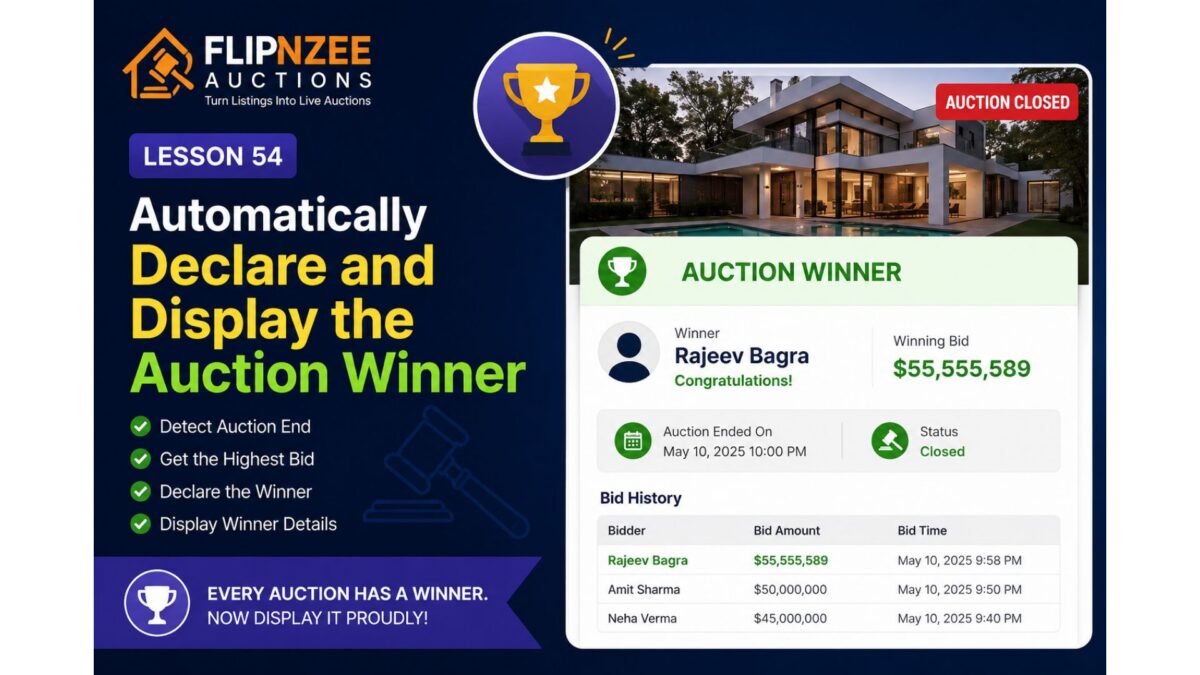
Lesson 54: Automatically Declare and Display the Auction Winner


So far, the Flipnzee Auctions plugin can:

  • Create auctions
  • Prevent duplicate auctions
  • Accept bids
  • Track the highest bidder
  • Display bid history
  • Prevent bid sniping
  • Automatically close expired auctions

However, one important question still remains unanswered:

Who actually won the auction?

Although the highest bidder is already stored in the bids table, the plugin does not yet officially declare a winner once the auction ends.

In this lesson, we’ll introduce winner determination and display the auction winner on the frontend.


What You’ll Build

By the end of this lesson, the plugin will automatically:

  • Detect that an auction has ended.
  • Retrieve the highest bid.
  • Declare that bidder as the winner.
  • Display the winner prominently.
  • Display the final winning bid.
  • Replace the bidding interface with a winner announcement.

Why This Matters

Every successful auction should end with a clear result.

Visitors should immediately know:

  • Who won?
  • What was the winning bid?
  • Is the auction still active?
  • Has the property been sold?

Professional auction platforms always display this information after an auction concludes.


Current Behaviour

Currently, a closed auction only shows:

Auction Closed

No further bids are accepted.

Although useful, it doesn’t tell visitors the outcome.


Desired Behaviour

Once the auction ends, visitors should see something like:

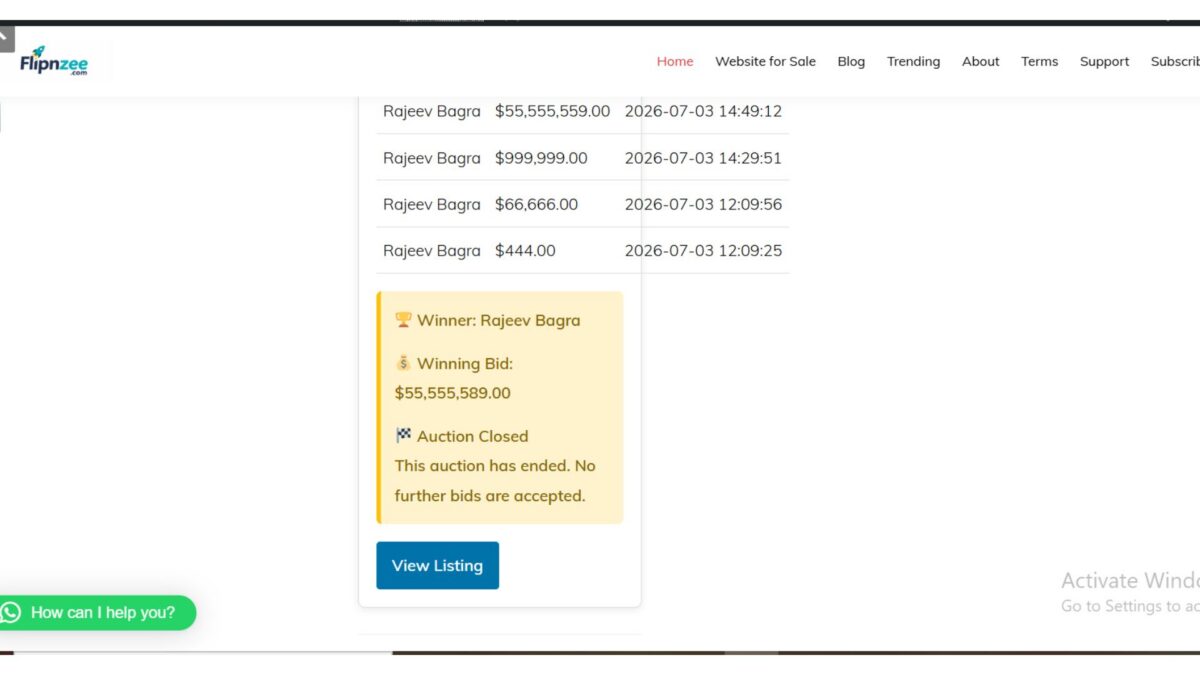
🏆 Auction Winner

Winner:
Rajeev Bagra

Winning Bid:
$55,555,589

Status:
Auction Closed

The bid history should remain visible below the winner announcement.


Implementation Plan

During this lesson we’ll:

Step 1

Determine whether the auction has ended.


Step 2

Retrieve the highest bidder from the bids table.


Step 3

Display the winner section above the bid history.


Step 4

Highlight the winning amount.


Step 5

Show a congratulatory message.

Example:

🏆 Congratulations!

Rajeev Bagra won this auction with a bid of
$55,555,589.

User Experience

Before the auction ends:

  • Live countdown
  • Bid form
  • Highest bidder
  • Bid history

After the auction ends:

  • 🏆 Winner
  • Winning bid
  • Auction Closed badge
  • Bid history
  • No bid form

This creates a clear transition from an active auction to a completed sale.


What You’ll Learn

In this lesson, you’ll learn how to:

  • Reuse existing database queries efficiently.
  • Display conditional content based on auction status.
  • Present auction results in a user-friendly way.
  • Improve the overall completion flow of an online auction.

Final Thoughts

An auction isn’t complete until a winner is announced. By automatically displaying the winning bidder and final selling price, the Flipnzee Auctions plugin will provide visitors with a satisfying conclusion to every auction while laying the groundwork for future enhancements such as winner notifications, payment processing, sold badges, and auction archives.


Next Lesson

Lesson 55: Notify the Winning Bidder and Administrator After Auction Completion

We’ll build on this by automatically sending email notifications to the winner and the site administrator when an auction concludes, making the auction workflow even more complete.

Lesson 53 Implementation: Prevent Duplicate Auctions by Enforcing One Auction Per Listing


As the Flipnzee Auctions plugin matured, an important database design issue became apparent. During testing, it was possible to create multiple auction records for the same listing. While acceptable during development, this behaviour could lead to incorrect auction displays, duplicated auction cards, and confusion when retrieving bid history.

In this lesson, we improved the auction creation process by enforcing a simple but important rule:

One listing can have only one auction.

Instead of creating duplicate auction records, the plugin now updates the existing auction whenever the administrator attempts to create another auction for the same listing.


The Problem

Originally, every time an auction was created, a new database record was inserted.

For example:

Listing ID 491

Auction #25
Auction #26
Auction #27
Auction #31

Although only one auction should exist for the listing, several records accumulated during development.

This caused problems such as:

  • Multiple auction cards appearing.
  • Incorrect auction selected by frontend queries.
  • Bid history associated with different auction IDs.
  • Difficult database maintenance.

Step 1: Check Whether an Auction Already Exists

Inside:

includes/class-auction-manager.php

Locate:

public static function create_auction()

Immediately after defining the database table, retrieve any existing auction for the current listing.

$existing_auction = $wpdb->get_var(
	$wpdb->prepare(
		"SELECT id
		FROM {$table}
		WHERE listing_id = %d
		LIMIT 1",
		$listing_id
	)
);

If an auction already exists, the plugin now knows its auction ID before attempting to insert another record.


Step 2: Update Instead of Insert

Previously, the function always continued directly to:

$wpdb->insert(

Instead, we added:

if ( $existing_auction ) {

	self::update_auction(
		$existing_auction,
		$listing_id,
		$start_price,
		$reserve_price,
		$buy_now_price,
		'active',
		$auction_start,
		$auction_end
	);

	return $existing_auction;
}

This means:

  • Existing auction found → update it.
  • No auction found → create a brand-new auction.

Step 3: Keep Existing Insert Logic

If no auction exists, the original insert code continues to run unchanged.

$result = $wpdb->insert(
	$table,
	array(
		'listing_id'    => $listing_id,
		'start_price'   => $start_price,
		'reserve_price' => $reserve_price,
		'buy_now_price' => $buy_now_price,
		'status'        => 'active',
		'auction_start' => $auction_start,
		'auction_end'   => $auction_end,
	),
	array(
		'%d',
		'%f',
		'%f',
		'%f',
		'%s',
		'%s',
		'%s',
	)
);

No further changes were required.


Why Return the Existing Auction ID?

The create_auction() method was originally designed to return the auction ID.

Returning:

true

would change the method’s behaviour and could break other parts of the plugin.

Instead, after successfully updating an existing auction, we return:

return $existing_auction;

This preserves the original method contract and keeps the plugin consistent.


Testing

To verify the implementation:

  1. Edit an existing listing.
  2. Create (or recreate) its auction.
  3. Save the auction.
  4. Check the Auctions table.

Expected behaviour:

  • No new auction record is created.
  • The existing auction is updated.
  • The auction ID remains unchanged.
  • Auction dates and prices are refreshed successfully.

Testing confirmed that the plugin now updates the existing auction instead of creating duplicates.


Development Observation

While testing, previously created development records remained in the database.

For example:

Listing ID 491

Auction #25 (closed)
Auction #26 (closed)
Auction #27 (closed)
Auction #31 (active)

These historical records were created before this lesson was implemented.

Because Lesson 53 prevents future duplicate creation, a clean database (or removal of old development records) ensures that each listing has only one associated auction going forward.


What We Learned

This lesson demonstrated an important database design principle:

Prevent duplicate data instead of fixing it later.

By checking for an existing auction before inserting a new one, the plugin now enforces a one-to-one relationship between listings and auctions. This keeps the database cleaner, simplifies frontend queries, and ensures that auction history and bid data remain associated with the correct auction record.

Download Source Code

Download the starting version of the plugin before the lesson:

Download the completed version after this lesson:


Final Thoughts

Although the implementation itself was straightforward, it significantly improved the overall architecture of the Flipnzee Auctions plugin. Preventing duplicate auctions not only reduces database clutter but also lays a stronger foundation for future features such as auction archives, winner announcements, relisting, and auction history. From this point onward, each listing is managed through a single auction record, making the system more reliable and easier to maintain.