Lesson 98 Implementation: Building the Buyer Dashboard

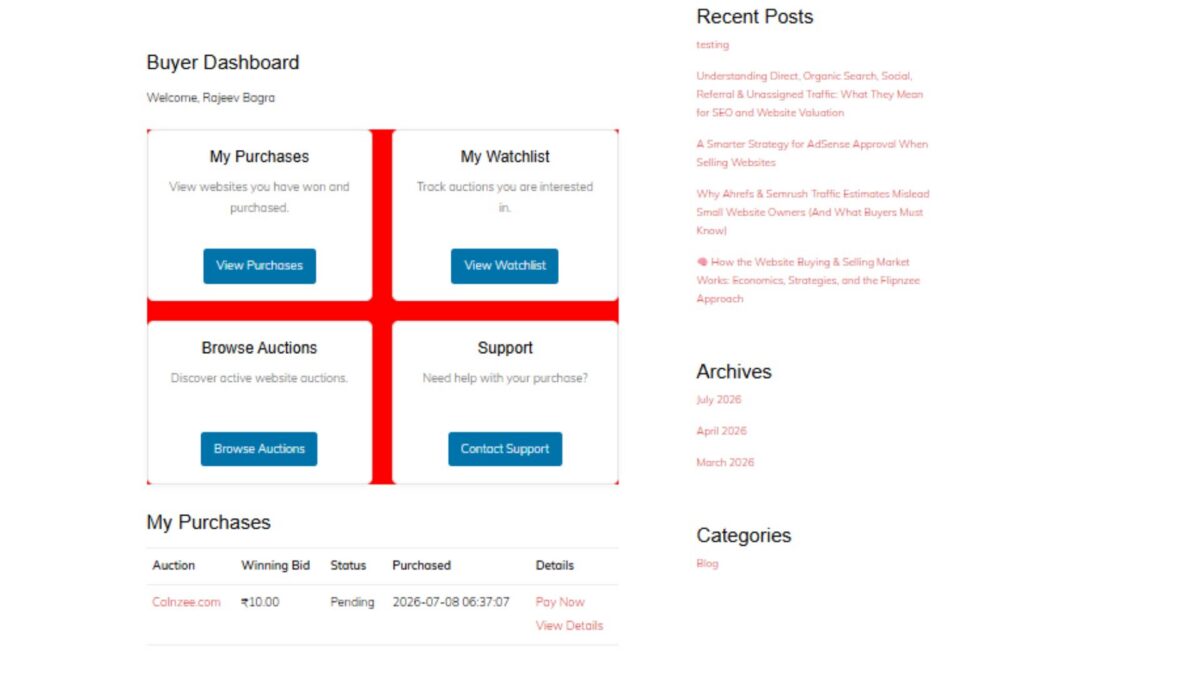
In this lesson, we introduced the Buyer Dashboard, an important milestone in the Flipnzee Auctions plugin. While the earlier lessons focused on auctions, bidding, payments, and watchlists, this lesson begins building the buyer’s personal workspace after logging into the marketplace.

The Buyer Dashboard serves as the central navigation hub for buyers, allowing them to quickly access their purchases, watchlist, active auctions, and support resources.


Why a Buyer Dashboard?

As Flipnzee grows into a specialized marketplace for buying and selling websites, buyers need a dedicated area where they can manage their activity without navigating through multiple pages.

The dashboard is designed to provide:

  • Quick access to purchased websites
  • Easy navigation to the watchlist
  • Direct access to current auctions
  • Support resources
  • A foundation for future buyer features

This dashboard will continue to evolve in upcoming lessons as more buyer functionality is introduced.


Registering a Dedicated Shortcode

A new shortcode was created for the dashboard:

[flipnzee_buyer_dashboard]

This shortcode allows the dashboard to be embedded on any WordPress page while keeping the implementation modular and reusable.

The dashboard class registers the shortcode during construction using WordPress’ Shortcode API.


Login Protection

Since the dashboard contains user-specific information, it is only available to authenticated users.

If a visitor is not logged in, the shortcode displays a friendly message requesting authentication before accessing buyer features.

This keeps buyer information private while following WordPress best practices.


Personalized Welcome Section

The dashboard greets the logged-in buyer using their WordPress display name.

Example:

Buyer Dashboard

Welcome, Rajeev Bagra

Personalization creates a much more user-friendly experience and prepares the dashboard for future account-specific information.


Dashboard Cards

Instead of displaying long navigation menus, the dashboard uses clean responsive cards.

Four primary navigation cards were introduced:

My Purchases

Provides access to websites that the buyer has successfully won and purchased.

Future lessons will display:

  • Purchase history
  • Pending transfers
  • Completed transfers
  • Payment status

My Watchlist

Allows buyers to quickly revisit auctions they are monitoring.

This integrates directly with the Watchlist system developed in previous lessons.


Browse Auctions

Provides a shortcut back to the marketplace so buyers can continue exploring active website auctions.


Support

Offers direct access to marketplace support resources whenever assistance is required during the buying process.


Responsive CSS Grid

A responsive CSS Grid layout was implemented to display the dashboard cards.

Benefits include:

  • Responsive across desktop, tablet, and mobile devices
  • Equal spacing between cards
  • Professional appearance
  • Easy future expansion

Each card includes:

  • Title
  • Description
  • Action button
  • Hover animation
  • Subtle shadows
  • Rounded corners

Modern User Interface

Several interface improvements were added:

  • Soft shadows
  • Rounded card design
  • Smooth hover animations
  • Consistent Flipnzee button styling
  • Responsive spacing
  • Clean typography

The result is a dashboard that feels modern while remaining lightweight.


Reusing Existing Marketplace Pages

Each dashboard card links to an existing or upcoming marketplace page.

Current destinations include:

  • /my-purchases/
  • /watchlist/
  • /listings/
  • /support/

This keeps navigation centralized and reduces unnecessary menu complexity.


Debugging Journey

An interesting challenge during this lesson involved the dashboard layout initially rendering as a vertical list instead of the intended responsive grid.

The issue was systematically investigated by verifying:

  • Shortcode registration
  • HTML structure
  • CSS loading
  • Browser Developer Tools
  • Network requests
  • Stylesheet versions
  • CSS Grid rules

A temporary diagnostic background color confirmed that the correct stylesheet was being loaded, allowing the issue to be isolated and resolved successfully.

This debugging process reinforced the importance of methodical troubleshooting rather than assuming the problem originates in PHP or HTML.


Foundation for Future Lessons

Although the dashboard currently serves as a navigation hub, it lays the groundwork for significantly richer buyer functionality.

Upcoming enhancements will include:

  • Live purchase summaries
  • Recent bidding activity
  • Pending payments
  • Escrow transaction status
  • Website transfer progress
  • Buyer notifications
  • Personalized marketplace insights

The dashboard is intentionally designed to grow alongside the Flipnzee marketplace.

Download Source Code

Download the starting version of the plugin before the lesson:

Download the completed version after this lesson:


Final Thoughts

Lesson 97 marks the beginning of the buyer experience within Flipnzee Auctions. By introducing a dedicated Buyer Dashboard, the plugin now offers a centralized, user-friendly starting point for every buyer after login.

Rather than overwhelming users with scattered pages and menus, the dashboard provides a clean, responsive interface that will gradually evolve into a comprehensive buyer control panel as future lessons expand payment workflows, purchase management, and ownership transfers.

The Buyer Dashboard represents another important step toward transforming Flipnzee Auctions into a professional marketplace specifically built for buying and selling websites and digital assets.
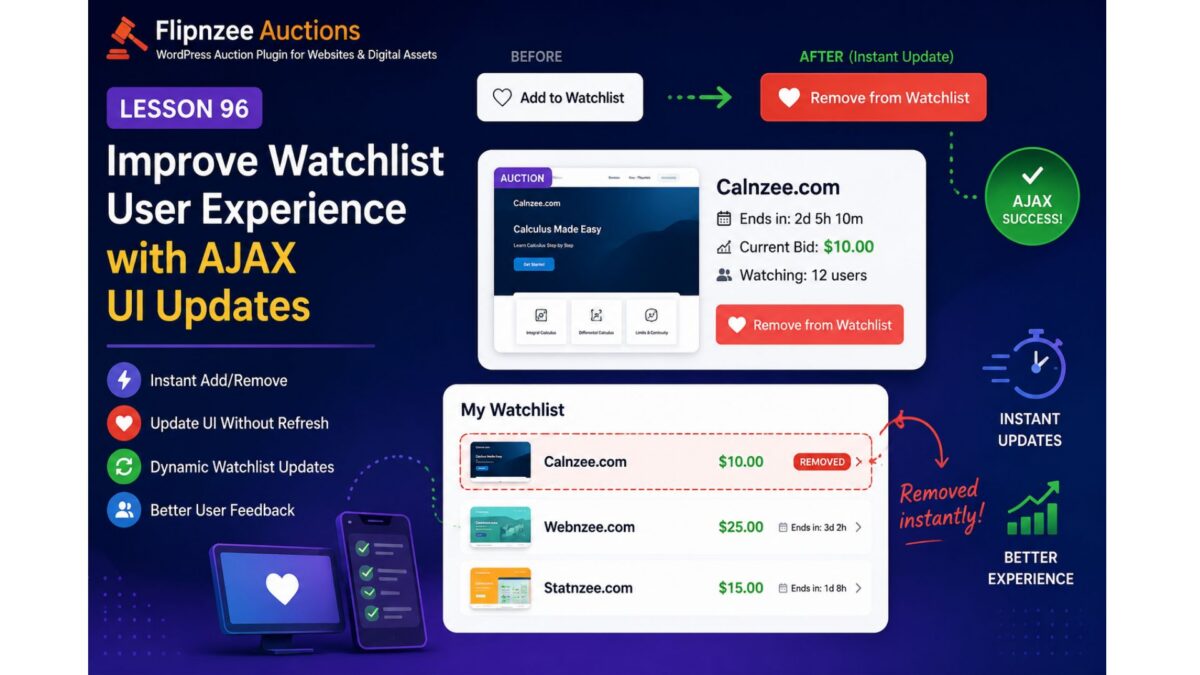
Lesson 96: Improve Watchlist User Experience with AJAX UI Updates

Objective

In Lesson 95, we successfully completed the core Watchlist functionality:

  • Users can add auctions to their Watchlist.
  • Users can remove auctions from their Watchlist.
  • AJAX requests work correctly.
  • The Watchlist shortcode displays saved auctions.
  • Database operations are stable.

However, one usability issue remains.

When a user clicks Add to Watchlist or Remove from Watchlist, the database updates successfully, but the page does not immediately reflect the change. Users must manually refresh the page to see the updated Watchlist.

The goal of Lesson 96 is to make the Watchlist feel like a modern web application by updating the interface immediately after a successful AJAX response.


Why this improvement is needed

Modern users expect instant feedback.

Instead of this workflow:

Click Add
↓

AJAX succeeds
↓

Nothing changes
↓

User refreshes page
↓

Button changes

we want:

Click Add
↓

AJAX succeeds
↓

Button immediately changes to
❤ Remove from Watchlist

↓

Watchlist section updates

Likewise for removal:

Click Remove
↓

AJAX succeeds
↓

Button changes back to
❤ Add to Watchlist

↓

Auction disappears from My Watchlist

No manual refresh should be required.


Planned Improvements

1. Refactor watchlist.js

Clean the JavaScript implementation by separating:

  • Add handler
  • Remove handler
  • UI update methods

instead of one large callback.


2. Update button immediately

Instead of waiting for page refresh:

Current

❤ Add to Watchlist

❤ Remove from Watchlist

or vice versa.


3. Toggle CSS classes

Instead of rebuilding HTML:

button.removeClass(...)
button.addClass(...)

This is cleaner and easier to maintain.


4. Update My Watchlist dynamically

Instead of requiring refresh:

My Watchlist

Auction A
Auction B
Auction C

After removal

My Watchlist

Auction A
Auction C

without reloading the page.


5. Refresh watcher count (future-ready)

Lesson 96 will prepare the JavaScript so we can later update:

Watching:
15 users

instantly after each action.


6. Better user feedback

Instead of silent success:

Display messages like:

✓ Added to Watchlist

or

✓ Removed from Watchlist

These can initially use simple alerts or inline notices, with the option to replace them with WordPress-style notifications in a later lesson.


7. Improve code readability

Break the current callback into smaller functions such as:

toggleWatchlistButton()

updateWatchlistUI()

showMessage()

handleAjaxError()

This will make future enhancements—such as heart icons, badges, or animations—much easier to implement.


Files expected to change

assets/js/watchlist.js

Primary refactoring.

Possibly:

includes/class-watchlist-shortcode.php

if AJAX-generated HTML needs slight adjustments.

Minor updates may also be needed in:

assets/css/frontend.css

for improved button states or visual feedback.


Expected Result

After Lesson 96:

  • ✅ No manual page refresh required.
  • ✅ Watchlist button updates instantly.
  • ✅ My Watchlist reflects changes immediately.
  • ✅ Cleaner JavaScript architecture.
  • ✅ Better user experience.
  • ✅ Foundation prepared for future enhancements such as live watcher counts and real-time notifications.

Learning Outcomes

By completing Lesson 96, we will gain practical experience with:

  • AJAX-driven UI updates
  • DOM manipulation using jQuery
  • Dynamic button state management
  • Refactoring JavaScript for maintainability
  • Improving user experience without additional server requests

This lesson focuses on polishing the Watchlist feature into a smoother, more responsive interface while keeping the underlying architecture modular and ready for future enhancements.

Lesson 93 Implementation: AJAX-Powered Watchlist Functionality

Introduction

In the previous lesson, we designed the foundation of the Watchlist system by creating the database manager and rendering the Watchlist button. In this lesson, we focused on bringing the feature to life by implementing AJAX communication between the frontend and backend. Users can now add auction listings to their personal watchlist without reloading the page, making the bidding experience smoother and more interactive.

Although we encountered a few debugging challenges during development, each issue helped us better understand the interaction between JavaScript, WordPress AJAX, and our database layer.


Objective

Implement a working AJAX-based Watchlist system that:

  • Displays an “Add to Watchlist” button.
  • Sends AJAX requests securely using WordPress nonces.
  • Processes requests in PHP.
  • Stores watchlist entries in the database.
  • Prevents duplicate watchlist entries.
  • Lays the foundation for future Watchlist enhancements.

Files Modified

flipnzee-auctions.php

includes/
    class-watchlist-manager.php
    class-watchlist-ajax.php

assets/js/
    watchlist.js

Step 1 – Loading the Watchlist JavaScript

The first task was loading a dedicated JavaScript file for the Watchlist feature.

wp_enqueue_script(
    'flipnzee-watchlist',
    FLIPNZEE_AUCTION_URL . 'assets/js/watchlist.js',
    array( 'jquery' ),
    FLIPNZEE_AUCTION_VERSION,
    true
);

wp_localize_script(
    'flipnzee-watchlist',
    'flipnzeeWatchlist',
    array(
        'ajaxUrl' => admin_url( 'admin-ajax.php' ),
        'nonce'   => wp_create_nonce( 'flipnzee_watchlist_nonce' ),
    )
);

This provides JavaScript with:

  • AJAX endpoint
  • Security nonce

Step 2 – Building the Watchlist JavaScript

A new JavaScript file was created.

assets/js/watchlist.js

Initially, we verified that the script was loading correctly.

console.log('Flipnzee Watchlist JS Loaded');

Once confirmed, click handling was added.

$(document).on(
    'click',
    '.flipnzee-watchlist-button',
    function (e) {

        e.preventDefault();

        const button = $(this);
        const auctionId = button.data('auction-id');

        console.log('Clicked auction:', auctionId);

    }
);

Step 3 – Sending AJAX Requests

The click handler was expanded to send AJAX requests to WordPress.

$.post(
    flipnzeeWatchlist.ajaxUrl,
    {
        action: 'flipnzee_add_to_watchlist',
        auction_id: auctionId,
        nonce: flipnzeeWatchlist.nonce
    }
);

This sends:

  • auction ID
  • nonce
  • AJAX action

without reloading the page.


Step 4 – Creating the AJAX Handler

A dedicated AJAX controller was created.

includes/class-watchlist-ajax.php

AJAX actions were registered.

add_action(
    'wp_ajax_flipnzee_add_to_watchlist',
    array(
        __CLASS__,
        'add_to_watchlist'
    )
);

Step 5 – Connecting AJAX with the Watchlist Manager

The AJAX controller delegates all database work to the Watchlist Manager.

$result = Flipnzee_Watchlist_Manager::add_to_watchlist(
    $auction_id,
    $user_id
);

This separation keeps responsibilities clear:

  • AJAX Controller → request handling
  • Watchlist Manager → database operations

Step 6 – Rendering the Watchlist Button

The Watchlist Manager renders the frontend button.

<button
    type="button"
    class="flipnzee-watchlist-button"
    data-auction-id="<?php echo esc_attr( $auction_id ); ?>">
    ❤ Add to Watchlist
</button>

The button embeds the auction ID using a data attribute, allowing JavaScript to identify the selected auction.


Step 7 – Database Integration

The Watchlist Manager inserts new records.

self::$wpdb->insert(
    self::$table,
    array(
        'auction_id' => absint( $auction_id ),
        'user_id'    => absint( $user_id ),
        'created_at' => current_time( 'mysql' ),
    ),
    array(
        '%d',
        '%d',
        '%s',
    )
);

Duplicate entries are prevented by checking:

if ( self::is_in_watchlist(
    $auction_id,
    $user_id
) ) {
    return false;
}

Debugging Journey

This lesson involved significant debugging.

Script Loading

Initially the JavaScript file was not executing.

Using Chrome DevTools we confirmed:

  • Script loading
  • Console output
  • AJAX requests

Button Detection

The Watchlist button initially did not appear.

After tracing the rendering logic, we successfully integrated:

Flipnzee_Watchlist_Manager::render_button();

AJAX Communication

Network Inspector confirmed requests reaching:

admin-ajax.php

Payload included:

action
auction_id
nonce

Database Verification

Using phpMyAdmin we confirmed:

wp_flipnzee_watchlist

was successfully populated.

Example:

auction_iduser_id
2222
3572

This confirmed:

  • successful inserts
  • duplicate prevention
  • proper database connectivity

AJAX Response Analysis

An interesting discovery was that the response:

Unable to add to watchlist.

was not always a database error.

In many cases it simply indicated that the selected auction was already present in the user’s watchlist.

This insight will guide improvements in future lessons by distinguishing duplicate entries from genuine database failures.


Testing Performed

The following tests were completed successfully:

  • Plugin activated successfully.
  • Watchlist table detected.
  • JavaScript loaded correctly.
  • Button rendered successfully.
  • Click events detected.
  • AJAX requests reached WordPress.
  • Nonce validation passed.
  • Auction ID transmitted correctly.
  • User ID detected correctly.
  • Watchlist entries stored in database.
  • Duplicate entries prevented.

Challenges Faced

Several valuable debugging sessions helped strengthen the implementation.

Challenges included:

  • JavaScript not initially loading.
  • Locating the correct place to render the Watchlist button.
  • Confirming AJAX endpoint registration.
  • Verifying nonce handling.
  • Investigating AJAX responses.
  • Inspecting Network requests.
  • Validating database inserts using phpMyAdmin.

Each challenge improved our understanding of WordPress AJAX architecture and reinforced a modular plugin design.


Lessons Learned

During this lesson I learned:

  • How to enqueue and localize frontend JavaScript.
  • How WordPress AJAX requests flow from JavaScript to PHP.
  • How to register secure AJAX actions.
  • How to organize plugin logic using dedicated manager classes.
  • How to prevent duplicate database entries.
  • How to debug AJAX using Chrome DevTools.
  • How to verify backend operations directly in phpMyAdmin.
  • The importance of separating business logic from AJAX controllers.

Current Status

The Watchlist feature now includes:

  • ✔ Watchlist database table
  • ✔ Watchlist Manager
  • ✔ AJAX Controller
  • ✔ Frontend JavaScript
  • ✔ Secure nonce validation
  • ✔ Database insertion
  • ✔ Duplicate protection
  • ✔ Watchlist button rendering
  • ✔ AJAX communication pipeline

The foundation is now complete and ready for user interface improvements.

Download Source Code

Download the starting version of the plugin before the lesson:

Download the completed version after this lesson:


Next Lesson Preview

In Lesson 94, we will enhance the Watchlist user experience by implementing:

  • Toggle Watchlist button (Add ↔ Remove)
  • Dynamic button text updates
  • Instant UI feedback after AJAX requests
  • Remove from Watchlist functionality
  • Improved success and error messaging
  • Watchlist state detection on page load

This will transform the Watchlist from a functional backend feature into a polished, user-friendly experience.

Lesson 91: Auction Watchlist (Favorite Auctions)


Project: Flipnzee Auctions Plugin

Lesson: 91

Topic: Building a User Watchlist (Favorite Auctions) System


Introduction

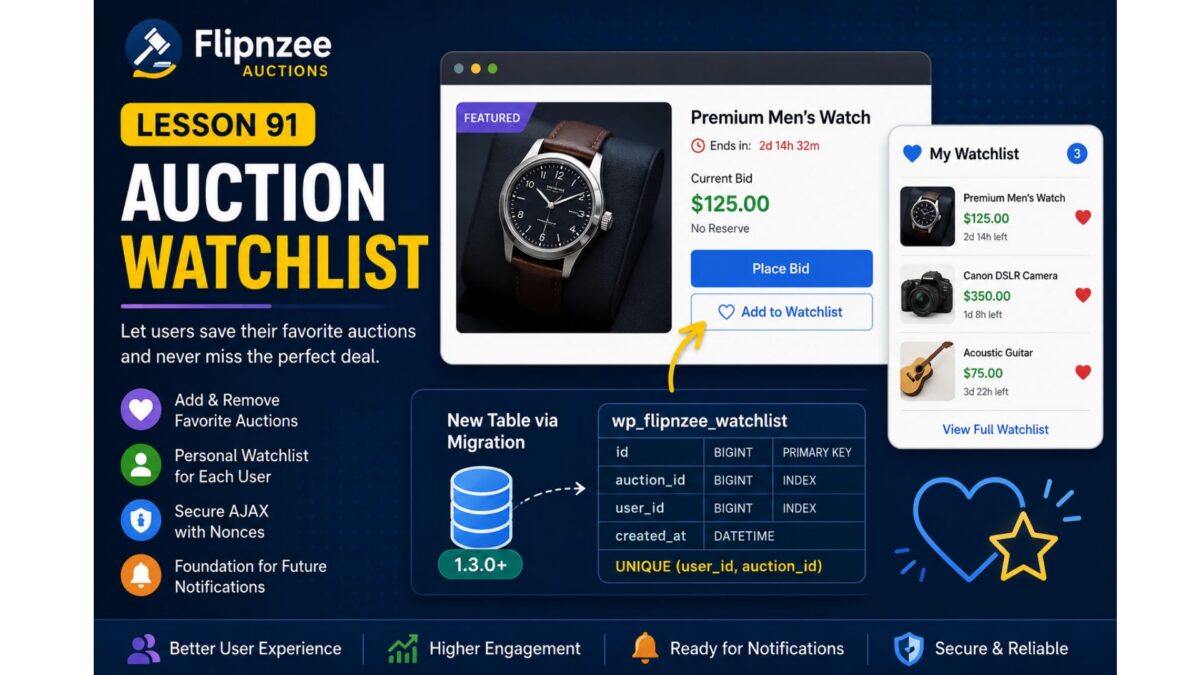
As the number of auctions grows, users need an easy way to keep track of listings they are interested in without placing a bid immediately. A watchlist (or favorites) feature allows registered users to bookmark auctions and quickly revisit them later.

In this lesson, we will implement a complete auction watchlist system, enabling users to add and remove auctions from their personal watchlist. This feature improves user engagement and lays the foundation for future enhancements such as watchlist email notifications, price drop alerts, and ending-soon reminders.


Learning Objectives

By the end of this lesson, we will:

  • Design a user watchlist system.
  • Create a dedicated database table for watchlists.
  • Register the watchlist through the migration framework.
  • Add “Add to Watchlist” and “Remove from Watchlist” functionality.
  • Prevent duplicate watchlist entries.
  • Secure AJAX requests using WordPress nonces.
  • Display watchlist status on auction pages.
  • Prepare for future notification features.

Why This Feature?

Many successful auction platforms provide a watchlist because users often discover auctions long before they are ready to bid.

Benefits include:

  • Better user engagement.
  • Higher return visitor rate.
  • Easier auction discovery.
  • Foundation for automated notifications.
  • Personalized user experience.

Database Design

A new table will be introduced:

wp_flipnzee_watchlist

Suggested structure:

ColumnTypeDescription
idBIGINTPrimary key
auction_idBIGINTAuction/Post ID
user_idBIGINTWordPress User ID
created_atDATETIMEDate added

Unique constraint:

(user_id, auction_id)

to prevent duplicate entries.


Files Planned

flipnzee-auctions.php

includes/class-database.php

includes/class-database-migration.php

includes/class-watchlist.php

includes/class-ajax.php

templates/

assets/js/frontend.js

assets/css/frontend.css

Features to Build

Part 1

Database migration for watchlist table.


Part 2

Watchlist manager class.


Part 3

Add to Watchlist button.


Part 4

Remove from Watchlist button.


Part 5

AJAX handlers.


Part 6

Nonce verification.


Part 7

Display watchlist status.


Part 8

User watchlist page shortcode.


Testing Plan

We will verify:

  • Logged-out users cannot use watchlists.
  • Logged-in users can add auctions.
  • Duplicate entries are prevented.
  • Removing items works.
  • AJAX responses are secure.
  • Database records are correctly created and deleted.
  • Migration executes successfully on upgrades.

Expected Outcome

By the end of Lesson 91, Flipnzee Auctions will include a complete watchlist system that enables users to save favorite auctions for later viewing. The feature will integrate cleanly with the database migration framework introduced in Lesson 90 and provide a strong foundation for future engagement features such as notifications, reminders, and personalized dashboards.


Git Commit (planned)

Lesson 91: Implement auction watchlist system with database migration

I think this is a natural progression from Lesson 90 because it immediately puts your new migration framework to practical use by introducing a new database table and a user-facing feature that will enhance the overall auction experience.

Lesson 86 Implementation: Stabilizing Plugin Activation and Preparing the Migration Framework

Series: Building the Flipnzee Auctions WordPress Plugin
Lesson: 86
Project: Flipnzee Auctions
Difficulty: Intermediate–Advanced


Introduction

In the previous lesson, we laid the foundation for database versioning by introducing a database version constant and storing the plugin’s schema version inside WordPress. The long-term objective is to transition from relying solely on dbDelta() for database upgrades to a dedicated migration framework.

As work began on Lesson 86, the initial goal was to implement reusable migration helper methods such as table_exists(), column_exists(), index_exists(), and add_column(). However, during development we encountered a significant activation issue that required immediate investigation before continuing with the migration framework.

Rather than ignoring the problem and moving forward, we paused development to systematically isolate the root cause. This debugging effort ultimately resulted in a cleaner activation process and a more robust long-term architecture.


Objectives

The objectives for Lesson 86 were:

  • Continue preparing the database migration system.
  • Investigate unexpected plugin activation warnings.
  • Restore stable plugin activation.
  • Prevent unnecessary database schema comparisons during activation.
  • Preserve the Lesson 85 database foundation.
  • Prepare the project for the upcoming migration framework.

The Unexpected Activation Problem

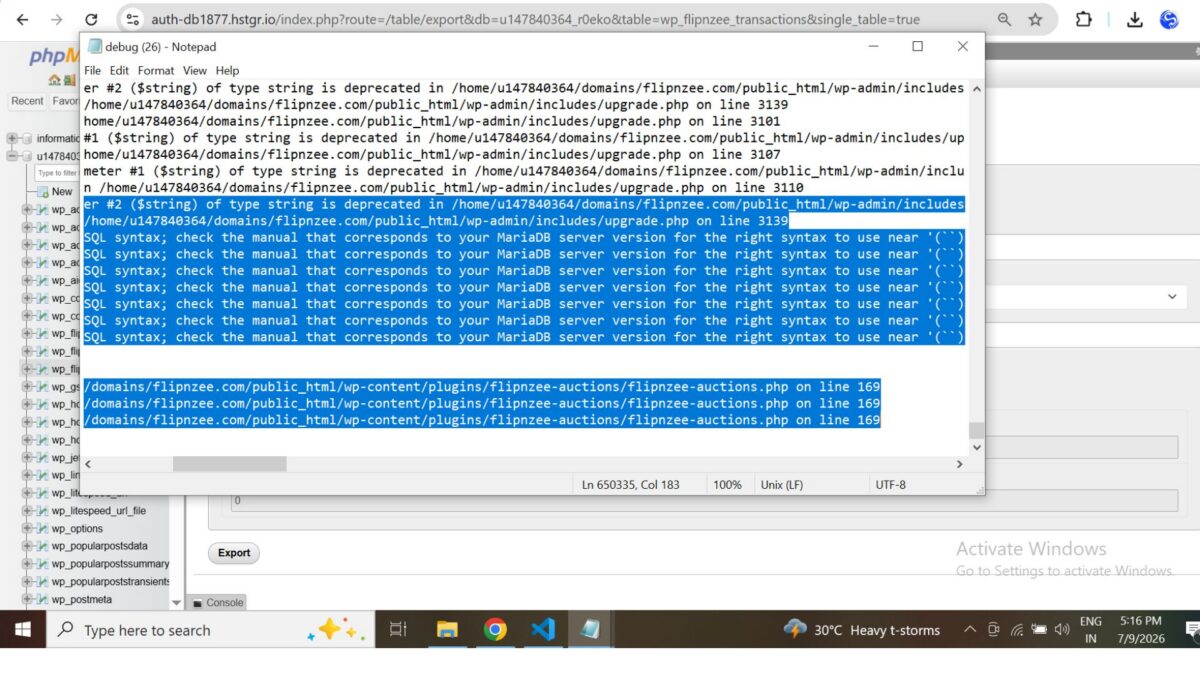
During activation, WordPress displayed the following warning:

The plugin generated 11788 characters of unexpected output during activation.

The debug log consistently pointed to WordPress core’s dbDelta() function, producing warnings similar to:

Undefined array key "index_name"
Undefined array key "index_columns"
Undefined array key "column_name"

followed by SQL such as:

ALTER TABLE wp_flipnzee_transactions ADD `` (``)

This SQL was not generated by the plugin itself. Instead, it originated from WordPress while attempting to compare the existing database schema with the SQL definition provided to dbDelta().


Debugging Strategy

Instead of making multiple unrelated changes, we followed a structured debugging process.

The investigation included:

  • Verifying PHP syntax.
  • Reviewing the transaction table schema.
  • Inspecting the activation hook.
  • Examining database exports.
  • Comparing the SQL generated by the plugin.
  • Reviewing WordPress debug logs.
  • Comparing plugin behavior across different hosting environments.
  • Restoring the project to the Lesson 85 Git checkpoint to confirm whether the issue originated in Lesson 86.

Each step narrowed the possibilities without introducing additional variables.


Cross-Environment Testing

One of the most valuable discoveries came from testing the exact same plugin on two different hosting environments.

WP Engine

  • Plugin activated successfully.
  • Database creation completed normally.
  • No activation warnings appeared.

Hostinger

The same plugin triggered repeated dbDelta() parser warnings when reactivated on an existing installation.

This comparison demonstrated that:

  • the plugin code itself was functional,
  • the activation issue occurred during repeated schema comparisons on an existing database.

Architectural Improvement

Previously, the activation routine always executed:

Flipnzee_Auction_Database::create_tables();

This meant that every activation caused WordPress to run dbDelta() and compare the existing schema with the SQL definitions.

To avoid unnecessary schema comparisons, the activation logic was updated.

Previous implementation

function flipnzee_auction_activate() {

    Flipnzee_Auction_Database::create_tables();
    Flipnzee_Auction_Database::update_db_version();
}

Updated implementation

function flipnzee_auction_activate() {

    if ( false === get_option( 'flipnzee_db_version', false ) ) {
        Flipnzee_Auction_Database::create_tables();
    }

    Flipnzee_Auction_Database::update_db_version();
}

The revised activation process now creates database tables only during the initial installation. Existing installations simply update the stored database version and avoid unnecessary schema comparisons.


Why This Improvement Matters

This seemingly small change significantly improves the plugin architecture.

Instead of repeatedly asking dbDelta() to compare an already existing database schema, future upgrades will be handled by explicit migration routines.

Benefits include:

  • faster activation,
  • reduced risk of parser-related issues,
  • cleaner upgrade path,
  • easier maintenance,
  • improved compatibility across different hosting environments.

Testing

The updated activation workflow was tested after correcting an unrelated PHP syntax issue introduced during debugging.

The final activation tests confirmed:

  • ✅ Plugin activates successfully.
  • ✅ Existing auction functionality remains operational.
  • ✅ Payment infrastructure remains intact.
  • ✅ Database version continues to update correctly.
  • ✅ No activation warnings appear using the revised activation flow.

Git Checkpoint

After verifying successful activation, the project was committed and tagged as a stable checkpoint.

This provides a reliable rollback point before implementing the dedicated migration framework in future lessons.


Lessons Learned

Several important engineering lessons emerged from this debugging session.

1. Debug systematically

Avoid making multiple changes simultaneously. Isolating one variable at a time makes root causes much easier to identify.


2. Cross-environment testing is essential

Testing on multiple hosting providers revealed that the issue was environment-specific rather than a general plugin defect.


3. Stable checkpoints save time

Creating Git tags before major architectural changes allowed the project to be restored quickly during debugging.


4. Installation and upgrades are different concerns

Creating database tables and upgrading existing schemas should be treated as separate responsibilities.


Roadmap

The activation system is now stable again.

The next lessons will continue the original roadmap.

Lesson 87

Introduce a dedicated migration framework responsible for:

  • version-based database upgrades,
  • reusable migration helpers,
  • controlled schema evolution,
  • eliminating the need for repeated dbDelta() schema comparisons on existing installations.

Download Source Code

Download the starting version of the plugin before the lesson:

Download the completed version after this lesson:


Conclusion

Although Lesson 86 began as an implementation of reusable migration helper methods, it evolved into an important architectural milestone.

By resolving the activation issues and refining the activation workflow, the Flipnzee Auctions plugin now has a more stable foundation for future database migrations. This work reinforces an important principle of long-term plugin development: installation and schema upgrades should be managed independently.

With a clean activation process restored and the database versioning system already in place, the project is well positioned to continue building a dedicated migration framework in the upcoming lessons.

Lesson 83 Implementation: Refactoring the Flipnzee Auctions Dashboard with Reusable Helper Methods

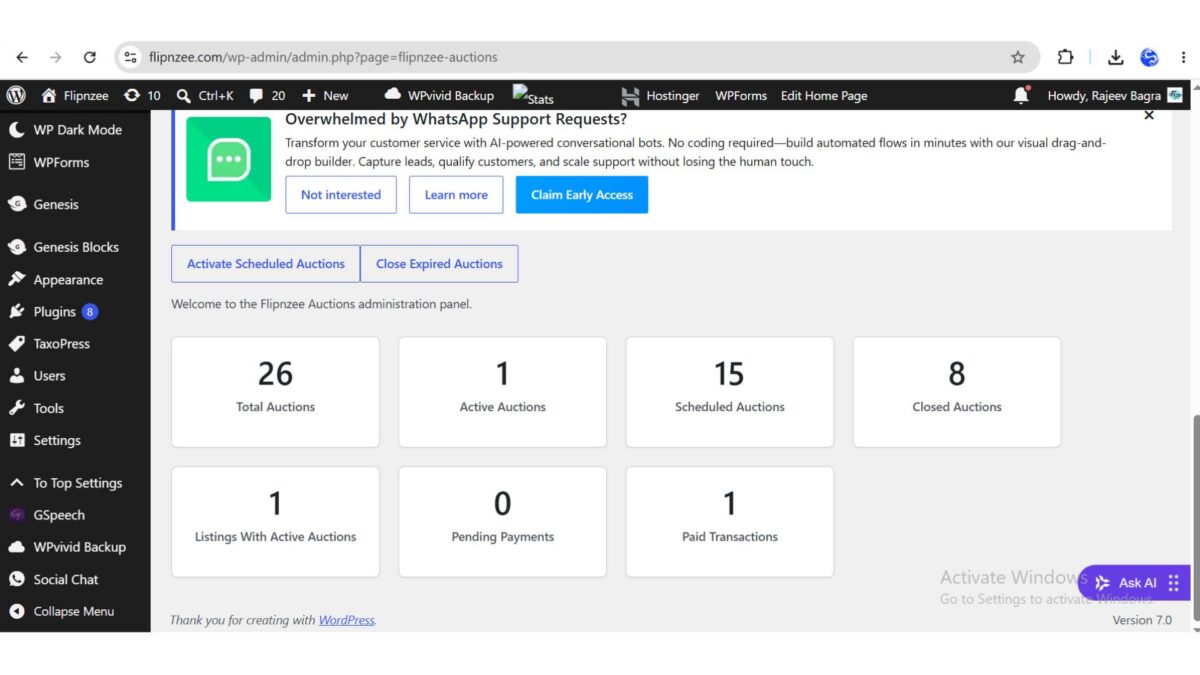
As the Flipnzee Auctions plugin continues to evolve, maintaining clean, readable, and reusable code becomes increasingly important. In previous lessons, the dashboard was enhanced to display multiple live statistics, including the total number of auctions, active auctions, scheduled auctions, closed auctions, and transaction counts. Although the functionality worked perfectly, the dashboard contained repeated HTML for every statistics card.

In this lesson, the focus shifted from adding new features to improving the internal architecture of the plugin. By extracting the repeated dashboard card markup into a reusable helper method, the code became cleaner, more modular, and easier to maintain without changing any existing functionality.


Objective

The primary objective of this lesson was to eliminate duplicated HTML from the Flipnzee Auctions Dashboard by introducing a reusable helper method responsible for rendering individual dashboard cards.

The implementation aimed to:

  • Remove repeated dashboard card markup.
  • Improve readability of the dashboard_page() method.
  • Follow the DRY (Don’t Repeat Yourself) principle.
  • Improve maintainability for future dashboard enhancements.
  • Preserve all existing functionality.

Original Dashboard Implementation

Previously, the dashboard rendered every statistics card directly inside the loop.

foreach ( $cards as $title => $value ) :
?>

<div class="flipnzee-dashboard-card">

    <h2>
        <?php echo esc_html( $value ); ?>
    </h2>

    <p>
        <?php echo esc_html( $title ); ?>
    </p>

</div>

<?php endforeach; ?>

Although this approach worked correctly, the HTML structure was tightly coupled with the dashboard logic. Every new dashboard card required copying the same markup again.


Creating a Reusable Helper Method

To eliminate the duplicated HTML, a new private helper method was introduced inside the Flipnzee_Auction_Admin class.

/**
 * Render a dashboard statistic card.
 *
 * @param string $title Card title.
 * @param mixed  $value Card value.
 */
private function render_dashboard_card( $title, $value ) {
    ?>
    <div class="flipnzee-dashboard-card">

        <h2><?php echo esc_html( $value ); ?></h2>

        <p><?php echo esc_html( $title ); ?></p>

    </div>
    <?php
}

This helper method accepts two parameters:

  • The title of the dashboard statistic.
  • The value to display.

The method is responsible only for rendering a dashboard card, making it reusable throughout the plugin.


Simplifying the Dashboard Loop

With the helper method in place, the dashboard rendering logic became significantly cleaner.

Instead of repeating HTML inside the loop, each dashboard card is now generated by a single function call.

foreach ( $cards as $title => $value ) {

    $this->render_dashboard_card(
        $title,
        $value
    );

}

This reduced the size of the dashboard_page() method and clearly separated data preparation from presentation.


Benefits of the Refactoring

Although the appearance of the dashboard remained unchanged, the internal architecture improved considerably.

The advantages include:

  • Cleaner dashboard code.
  • Elimination of duplicated HTML.
  • Easier maintenance.
  • Easier future expansion.
  • Improved readability.
  • Better object-oriented structure.
  • Greater consistency across dashboard components.

Adding a new dashboard statistic now requires only a new entry in the $cards array rather than duplicating HTML.


Implementation Challenges

During the implementation, several structural issues had to be resolved.

Correct Placement of the Helper Method

Initially, the helper method was inserted inside the dashboard_page() method, which caused PHP syntax errors.

The issue was resolved by placing the helper method outside dashboard_page() while keeping it inside the Flipnzee_Auction_Admin class.


Cleaning Up Leftover HTML

After replacing the repeated dashboard markup with the helper method, several leftover closing HTML tags from the original implementation remained.

These obsolete tags were removed to restore the correct HTML structure.


Avoiding Duplicate Methods

While moving the helper function, an accidental duplicate copy of the method was created.

The duplicate method was removed, leaving a single reusable implementation.


Verifying Syntax

After completing the refactoring, PHP’s built-in syntax checker was executed.

php -l admin/class-admin.php

Output:

No syntax errors detected in admin/class-admin.php

This confirmed the refactoring introduced no syntax errors.


Testing

Extensive testing was carried out after the refactoring.

Dashboard Statistics

The following dashboard cards displayed correctly:

  • Total Auctions
  • Active Auctions
  • Scheduled Auctions
  • Closed Auctions
  • Listings With Active Auctions
  • Pending Payments
  • Paid Transactions

Dashboard Actions

Both dashboard maintenance buttons continued to function correctly.

  • Activate Scheduled Auctions
  • Close Expired Auctions

No behavioural changes were introduced.


Plugin Pages

Additional plugin pages were opened to verify that no unrelated functionality had been affected.

Successfully tested:

  • Dashboard
  • Add Auction
  • All Auctions
  • Transactions
  • Payments
  • Activity Log
  • Edit Auction

All pages loaded successfully.


Lessons Learned

This lesson reinforced several important software engineering concepts.

  • Refactoring is an essential part of software development.
  • Cleaner code is easier to maintain than duplicated code.
  • Helper methods improve readability.
  • Following the DRY principle reduces maintenance effort.
  • Separating presentation from business logic produces a better architecture.
  • Syntax validation should always follow structural changes.
  • Functional testing is equally important after refactoring.

Final Result

The Flipnzee Auctions Dashboard now uses a reusable helper method to render every statistics card.

The dashboard looks exactly the same to administrators, but internally the code is significantly cleaner, shorter, and easier to extend.

This refactoring provides a stronger architectural foundation for future dashboard enhancements, including additional statistics, widgets, notifications, charts, and reusable UI components.

Download Source Code

Download the starting version of the plugin before the lesson:

Download the completed version after this lesson:


Source Code Summary

The implementation included the following improvements:

  • Created the render_dashboard_card() helper method.
  • Replaced duplicated dashboard HTML with a reusable method call.
  • Removed redundant markup.
  • Corrected method placement within the class.
  • Eliminated duplicate helper methods.
  • Validated PHP syntax.
  • Tested all dashboard functionality.
  • Verified backward compatibility.

Conclusion

Not every improvement in a software project involves adding new functionality. Sometimes the most valuable progress comes from improving the quality of the existing code.

By extracting repeated dashboard card markup into a reusable helper method, the Flipnzee Auctions plugin now follows cleaner object-oriented design principles while maintaining exactly the same user experience. The result is a more maintainable, scalable, and professional codebase that will support future development much more effectively.

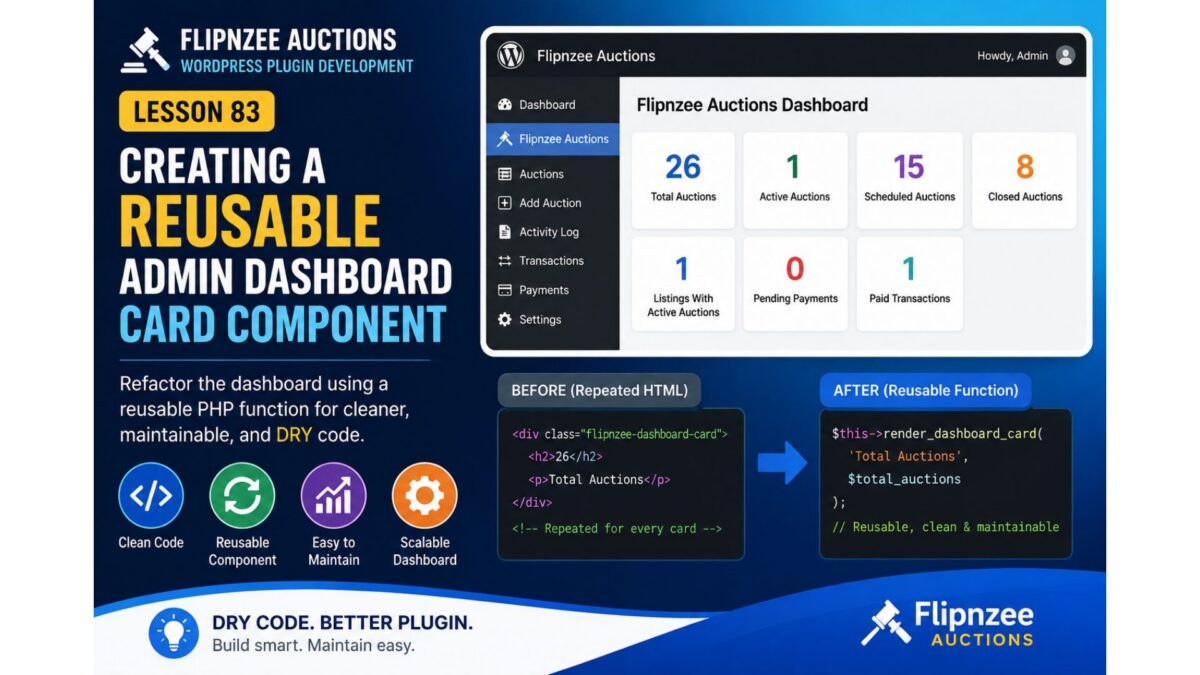
Lesson 83: Creating a Reusable Admin Dashboard Card Component in Flipnzee Auctions

Introduction

As the Flipnzee Auctions plugin continues to grow, the administration dashboard is displaying more statistics such as Total Auctions, Active Auctions, Scheduled Auctions, Closed Auctions, Pending Payments, and Paid Transactions.

Although Lesson 82 moved the dashboard styling into an external stylesheet, the PHP still contains repeated HTML blocks for every dashboard card.

This repetition makes future maintenance harder. Every time a new statistic is added, the same HTML structure must be copied again.

In this lesson, we’ll refactor the dashboard by introducing a reusable helper function that generates dashboard cards dynamically.

This follows the DRY (Don’t Repeat Yourself) principle and makes the code significantly cleaner.


What We’ll Build

Instead of writing this repeatedly:

<div class="flipnzee-dashboard-card">
    <h2><?php echo esc_html( $value ); ?></h2>
    <p><?php echo esc_html( $title ); ?></p>
</div>

we’ll create a helper function like:

private function render_dashboard_card( $title, $value ) {
    ?>
    <div class="flipnzee-dashboard-card">
        <h2><?php echo esc_html( $value ); ?></h2>
        <p><?php echo esc_html( $title ); ?></p>
    </div>
    <?php
}

Then the dashboard becomes much simpler:

foreach ( $cards as $title => $value ) {
    $this->render_dashboard_card( $title, $value );
}

Why This Refactoring Matters

Instead of maintaining multiple HTML snippets throughout the dashboard, all card rendering will be handled in one place.

Benefits include:

  • Cleaner PHP
  • Less duplicate code
  • Easier maintenance
  • Easier redesign later
  • Consistent dashboard appearance
  • Better object-oriented design

What You’ll Learn

In this lesson you’ll learn how to:

  • Identify duplicated HTML
  • Create reusable helper methods
  • Use $this->method() inside classes
  • Separate presentation logic
  • Improve code readability
  • Build reusable UI components in WordPress plugins

Implementation Plan

Step 1

Locate the dashboard card HTML inside dashboard_page().


Step 2

Create a private helper method:

private function render_dashboard_card( $title, $value )

Step 3

Move the repeated HTML into this helper.


Step 4

Replace duplicated HTML with

$this->render_dashboard_card(
    $title,
    $value
);

inside the loop.


Step 5

Test the dashboard to ensure every statistic card still renders correctly.


Expected Outcome

After completing this lesson:

  • Dashboard code becomes much shorter.
  • Only one function controls the card layout.
  • Future dashboard statistics can be added with a single array entry.
  • Any future visual changes require editing only one method.
  • The Flipnzee Auctions dashboard becomes more modular and easier to extend.

Files We’ll Modify

  • admin/class-admin.php

Difficulty Level

⭐⭐☆☆☆ (Beginner–Intermediate)


Estimated Time

20–30 minutes


Coming Up Next

In Lesson 84, we’ll continue improving the admin interface by introducing a reusable admin notice/message system, allowing success, warning, and error messages to be displayed consistently across all Flipnzee admin pages without duplicating HTML.

Lesson 82 Implementation: Refactoring the Flipnzee Admin Dashboard with External CSS

After completing the planning phase in Lesson 82, the next step was to improve the maintainability of the Flipnzee Auctions dashboard by separating presentation from PHP logic. Until now, the dashboard cards relied heavily on inline CSS, making the code difficult to maintain and extend.

In this lesson, the dashboard styling was moved into a dedicated stylesheet while keeping the existing functionality unchanged.


Goal

Refactor the Flipnzee Auctions Dashboard by:

  • Removing inline styling from the dashboard cards
  • Creating a dedicated admin.css stylesheet
  • Loading the stylesheet only on Flipnzee admin pages
  • Keeping the dashboard visually identical while improving code quality

Step 1: Created a Dedicated Admin Stylesheet

A new stylesheet was created inside the plugin.

assets/
└── css/
    ├── frontend.css
    └── admin.css

This file now contains all dashboard-related styles.

Example:

.flipnzee-dashboard-grid {
    display: flex;
    flex-wrap: wrap;
    gap: 20px;
    margin-top: 25px;
}

.flipnzee-dashboard-card {
    flex: 1 1 220px;
    max-width: 260px;
    padding: 20px;
    background: #fff;
    border: 1px solid #ccd0d4;
    border-radius: 6px;
    box-shadow: 0 1px 2px rgba(0,0,0,.08);
    text-align: center;
}

.flipnzee-dashboard-card h2 {
    margin: 0;
    font-size: 34px;
    line-height: 1;
}

.flipnzee-dashboard-card p {
    margin-top: 10px;
    font-weight: 600;
    color: #50575e;
}

Step 2: Replaced Inline Styles

Previously, the dashboard contained markup similar to:

<div style="display:flex;flex-wrap:wrap;gap:20px;">

This was replaced with semantic class names.

<div class="flipnzee-dashboard-grid">

Likewise, each statistics card became:

<div class="flipnzee-dashboard-card">

instead of using long inline style="" attributes.


Step 3: Enqueued the Admin Stylesheet

A new function was added to the main plugin file.

function flipnzee_admin_enqueue_styles( $hook ) {

    if ( false === strpos( $hook, 'flipnzee' ) ) {
        return;
    }

    wp_enqueue_style(
        'flipnzee-admin',
        plugin_dir_url( __FILE__ ) . 'assets/css/admin.css',
        array(),
        FLIPNZEE_AUCTION_VERSION
    );
}

add_action(
    'admin_enqueue_scripts',
    'flipnzee_admin_enqueue_styles'
);

This ensures that the stylesheet loads only on Flipnzee administration pages.


Step 4: Troubleshooting

Initially, the dashboard cards continued to appear vertically stacked.

After investigation, the issue was traced to the plugin folder name on the live server.

The uploaded plugin directory had been named:

82lesson

instead of its expected plugin folder name.

Because of this, the browser returned:

404 Not Found

for:

assets/css/admin.css

Once the plugin folder was corrected and the stylesheet loaded successfully, the dashboard immediately displayed correctly.

This highlighted the importance of verifying that static assets are actually being served by the web server before assuming there is a CSS or PHP issue.


Step 5: Result

After loading the stylesheet successfully:

  • Dashboard cards displayed horizontally.
  • Responsive wrapping worked correctly.
  • Card spacing became consistent.
  • Inline CSS was removed from the dashboard.
  • The admin interface became much cleaner and easier to maintain.

The refactored dashboard now follows a much more professional plugin architecture.


Lessons Learned

This lesson reinforced several important WordPress development practices:

  • Keep presentation separate from business logic.
  • Avoid large inline style attributes.
  • Load assets only where they are needed.
  • Verify browser network requests when debugging missing CSS.
  • Organize plugin assets into dedicated CSS and JavaScript files.

Benefits of This Refactoring

  • Cleaner PHP templates
  • Easier maintenance
  • Better separation of concerns
  • Improved scalability
  • Reusable dashboard components
  • More professional WordPress plugin architecture

Testing Performed

The following tests were completed successfully:

  • ✅ Admin stylesheet loaded successfully.
  • ✅ Dashboard statistics displayed correctly.
  • ✅ Cards wrapped properly on different screen widths.
  • ✅ No PHP syntax errors were introduced.
  • ✅ No visual regressions occurred.
  • ✅ Plugin functionality remained unchanged after the refactoring.

Complete Source Code

The primary implementation consisted of:

  • Creating assets/css/admin.css
  • Replacing inline dashboard styling with reusable CSS classes
  • Registering and enqueueing the stylesheet using admin_enqueue_scripts
  • Updating the dashboard HTML to use the new class-based layout

Download Source Code

Download the starting version of the plugin before the lesson:

Download the completed version after this lesson:


Outcome: Lesson 82 modernized the Flipnzee Auctions admin dashboard by introducing a dedicated stylesheet and removing inline styling. The result is a cleaner, more maintainable codebase that aligns with WordPress development best practices while preserving the dashboard’s functionality and appearance.

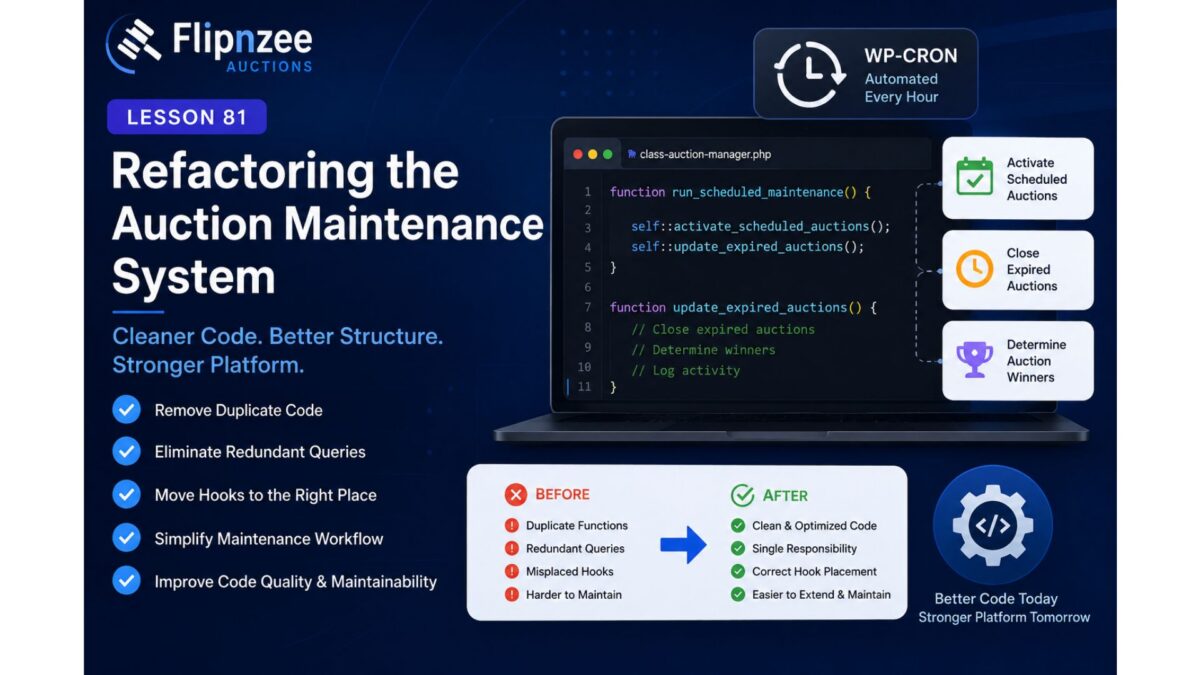
Lesson 81 Implementation: Refactoring the Auction Maintenance System for Better Maintainability

Introduction

In the previous lessons, the Flipnzee Auctions plugin gained automatic auction activation and automatic closing through WordPress Cron. Before introducing additional maintenance features, it was important to review the existing implementation and eliminate duplicate work.

During this lesson, a code audit revealed that much of the scheduled maintenance infrastructure had already been implemented in earlier development sessions. Instead of adding redundant functionality, the focus shifted to refactoring and documenting the existing code to improve maintainability while preserving backward compatibility.

This lesson demonstrates an important software engineering principle: before writing new code, first understand and improve what already exists.


Objective

The goals of this lesson were to:

  • Review the scheduled maintenance architecture.
  • Verify existing WP-Cron integration.
  • Confirm automatic activation and expiration processes.
  • Improve documentation.
  • Make maintenance functions more useful for future debugging and logging.

Existing Scheduled Maintenance

A review of the plugin confirmed that the activation hook already scheduled the maintenance event.

if ( ! wp_next_scheduled( 'flipnzee_auction_maintenance' ) ) {

    wp_schedule_event(
        time(),
        'hourly',
        'flipnzee_auction_maintenance'
    );

}

This meant no additional scheduling code was required.


Existing Maintenance Runner

The plugin also already contained a central maintenance method responsible for executing scheduled tasks.

public static function run_scheduled_maintenance() {

    self::activate_scheduled_auctions();
    self::close_expired_auctions();

}

This central runner keeps maintenance logic organized by placing all automated tasks in a single location.


Manual Maintenance Buttons

Another useful discovery was the administrator dashboard already contained manual maintenance controls.

Administrators can manually execute:

  • Activate Scheduled Auctions
  • Close Expired Auctions

without waiting for the hourly WP-Cron event.

This is extremely helpful while testing new auction features.


Refactoring close_expired_auctions()

Previously the function simply updated expired auctions but did not return any useful information.

Original structure:

$result = $wpdb->query(
    ...
);

The function now returns the number of affected auctions.

$result = $wpdb->query(
    ...
);

return (int) $result;

Why Return the Result?

Returning the number of updated auctions provides several future benefits.

Examples include:

  • maintenance reports
  • activity logs
  • cron debugging
  • unit testing
  • admin notifications

Future code can now simply do:

$closed = Flipnzee_Auction_Manager::close_expired_auctions();

which might return:

0

or

5

depending on how many auctions were closed.


Updating Documentation

The PHPDoc comments were also improved.

Before:

/**
 * Automatically close expired auctions.
 */

After:

/**
 * Automatically close expired auctions.
 *
 * @return int Number of auctions closed.
 */

Accurate documentation makes future maintenance significantly easier.


Testing

After completing the refactoring, the plugin was validated using PHP’s built-in syntax checker.

php -l includes/class-auction-manager.php

Result:

No syntax errors detected in includes/class-auction-manager.php

Additional testing confirmed:

  • WP-Cron scheduling still functions correctly.
  • Manual maintenance buttons continue working.
  • Automatic activation remains unchanged.
  • Automatic closing remains unchanged.
  • Existing functionality remains fully backward compatible.

Lessons Learned

Several important development principles emerged during this lesson.

  • Always inspect existing code before adding new functionality.
  • Refactoring often provides more value than writing duplicate code.
  • Returning useful values improves debugging and future extensibility.
  • Accurate PHPDoc comments are part of maintainable software.
  • Manual maintenance tools are invaluable during development and testing.

Download Source Code

Download the starting version of the plugin before the lesson:

Download the completed version after this lesson:


Conclusion

Although no major new feature was introduced, this lesson significantly improved the overall architecture of the Flipnzee Auctions plugin.

Instead of duplicating functionality, the maintenance system was carefully reviewed, existing capabilities were confirmed, and the codebase was refactored to make it cleaner, more informative, and easier to extend in future lessons.

This refactoring lays a stronger foundation for upcoming enhancements such as maintenance logs, cron statistics, email notifications, and more advanced background processing.

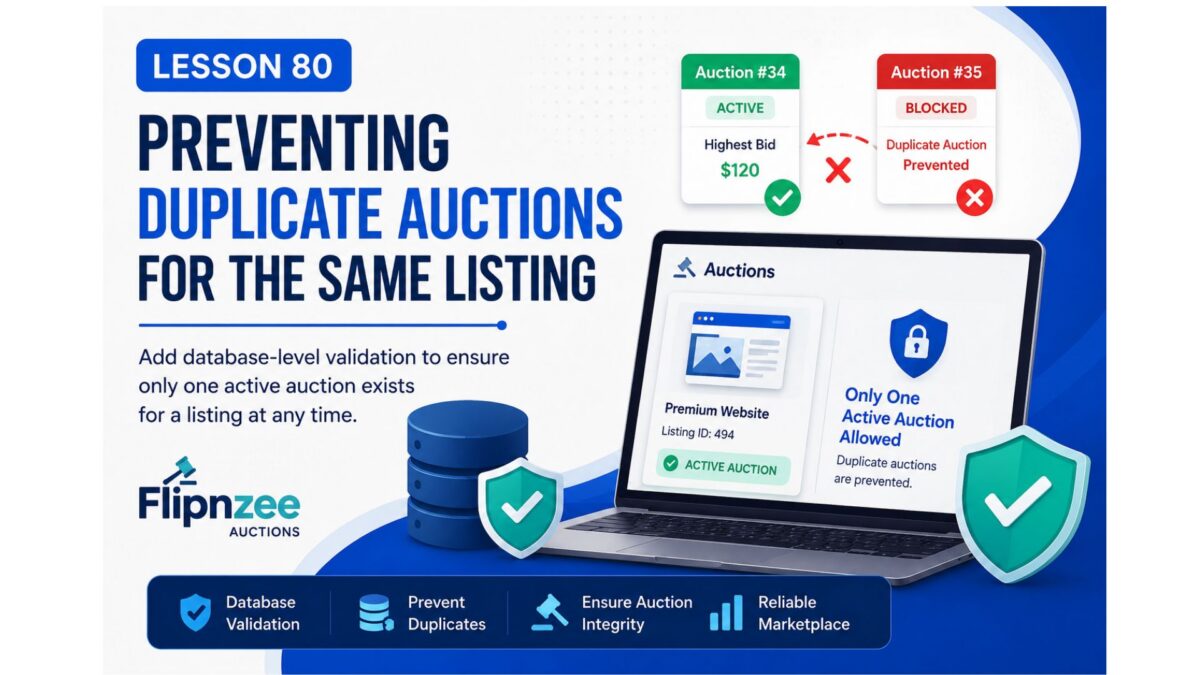
Lesson 80: Preventing Duplicate Auctions for the Same Listing with Database-Level Validation

Introduction

As the Flipnzee Auctions plugin continued to mature, most of the auction workflow had become stable. Earlier lessons introduced automatic auction closing, winner detection, transaction generation, payment management, and duplicate transaction protection.

While reviewing historical auction data, another important question arose:

Can a listing accidentally have more than one active auction?

Although previous improvements had already reduced the possibility of duplicate auctions, adding another layer of protection inside the Auction Manager would make the plugin even more reliable.

This lesson focuses on auditing the auction creation workflow and implementing a final database-level safeguard that prevents multiple active auctions from being created for the same listing.


Why This Improvement Matters

A marketplace should never allow confusion about which auction is currently valid.

Without proper validation, multiple active auctions for the same listing could cause:

  • Multiple bidding interfaces
  • Conflicting highest bids
  • Incorrect winner selection
  • Duplicate transactions
  • Difficult ownership transfer

Even if such situations only occur because of programming mistakes or repeated requests, preventing them is essential.


Current Workflow Review

Before making changes, the existing auction lifecycle should be reviewed.

Listing Created
        │
        ▼
Create Auction
        │
        ▼
Auction Starts
        │
        ▼
Users Place Bids
        │
        ▼
Auction Ends
        │
        ▼
Winner Selected
        │
        ▼
Transaction Created

The only missing safeguard is ensuring that only one active auction can exist for a listing at any given time.


Objectives

In this lesson we will:

  • Audit the auction creation logic.
  • Search where auctions are inserted into the database.
  • Check whether an active auction already exists.
  • Prevent duplicate active auctions.
  • Return the existing auction instead of creating another one.
  • Test the protection with multiple creation attempts.

Implementation Plan

Step 1

Locate the auction creation method.

Search for:

create_auction(

or

$wpdb->insert(

inside

includes/class-auction-manager.php

Step 2

Before inserting a new auction, search for an existing active auction belonging to the same listing.

The validation should resemble:

SELECT id
FROM wp_flipnzee_auctions
WHERE listing_id = ?
AND status = 'active'
LIMIT 1

Step 3

If an active auction exists:

  • do not insert another record
  • return the existing auction ID

Step 4

Only if no active auction exists should the plugin execute:

$wpdb->insert(...)

Step 5

Test using:

  • Add Auction page
  • Edit Auction page
  • phpMyAdmin
  • Frontend listing page

Expected Workflow After Improvement

Create Auction
        │
        ▼
Check Active Auction
        │
   Exists?
    │       │
   Yes      No
    │        │
Return ID  Create Auction

What We Will Learn

This lesson introduces another important software engineering principle:

  • Defensive programming
  • Database validation
  • Idempotent creation methods
  • Marketplace integrity
  • Multi-layer validation
  • Business rule enforcement

Files Expected to Change

Primary file:

includes/class-auction-manager.php

Possible testing files:

admin/class-admin-add-auction.php

admin/class-admin-edit-auction.php

Expected Outcome

After completing Lesson 80:

  • A listing can never have two active auctions.
  • Duplicate auction creation attempts become harmless.
  • Historical auction records remain preserved.
  • Marketplace integrity improves.
  • The auction lifecycle becomes even more robust.

Difficulty

Intermediate


Estimated Time

30–45 minutes


Next Lesson Preview

Lesson 81 – Automatically Archive Completed Auctions and Preserve Historical Records

We’ll enhance the auction lifecycle by introducing an archival mechanism so completed auctions are retained for reporting and auditing while keeping active auction data clean and efficient.