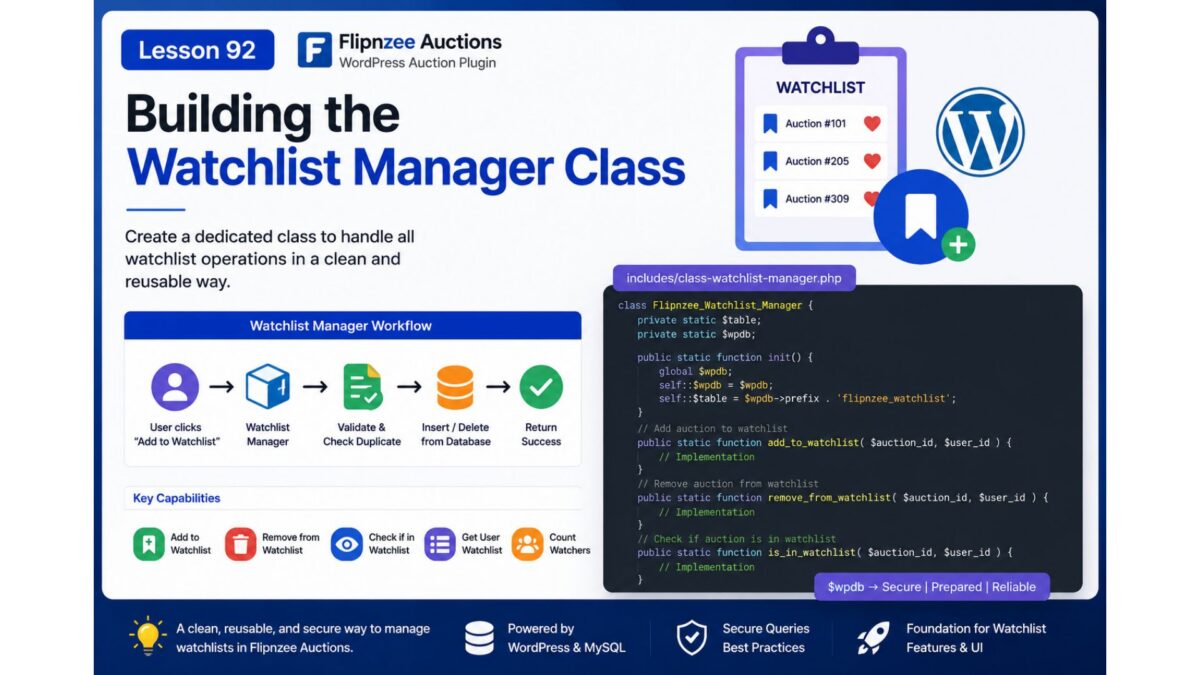
Lesson 92 Implementation: Building the Watchlist Manager Class

Introduction

After creating the Watchlist database table and integrating it into the database migration framework in the previous lesson, the next logical step was to implement the backend component responsible for interacting with that table.

In this lesson, I developed a dedicated Watchlist Manager class that centralizes all watchlist-related database operations. Rather than scattering SQL queries throughout the plugin, all watchlist functionality is now encapsulated in a single class, following a modular and maintainable architecture.


Objectives

The primary objectives of this lesson were:

  • Create a dedicated Watchlist Manager class.
  • Load the new class into the plugin.
  • Initialize database resources efficiently.
  • Add auctions to a user’s watchlist.
  • Prevent duplicate watchlist entries.
  • Remove auctions from the watchlist.
  • Retrieve all watchlisted auctions for a user.
  • Count how many users are watching an auction.
  • Follow WordPress database API best practices.

Files Modified

includes/class-watchlist-manager.php

flipnzee-auctions.php

Step 1: Created the Watchlist Manager Class

A new class was introduced to isolate all watchlist-related functionality.

class Flipnzee_Watchlist_Manager {

}

This provides a dedicated location for all future watchlist business logic and keeps responsibilities clearly separated from other plugin components.


Step 2: Loaded the Class

The new class was registered in the plugin bootstrap so it is automatically available throughout the plugin.

require_once FLIPNZEE_AUCTION_PATH .
    'includes/class-watchlist-manager.php';

This follows the same loading approach used by the rest of the plugin.


Step 3: Added Initialization Logic

Instead of repeatedly accessing the database connection and table name throughout every method, an initialization method was implemented.

public static function init() {

    global $wpdb;

    self::$wpdb = $wpdb;

    self::$table = $wpdb->prefix . 'flipnzee_watchlist';

}

This reduces code duplication and centralizes the database configuration.


Step 4: Implemented add_to_watchlist()

The first functional method inserts an auction into a user’s watchlist.

public static function add_to_watchlist(
    $auction_id,
    $user_id
)

Before inserting a new record, the method verifies that the auction has not already been added by the same user.

The insertion uses WordPress’s database API:

self::$wpdb->insert()

instead of manually writing SQL.


Step 5: Implemented is_in_watchlist()

To prevent duplicate records, a lookup method was added.

public static function is_in_watchlist(
    $auction_id,
    $user_id
)

The method executes a prepared SQL query and returns a boolean value indicating whether a matching watchlist entry already exists.

Prepared statements ensure the query is secure against SQL injection.


Step 6: Implemented remove_from_watchlist()

Removing a watchlist entry is now handled by a dedicated method.

public static function remove_from_watchlist(
    $auction_id,
    $user_id
)

The implementation uses:

self::$wpdb->delete()

which follows WordPress coding standards and safely deletes matching records.


Step 7: Implemented get_user_watchlist()

A retrieval method was added to fetch all auctions saved by a particular user.

public static function get_user_watchlist(
    $user_id
)

The query returns an associative array ordered by the date the auctions were added to the watchlist.

This method will later power the My Watchlist page and shortcode.


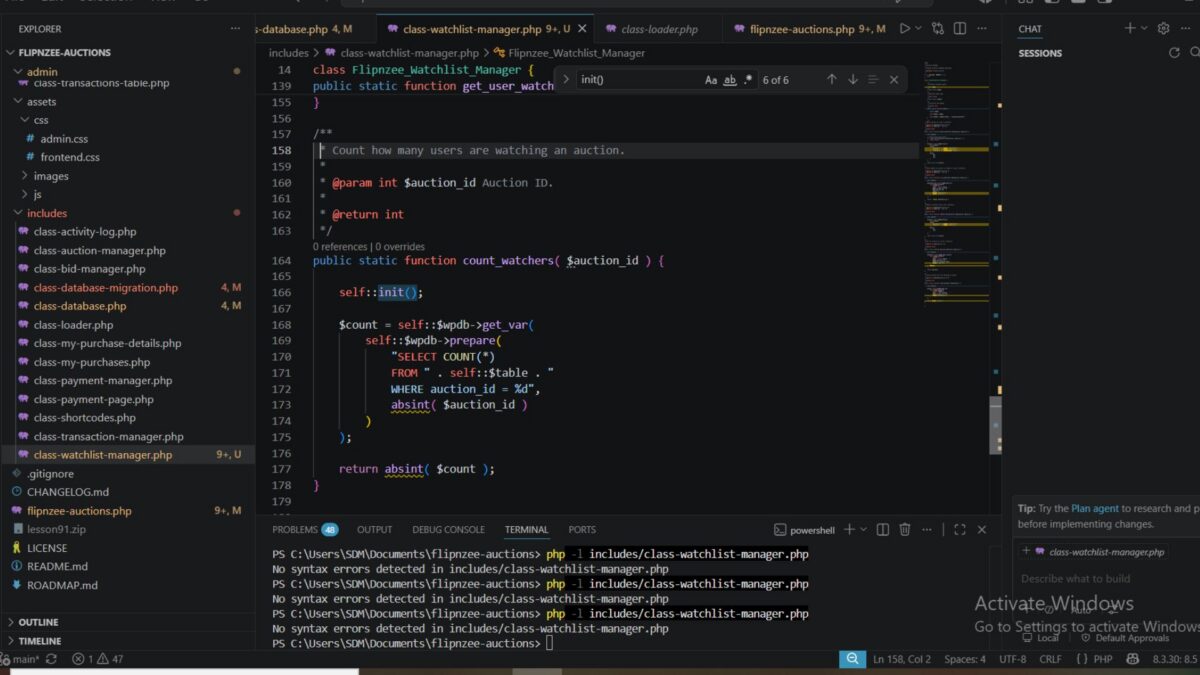
Step 8: Implemented count_watchers()

The final method counts how many users are watching a particular auction.

public static function count_watchers(
    $auction_id
)

This functionality will later be used to display auction popularity and provide additional engagement metrics.


Security Considerations

Throughout the implementation, WordPress database best practices were followed.

These include:

  • Using $wpdb->prepare() for dynamic SQL queries.
  • Sanitizing IDs with absint().
  • Using $wpdb->insert() instead of raw INSERT statements.
  • Using $wpdb->delete() instead of raw DELETE statements.
  • Returning consistent boolean or integer values.

These practices improve both security and maintainability.


Class Structure

By the end of the lesson, the Watchlist Manager contains the following methods:

Flipnzee_Watchlist_Manager
│
├── init()
├── add_to_watchlist()
├── is_in_watchlist()
├── remove_from_watchlist()
├── get_user_watchlist()
└── count_watchers()

This centralized architecture keeps all watchlist logic in one place and makes future enhancements significantly easier.


Testing Performed

The implementation was validated by:

  • Creating the new manager class.
  • Successfully loading the class into the plugin.
  • Verifying PHP syntax after each development step.
  • Ensuring the class initialized correctly.
  • Confirming all database helper methods compiled successfully.
  • Reviewing each database query for correctness.
  • Ensuring all SQL operations use WordPress database APIs.

Challenges Encountered

During development, careful attention was given to designing a reusable architecture rather than embedding SQL throughout the plugin.

Several design decisions were made to improve long-term maintainability:

  • Centralizing database access in a single class.
  • Avoiding duplicate watchlist entries.
  • Using prepared statements for all SELECT queries.
  • Leveraging WordPress helper methods for INSERT and DELETE operations.
  • Keeping each method focused on a single responsibility.

This approach makes future debugging and feature development much easier.


Lessons Learned

This lesson reinforced several important WordPress development principles:

  • Business logic should be separated from presentation logic.
  • Database operations are easier to maintain when encapsulated in dedicated manager classes.
  • WordPress database helper methods improve readability and security.
  • Reusable methods reduce duplication and simplify future development.
  • Designing extensible backend components early provides a strong foundation for upcoming AJAX and frontend features.

Download Source Code

Download the starting version of the plugin before the lesson:

Download the completed version after this lesson:


Outcome

At the end of this lesson, the Flipnzee Auctions plugin now includes a fully functional Watchlist Manager responsible for all backend watchlist operations. The class provides secure, reusable methods for adding, removing, retrieving, and counting watchlist entries while keeping the plugin architecture clean and modular.

This backend service establishes the foundation for the next phase of development, where the watchlist functionality will be connected to AJAX endpoints and integrated into the user interface for a seamless user experience.

Lesson 92: Building the Watchlist Manager Class
Introduction

With the Watchlist database table successfully added in the previous lesson, the next step is to build the business logic that interacts with it. Rather than allowing different parts of the plugin to access the database directly, we will create a dedicated Watchlist Manager class responsible for handling all watchlist-related operations.

This approach follows the plugin’s modular architecture, keeping database queries centralized, reusable, and easier to maintain.


What You Will Learn

In this lesson, you will learn how to:

  • Create a dedicated Watchlist Manager class.
  • Organize watchlist-related database operations.
  • Add and remove auctions from a user’s watchlist.
  • Check whether an auction is already in a watchlist.
  • Retrieve a user’s watchlisted auctions.
  • Follow WordPress database best practices using $wpdb.
  • Keep business logic separate from presentation code.

Why This Lesson Matters

Although the Watchlist table now exists, it currently has no way to interact with the rest of the plugin.

Instead of writing SQL queries throughout the plugin, we’ll encapsulate all watchlist functionality inside a single class.

This provides several advantages:

  • Cleaner code organization
  • Easier debugging
  • Better code reuse
  • Improved security
  • Easier future maintenance

Planned Features

By the end of this lesson, the new manager class will support methods such as:

add_to_watchlist()

remove_from_watchlist()

is_in_watchlist()

get_user_watchlist()

count_watchers()

Each method will perform one specific task, making the class simple and easy to extend.


Proposed File Structure

A new file will be introduced:

includes/
├── class-watchlist-manager.php

The loader will also be updated so the class is automatically available throughout the plugin.


Planned Class Structure

Flipnzee_Watchlist_Manager
│
├── add_to_watchlist()
├── remove_from_watchlist()
├── is_in_watchlist()
├── get_user_watchlist()
└── count_watchers()

Expected Workflow

When a user clicks Add to Watchlist, the flow will eventually become:

User clicks "Add to Watchlist"
            │
            ▼
Watchlist Manager
            │
            ▼
Validate User
            │
            ▼
Check Duplicate Entry
            │
            ▼
Insert into Database
            │
            ▼
Return Success

Likewise, removing an auction will simply delete the corresponding database record while maintaining data integrity.


Best Practices Covered

Throughout this lesson, we’ll follow several WordPress development best practices:

  • Use prepared SQL statements.
  • Sanitize all user input.
  • Prevent duplicate watchlist entries.
  • Return consistent boolean or array results.
  • Keep database logic inside one dedicated class.
  • Maintain compatibility with future AJAX and REST API integrations.

Outcome

At the end of this lesson, the Flipnzee Auctions plugin will have a fully functional Watchlist Manager class capable of handling all watchlist database operations. This will provide the core backend functionality needed before implementing the user interface, AJAX interactions, and frontend watchlist features in the upcoming lessons.

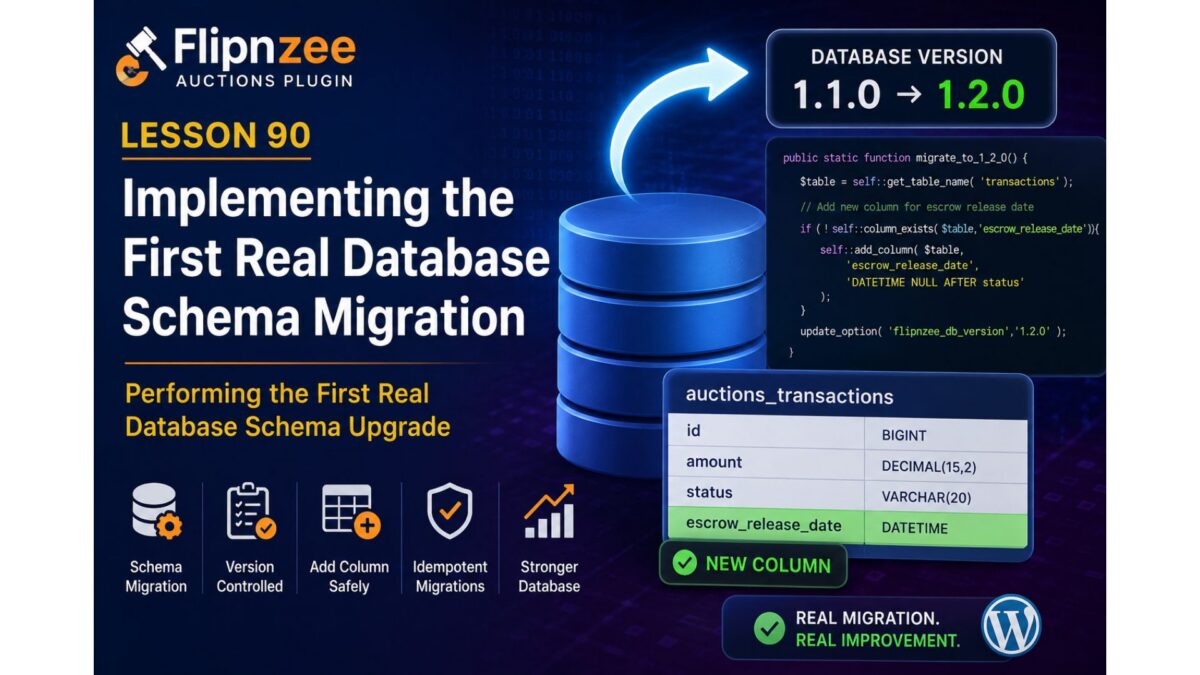
Lesson 90: Implementing the First Real Database Schema Migration

Series: Building the Flipnzee Auctions Plugin
Lesson: 90
Project: Flipnzee Auctions
Topic: Performing the First Real Database Schema Migration


Introduction

With the migration infrastructure now fully operational, the Flipnzee Auctions plugin is finally ready to perform its first real database schema upgrade.

In the previous lessons, we gradually built the migration architecture:

  • Lesson 85 introduced database versioning.
  • Lesson 86 stabilized plugin activation.
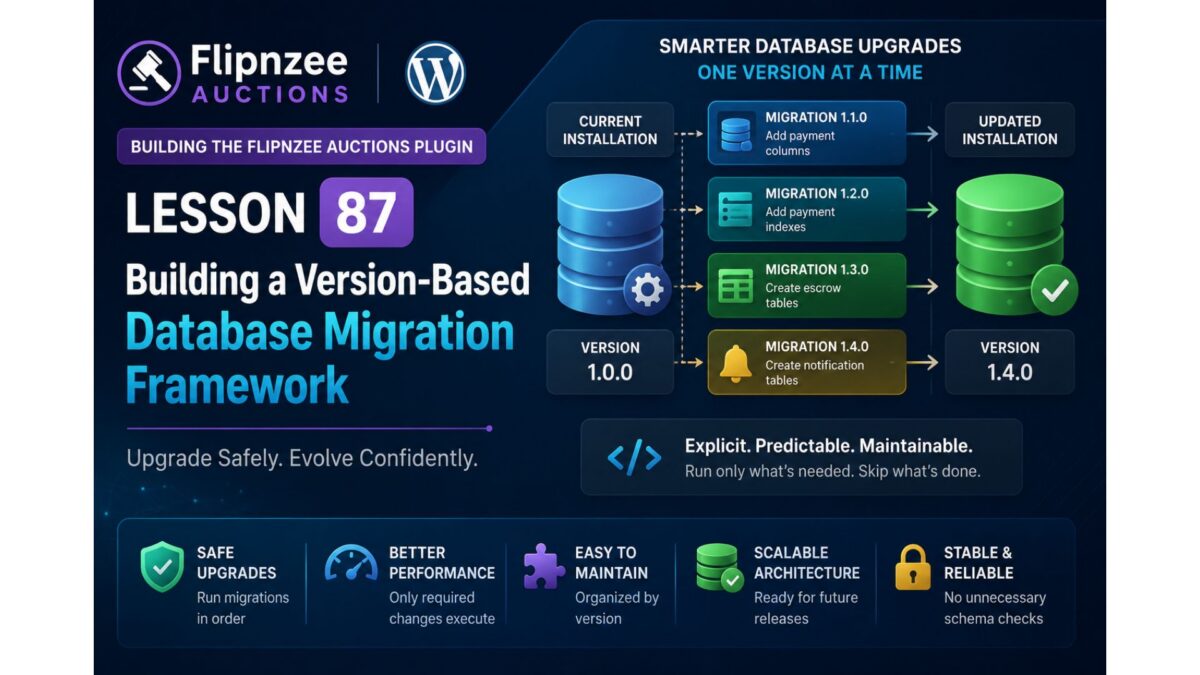
  • Lesson 87 created the migration framework.
  • Lesson 88 implemented reusable migration helper methods.
  • Lesson 89 implemented the first version-controlled migration lifecycle.

Although Lesson 89 successfully executed version-aware migrations, the migration itself intentionally contained only placeholder logic. This allowed us to validate the framework without risking unintended database changes.

In Lesson 90, we take the next logical step by using the migration helper methods to perform the plugin’s first real schema modification.


Objectives

By the end of this lesson we will:

  • implement the first production database schema migration,
  • use the reusable migration helper methods,
  • safely modify an existing database table,
  • validate idempotent migrations,
  • further reduce reliance on dbDelta() for upgrades.

Why This Lesson Is Important

A migration framework has little practical value until it begins performing actual schema changes.

This lesson demonstrates that the framework is now capable of evolving the database safely over time.

Rather than rebuilding entire tables during activation, the plugin will perform only the required changes.


Current Migration Architecture

The plugin currently provides:

Plugin Activation
        │
        ▼
Migration Runner
        │
        ▼
Version Comparison
        │
        ▼
Migration Methods
        │
        ▼
Update Database Version

The framework is now ready to execute real database modifications.


Planned Migration

This lesson will implement the project’s first genuine schema migration.

The migration will use the helper methods introduced in Lesson 88 instead of writing raw SQL directly.

Example workflow:

Database Version

1.0.0

↓

Run Migration

↓

Check Table

↓

Check Column

↓

Add Column (if required)

↓

Update Database Version

Planned Schema Change

Rather than introducing a large structural change, we will begin with a small, safe migration.

Possible candidates include:

  • adding a new transaction metadata column,
  • adding a missing payment-related column,
  • adding a new index to improve query performance.

The migration should be:

  • backward compatible,
  • idempotent,
  • safe to execute multiple times.

Why Start Small?

Large schema migrations are difficult to debug and can increase deployment risk.

By introducing a single controlled change we can verify:

  • migration helpers,
  • version comparisons,
  • schema validation,
  • production upgrade workflow.

Once proven, future migrations become straightforward.


Files Expected to Change

Primary implementation:

includes/class-database-migration.php

Possible updates:

includes/class-database.php

(if obsolete helper methods are removed after migration validation)

Very little work should be required elsewhere.


Migration Helper Usage

The migration should use the helper methods created during Lesson 88.

Expected helpers include:

table_exists()

column_exists()

index_exists()

add_column()

add_index()

No raw ALTER TABLE statements should be scattered throughout the plugin.


Testing Plan

After implementation we will verify:

  • plugin activation,
  • database version comparison,
  • migration execution,
  • successful schema update,
  • repeated activation,
  • no duplicate columns,
  • no duplicate indexes,
  • no activation warnings,
  • compatibility with existing installations.

Design Principles

Throughout implementation we will continue following the project’s established development philosophy:

  • implement one change at a time,
  • test after every step,
  • avoid unnecessary rewrites,
  • keep migrations idempotent,
  • follow WordPress Coding Standards,
  • write maintainable object-oriented code.

Long-Term Migration Strategy

Future releases will simply add new migration methods.

Example roadmap:

1.2.0

↓

Escrow database

↓

1.3.0

↓

Notifications

↓

1.4.0

↓

Reporting

↓

1.5.0

↓

REST API enhancements

Each migration remains independent and version-controlled.


Benefits

After completing Lesson 90, the Flipnzee Auctions plugin will achieve another significant architectural milestone.

Benefits include:

  • first real production schema migration,
  • reusable migration workflow,
  • safer upgrades,
  • easier maintenance,
  • reduced database risk,
  • cleaner version management.

Roadmap

✅ Lesson 85

Database versioning.

✅ Lesson 86

Activation stability.

✅ Lesson 87

Migration framework.

✅ Lesson 88

Migration helper methods.

✅ Lesson 89

First version-controlled migration lifecycle.

▶ Lesson 90 (Current)

First real database schema migration.

Upcoming Lessons

Lesson 91

  • Remove duplicate helper methods from class-database.php.
  • Complete the migration framework transition.
  • Centralize all schema upgrade logic.

Lesson 92

  • Payment workflow schema enhancements.
  • Additional transaction fields.
  • Migration validation improvements.

Expected Outcome

By the end of Lesson 90, the Flipnzee Auctions plugin will perform its first genuine database schema modification through the migration framework. This is the point where the migration architecture begins delivering practical value, demonstrating that future database evolution can be handled safely, incrementally, and predictably.

This lesson represents the transition from building migration infrastructure to actively using it for real production upgrades, bringing the plugin another step closer to a robust, enterprise-quality WordPress auction marketplace.

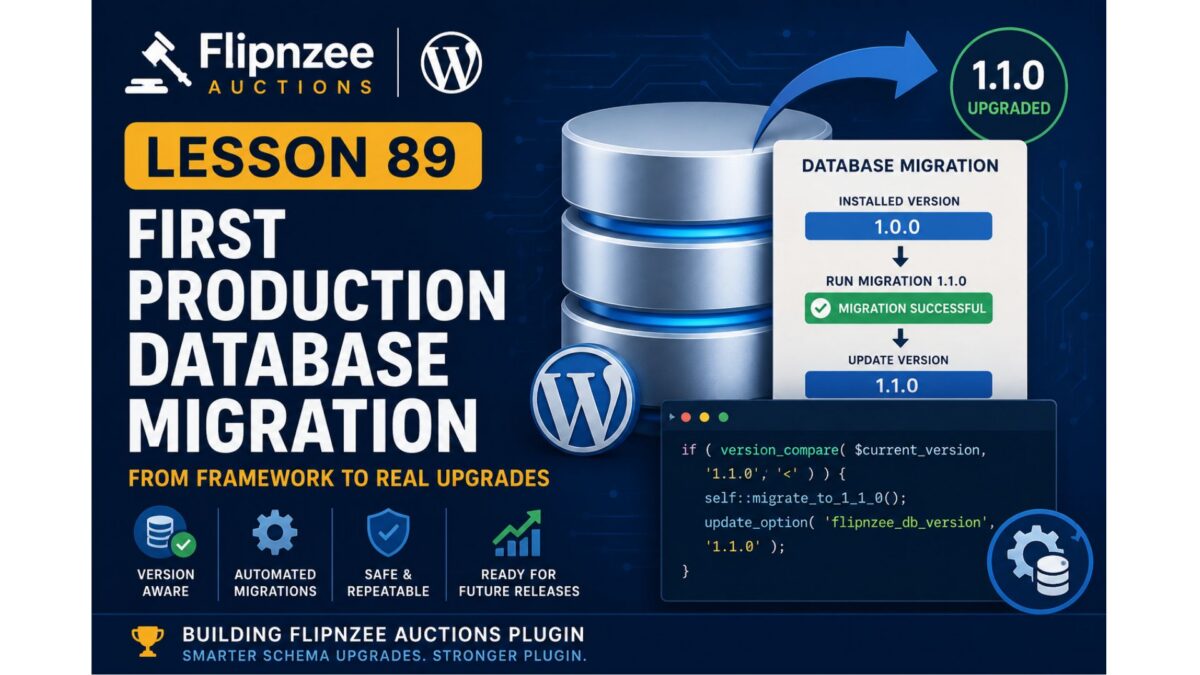
Lesson 89: First Production Database Migration

Series: Building the Flipnzee Auctions Plugin
Lesson: 89
Project: Flipnzee Auctions
Difficulty: Advanced


Introduction

Over the past several lessons, we have gradually transformed the Flipnzee Auctions plugin from using a simple database installation process into a structured, version-aware migration system.

The journey so far has been:

  • Lesson 85 introduced database versioning.
  • Lesson 86 stabilized plugin activation and separated fresh installations from existing upgrades.
  • Lesson 87 created the database migration framework.
  • Lesson 88 implemented reusable migration helper methods.

With the infrastructure now complete, we are finally ready to perform the first real production database migration.

This lesson marks an important milestone because the migration framework will begin performing actual schema upgrades rather than simply preparing for them.


Objectives

By the end of this lesson we will:

  • implement the first production migration,
  • perform version-based schema upgrades,
  • use the migration helper methods,
  • eliminate manual upgrade logic,
  • validate database version comparisons,
  • prepare the framework for future releases.

Current Architecture

Our migration framework currently contains:

Flipnzee_Database_Migration
│
├── run()
├── table_exists()
├── column_exists()
├── index_exists()
├── add_column()
└── add_index()

The framework exists, but the run() method currently does not execute any migrations.


Lesson Goal

Transform the migration framework from a passive structure into an active database upgrade system.


Planned Migration Flow

The migration runner will follow this process:

Plugin Activation
        │
        ▼
Read Stored Database Version
        │
        ▼
Compare Versions
        │
        ▼
Run Required Migration(s)
        │
        ▼
Update Database Version

Each migration should execute only once.


First Production Migration

The first migration will serve as the template for every future database upgrade.

Example concept:

Installed Version

1.0.0
      │
      ▼

Migration 1.1.0

      │
      ▼

Update Version

1.1.0

Future releases will simply extend this pattern.


Migration Philosophy

Rather than asking:

“Does my table match this SQL?”

the plugin will ask:

“What version is currently installed?”

This makes upgrades:

  • deterministic,
  • repeatable,
  • maintainable,
  • production friendly.

Planned Migration Method

This lesson is expected to introduce a dedicated migration function such as:

private static function migrate_to_1_1_0()

Responsibilities include:

  • adding missing payment columns (if required),
  • adding missing indexes,
  • validating schema,
  • ensuring idempotent execution.

The migration should safely execute regardless of whether the database is partially upgraded or already current.


Version Comparison

The migration runner will compare:

$current_version

against

FLIPNZEE_DB_VERSION

using:

version_compare()

Only migrations for newer versions should execute.


Example Flow

Stored Version

1.0.0

↓

Run Migration 1.1.0

↓

Update Version

1.1.0

If the stored version is already 1.1.0, the migration is skipped.


Files Expected to Change

Primary implementation:

includes/class-database-migration.php

Possible minor updates:

flipnzee-auctions.php

No changes are expected to class-database.php because installation and migration responsibilities are now separated.


Testing Strategy

After implementation we will verify:

  • fresh installations,
  • upgraded installations,
  • repeated activations,
  • version comparisons,
  • migration execution,
  • migration idempotency,
  • database integrity,
  • activation stability.

Each migration must be safe to execute multiple times.


Design Principles

During implementation we will continue following the same principles that have guided the project so far:

  • one implementation step at a time,
  • small reversible changes,
  • systematic testing,
  • stable Git checkpoints,
  • WordPress Coding Standards,
  • maintainable object-oriented architecture.

Future Migration Roadmap

Once the first production migration has been successfully implemented, future releases become straightforward.

1.2.0

↓

Escrow tables

↓

1.3.0

↓

Notification tables

↓

1.4.0

↓

Reporting tables

↓

1.5.0

↓

REST API enhancements

Each release simply introduces a new migration method.


Long-Term Benefits

Implementing production migrations provides several advantages:

  • predictable upgrades,
  • safer deployments,
  • cleaner code,
  • easier debugging,
  • improved hosting compatibility,
  • simplified future development.

The migration framework becomes the single source of truth for all database evolution.


Conclusion

Lesson 89 represents the transition from building migration infrastructure to actively using it. For the first time, the Flipnzee Auctions plugin will execute a controlled, version-aware database migration using the helper methods introduced in previous lessons.

This establishes the pattern that every future release will follow, allowing the plugin to evolve safely without relying on repeated dbDelta() schema comparisons. It is a major architectural milestone that moves Flipnzee Auctions closer to the standards expected of mature, production-quality WordPress plugins.

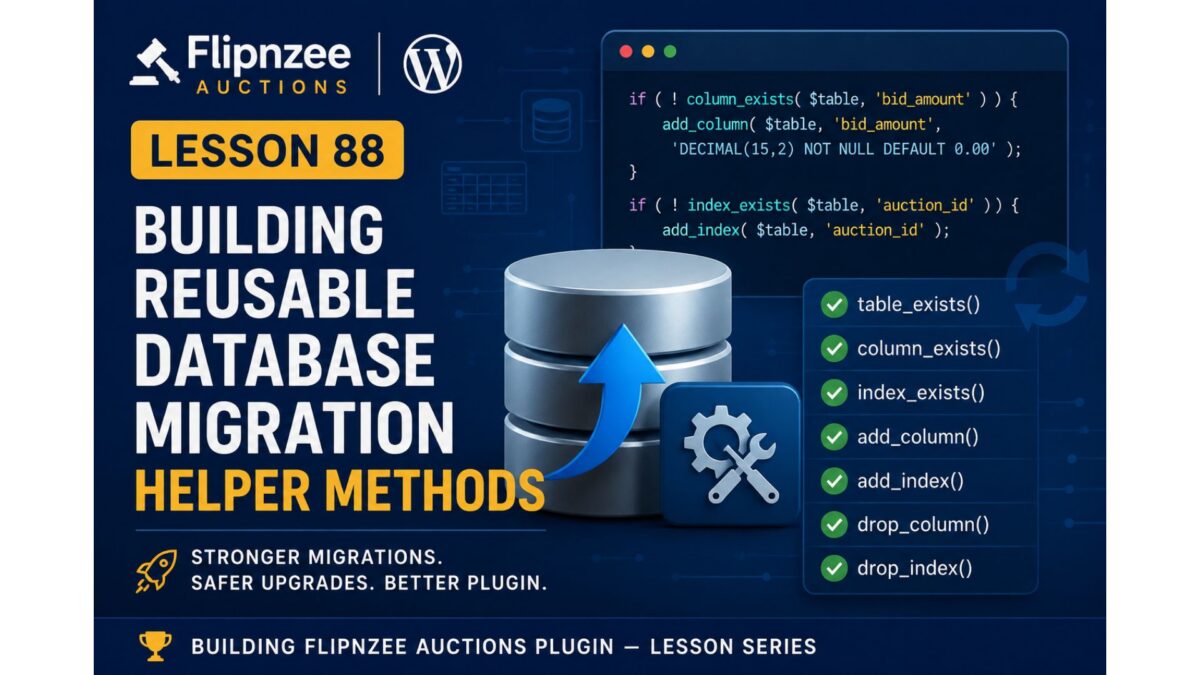
Lesson 88: Building Reusable Database Migration Helper Methods

Series: Building the Flipnzee Auctions Plugin
Lesson: 88
Topic: Creating Reusable Migration Helper Methods


Introduction

In the previous lesson, we introduced a dedicated database migration framework to separate installation logic from upgrade logic. The plugin now has a migration runner capable of handling future database schema changes in a structured manner.

However, the migration framework is only the foundation. Every future database upgrade will require common operations such as checking whether a table exists, determining if a column is already present, adding new indexes, or removing obsolete schema elements.

Writing these checks repeatedly for every migration would quickly become repetitive, error-prone, and difficult to maintain.

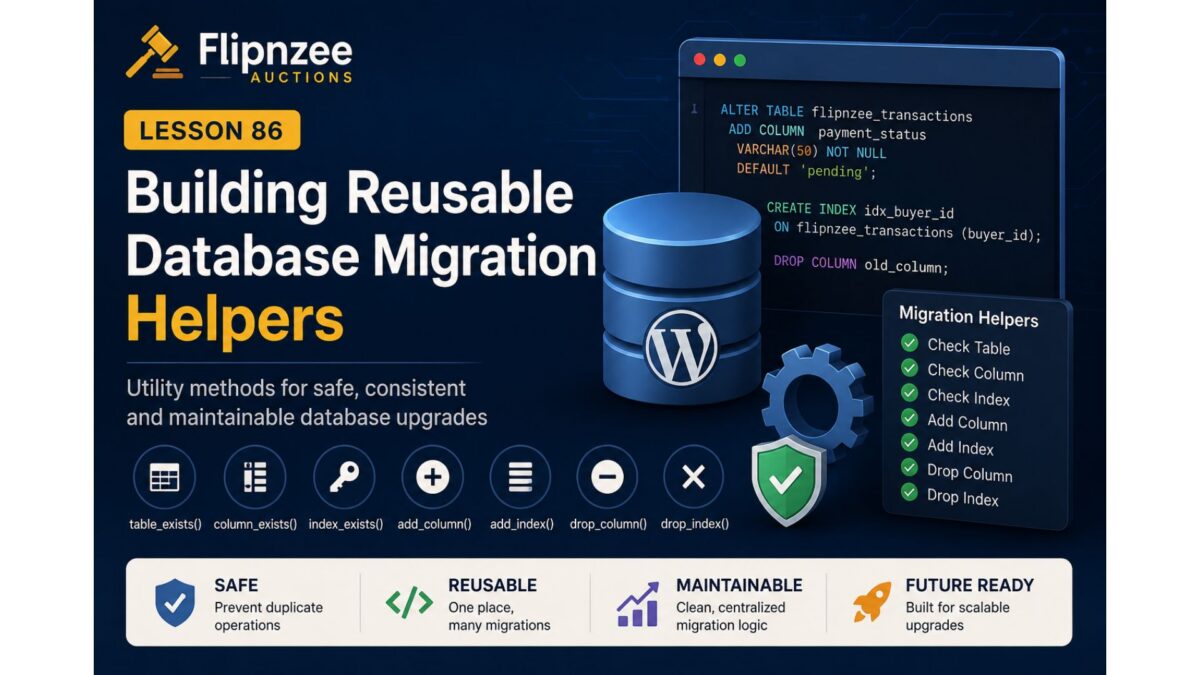
In this lesson, we will build a collection of reusable helper methods that will serve as the toolkit for every future database migration performed by the Flipnzee Auctions plugin.


Objectives

By the end of this lesson we aim to:

  • Create reusable helper methods for database migrations.
  • Eliminate repetitive SQL existence checks.
  • Standardize schema modification logic.
  • Improve the safety of future database upgrades.
  • Prepare the plugin for production-ready version migrations.

Why Helper Methods Are Important

Without helper methods, every migration would need to manually perform tasks like:

  • Check whether a table exists.
  • Check whether a column already exists.
  • Verify indexes.
  • Execute ALTER TABLE statements.
  • Handle duplicate schema elements.

This leads to duplicated code throughout the project.

Instead, we’ll centralize these responsibilities inside the migration framework.


Current Architecture

Plugin Activation
        │
        ▼
Migration Runner
        │
        ▼
Future Migration Methods

Architecture After Lesson 88

Plugin Activation
        │
        ▼
Migration Runner
        │
        ▼
Migration Helper Methods
        │
        ├── table_exists()
        ├── column_exists()
        ├── index_exists()
        ├── add_column()
        ├── add_index()
        ├── drop_column()
        └── drop_index()

Every future migration will rely on these reusable methods rather than writing raw SQL repeatedly.


Planned Helper Methods

1. table_exists()

Determine whether a database table exists before attempting any modifications.

Example usage:

if ( Flipnzee_Database_Migration::table_exists( $table ) ) {
    // Continue migration.
}

2. column_exists()

Verify that a column is present before adding or removing it.

Example:

if ( ! Flipnzee_Database_Migration::column_exists( $table, 'payment_status' ) ) {
    // Add column.
}

3. index_exists()

Determine whether a database index already exists.

Example:

if ( ! Flipnzee_Database_Migration::index_exists( $table, 'auction_id' ) ) {
    // Create index.
}

4. add_column()

Safely add a new column only if it does not already exist.

Responsibilities include:

  • checking table existence
  • checking column existence
  • executing ALTER TABLE
  • returning success/failure

5. add_index()

Safely create database indexes.

Should avoid duplicate index creation.


6. drop_column()

Safely remove obsolete columns during future upgrades.


7. drop_index()

Safely remove unused indexes while preserving database integrity.


Files Expected to Change

Primary file:

includes/class-database-migration.php

Very little work should be required elsewhere because the migration framework has already been integrated during Lesson 87.


Benefits

After completing this lesson the migration system will become:

  • cleaner
  • reusable
  • easier to maintain
  • safer
  • easier to extend
  • consistent across future upgrades

Testing Plan

After implementing each helper method we will verify:

  • Table existence detection.
  • Column existence detection.
  • Index detection.
  • Safe execution when objects already exist.
  • No duplicate SQL errors.
  • Plugin activation remains stable.
  • Compatibility with existing installations.

Roadmap

✅ Lesson 85

Database versioning and payment schema foundation.

✅ Lesson 86

Activation stability improvements.

✅ Lesson 87

Migration framework and activation integration.

▶ Lesson 88 (Current)

Reusable migration helper methods.

Upcoming Lessons

Lesson 89

  • First production database migration using the helper methods.

Lesson 90

  • Escrow database foundation.

Lesson 91

  • Payment workflow database enhancements.

Lesson 92

  • Migration rollback and validation improvements.

Expected Outcome

By the end of Lesson 88, the Flipnzee Auctions plugin will have a reusable migration toolkit that significantly reduces duplicate database code and provides a consistent, reliable way to perform future schema upgrades.

This lesson represents another important architectural investment. Rather than adding visible user-facing features, we are strengthening the plugin’s internal infrastructure so future development becomes safer, faster, and easier to maintain.

Lesson 87: Building a Version-Based Database Migration Framework

Series: Building the Flipnzee Auctions WordPress Plugin
Lesson: 87
Project: Flipnzee Auctions
Difficulty: Advanced


Introduction

During the previous lessons, we introduced database versioning and stabilized the plugin activation process. We also discovered an important limitation of relying on dbDelta() for repeated schema comparisons on existing installations.

Although dbDelta() remains an excellent tool for creating tables during a fresh installation, our debugging experience showed that long-term schema evolution requires a more controlled and predictable approach.

In this lesson, we will begin implementing a dedicated version-based database migration framework. This framework will become responsible for upgrading existing installations safely while keeping fresh installations simple and reliable.

Rather than asking WordPress to infer schema differences automatically, the plugin will explicitly execute only the database changes required for each version.


Why Build a Migration Framework?

Most production plugins continue evolving long after their initial release.

New releases often introduce:

  • new database columns,
  • additional indexes,
  • modified table structures,
  • new tables,
  • deprecated fields,
  • performance improvements.

Attempting to manage all of these changes using repeated dbDelta() comparisons can become increasingly difficult as the project grows.

A migration framework provides a much more maintainable solution.


Objectives

By the end of this lesson, we will:

  • create the foundation of a dedicated migration system,
  • separate installation logic from upgrade logic,
  • introduce a migration manager class,
  • implement version-aware migration execution,
  • prepare the plugin for future schema upgrades,
  • keep activation stable across environments.

Current Database Architecture

At this stage, the plugin already contains:

  • database version constant,
  • version storage in WordPress options,
  • table creation logic,
  • payment infrastructure,
  • stable activation process.

The next step is allowing the plugin to upgrade older installations without recreating existing tables.


The New Architecture

Instead of relying entirely on dbDelta(), the plugin architecture will evolve into the following flow.

Plugin Activation
        │
        ▼
Check Stored Database Version
        │
        ├───────────────┐
        │               │
        ▼               ▼
Fresh Install      Existing Install
        │               │
        ▼               ▼
create_tables()   run_migrations()
        │               │
        └───────┬───────┘
                ▼
Update Database Version

This separation makes installation and upgrades independent processes.


Migration Manager

The migration manager will become responsible for coordinating every database upgrade.

Responsibilities include:

  • reading the current database version,
  • comparing versions,
  • executing required migrations,
  • updating the stored version,
  • ensuring migrations run only once.

No migration should execute twice.


Migration Philosophy

Instead of asking:

“Does this table match my SQL?”

the plugin will ask:

“Which version is currently installed?”

This simple change dramatically improves predictability.

Example:

Installed Version
        │
        ▼
1.0.0
        │
        ▼
Run Migration 1.1.0
        │
        ▼
Update Version

Future releases follow exactly the same pattern.


Planned Class Structure

A new class will manage all database migrations.

Example:

includes/
    class-database.php
    class-database-migration.php

Responsibilities remain clearly separated.

class-database.php

  • create tables
  • installation logic

class-database-migration.php

  • migration runner
  • migration helpers
  • schema upgrades
  • version comparisons

This follows the Single Responsibility Principle and keeps each class focused on one purpose.


Version Comparison

Rather than checking individual columns during activation, the plugin will compare versions.

Conceptually:

$current_version
↓

version_compare()

↓

Run only required migrations

This approach scales naturally as more releases are added.


Example Upgrade Path

Suppose a user installs Version 1.0.0.

Later versions introduce additional features.

1.0.0
↓

1.1.0
Add payment columns

↓

1.2.0
Add payment indexes

↓

1.3.0
Create escrow tables

↓

1.4.0
Create notification tables

Each version executes only its own migration.


Benefits

The migration framework provides numerous advantages.

Reliability

Database upgrades become deterministic.


Performance

Only required changes execute.


Maintainability

Schema changes remain organized by version.


Safety

Existing installations avoid unnecessary schema comparisons.


Scalability

Future releases simply add new migration methods.


Files Expected to Change

This lesson is expected to introduce or modify:

includes/
    class-database-migration.php

flipnzee-auctions.php

includes/
    class-database.php

The exact implementation will remain incremental and thoroughly tested after each step.


Testing Strategy

Each migration will be verified by:

  • activating the plugin,
  • upgrading older installations,
  • confirming database version updates,
  • ensuring no duplicate migrations occur,
  • checking schema consistency,
  • validating existing auction functionality.

Every migration should be idempotent and safe to execute.


Lessons Learned from Previous Work

The activation debugging carried out in Lesson 86 reinforced several important principles.

  • Installation and upgrades should be treated separately.
  • Stable Git checkpoints are invaluable.
  • Environment differences can expose unexpected behaviors.
  • Incremental development simplifies debugging.
  • Database migrations deserve their own dedicated architecture.

These lessons directly influenced the design of the migration framework introduced in this lesson.


Roadmap

After completing the migration framework foundation, the following lessons will extend its capabilities.

Lesson 88

Implement reusable migration helper methods:

  • table_exists()
  • column_exists()
  • index_exists()
  • add_column()
  • add_index()
  • drop_column()
  • drop_index()

Lesson 89

Implement the first production migration by replacing manual payment schema upgrades with version-controlled migration methods.


Lesson 90

Expand the migration framework to support:

  • escrow tables,
  • notification tables,
  • reporting tables,
  • future REST API infrastructure.

Conclusion

The Flipnzee Auctions plugin has now reached a stage where database evolution deserves its own dedicated subsystem.

By introducing a version-based migration framework, we move beyond relying solely on dbDelta() and establish a scalable architecture capable of supporting future releases with confidence.

This lesson marks the beginning of a mature database lifecycle where installations, upgrades, and schema evolution are handled independently, providing a stable foundation for the continued growth of the Flipnzee Auctions marketplace plugin.

Lesson 86: Building Reusable Database Migration Helpers for Flipnzee Auctions

Introduction

As software evolves, database schemas inevitably change. New features often require additional columns, indexes, or even entirely new tables. While WordPress provides the powerful dbDelta() function for creating and updating database tables, relying exclusively on it for every schema modification can become increasingly difficult as a plugin grows.

During the previous lesson, we introduced database version tracking after resolving an activation issue caused by schema upgrade processing. With a stable versioning mechanism now in place, the next logical step is to build a reusable migration toolkit that simplifies future database upgrades.

Instead of writing repetitive SQL checks every time a new database change is needed, we’ll create a collection of helper methods that can safely determine the current database structure before making any modifications. This approach improves code readability, reduces duplication, and provides a reliable foundation for all future migrations.


Lesson Objectives

By the end of this lesson we will:

  • Design a reusable migration helper system.
  • Detect whether database tables already exist.
  • Verify if specific columns are present.
  • Check for existing database indexes.
  • Create helper methods for adding new columns.
  • Create helper methods for adding indexes safely.
  • Prepare helper methods for removing obsolete columns and indexes when required.
  • Build a maintainable migration framework that future lessons can reuse.

Why We Need Migration Helpers

Without reusable helpers, every database upgrade typically requires repeating the same pattern:

  • Check if a table exists.
  • Check whether a column already exists.
  • Execute an ALTER TABLE statement.
  • Handle duplicate column errors.
  • Repeat the same logic for every future schema change.

Over time this leads to:

  • duplicated code
  • inconsistent error handling
  • difficult maintenance
  • greater risk during plugin upgrades

A centralized migration helper solves these problems by keeping all schema-related logic in one place.


Planned Helper Methods

Our migration helper class will include several reusable methods.

table_exists()

Checks whether a database table currently exists before attempting any schema modifications.

Example use cases:

  • verifying custom auction tables
  • confirming transaction tables
  • validating optional plugin components

column_exists()

Determines whether a specific column already exists within a table.

This prevents SQL errors such as:

Duplicate column name

Future migrations can safely execute only when the required column is missing.


index_exists()

Indexes improve query performance, but attempting to recreate an existing index results in SQL errors.

This helper allows migrations to safely verify whether an index already exists before adding it.


add_column()

Instead of repeatedly writing raw SQL throughout the project, this helper will:

  • verify table existence
  • verify column absence
  • execute the required ALTER TABLE statement
  • return a success/failure result

This greatly simplifies future migrations.


add_index()

Provides a standardized method for creating indexes while avoiding duplicate index errors.

Future performance improvements can be implemented with minimal code.


drop_column()

Although used less frequently, removing obsolete columns should follow the same controlled process.

This helper keeps removal operations consistent with additions.


drop_index()

Indexes occasionally become unnecessary after schema redesigns.

This helper provides a clean mechanism for safely removing outdated indexes.


Architectural Design

Rather than scattering migration logic across multiple files, we’ll centralize all reusable schema operations inside the database layer.

The migration helpers will serve as the foundation for future version-based migrations, allowing upgrade routines to focus only on what needs to change instead of repeatedly implementing how those changes should be performed.

This separation improves readability while making future maintenance significantly easier.


Benefits of Reusable Migration Helpers

Once implemented, future database upgrades become much cleaner.

Instead of writing repetitive SQL validation code for every release, migration scripts can simply invoke helper methods that already perform the necessary safety checks.

Advantages include:

  • reduced code duplication
  • safer database upgrades
  • easier debugging
  • improved readability
  • better long-term maintainability
  • simplified future development

Files Expected to Change

The implementation of this lesson is expected to modify the database management layer, including:

  • includes/class-database.php

Depending on the final architecture, additional migration-related classes or files may also be introduced if they improve organization without unnecessarily increasing complexity.


Testing Plan

After implementation we will verify that:

  • helper methods correctly detect existing tables
  • column detection functions return accurate results
  • index detection works correctly
  • duplicate columns are never created
  • duplicate indexes are prevented
  • existing databases continue functioning without modification
  • fresh installations remain unaffected

Looking Ahead

With reusable migration helpers complete, the plugin will be ready for its first true production migration.

In the next lesson, we’ll replace the previous payment schema upgrade logic with a version-based migration that leverages these new helper methods. This will demonstrate how future database changes can be applied safely and consistently without relying on dbDelta() for incremental schema upgrades.

By taking this incremental approach, Flipnzee Auctions continues evolving toward a robust, production-quality architecture capable of supporting many future releases while maintaining backward compatibility with existing installations.

In the next step, we’ll implement the migration helper framework one method at a time, keeping the changes small, testable, and consistent with the project’s development philosophy.

Lesson 85: Building a Robust Database Migration Engine for WordPress Plugins


Introduction

As WordPress plugins evolve, their database schema often needs to change. New columns, indexes, and even tables may be added as features are introduced. While WordPress provides the dbDelta() function to create and update database tables, real-world experience has shown that it is not always reliable for upgrading complex schemas across different hosting environments, PHP versions, and database servers.

During the previous lesson, while extending the Flipnzee Auctions payment system, extensive debugging revealed that the SQL definitions were valid, yet dbDelta() repeatedly generated invalid index upgrade statements when attempting to modify an existing table. Rather than continuing to rely on automatic schema parsing, this lesson introduces a dedicated database migration engine that performs controlled, version-based upgrades.

This approach follows the design philosophy used by many mature WordPress plugins and provides much greater reliability for long-term maintenance.


Objectives

By the end of this lesson we will:

  • Create a database version management system.
  • Store the installed database version.
  • Detect plugin upgrades automatically.
  • Execute database migrations only when required.
  • Check whether columns already exist.
  • Check whether indexes already exist.
  • Safely execute ALTER TABLE statements.
  • Prevent duplicate database modifications.
  • Prepare the plugin for future schema upgrades.

Why Database Migrations Matter

Using only dbDelta() works well when a plugin is first installed, but upgrading an existing database becomes increasingly difficult as more features are added.

A migration system offers several advantages:

  • predictable upgrades
  • version tracking
  • improved compatibility
  • safer production deployments
  • easier debugging
  • rollback-friendly architecture

Instead of recreating entire table definitions during every plugin activation, migrations apply only the changes required for the installed version.


Proposed Architecture

The migration engine will consist of four main components.

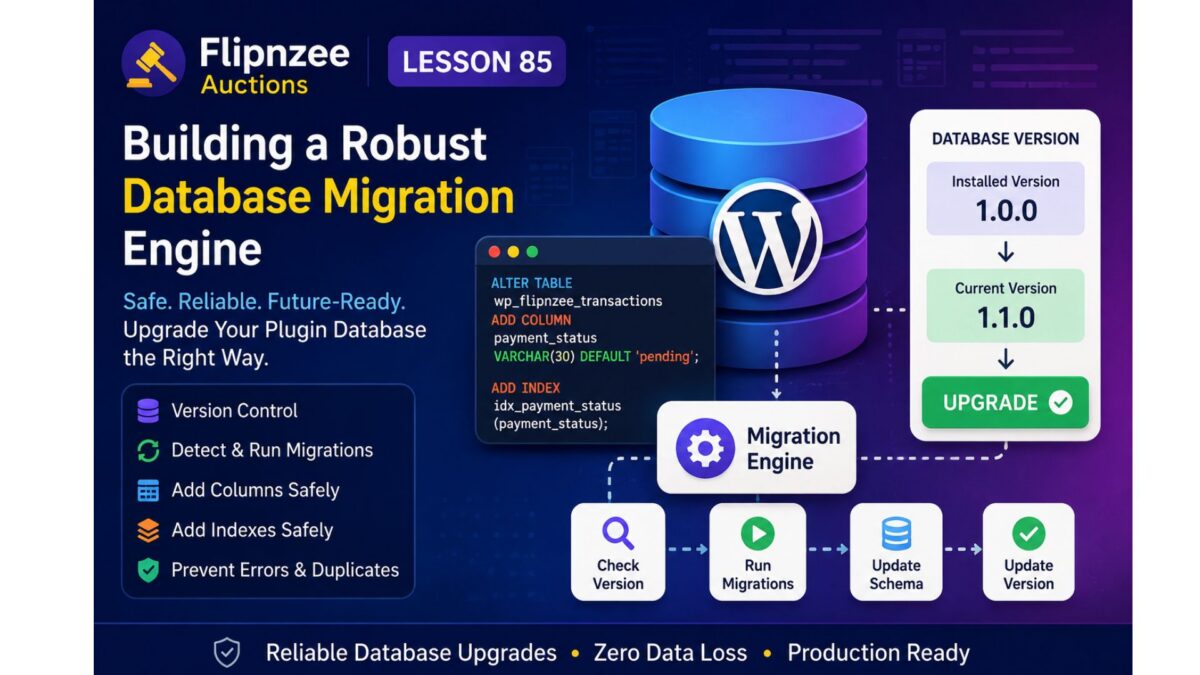
1. Database Version Constant

define( 'FLIPNZEE_DB_VERSION', '1.1.0' );

2. Stored Database Version

get_option( 'flipnzee_db_version' );

3. Migration Runner

Plugin Activated
        │
        ▼
Read Installed Database Version
        │
        ▼
Compare With Current Version
        │
        ▼
Run Required Migration(s)
        │
        ▼
Update Stored Version

4. Individual Migration Methods

Examples include:

migrate_to_1_1_0()

migrate_to_1_2_0()

migrate_to_1_3_0()

Each migration performs only the changes required for that specific release.


Column Upgrade Strategy

Before adding a column:

SHOW COLUMNS

If the column does not exist:

ALTER TABLE
ADD COLUMN ...

Otherwise:

Skip

This prevents duplicate column errors.


Index Upgrade Strategy

Instead of relying on dbDelta():

SHOW INDEX

If the index is missing:

ALTER TABLE
ADD INDEX

Otherwise:

Skip

This avoids parser-related upgrade issues.


Benefits

After implementing the migration engine, Flipnzee Auctions will gain:

  • reliable upgrades
  • production-safe database changes
  • incremental schema evolution
  • simpler debugging
  • compatibility with existing installations
  • cleaner activation logic
  • easier future development

Files Expected to Change

During implementation we expect to work primarily with:

includes/class-database.php

Potentially also:

flipnzee-auctions.php

to initialise the migration process during activation.


Skills Learned

This lesson introduces several professional WordPress development concepts:

  • semantic database versioning
  • migration architecture
  • schema evolution
  • defensive database programming
  • production-safe plugin upgrades
  • backward compatibility

Expected Outcome

By the end of this lesson, Flipnzee Auctions will no longer depend entirely on dbDelta() for schema upgrades.

Instead, the plugin will include a dedicated migration engine capable of safely upgrading existing installations while preserving data and supporting future releases.

This establishes a solid foundation for upcoming lessons involving payment verification, escrow workflows, notifications, reporting, and additional marketplace features without risking database inconsistencies.

Lesson 84: Designing the Payment Transaction Database for Flipnzee Auctions


One of the most important milestones for any auction platform is handling what happens after an auction ends. While previous lessons focused on listings, bidding, winners, and auction management, the next stage is enabling a complete payment workflow between buyers and sellers.

In this lesson, the goal is to extend the existing transactions table so that it can support manual payment verification and future payment gateway integrations.

Objectives

  • Extend the transaction database schema.
  • Store payment status for every completed auction.
  • Record the selected payment gateway.
  • Support uploading payment proof.
  • Store the payment submission timestamp.
  • Prepare the plugin for future escrow and automated payment workflows.

Planned Database Enhancements

The transaction table will be extended with additional fields such as:

  • payment_status
  • payment_gateway
  • payment_proof_id
  • payment_submitted_at

These fields will allow the plugin to track the complete payment lifecycle from auction completion through seller verification.

Expected Outcome

By the end of this lesson, the payment database foundation will be ready for implementing buyer payment submission and seller/admin verification in upcoming lessons.

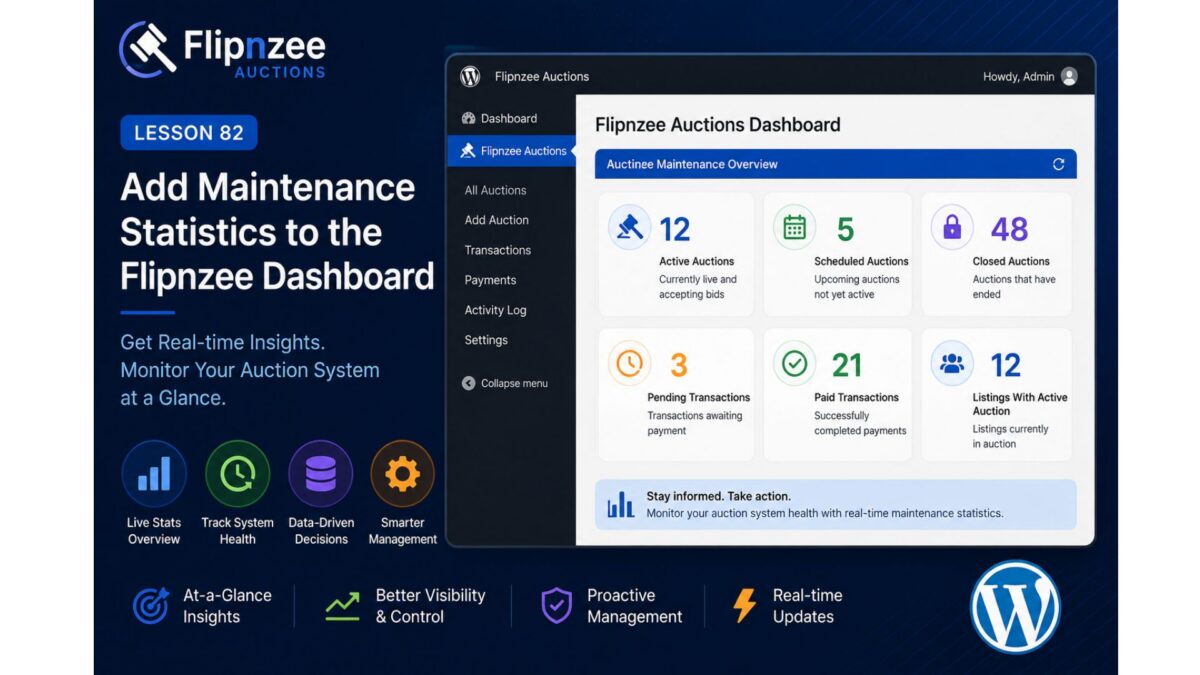
Lesson 82: Add Maintenance Statistics to the Flipnzee Dashboard


Objective

Enhance the Flipnzee Auctions dashboard by displaying real-time maintenance statistics, allowing administrators to quickly monitor the health of the auction system.


Why This Lesson?

Currently, maintenance runs silently.

Administrators cannot easily determine:

  • How many auctions are active?
  • How many are scheduled?
  • How many have closed?
  • Are there expired auctions waiting to be processed?
  • How many transactions are pending?

Instead of opening multiple pages, the dashboard should provide this information at a glance.


What We’ll Build

A new Auction Maintenance Overview section on the Dashboard.

Example:

-----------------------------------------
 Flipnzee Auctions Dashboard
-----------------------------------------

Active Auctions .............. 12

Scheduled Auctions ........... 5

Closed Auctions .............. 48

Pending Transactions ......... 3

Paid Transactions ............ 21

Listings With Active Auction . 12

-----------------------------------------

Database Queries

We’ll count records directly from the existing tables.

Active auctions

SELECT COUNT(*)
FROM wp_flipnzee_auctions
WHERE status='active'

Scheduled auctions

SELECT COUNT(*)
FROM wp_flipnzee_auctions
WHERE status='draft'

Closed auctions

SELECT COUNT(*)
FROM wp_flipnzee_auctions
WHERE status='closed'

Pending payments

SELECT COUNT(*)
FROM wp_flipnzee_transactions
WHERE payment_status='pending'

Paid payments

SELECT COUNT(*)
FROM wp_flipnzee_transactions
WHERE payment_status='paid'

Benefits

Administrators can instantly verify that:

  • automatic activation is working
  • automatic closing is working
  • payment workflow is progressing
  • auction volume is increasing
  • no maintenance backlog exists

Files We’ll Modify

  • admin/class-admin.php

No database changes.

No new tables.

No schema updates.


Learning Outcomes

After completing this lesson, you’ll know how to:

  • Create an admin dashboard summary.
  • Execute aggregate database queries using $wpdb.
  • Display live system statistics.
  • Build informative WordPress admin interfaces.
  • Improve the usability of a plugin without changing its core business logic.

Estimated Difficulty

⭐⭐☆☆☆ (Beginner–Intermediate)

This lesson focuses on improving the administrator experience by presenting meaningful live statistics rather than introducing new backend logic.

It also prepares the dashboard for future enhancements, such as charts, maintenance history, and performance metrics in later lessons.